
We may earn a commission if you buy through links on this page. It never changes a score or a ranking. How we make money
The bottom line
Good fit for teams that need web data by API; budget depends on usage and concurrency.
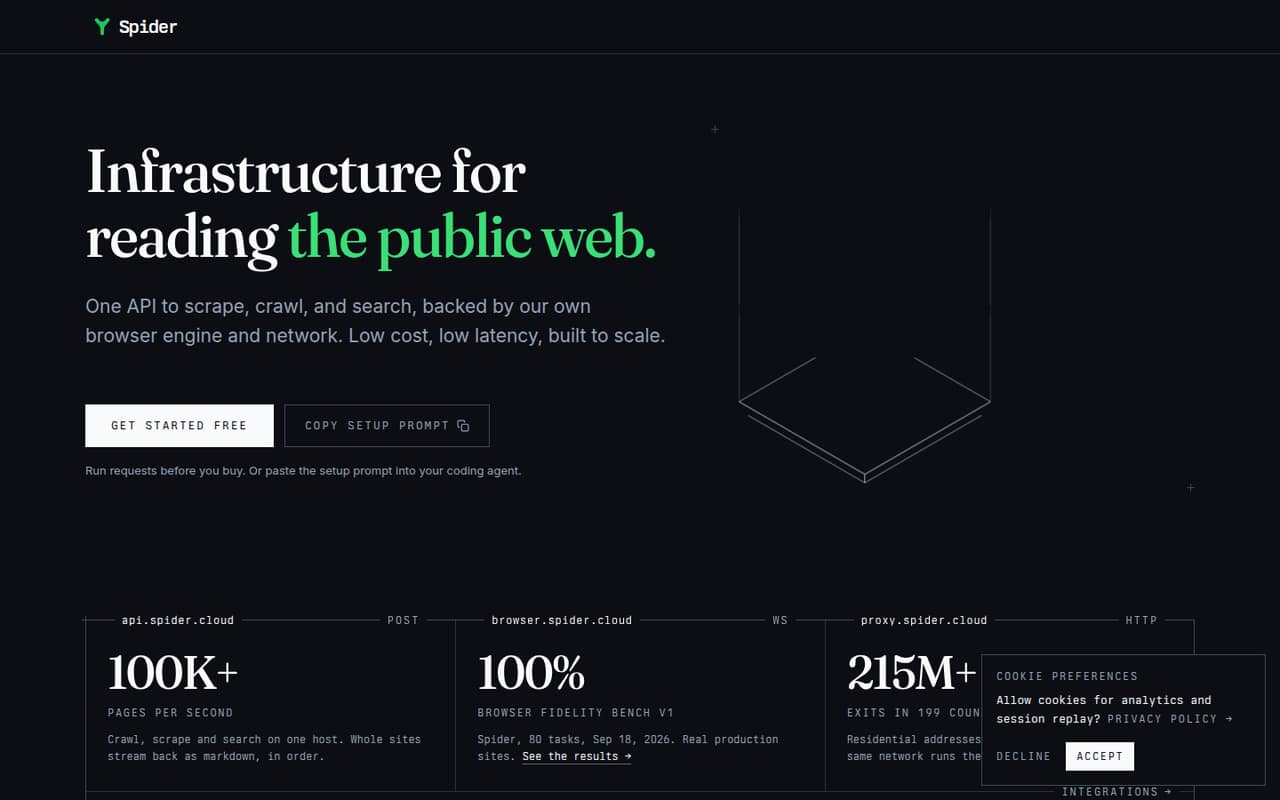
Spider combines scraping, crawling, and web search in one API. It can render pages in a browser and return cleaned content as markdown or JSON, with ordered streaming for crawl results.
The pricing page lists pay-as-you-go rates and monthly concurrency plans, but doesn’t publish the free plan’s allowance. AI Studio starts at $6/month; the cheapest option for your workload depends on how much data and CPU time you use.
Good fit if
- Small teams building web-data workflows
- RAG pipelines needing clean page content
- Variable scraping workloads
Skip it if
- Teams wanting a no-code crawler
- Buyers needing known free-tier limits
- Workloads requiring published support terms
ScoresHow it rates
What works
- Scrape, crawl, and search through one API
- Returns content as markdown or JSON
- Browser rendering handles scripts and lazy images
- Failed pay-as-you-go requests cost $0
- Pay-as-you-go balance does not expire
What doesn't
- Free-plan allowance and limits are not published
- Pay-as-you-go total cost depends on usage
- Unlimited starts at $40/month
- Zero data retention costs 2.5x credits
- No annual billing is listed for Unlimited
01Who Spider is for
Spider is for teams that need public-web information inside an app or workflow, rather than a point-and-click scraper for occasional research. One API covers scraping a page, crawling a site, and searching the web. It can render pages that rely on scripts, then return cleaned content as markdown or JSON.
For a team of one to ten, the fit is strongest when someone can work with APIs and the data feeds a RAG pipeline, agent, or internal tool. A founder or developer can start with pay-as-you-go instead of taking on a monthly subscription, while steady workloads can use concurrency-based Unlimited pricing. The pricing page lists no per-seat charge, so adding teammates does not change the listed plan price. If your team mainly wants a visual interface or needs predictable costs before measuring usage, confirm the free-plan allowance and expected request consumption first.
02Spider free plan and trial
The pricing information lists a free plan, but does not publish its included credits, request limit, concurrency, or other restrictions. That makes it hard for a small team to know whether the free option covers a real workflow or just an initial check. Ask Spider what the free plan includes and whether usage limits reset.
Trial terms are not listed. If you need a known entry price, pay-as-you-go has no subscription: the pricing page lists $1 per GB and $0.0001 per CPU minute, with failed requests costing $0. Your balance does not expire. AI Studio starts at $6 per month and adds natural-language endpoints on an existing key; it is not described as a general free trial. For scraping, crawling, or search, estimate usage before choosing a paid route.
03What a small team pays for Spider
Spider is not priced per seat, so there is no separate one-person, three-person, or five-person rate. On pay-as-you-go, all those team sizes pay according to consumption: $1 per GB plus $0.0001 per CPU minute. The monthly bill for one, three, or five people cannot be calculated without your usage. There is no subscription, and the balance does not expire.
Unlimited starts at $40 per month for two concurrent requests. That means the listed plan price is $40/month for a one-, three-, or five-person team using that starting tier; it buys concurrency, not seats. The pricing page lists 25 concurrent requests for $350/month, with a self-serve maximum of 1,538 for $19,994/month. No annual billing is listed. AI Studio starts at $6/month for natural-language endpoints on an existing key. Pay-as-you-go top-ups of $500 or more earn a 5% bonus; $2,000 or more earns 12%. Optional zero data retention bills requests at 2.5x credits.
04Getting started with Spider
Spider is presented as an API, so getting useful results means connecting requests to your own app or workflow rather than setting up a standalone team workspace. The core tasks are sending a scrape, crawl, or search request and deciding whether your pipeline needs markdown or JSON. Browser rendering and ordered JSONL streaming cover more involved pages and crawl outputs.
The feature description does not specify a setup timeline, supported SDKs, or ready-made integrations. For a small team, plan for developer time to connect the API, handle returned data, and check how usage maps to billing. Before building around it, ask the vendor for current integration guidance and the free-plan limits. If your team needs natural-language endpoints, AI Studio starts at $6/month and works on an existing key. The API-first approach may suit a developer-led team, but it is less direct for colleagues expecting a no-code setup.
05When small teams outgrow Spider
The likely pressure point is usage, not headcount: Spider’s listed plans charge by data and CPU time or by concurrent requests, rather than by seat. If crawls grow more frequent, pay-as-you-go bills can rise with consumption. Unlimited starts at $40/month for two concurrent requests, and the listed 25-request tier costs $350/month. Higher concurrency is available, but the self-serve maximum is 1,538 concurrent requests for $19,994/month.
Teams may also outgrow the entry-level option if they need more predictable spending than variable usage provides, or if the free plan’s unpublished limits do not cover their workload. Zero data retention adds another cost, billing requests at 2.5x credits. The pricing page does not list annual billing for Unlimited, and the published plan details do not set out support terms or a seat-based collaboration layer. Before scaling, model your typical and peak crawl usage, then confirm the free allowance, concurrency needs, and data-retention requirements with Spider.
Questions people ask
Does Spider have a free plan?
The pricing information lists a free plan, but does not publish its allowance or limits. It does not specify credits, request volume, or concurrency. Ask Spider what the free option includes before relying on it for a production workflow. If you need a published rate, pay-as-you-go costs $1 per GB plus $0.0001 per CPU minute.
How much does Spider cost for a small team?
Spider does not list per-seat pricing, so one-, three-, and five-person teams do not have separate seat totals. Pay-as-you-go costs $1 per GB and $0.0001 per CPU minute. The Unlimited plan starts at $40 per month for two concurrent requests. Your best fit depends on usage and concurrency.
What does Spider's pay-as-you-go plan charge for?
The pricing page lists $1 per GB and $0.0001 per CPU minute. Failed requests cost $0, and there is no subscription. Your balance does not expire. Top-ups of $500 or more earn a 5% bonus, while top-ups of $2,000 or more earn a 12% bonus.
What can Spider do besides scrape pages?
Spider’s API can crawl websites and search the web as well as scrape individual pages. Its browser engine can run scripts, load lazy images, and handle infinite scroll. Results can come back as cleaned markdown or JSON, and completed crawl pages can stream as JSONL lines.
How much does zero data retention cost?
Spider lists optional zero data retention at 2.5x credits per request. The pricing information does not give a separate monthly fee for the option. Since it multiplies request credit use, include that factor when estimating a workload and ask Spider how it applies to your chosen plan.