
We may earn a commission if you buy through links on this page. It never changes a score or a ranking. How we make money
The bottom line
Worth a shortlist for legal workflow automation; get a quote before counting on it for a tight budget.
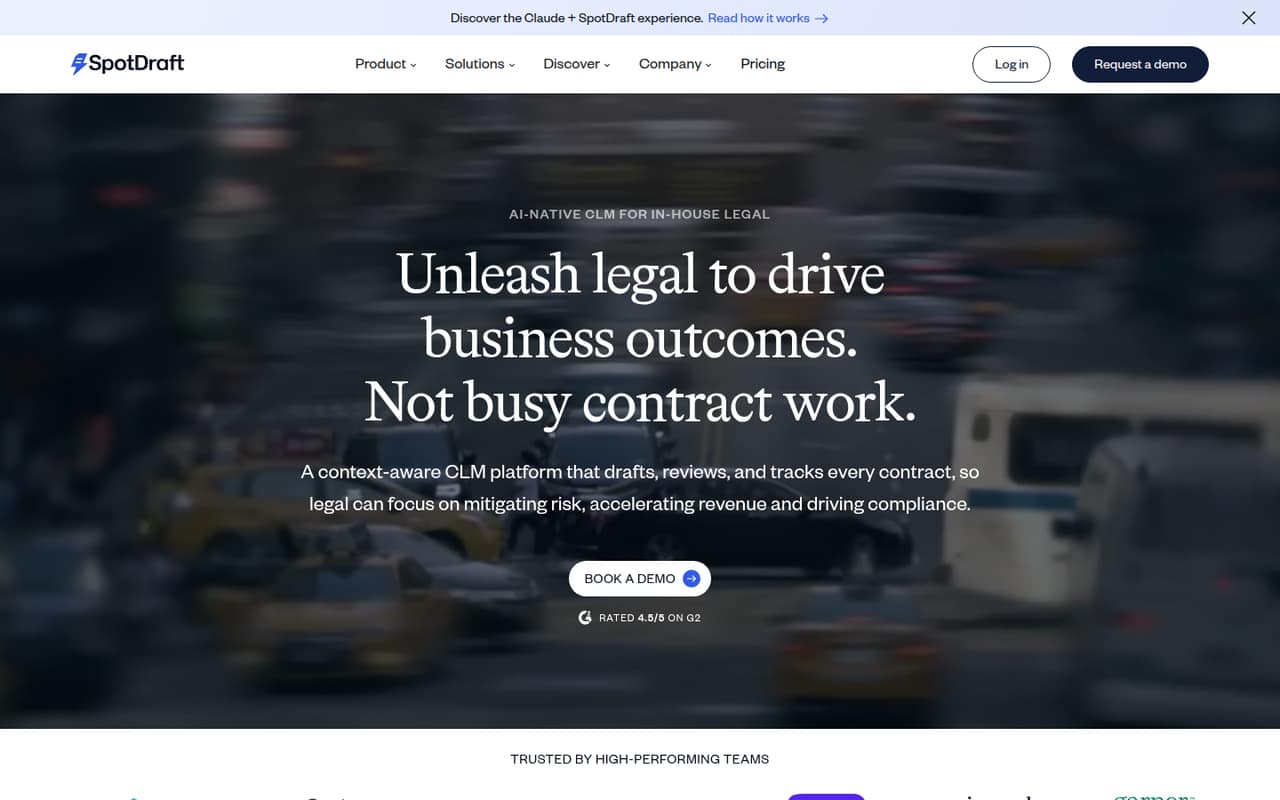
SpotDraft brings AI contract review, templates, approvals, negotiation collaboration, a searchable repository, analytics, and e-signatures into one platform for in-house legal teams. One Reddit commenter praises its workflow automation but criticizes its repository, so teams should check that area against their needs.
The pricing page lists custom quotes, with no free plan and no published starting price. For a 1–10-person team watching spend, the main drawback is that you can’t calculate a per-seat budget before talking to the vendor.
Good fit if
- In-house legal teams automating approvals
- Teams creating contracts from templates
- Legal groups coordinating contract negotiations
Skip it if
- Teams that need a free CLM
- Buyers who require upfront seat pricing
- Teams prioritizing repository depth without a demo
ScoresHow it rates
What works
- AI review can use business context and playbooks
- Automates approvals and tracks contract progress
- Templates support conditional rules for high-volume contracts
- Teams can collaborate on redlines and negotiations
- Repository and analytics cover contract records and renewals
What doesn't
- No free plan is listed
- Starting price and per-seat costs are not published
- Trial availability is not published
- One Reddit commenter criticizes its repository
- Setup effort and integrations need confirmation
01Who SpotDraft is for
SpotDraft is built for in-house legal teams that want one place to draft, review, route, negotiate, and store contracts. Its feature set includes AI review informed by business context and playbooks, approval workflows, templates with conditional rules, a searchable repository, analytics, and signatures.
For a team of 1–10, we’d shortlist it when contract coordination is taking too much time and legal wants business colleagues involved in a controlled process. It may also fit teams that regularly create similar contracts and need visibility into renewals or bottlenecks. The budget fit is harder to judge: the pricing page lists custom quotes, not a public starting price. One Reddit commenter describes SpotDraft as especially strong for workflow automation and says its legal-centric focus may suit small businesses. That’s one person’s view, not a guarantee that it fits every small team.
02SpotDraft free plan and trial
The pricing listing says SpotDraft does not have a free plan. Trial availability is not published, so don’t assume you can evaluate the full platform at no cost. Ask the vendor whether it offers a trial or guided evaluation, what features that includes, and whether there are limits on users, contracts, or time.
The cheapest way in is a custom quote from SpotDraft; the vendor’s pricing information says quotes are tailored to contract volume and organizational requirements. That makes a sales conversation the first step even for a small legal team. Before booking one, list the workflows you need and the number of people who will draft, review, approve, and search contracts. Then ask for the smallest package that covers those jobs.
03What a small team pays for SpotDraft
SpotDraft’s pricing page lists a custom quote for organizations needing contract management. It says pricing is customized by contract volume and organizational requirements; monthly and annual prices are not published. There is no starting price, so we can’t calculate a supported per-seat rate.
That means a one-person buyer, a three-person team, and a five-person team all need to request quotes. We can’t give reliable monthly or annual totals for any of those sizes, or calculate what adding seats would cost. The vendor also doesn’t publish add-on prices in the pricing information available, so ask whether features your team needs are included or quoted separately.
For a useful comparison, request an itemized quote for one, three, and five users, with monthly and annual billing if both are available. Ask what contract volume the quote covers, whether implementation or migration costs extra, and how the price changes as your team grows. Until then, SpotDraft is difficult to budget against tools with public per-seat pricing.
04Getting started with SpotDraft
SpotDraft’s feature list points to a setup that involves more than adding users: teams may need to define approval routes, prepare templates and conditional rules, organize contract records, and establish access controls. The vendor does not publish a setup timeline in the pricing information, so ask how much configuration and migration help is included in your quote.
A Reddit commenter calls SpotDraft strong for workflow automation but doesn’t describe implementation steps or learning time. We can’t confidently rate the learning curve from that comment alone. Before committing, ask for a walkthrough of a common contract from draft through signature, and confirm what your administrators must configure.
If your team depends on Word editing or specific business apps, confirm supported integrations and how amendments work before signing. The available product description covers collaboration and redlining, but doesn’t name integrations.
05When small teams outgrow SpotDraft
A growing team may need to reassess SpotDraft when its contract volume, user count, or requirements change. Because pricing is customized by contract volume and organizational requirements, ask how those changes affect the quote before you build more work around the platform. The vendor doesn’t publish seat thresholds or feature tiers, so there’s no public limit that tells you when an upgrade is required.
Repository needs deserve a close look. SpotDraft includes a searchable contract repository and analytics, but one Reddit commenter says it is “not a great repository” and favors other tools for stronger search, reporting, and analytics. Treat that as a reason to test your own search and reporting tasks in a demo, not as a universal verdict.
If your company needs broader non-legal use, deeper reporting, or more complex workflows, ask SpotDraft to show those use cases and explain what changes with scale. The right point to move on is when your team’s must-haves or total quote no longer fit.
From the threadsWhat users say
The Reddit feedback is limited and mixed: one commenter praises SpotDraft’s workflow automation but raises a repository concern. Another frames its legal-centric focus as a possible fit for small businesses, while broader CLM advice stresses that needs differ by company.
SpotDraft is very strong for workflow automations
SpotDraft is very strong for workflow automations but not a great repository
it’s not an enterprise tool, it’s very legal only centric which is okay if all you are looking for small business
I've seen dozens in-depth and the answer is that it really depends on a ton of specific info about your company
Questions people ask
Does SpotDraft have a free plan?
The pricing listing says SpotDraft has no free plan. Trial availability is not published, so ask the vendor whether it offers a guided demo or time-limited evaluation, and whether access includes the features your team needs. Confirm any limits on users, contracts, or evaluation length before planning a rollout.
How much does SpotDraft cost for a small team?
SpotDraft’s pricing page lists custom quotes based on contract volume and organizational requirements. It does not publish a starting price or monthly and annual rates, so we can’t calculate costs for one, three, or five users. Ask for an itemized quote at each team size and billing option.
What can SpotDraft do for a legal team?
SpotDraft drafts, reviews, tracks, and stores contracts. Its listed features include AI review using business context and playbooks, automated approvals, templates with conditional rules, negotiation collaboration, a searchable repository, analytics, and signature collection. Ask the vendor to demonstrate the workflows your team handles most often.
Does SpotDraft work with Word and other business apps?
The product description covers collaboration and redlining, but doesn’t name Word support or specific integrations. If your team edits third-party contracts in Word or depends on particular business apps, ask SpotDraft to confirm compatibility and demonstrate the process before you sign.
When should a team reconsider SpotDraft?
Reassess when your contract volume, organizational needs, or reporting requirements change enough to affect the custom quote or the way your team uses the repository. One Reddit commenter raises a repository concern, so test your own search and reporting needs. Ask the vendor how costs and capabilities change as you grow.