
We may earn a commission if you buy through links on this page. It never changes a score or a ranking. How we make money
The bottom line
Useful AI clipping and scheduling, but the lack of a free plan and seat pricing clouds team value.
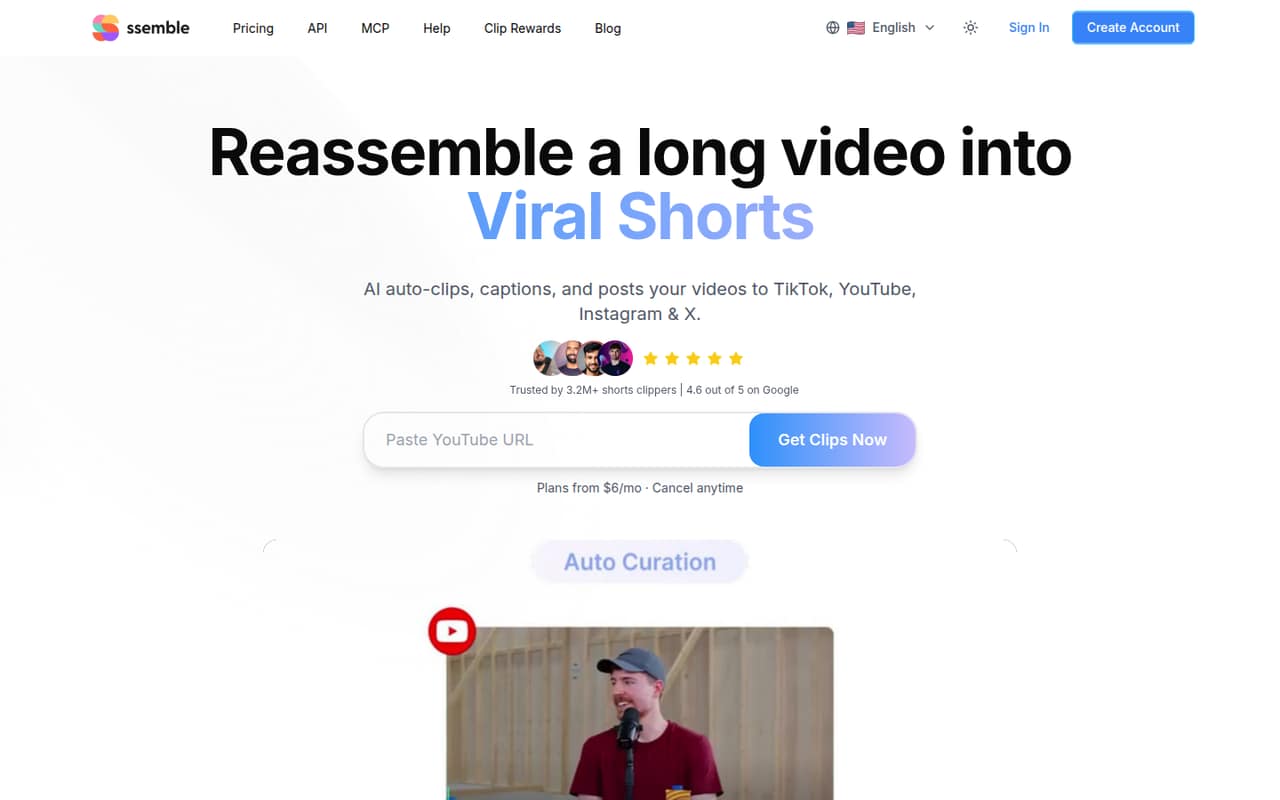
Ssemble turns long videos into short clips, adds captions and can schedule or post them to TikTok, YouTube, Instagram and X. It fits creators who want clipping and publishing together, rather than a free tool to try first.
Plans start at $15 monthly or $6 per month when billed annually. Those prices are for plans, not published per-seat rates; teams should confirm how many people can work in one account before budgeting.
Good fit if
- Creators repurposing long videos
- Small teams posting across social accounts
- Teams that need captions and scheduling
Skip it if
- Teams that need a free plan
- Buyers who need clear seat pricing
- Editors needing published setup guidance
ScoresHow it rates
What works
- Finds moments and creates short clips
- Face tracking centers faces in vertical video
- Adds captions and translates them
- Can generate hook titles and calls to action
- Schedules or posts to four named platforms
What doesn't
- No free plan is listed
- A free trial is not listed
- User-seat limits and pricing are not published
- Annual billing is charged once per year
- Credit allowances vary by plan
01Who Ssemble is for
Ssemble is for solo creators and small marketing teams turning longer videos into social clips. It finds moments to cut, reframes clips vertically with face tracking, adds captions and can schedule or post to TikTok, YouTube, Instagram and X. That puts clipping and publishing in one workflow.
For a team of one to ten, the fit depends less on headcount than on how many social accounts and video credits you need. PRO includes one social account connection; EXPERT includes three; BUSINESS includes unlimited connections. Those are account connections, not published employee seats, so ask Ssemble how multiple editors share access before choosing a plan.
The cheapest entry is $15 month to month or $6 per month on annual billing, charged once per year. That can work for a budget-conscious creator with regular clipping needs, but a team that wants to test before paying or needs transparent per-user costs may prefer to wait.
02Ssemble free plan and trial
Ssemble does not list a free plan, and a free trial is not listed either. That means a small team should budget for a paid subscription before relying on it for a regular clipping workflow; there is no published free allowance to use for a low-risk trial.
The cheapest way in is PRO: $15 per month when paid monthly, or $6 per month as an annual equivalent. The annual option is charged once per year, so the listed equivalent comes to $72 upfront for the year. PRO includes 360 video credits per year, one social account connection, AI clipping, API access, and Schedule and Post.
Before subscribing, ask Ssemble whether it offers a demo or a way to evaluate clip quality without a paid plan. The pricing page does not list a trial or add-ons.
03What a small team pays for Ssemble
For one person, PRO is $15 monthly or $6 per month billed annually, charged as $72 once a year. EXPERT is $30 monthly or $12 per month annually; it includes 840 video credits per year and three social account connections. BUSINESS costs $60 monthly or $24 per month annually, with 1,800 credits and unlimited social connections.
Ssemble publishes plan prices, not per-seat prices. If three people each needed their own PRO subscription, the arithmetic would be $45 monthly or $18 per month on annual billing, with $216 charged yearly. For five separate PRO subscriptions, it would be $75 monthly or $30 per month annually, with $360 charged yearly. Those are hypothetical subscription totals, not confirmed team-seat quotes; ask whether one plan supports multiple users.
There are no add-ons listed. The constraints to check are annual video credits and social-account connections: PRO has 360 credits and one connection, while EXPERT has 840 credits and three. Annual equivalents cost less per month, but require paying for the year upfront.
04Getting started with Ssemble
The basic workflow is straightforward in outline: bring in a long video, use AI clipping to find short moments, review the clips, add or translate captions, then schedule or post. Face tracking, hook titles and calls to action cover additional editing steps. A Reddit post describes creating clips from YouTube videos and mentions webhook callbacks, but that is not a detailed setup guide.
The pricing information lists social connections and Schedule and Post, including connections to TikTok, YouTube, Instagram and X. A small team will likely want to connect the account it posts to first, then check that its expected video volume fits the plan's annual credits. The vendor does not publish setup time or a step-by-step onboarding estimate, so we would confirm the workflow and account permissions before committing.
For day one, ask who can access a shared workspace, whether multiple editors need separate seats, and how a clip gets approved before posting. Those details matter more for a team than the buttons for generating captions.
05When small teams outgrow Ssemble
The first upgrade trigger is likely a plan limit, not headcount alone. PRO has one social account connection and 360 video credits per year. EXPERT raises that to three connections and 840 credits; BUSINESS offers unlimited connections and 1,800 credits. CUSTOM lists 2,600 credits and unlimited connections. A team nearing its credit allowance or posting to more accounts may need a higher tier.
The more important unknown for a growing team is collaboration. Ssemble's pricing page lists social connections and credits, but does not publish employee-seat counts or per-seat pricing. Before adding editors, ask whether one subscription includes shared access, approval roles or separate logins; otherwise, costs could differ from the plan totals.
Reddit discussion is thin: one commenter asks whether anyone has bought a subscription, while another says the tool looks promising compared with Opus Clips. That is interest, not a track record. Teams that need confidence in support, collaboration or high-volume costs should get those details from Ssemble before moving a core publishing workflow.
From the threadsWhat users say
The small amount of Reddit discussion is mixed: one commenter expresses interest, while another asks whether anyone has paid for a subscription. It shows curiosity but little evidence about long-term use or support.
did anyone actually buy their subscription
this is promising
vs opus clips
This server has 9 tools:
Questions people ask
Does Ssemble have a free plan or trial?
Ssemble does not list a free plan, and a free trial is not listed. The cheapest published option is PRO at $15 per month, or $6 per month billed annually. The annual option is charged once per year, so confirm the billing commitment before subscribing.
How much does Ssemble cost for a small team?
PRO costs $15 monthly or $6 per month billed annually. EXPERT is $30 monthly or $12 per month annually, and BUSINESS is $60 monthly or $24 per month annually. These are plan prices, not published per-seat rates. Ask Ssemble how shared access and additional editors are priced.
Which social platforms can Ssemble post to?
Ssemble can schedule or post clips to TikTok, YouTube, Instagram and X. PRO includes one social account connection, EXPERT includes three, and BUSINESS and CUSTOM list unlimited social connections. The listed connection limits are not the same as employee-seat limits.
What does Ssemble include for making clips?
Ssemble's listed features include AI curation of moments from longer videos, face tracking for vertical formats, automatic captions, caption translation that keeps the original audio, and generated hook titles and calls to action. Paid plans also list AI clipping and Schedule and Post.
How many video credits does each Ssemble plan include?
PRO lists 360 video credits per year, EXPERT lists 840, BUSINESS lists 1,800, and CUSTOM lists 2,600. The pricing page also breaks out base and bonus credits on some plans. Check with Ssemble how credits are counted for your videos and whether unused credits carry over.