
We may earn a commission if you buy through links on this page. It never changes a score or a ranking. How we make money
The bottom line
Useful healthcare-specific tools, but no free plan or published price to test the budget fit.
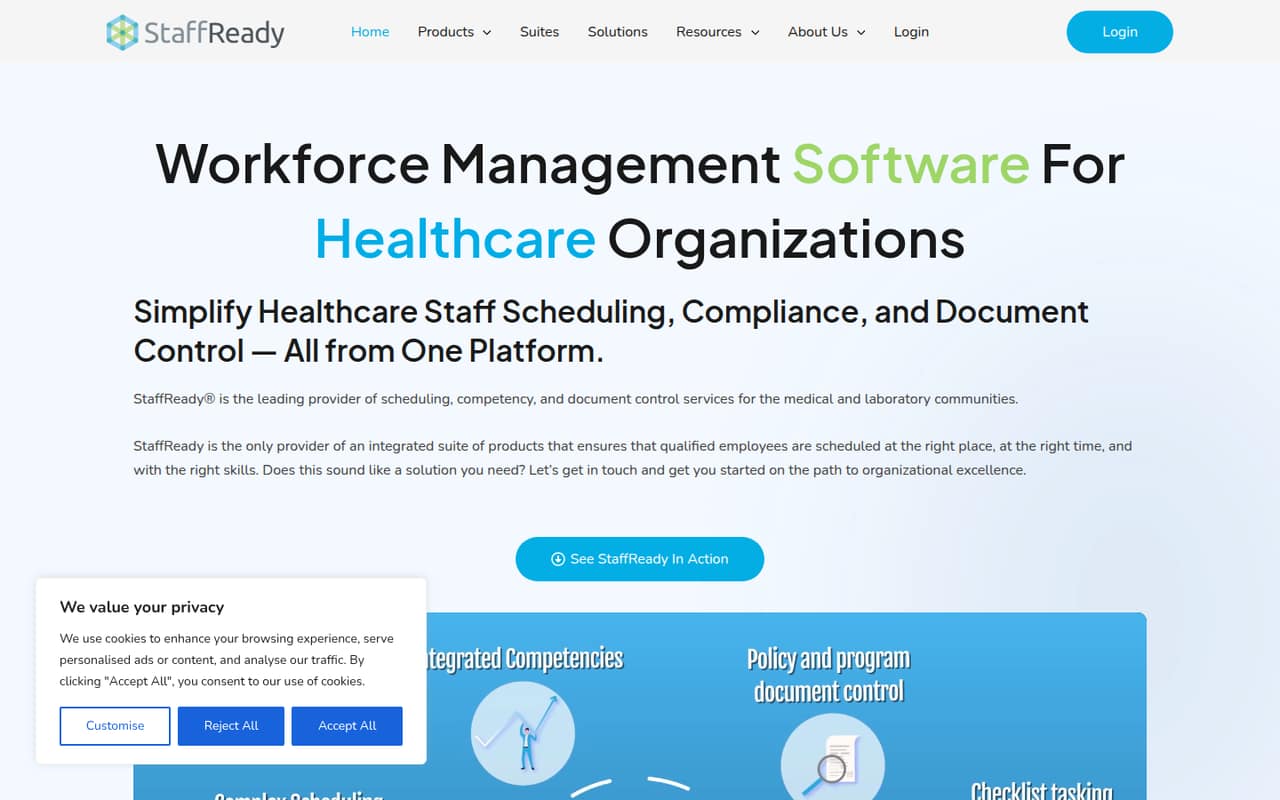
StaffReady brings healthcare scheduling, competency tracking and document control into a cloud-based platform. It also lists leave and shift tools, compliance workflows and audit trails—useful if your team needs those jobs managed together.
For a small team watching costs, the catch is pricing: the vendor lists custom, quote-based plans and does not publish a starting price, free plan or free trial. Ask for a quote for the exact modules and number of staff you need.
Good fit if
- Healthcare teams coordinating staff schedules
- Teams tracking qualifications and assessments
- Organizations managing controlled documents
Skip it if
- Teams that need a free plan
- Buyers requiring published seat prices
- Organizations outside healthcare workforce management
ScoresHow it rates
What works
- Scheduling, competency tracking and document control in one platform
- Scheduling can cover multiple departments and locations
- Includes staff leave requests and shift trades
- Lists CLIA, TJC and CAP compliance workflows
- Centralized records and audit trails support inspection readiness
What doesn't
- No free plan is listed
- No free trial is listed
- Starting price is not published
- Small-team seat costs cannot be calculated in advance
- Setup details and integrations are not published
01Who StaffReady is for
StaffReady is for healthcare organizations that need to coordinate shifts while keeping staff qualifications and controlled documents organized. Its listed audience includes medical and laboratory teams. The platform combines scheduling across departments and locations with competency tracking, document control, leave requests and shift trades.
For a team of 1–10, the fit depends less on headcount than on whether these workflows are important enough to justify a custom quote. A small clinic or lab may value having schedules, training records and policy approvals in one cloud-based platform, especially when compliance workflows matter. But if you only need a basic rota, StaffReady may be more system than you need; the vendor does not publish a low-cost entry tier to compare against simpler options. Before requesting a quote, list the modules you need and how many staff members will use them. The pricing page says cost depends on organization size and module selection.
02StaffReady free plan and trial
The pricing information lists no free plan and no free trial. That means a small team should not count on trying the platform at no cost before deciding whether it fits. The vendor also does not publish a starting price, so there is no public entry plan to use as a budget baseline.
The cheapest way in is to request a custom quote. Scheduling, competency tracking, document control and checklists are available as modules, and the quote depends on organization size and module selection. Ask whether the quote covers setup, training and the specific number of staff who need access. Also confirm whether you can begin with one module and add others later. Those details are not listed in the published pricing information.
03What a small team pays for StaffReady
The pricing page lists custom, quote-based pricing, with the amount depending on organization size and selected modules. It does not publish monthly or annual prices, a starting price, or per-seat rates. So we cannot calculate a verified cost for one person or a three- or five-person team, or compare monthly billing with annual billing. Ask StaffReady for a quote that spells out each of those options for your headcount.
The listed modules include scheduling, competency tracking, document control and checklists. The pricing information does not list separately priced add-ons or their costs, so ask whether any module you need changes the quote and whether there are other charges. For a small team, the practical budget question is the total price for the required modules—not just a per-seat estimate. Get the quote in writing and check whether it includes all staff who need to view schedules, request leave, trade shifts or manage records. Until then, the cost for a few seats is not published.
04Getting started with StaffReady
The vendor describes StaffReady as cloud-based, but does not publish a setup timeline, implementation steps or training requirements in the pricing information. We therefore can’t say whether a small team can configure it in an afternoon or needs a longer rollout. The work is likely to depend on which modules you choose and the schedules, competency records and documents you want to bring into the system; confirm that scope with the vendor rather than assuming migration is included.
The listed features include automated scheduling, competency tracking, document approvals and version management, plus employee leave and shift tools. That gives teams several workflows to configure, but published setup guidance and a learning-curve estimate are not available. The vendor also does not publish a list of integrations. Before signing, ask which systems connect to StaffReady, what data can be imported, and who handles setup and staff training. Those answers will matter more to day-one effort than the cloud delivery alone.
05When small teams outgrow StaffReady
StaffReady is built around healthcare scheduling, competency records and document control, so a team may outgrow it if its needs shift toward broader workforce or HR functions that are not listed among the product’s features. The available details do not specify employee limits, storage limits or other usage caps, so there is no published threshold at which a team must upgrade. Ask the vendor what limits apply to your quote and what happens as your organization grows.
The more immediate pressure point for a small team is budget predictability. Pricing is custom and depends on organization size and selected modules, with no public seat rates or published monthly and annual totals. If your team adds staff or needs additional modules, ask how the quote changes before you commit. You may also want to reassess if you only need scheduling and do not use the competency or document workflows. The vendor lists modules, but does not publish standalone module prices.
Questions people ask
Does StaffReady have a free plan?
The pricing information does not list a free plan. It also does not list a free trial. For a small team, the route to pricing is a custom quote based on organization size and the modules selected. Ask the vendor whether it offers a guided demo or another way to evaluate the workflows before committing.
How much does StaffReady cost for a small team?
The vendor does not publish a starting price, monthly or annual rates, or per-seat pricing. Its listed pricing is custom and depends on organization size and module selection. Ask for a quote for your exact headcount and required modules; the cost for one, three or five people cannot be calculated from published rates.
What does StaffReady include?
StaffReady lists automated scheduling across departments and locations, competency tracking, document control, leave requests and shift trades. It also lists compliance workflows for CLIA, TJC and CAP, along with alerts, audit trails and centralized records. Available modules include scheduling, competency, document control and checklists.
Is StaffReady designed for healthcare teams?
Yes. StaffReady is described as workforce management software for healthcare organizations, including medical and laboratory teams. Its listed workflows cover staff schedules, competencies and controlled documents, with compliance support for CLIA, TJC and CAP. A buyer should confirm that the specific workflows and requirements they need are covered by the modules in their quote.
Does StaffReady offer integrations or onboarding help?
The vendor does not publish an integrations list, setup timeline or onboarding details in the available pricing information. Ask which systems connect to StaffReady, whether existing schedules and records can be imported, and whether setup or staff training is included in your quote. Those answers will clarify the implementation effort for your team.