
We may earn a commission if you buy through links on this page. It never changes a score or a ranking. How we make money
The bottom line
Useful workforce coverage, but unpublished prices and seat limits make budgeting difficult.
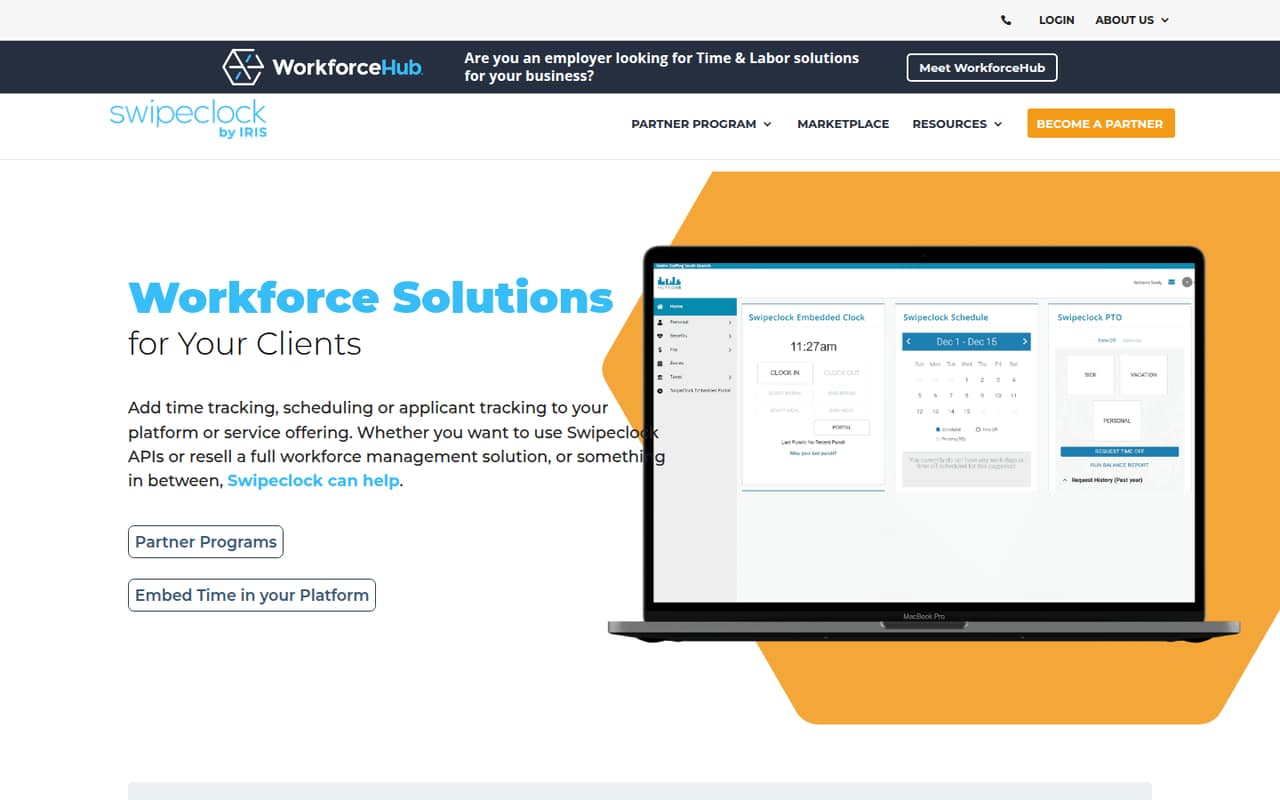
SwipeClock offers time and attendance, scheduling, PTO management, applicant tracking and onboarding, with an HR and payroll bundle also listed. It may fit a small business that wants several workforce functions from one provider.
The pricing page lists no monthly or annual rates, seat limits or trial details. There is no free plan, and the vendor does not publish a starting price, so get a quote before comparing the cost for a few seats.
Good fit if
- Small businesses needing time and attendance
- Teams combining scheduling and PTO
- Businesses seeking bundled HR and payroll
Skip it if
- Teams that need a free plan
- Buyers requiring clear per-seat prices
- Teams needing published seat limits
ScoresHow it rates
What works
- Covers time and attendance
- Scheduling is available as a workforce solution
- Includes PTO management
- Applicant tracking and onboarding are offered
- A bundle lists payroll, benefits and HR
What doesn't
- No free plan is listed
- The vendor does not publish prices
- Seat limits are not published
- Trial details are not published
- Setup effort and integrations are not published
01Who SwipeClock is for
SwipeClock is a workforce management option for small businesses that need help with time and attendance, scheduling or related HR tasks. The vendor describes solutions for small business clients and lists PTO management, applicant tracking and onboarding alongside its time tools. A combined offering also lists payroll, benefits and HR.
For a team of 1–10, the fit depends less on headcount than on which jobs you need covered. A team that only needs attendance tracking can ask about the stand-alone option; one coordinating shifts can ask about scheduling. If you want several functions under one arrangement, ask for a quote on the bundle. SwipeClock does not publish seat limits or prices, so we can’t tell from the listed information whether a particular team size or budget qualifies. It is best suited to buyers willing to discuss requirements and pricing with the vendor before choosing.
02SwipeClock free plan and trial
SwipeClock does not list a free plan. The pricing information also does not publish trial availability or terms, so don’t assume you can test the software at no cost. Ask the vendor whether a trial or guided evaluation is available and what it includes.
The lowest-commitment listed option is the stand-alone time and attendance offering if that is the only function you need. Scheduling is listed separately, while the bundle includes time and attendance, scheduling, payroll, benefits and HR. The vendor does not publish prices for these options, so there is no confirmed cheapest monthly cost to quote. Before agreeing, ask what a trial would cover, whether it has a time limit, and whether any setup or support fees apply.
03What a small team pays for SwipeClock
The pricing page lists quote-based pricing, with no monthly or annual rates. That means we can’t calculate a supported cost for one person or for a team of three or five, or compare monthly billing with annual billing. The vendor also does not publish seat limits, so ask for a written quote using your actual headcount.
The listed options are stand-alone time and attendance, scheduling, and a bundle covering time and attendance, scheduling, payroll, benefits and HR. No add-on prices are listed. The available information does not say whether PTO management, applicant tracking or onboarding cost extra, or whether they are included in particular packages.
For a useful small-team quote, request prices for your current seats and a likely next hiring step. Ask whether pricing is per employee, per active user or otherwise calculated; whether each function changes the rate; and whether fees apply for setup, support or adding seats. Until the vendor answers, the total cost for a few people remains unpublished.
04Getting started with SwipeClock
The available pricing and product details do not publish implementation steps, setup time, training requirements or a learning curve. They also do not name integrations, so we can’t confirm which payroll, HR or scheduling systems connect on day one. Ask the vendor for a setup plan based on the specific functions you want to use.
Before signing, clarify who configures time rules, schedules and PTO policies, and whether your team gets onboarding help. If you are considering applicant tracking or onboarding too, ask whether those tools share employee records with the time and attendance system. Request a list of supported integrations and any setup fees in writing. For a 1–10-person team, the practical effort will depend on how much of the product you adopt, but the vendor does not publish enough detail to estimate hours or training needs.
05When small teams outgrow SwipeClock
The published information does not identify a maximum team size or a seat-based upgrade threshold. It also does not show how prices change as a team grows, so there is no reliable seat-cost point at which to expect a move to another plan. Ask SwipeClock for rates at your current headcount and at the next size you expect to reach.
The clearest reason to reconsider is a mismatch between the package and your needs: for example, if you only need time tracking but a quote bundles functions you won’t use, or if your team needs a specific integration the vendor cannot confirm. Another pressure point is budget planning: without public rates, renewal terms or seat limits, it is harder to forecast subscription costs as you hire. Compare the written quote and feature list with your must-haves before committing, and revisit them whenever your team adds a new workforce function.
Questions people ask
Does SwipeClock have a free plan?
No free plan is listed in the pricing information. The vendor also does not publish trial availability or terms. Ask SwipeClock whether it offers a trial or evaluation, and confirm its duration, included features and any costs before relying on it.
How much does SwipeClock cost for a small team?
SwipeClock pricing is quote-based, and the vendor does not publish monthly or annual rates. That means the cost for one, three or five people cannot be calculated from public prices. Request a quote using your headcount and the functions you need.
What does SwipeClock include?
SwipeClock lists time and attendance, scheduling, PTO management, applicant tracking and onboarding among its workforce solutions. A bundled option is also listed with time and attendance, scheduling, payroll, benefits and HR. Confirm with the vendor which functions are included in your specific quote.
Does SwipeClock publish seat limits or a trial?
The pricing information does not publish seat limits or trial details. Ask the vendor what the minimum and maximum supported team sizes are for the option you want, and whether you can evaluate it before paying.
What integrations does SwipeClock support?
The available details do not name supported integrations. If you need SwipeClock to connect with payroll, HR or another system, ask the vendor for a current integration list and confirm whether the connection is included in your quoted package.