
We may earn a commission if you buy through links on this page. It never changes a score or a ranking. How we make money
The bottom line
Good for repeatable business videos; less compelling if your audience dislikes AI presenters.
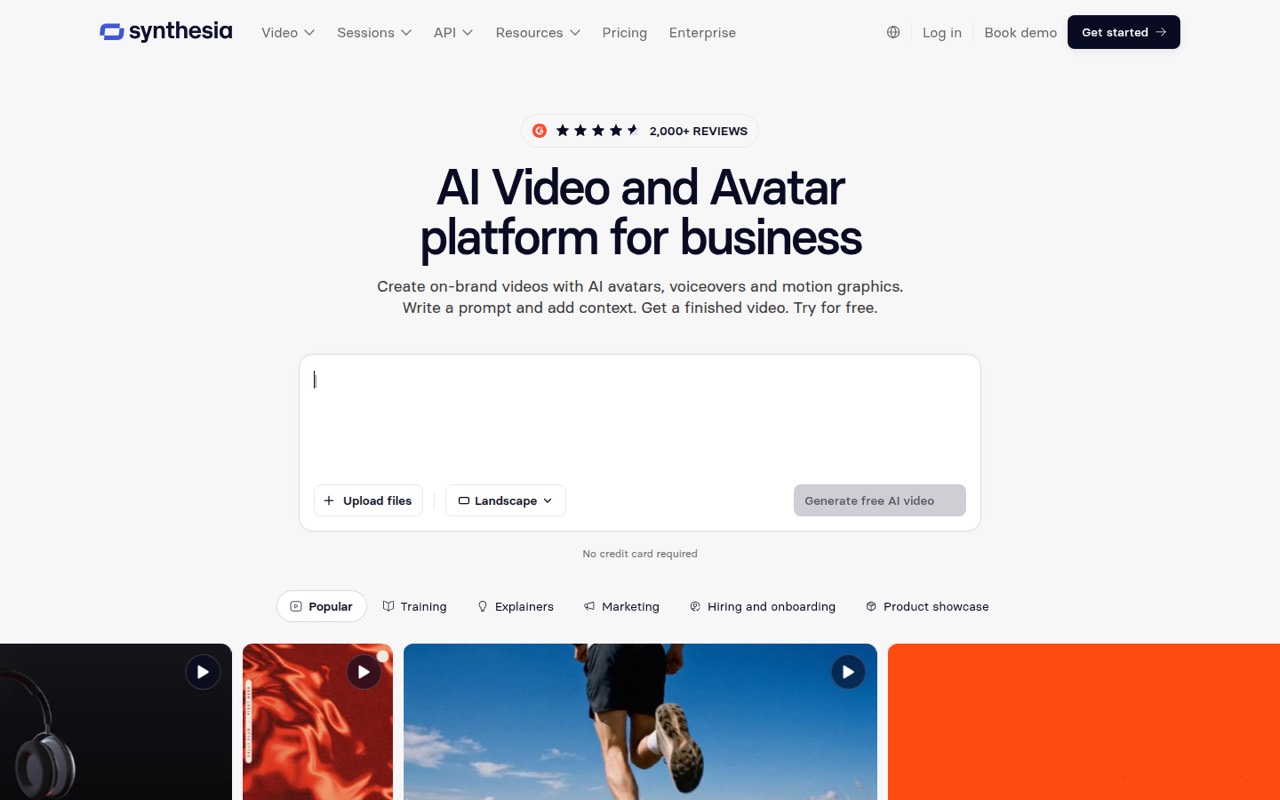
Synthesia turns prompts, documents, PowerPoints, and links into videos with AI avatars, voiceovers, and motion graphics. It also offers translation, brand controls, and link, embed, and SCORM publishing.
The free Basic plan is enough to try the workflow, but its 10-minute allowance and watermark are real constraints. Starter costs $19 per month for one editor; teams needing multiple editors should ask about Enterprise pricing.
Good fit if
- Small teams making training videos
- Businesses translating video content
- Teams with one video editor
Skip it if
- Teams needing several video editors
- Audiences wary of AI presenters
- Creators needing published annual prices
ScoresHow it rates
What works
- Create videos from prompts, documents, PowerPoints, or links
- Translate videos into 140+ languages
- Share by link, embed, or SCORM
- Basic plan includes 500 monthly credits
- Brand Kits and approval controls support team workflows
What doesn't
- Basic videos carry a watermark
- Starter and Pro each include one editor
- Annual video-plan prices are not shown
- API plan details are limited in published text
- Some Reddit commenters find avatars distracting or lifeless
01Who Synthesia is for
Synthesia is for small businesses that need to produce explainers, training videos, or localized content without filming a presenter for every version. Teams can start with a prompt, document, PowerPoint, or link, then use an AI avatar, voiceover, and motion graphics to make a video. The platform also supports translation into 140+ languages and publishing by link, embed, or SCORM.
For a one-to-five-person team, the key question is who needs to edit. Starter is $19 per month for one editor and three guests; Pro is $89 for one editor and five guests. That can suit a small group with a designated video owner, but it does not give every teammate an editor seat. If several people need to create or manage videos, ask Synthesia about Enterprise, which has custom pricing and editor counts. We would choose it for repeatable business content, not just occasional novelty videos.
02Synthesia free plan and trial
Synthesia’s Basic plan costs $0 per month and includes 500 credits monthly, 10 minutes of Studio video or dubbing, three survey responses, and nine AI avatars. It is limited to one editor, and videos have a watermark. That makes it a reasonable way to see whether avatar-led video suits your content before adding a subscription.
Basic is less useful for regular publishing: its video allowance is capped, and the plan lists only one editor. Synthesia does not list a free trial separately in its pricing details. If the free allowance is too small, Starter is the cheapest paid video plan at $19 per month. It adds 1,250 credits, up to about 12 video minutes plus the free allowance, and up to 16 dubbing minutes.
03What a small team pays for Synthesia
Starter is $19 per month and includes one editor and three guests. For one person, that is $19 monthly, or $228 across 12 monthly payments. A three-person team can fit the listed editor-and-guest count for the same $19 monthly plan, assuming the guests’ permissions suit the work. Synthesia does not show an annual price for its video plans, and guest access is not the same as extra editor seats.
A five-person team exceeds Starter’s listed guest allowance. Pro is $89 per month, with one editor and five guests: $89 monthly, or $1,068 across 12 monthly payments. If all five people need editor access, neither plan’s listed editor count covers that; ask about Enterprise pricing. Pro credit tiers are listed at $176 for 12,000 credits monthly, then $347, $514, and $676 for 24,000, 36,000, and 48,000 credits. Studio Express-1 costs $1,000 per year for annual-plan users only. The video-plan annual prices are not shown.
04Getting started with Synthesia
The listed creation paths are straightforward to understand: start from a prompt, document, PowerPoint, or link, then create a video with an avatar, voiceover, and motion graphics. Teams can set up Brand Kits, permissions, and publishing approval requirements. Shared videos can be published by link, embedded, or delivered through SCORM, and edits update shared versions.
That points to a manageable start for a small team with one video owner and an existing content source. The work is less about installing a production stack and more about deciding who edits, what brand rules to apply, and who approves publication. Synthesia also offers APIs for video creation, dubbing, and real-time conversations, but published API plan details are limited. If a day-one workflow depends on a specific connector or API limit, ask Synthesia to confirm it; a connector list is not published in the pricing details.
05When small teams outgrow Synthesia
The clearest pressure point is editing access. Starter and Pro each list one editor, so a team that wants several people creating videos may need custom-priced Enterprise rather than simply adding seats at a published per-user rate. Starter’s 1,250 monthly credits and Pro’s 6,000 credits also set production limits; higher Pro credit tiers cost extra. Teams should check their expected video and dubbing usage before committing.
A growing organization may also need the custom credit volumes, unlimited video minutes, and custom editor and guest counts listed for Enterprise. On the audience side, one Reddit thread questioned whether talking-head videos improve learning, and commenters described avatars as distracting or lifeless. That is not a product limit, but it matters: if viewers reject the format, making more videos faster will not solve the problem. Try Basic with representative content before building a larger workflow around it.
From the threadsWhat users say
The Reddit discussion is skeptical of AI talking heads as a learning format, with some commenters saying they can distract from content. The concern is more about audience response and instructional value than the mechanics of video creation.
When it gets to the point where we can do full-body acting with multiple characters, maybe I'll be interested
Talking heads are generally thought to have minimal impact on training outcomes
No one likes the ai avatars. They're distracting and lifeless
I love all the AI tools, maybe I'm just overloaded with all them or all the ads lol
Questions people ask
What is Synthesia best used for?
Synthesia is designed for business video creation with AI avatars, voiceovers, and motion graphics. Teams can start from prompts, documents, PowerPoints, or links, then translate videos, apply brand controls, and publish by link, embed, or SCORM.
Does Synthesia have a free plan?
Yes. Basic costs $0 per month and includes 500 credits, 10 minutes of Studio video or dubbing, three survey responses, and nine AI avatars. It allows one editor, and videos carry a watermark.
How much does Synthesia cost for a small team?
Starter costs $19 per month for one editor and three guests. Pro costs $89 per month for one editor and five guests. If multiple people need editor access, ask Synthesia about Enterprise pricing; its price is custom.
Can Synthesia translate videos?
Yes. Synthesia lists video translation into 140+ languages. Starter includes up to 16 dubbing minutes, while Pro includes up to 78 dubbing minutes. The plans also list Studio video or dubbing allowances, so check usage before producing at scale.
Can a team use Synthesia without AI avatars?
The listed platform centers on videos made with AI avatars, voiceovers, and motion graphics. The published product details do not say whether every creation workflow requires an avatar, so confirm that with Synthesia if you want narration or graphics without a presenter.