
We may earn a commission if you buy through links on this page. It never changes a score or a ranking. How we make money
The bottom line
Tana turns meetings into shared context for AI agents, but team use starts at $15 per seat monthly, billed yearly.
A small team does not need Tana just to take meeting notes. It makes more sense if you want AI agents to work with live meeting context and connect follow-up to shared projects and records. The Free plan is useful for trying the basics, but its searchable history lasts 30 days.
Pro costs $15 per member per month with annual billing, or $45 a month for three seats at that rate. Reddit discussion includes complaints about complexity and reliability, so teams should weigh the workflow against the setup and seat cost.
Good fit if
- Teams linking meetings to projects
- Small teams using AI agents
- People who need shared context
Skip it if
- Teams wanting simple meeting notes
- Budget-conscious teams needing full history
- People wary of complex tools
ScoresHow it rates
What works
- Free plan includes unlimited meetings, subject to fair use
- No meeting bot joins the call
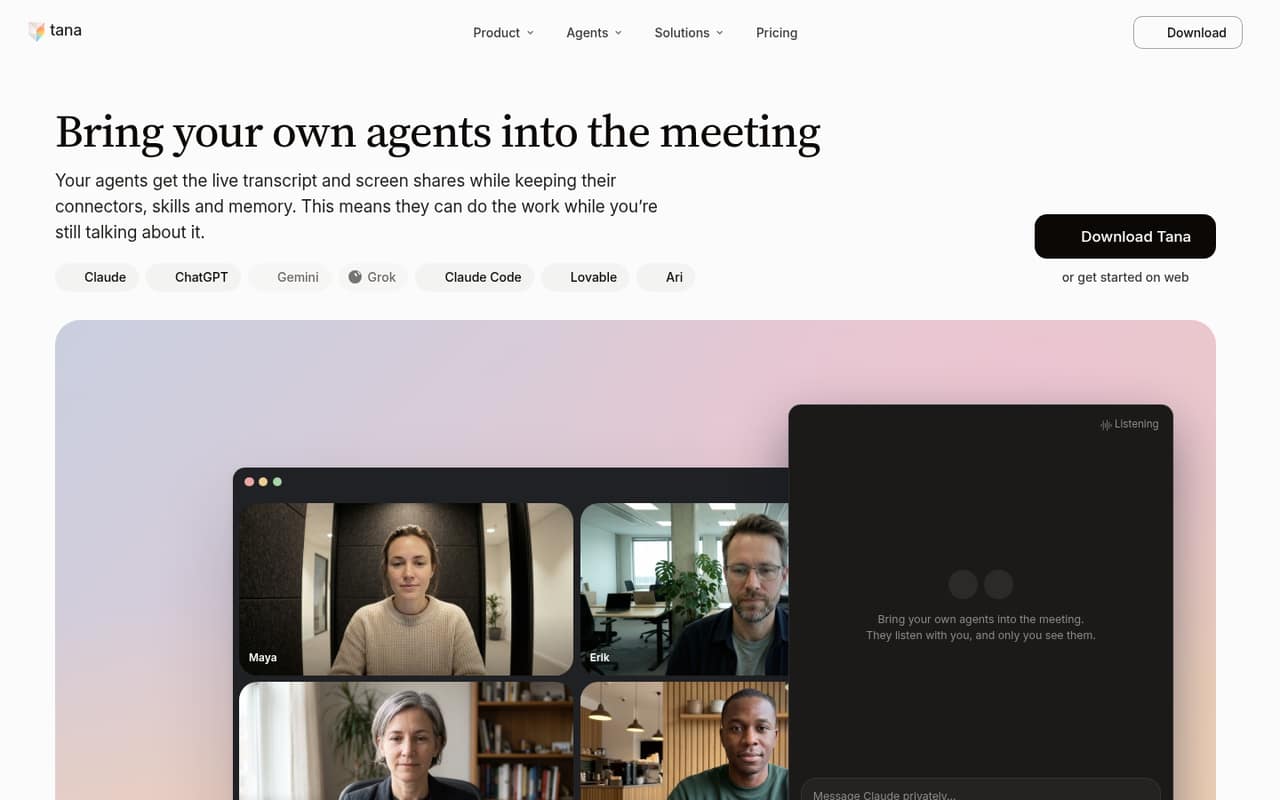
- Agents can use live transcripts and shared screens
- Meeting context links across team projects
- Only active members are billed on Pro
What doesn't
- Free searchable history lasts 30 days
- Free plan has about 50 AI queries
- Pro's monthly billing price is not published
- AI credit top-up prices are not published
- Reddit users raise complexity and reliability concerns
01Who Tana is for
Tana is for a small team that wants more than a transcript and a list of action items. It captures meetings from the desktop without a bot joining Zoom, Google Meet or Teams, then lets connected agents use the live transcript and shared screen. Meetings can also link to docs, customers and projects in a searchable team context graph.
That is a better fit for teams of roughly 3 to 10 people that already use AI agents and can budget for a per-member plan. Pro is $15 per member per month with annual billing, so three seats work out to $45 a month at that rate. Teams that only need basic note-taking may find the Free plan adequate, or may not need a meeting platform with this many moving parts. One r/PKMS discussion called Tana “Too many features.”
02Tana free plan and trial
Tana Free costs $0 and includes unlimited meetings, subject to fair use. It gives individuals 30 days of searchable history, approximately 50 AI queries and one connected calendar. That is enough to try meeting capture and see whether AI-assisted follow-up fits your workflow.
The limits matter if a team needs a lasting meeting archive or relies on AI queries throughout the week. The Free plan does not include unlimited meeting history; Pro lists unlimited history and 20 times the Free plan's AI queries. The vendor also offers a 14-day free trial, but the trial's exact plan, limits and billing details are not published. Check those terms before adding a team. For ongoing team use, the least expensive listed paid plan is Pro.
03What a small team pays for Tana
Pro is $15 per member per month when billed yearly. That works out to $180 a year for one person, $45 a month or $540 a year for three, and $75 a month or $900 a year for five. Tana says only active members are billed on Pro, which may help a team with occasional users. Monthly billing is available, but the vendor does not publish its price.
Business costs $35 per member per month and is billed yearly: $35 monthly equivalent for one person, $105 for three, or $175 for five. It adds SAML SSO, audit logs and advanced security and admin controls, among other features. Most small teams should start with Free or Pro; Business is aimed at companies that need those controls.
AI credits can be topped up in custom amounts, but prices are not published. Ask Tana for the top-up rate and the monthly Pro price before budgeting if you do not want annual billing.
04Getting started with Tana
Expect more setup than you would for a meeting recorder that only saves transcripts. Tana's described workflow involves desktop listening, a connected calendar, and—if you want agents to act on meeting context—connecting agents such as Claude or ChatGPT. Its Pro plan lists integrations and full MCP, while the Free plan connects one calendar.
For a small team, begin with one calendar and one meeting workflow, then decide which docs, projects or records should receive suggested updates. Tana says it proposes those updates for review, rather than presenting them as automatic changes. The product description does not spell out setup time or a step-by-step onboarding process, so we would not budget a specific number of hours. A Reddit user described Tana as having “Too many features,” a useful warning for teams that want a very simple start.
05When small teams outgrow Tana
A team may outgrow Free when it needs more than 30 days of searchable history, more than approximately 50 AI queries, or more than one connected calendar. Pro removes the history limit and lists 20 times the Free AI queries, but its $15 per-member monthly equivalent adds up: five seats cost $75 a month when billed yearly. Business raises that to $35 per member per month, so upgrade only if the listed security and admin controls are needed.
Other teams may outgrow the product because it feels too complicated or does not work reliably enough for their workflow. In one r/TanaInc thread, a user said Tana Outliner seemed abandoned and complained that simple things did not work. That is one user's account, not a general verdict, but it is a reason to check that the features your team depends on are supported before moving shared work into Tana.
From the threadsWhat users say
The Reddit discussion is more critical than enthusiastic: one thread calls Tana feature-heavy, while a Tana-focused thread describes leaving after complaints about simple functions. These are individual views, not proof of a wider pattern.
Too many features
There are many simple things that don't work that were bugging me
Well it seems like Tana Outliner has been abandoned at this point
Goodbye Tana, hello Tine
Questions people ask
Does Tana join meetings as a bot?
No. Tana describes its meeting capture as botless: it listens from your desktop, so no Tana bot joins Zoom, Google Meet or Teams calls. Its agents can use the live transcript and shared screen during meetings. Check the vendor's current setup details to confirm how desktop listening works for your devices.
What does Tana Free include?
The Free plan is $0 and includes unlimited meetings, subject to fair use, 30 days of searchable history, approximately 50 AI queries and one connected calendar. It is aimed at individuals trying meeting AI. Pro lists unlimited meeting history and 20 times the Free plan's AI queries.
How much does Tana Pro cost for a small team?
Pro costs $15 per member per month when billed yearly. That is $45 a month for three members or $75 for five, with annual totals of $540 and $900. Tana says only active members are billed. Monthly billing is available, but its price is not published.
Can Tana connect to Claude or ChatGPT?
Tana says you can bring agents such as Claude or ChatGPT into meeting context and use their existing connectors. Pro lists integrations and full MCP. The exact steps and any limits for a particular agent are not specified in the available plan details, so check with Tana before relying on a specific connection.
Does Tana use meeting data to train AI?
Tana says data is not used to train AI. It also lists export, SSO and granular sharing among its data controls. Business includes SAML SSO, audit logs, advanced security and admin controls, plus custom DPA, data residency and retention control.