
We may earn a commission if you buy through links on this page. It never changes a score or a ranking. How we make money
The bottom line
Worth a look for broad service needs, but custom pricing and setup work make it a cautious small-team buy.
TeamDynamix goes beyond an IT help desk: its no-code platform covers ITSM, asset management, employee experience, projects, AI support and integrations. That breadth may suit a team consolidating several service needs, but could be more platform than a small team needs for ticketing alone.
The pricing page lists no standard rates, free plan or published trial details; the vendor asks buyers to request a custom quote. Reddit feedback on setup and usability varies, so a small team should ask for a scoped implementation plan and a quote for its exact users and modules before deciding.
Good fit if
- Teams centralizing IT and other services
- Organizations needing project and asset tools
- Teams that can manage implementation work
Skip it if
- Budget-first teams needing public prices
- Small teams wanting simple ticketing
- Teams without implementation capacity
ScoresHow it rates
What works
- No-code workflows and system integrations
- ITSM plus asset management
- Includes employee experience and enterprise services
- Project portfolio management is included
- Virtual support agents and iPaaS integration
What doesn't
- No free plan is listed
- No standard price or starting rate is published
- Trial availability and billing terms are not published
- Small-team implementation may take too much work
- Reddit feedback on usability is sharply mixed
01Who TeamDynamix is for
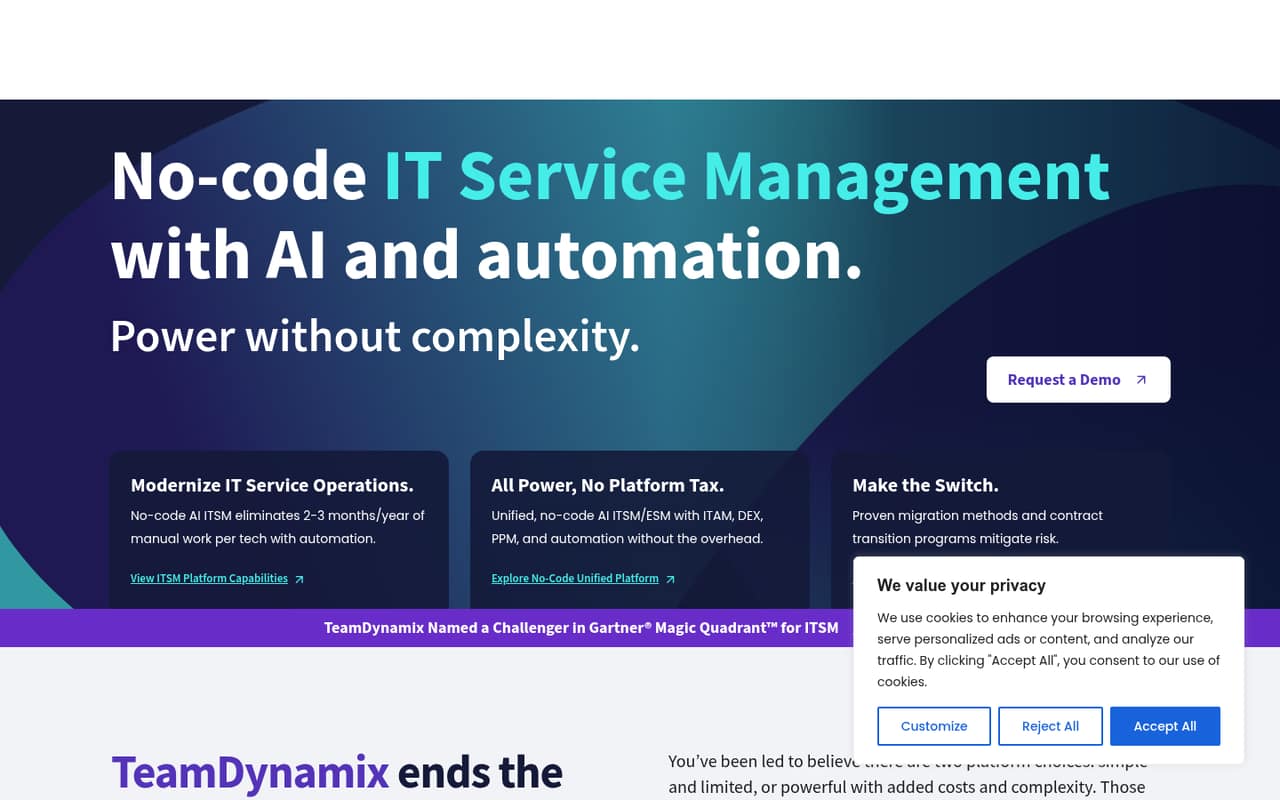
TeamDynamix is best suited to organizations that want one platform for IT service management and related work, rather than a basic ticket queue. Its stated scope includes IT asset management, digital employee experience, services for departments beyond IT, project portfolio management, virtual support agents and iPaaS integration. The homepage says teams can create workflows and connect systems without developers.
For a small team of one to ten, that breadth is useful if IT, HR or other departments need shared service workflows, or if projects and assets belong alongside service requests. It is harder to justify if the team only needs straightforward ticketing. Budget-conscious buyers should be especially careful: the vendor does not publish standard rates, so there is no public per-seat figure to compare against a small-team budget. Ask for a quote covering your actual users, modules and implementation needs before treating it as a fit.
02TeamDynamix free plan and trial
The pricing information lists no free plan. Trial availability is not published, so ask the vendor whether your team can use a time-limited evaluation and what it includes. Do not assume a trial provides access to every module or includes implementation help; get those details in writing.
The cheapest way in is a custom quote from TeamDynamix. The vendor does not publish a standard entry plan or a starting rate, so a small team cannot check the cost of basic ITSM against its budget before contacting sales. Ask for the minimum configuration that covers your needs, whether it requires a minimum number of users, and which modules are included. Also clarify any setup or onboarding charges and what happens to access when an evaluation ends.
03What a small team pays for TeamDynamix
The vendor does not publish standard rates, billing terms or a starting price; it requires an inquiry for a custom quote. That means we cannot give a supported cost for one person, three seats or five seats, or compare monthly billing with annual billing. Per-seat maths is not possible until TeamDynamix supplies a quote.
Add-on prices and whether specific modules are included in a quoted package are also not published. Since the platform covers ITSM, ITAM, digital employee experience, project portfolio management, virtual support agents and iPaaS, ask the sales team to itemize the modules your team needs rather than pricing an undefined bundle.
For a useful small-team comparison, request totals for one, three and five users, with monthly and annual options if available. Ask separately about implementation, support, integrations and any minimum seat commitment. A Reddit commenter described licensing as a frustration, but that is one user's experience, not a published price schedule. Until you have a written quote, the budget fit remains uncertain.
04Getting started with TeamDynamix
The homepage says teams can build workflows and integrate systems without developers, but that does not mean setup is effortless. Reddit feedback varies: one user who had used the product for a decade criticized its forms and dropdown-heavy experience, while another said it was fairly easy to implement and manageable. In a separate discussion, a small team said its implementation track quickly became too much work. Treat those as individual reports, not a promise about your rollout.
The platform's breadth also means you should define what you need before configuring it. Start with the service workflows and systems your team must connect, then ask TeamDynamix to explain the setup sequence, data migration needs and ongoing admin work. If Microsoft 365, SharePoint or Teams connections matter, confirm the exact integrations and their scope with the vendor; a Reddit buyer wanted those links, but that is not confirmation of a specific integration. Request an implementation plan sized for your team.
05When small teams outgrow TeamDynamix
TeamDynamix is designed to cover a wide range of service work, so a small team may outgrow its capacity to manage the platform before it outgrows the feature set. A Reddit commenter said an implementation track was too much work for a small team. Another long-time user criticized forms, dropdowns and ticket handling, while a different user said the product was workable and fairly easy to implement. The mixed reports make a scoped demo and implementation discussion important.
Cost can also become a reason to reconsider: standard rates, seat prices, billing terms and module add-on prices are not published, so growth costs are hard to forecast until the vendor quotes your configuration. Ask how adding users or modules changes the price, and whether you can start with a smaller scope. If your team only needs a simpler ticketing workflow, compare the effort and quote with lighter tools before committing. The vendor's published feature scope does not specify user or ticket limits, so ask about any limits that apply to your package.
From the threadsWhat users say
Reddit sentiment is mixed. Some users say the platform is workable and manageable, while others describe a frustrating interface or an implementation burden for small teams.
We largely like it both agents and admins
It’s the exact same forms based nonsense with a billion drop downs and forms as it was on day one
TeamDynamix is fairly easy to implement
We started an implementation track with TDX and quickly found that it was too much work for our small team to manage
Questions people ask
Does TeamDynamix have a free plan?
The pricing information lists no free plan. If your team wants to evaluate the platform before paying, ask TeamDynamix whether a trial is available and what it includes. Confirm which modules, users and support are covered, since trial details are not published.
How much does TeamDynamix cost for a small team?
TeamDynamix does not publish standard rates, a starting price or billing terms; the vendor requires a custom quote. Ask for pricing based on your exact user count and required modules, and request separate totals for monthly and annual billing if both are available.
What does TeamDynamix include?
TeamDynamix describes a no-code platform for IT service management and related services. Its stated scope includes IT asset management, digital employee experience, enterprise services, project portfolio management, virtual support agents and iPaaS integration. Ask the vendor which of these are included in your proposed package.
Is TeamDynamix easy for a small team to set up?
Reports vary. One Reddit user described implementation as fairly easy, while a small team in another discussion said its implementation track required too much work. The homepage says workflows and integrations can be created without developers, but ask for a rollout plan that spells out configuration, migration and ongoing admin effort.
Does TeamDynamix integrate with Microsoft tools?
The homepage says teams can integrate systems without developers, but it does not specify individual Microsoft integrations. A Reddit buyer said SharePoint and Teams integration would be useful; that is not confirmation of availability. Ask TeamDynamix to confirm support for the exact Microsoft tools and workflows your team relies on.