
We may earn a commission if you buy through links on this page. It never changes a score or a ranking. How we make money
The bottom line
A broad performance toolkit with a useful free tier, if your team already works in Microsoft 365.
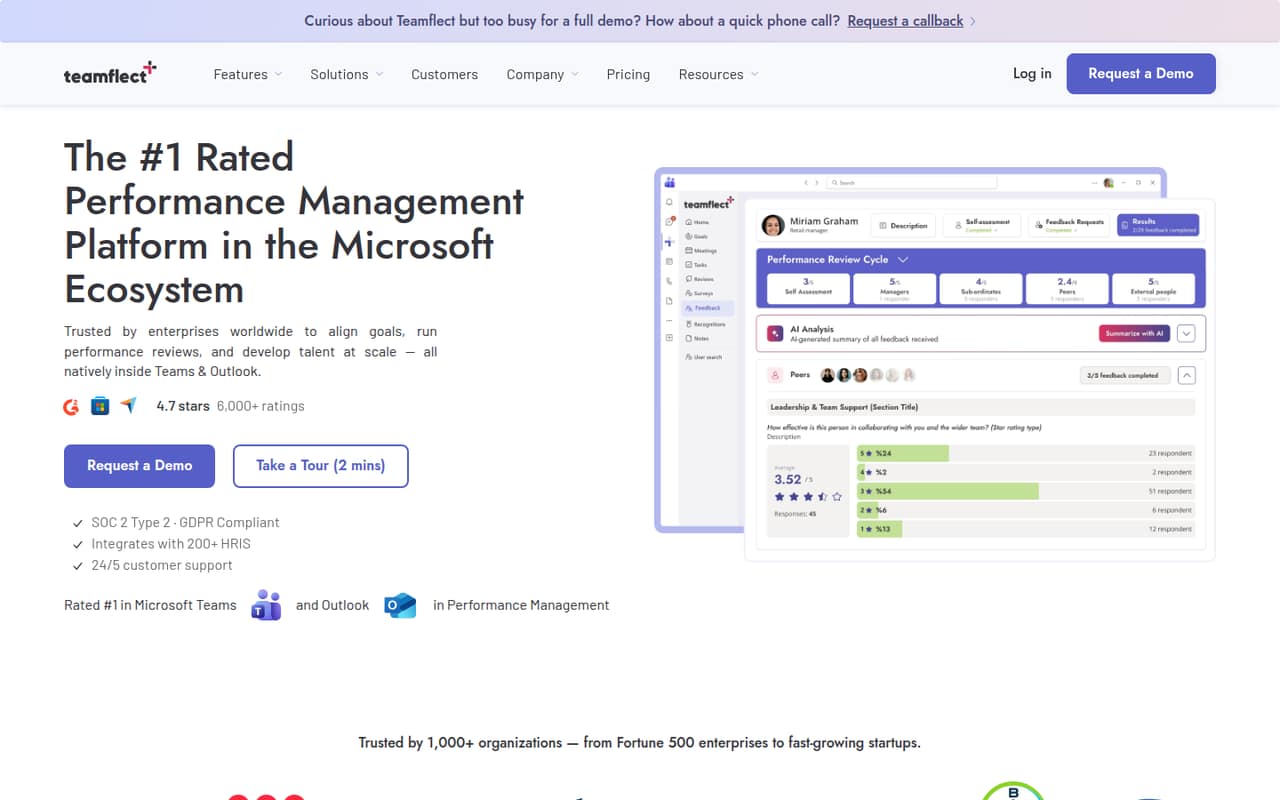
Teamflect brings performance reviews, goals, feedback, 1-on-1s, and engagement surveys into Microsoft Teams and Outlook. Its Starter plan is free for up to 10 users, making it worth considering before adding another HR subscription.
Paid plans start at $7 per user monthly when billed annually, or $9 month to month. Pricing for add-ons and the steps involved in setup aren’t published, so confirm those details before moving a core HR process into the tool.
Good fit if
- Microsoft 365-first small teams
- Teams with up to 10 users
- Managers structuring reviews and 1-on-1s
Skip it if
- Teams outside Microsoft 365
- Buyers needing published add-on costs
- Teams wanting clear setup documentation
ScoresHow it rates
What works
- Free Starter plan covers up to 10 users
- Includes a 30-day Professional Plan trial
- Performance tools run inside Teams and Outlook
- Supports reviews, goals, feedback, and 1-on-1s
- Connects with more than 200 HRIS platforms
What doesn't
- Starter feature details are not fully published
- Add-on costs are not published
- Paid seats are billed per user
- Enterprise pricing requires a custom quote
- Setup effort and learning curve are not published
01Who Teamflect is for
Teamflect is for small teams that already use Microsoft 365 and want performance management tools inside familiar work apps. It runs in Microsoft Teams and Outlook, with features for reviews, goals and OKRs, feedback, 1-on-1 meetings, engagement surveys, and workforce analytics.
For a team of up to 10, the free Starter plan makes it an easy option to investigate before committing to another monthly bill. It may suit a founder or people lead who needs a repeatable review process, or managers who want a structure for regular check-ins. The product also lists connections to more than 200 HRIS platforms, which could matter if your employee records live elsewhere.
The fit depends on how much of the feature set Starter includes; the plan details don’t list its full feature scope. Teams that need more than Starter offers can compare Essential at $7 per user monthly with annual billing, or $9 month to month. If your team doesn’t use Microsoft 365, this isn’t an obvious fit.
02Teamflect free plan and trial
Teamflect’s Starter plan costs $0 and covers up to 10 users. It also includes a 30-day Professional Plan trial, so a small team can evaluate Professional before choosing a paid tier. That’s a useful starting point if you’re trying to put review or goal-setting routines in place without adding an immediate subscription cost.
The published Starter details don’t spell out which features remain after the trial, so don’t assume the full Professional toolkit is permanently free. They also don’t list add-on availability or costs. Teams that exceed 10 Starter users must upgrade, and the pricing notes say all seats are billed. Before relying on Starter for a recurring HR process, ask Teamflect which features stay available after the trial and what happens when it ends.
03What a small team pays for Teamflect
The cheapest paid option listed is Essential. It costs $9 per user per month with monthly billing, or $7 per user per month when billed annually. That puts one seat at $9 monthly or $84 for a year; a three-person team pays $27 monthly, or $252 per year at the annual rate. Five seats cost $45 monthly or $420 per year. These totals are per-seat calculations from the listed rates.
Professional costs $14 per user monthly, or $11 per user monthly with annual billing. That works out to $42 per month or $33 per month for three seats, and $70 or $55 per month for five seats, depending on billing. The pricing notes don’t publish seat limits for either paid tier.
Starter is free for up to 10 users, but teams exceeding that limit must upgrade and all seats are billed. Add-on and overage costs aren’t published, so ask for a full quote if you expect to need extras. Enterprise pricing is custom.
04Getting started with Teamflect
Teamflect is built to run inside Microsoft Teams and Outlook, so its main appeal is keeping performance tasks close to the apps a Microsoft 365 team already uses. Its feature list includes review templates, goals and OKRs, structured 1-on-1s, engagement surveys, and feedback from peers, managers, reports, and external participants. The product also lists integrations with more than 200 HRIS platforms.
The amount of setup required to connect Microsoft 365, configure a review cycle, or link an HRIS isn’t published. Nor are specific onboarding steps or a learning-curve estimate. We’d ask the vendor what an admin needs to configure, whether an HRIS connection is included in the chosen plan, and what employees see when they use the Teams or Outlook tools.
Reddit posts describe uses for structured 1-on-1s and year-end reviews, but don’t explain implementation steps. Treat those as examples of intended use, not a setup guide.
05When small teams outgrow Teamflect
The clearest published threshold is Starter’s 10-user limit: teams above it must upgrade, and all seats are billed. That can change the cost quickly when you add people, because Essential and Professional charge per user. Before expanding, compare the annual and monthly rates against your budget and confirm which paid features you actually need.
Other reasons to pause are less about a stated product cap and more about missing pricing detail. Teamflect doesn’t publish paid-plan seat limits, add-on costs, or Enterprise rates. If your process depends on an extra module or a larger workforce, ask for those terms in writing before you standardize on it. The product lists more than 200 HRIS connections, but the pricing details don’t specify which plan includes them.
Reddit posts offer positive examples around reviews and 1-on-1s, but they don’t provide much independent evidence about scaling, support, or the experience after a team grows. We’d treat them as useful context, not proof that the tool will suit a larger organization.
Questions people ask
What does Teamflect do?
Teamflect is performance management and employee engagement software designed for Microsoft 365. Its listed tools cover performance reviews, goals and OKRs, 360-degree feedback, 1-on-1 meetings, engagement surveys, and workforce analytics.
Can Teamflect run inside Microsoft Teams?
Yes. Teamflect is built to run inside Microsoft Teams and Outlook. Its feature list includes review templates and tools for goals, feedback, 1-on-1s, and engagement surveys. Ask the vendor which features are included in the plan you’re considering.
Is Teamflect free for a small team?
The Starter plan is listed at $0 for up to 10 users and includes a 30-day Professional Plan trial. The published plan details don’t spell out which features stay available after the trial, so check the Starter feature set with Teamflect before adopting it.
How much does Teamflect cost for a small team?
Starter is free for up to 10 users. Paid Essential seats cost $9 per user monthly or $7 per user monthly with annual billing. Three seats work out to $27 monthly or $21 monthly at the annual rate; five seats cost $45 or $35 monthly, respectively.
Can my employer listen to my conversations on Teams through Teamflect?
Teamflect is described as performance management and employee engagement software, with tools such as reviews, goals, feedback, and surveys. The published details don’t explain conversation-listening or monitoring controls. Ask your employer and Teamflect about data access, privacy settings, and retention before using it.
Sources
- Teamflect homepage
- Teamflect pricing, compiled via web search from teamflect.com, culturro.com, tability.io, trustradius.com
- Reddit: HR Year-End Checklist (From Teamflect to Fellow HR Folks)
- Reddit: Using Teamflect 1:1s to Boost Retention: Here’s What’s Working
- Reddit: What’s New With Teamflect: Quarter 1 Wrap Up!