
We may earn a commission if you buy through links on this page. It never changes a score or a ranking. How we make money
The bottom line
A useful, free LaTeX desktop editor, but its team collaboration story needs clarification.
TeXstudio is worth considering if your small team needs a dedicated LaTeX editor and wants to avoid a per-person subscription. The pricing page lists it at $0, with unlimited local installation and use, plus features such as reference checking and an integrated viewer.
The main question is collaboration, not cost. The homepage mentions teamtype, but the published details don’t establish whether TeXstudio supports simultaneous editing or how that setup works. Reddit users praise its approachable GUI, while some prefer editors they already use.
Good fit if
- Budget-conscious LaTeX writers
- Small teams editing local documents
- Researchers who want a dedicated GUI
Skip it if
- Teams needing confirmed live co-editing
- Writers seeking a cloud-first workspace
- People wanting one editor for every file type
ScoresHow it rates
What works
- Free, GPL-licensed software
- Unlimited local installation and use
- Integrated viewer and reference checking
- Syntax highlighting for LaTeX writing
- Writing assistants included
What doesn't
- No paid plans or billing options listed
- Collaboration details with teamtype are unclear
- No published setup-time estimate
- A TeX distribution may be a separate requirement
- Support details aren’t stated in the pricing listing
01Who TeXstudio is for
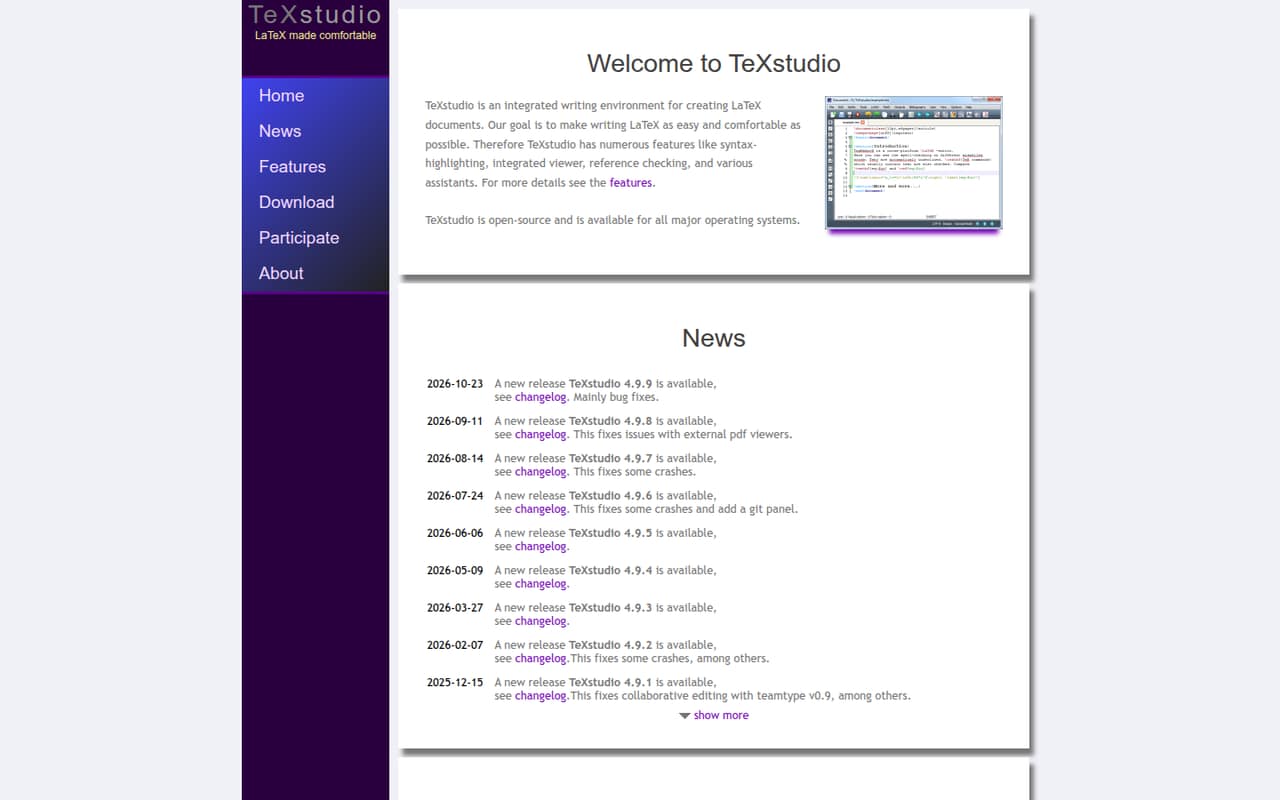
TeXstudio is for a solo LaTeX writer or a small research, publishing, or engineering group that wants a dedicated desktop editor without a per-person bill. It gives writers one place to create LaTeX documents, with syntax highlighting, reference checking, writing assistants, and an integrated viewer. That can suit teams producing papers, reports, or other LaTeX documents, especially when everyone can work in their own local copy.
For a 1–10-person team, the main buying question is less about seat cost than how people share drafts and review changes. The homepage mentions collaboration with teamtype, but the available details don’t establish whether that means simultaneous editing or what setup it needs. TeXstudio fits structured LaTeX writing and local editing; it is less clearly a one-stop shared workspace. One Reddit commenter calls its GUI user-friendly for getting started, while others prefer a general-purpose editor they already use. If your team mainly needs a collaborative writing room, clarify that workflow before standardizing on TeXstudio.
02TeXstudio free plan and trial
TeXstudio’s Free / Open Source plan costs $0 and is GPL-licensed. The pricing page lists a desktop LaTeX editor and unlimited local installation and use, so a small team can install it without paying for separate seats. The described feature set includes LaTeX writing, syntax highlighting, an integrated viewer, reference checking, and writing assistants.
The pricing page lists no paid plans, add-ons, or billing options, and it doesn’t list a free trial. It also doesn’t list a paid collaboration tier to switch to. The homepage mentions collaboration with teamtype, but the pricing listing doesn’t explain whether that changes the free offer or how it works. For a team evaluating TeXstudio, the practical boundary is workflow rather than a stated cap on users or installations.
03What a small team pays for TeXstudio
The pricing page lists $0 per month and $0 annually for Free / Open Source. It doesn’t publish a per-seat rate; instead, it lists unlimited local installation and use, with no paid plans or billing options. So the software cost works out to $0 for one person, $0 for three, and $0 for five, whether you compare the listed monthly or annual price. These are simple totals, not a claim that TeXstudio uses seat-based billing.
No add-ons are listed, and the TeXstudio pricing listing doesn’t price other software a team might use. One Reddit commenter notes that an editor and a TeX distribution are distinct; TeXstudio’s listing doesn’t price any separate distribution. The editor’s listed cost is easy to budget, but ask about any additional tools your particular LaTeX workflow requires. There’s no higher TeXstudio tier to budget for as your team adds people.
04Getting started with TeXstudio
The vendor doesn’t publish a setup-time estimate, so we wouldn’t promise a particular time to get started. TeXstudio is described as a desktop LaTeX editor with syntax highlighting, an integrated viewer, reference checking, and writing assistants. Those tools put several common writing tasks in one environment.
There may be a separate piece to set up: a commenter on r/LaTeX points out that an editor and a TeX distribution are different things. Check which distribution your team needs alongside TeXstudio. For the editor itself, a Reddit commenter calls its GUI user-friendly for getting started; another says some alternatives have a steeper learning curve. The homepage mentions collaboration with teamtype, but doesn’t spell out the connection steps or requirements. Before rollout, agree on how teammates will share files and confirm whether the teamtype option fits that workflow.
05When small teams outgrow TeXstudio
A team is unlikely to outgrow TeXstudio because of a listed seat bill or installation cap: the pricing page lists $0 and unlimited local installation and use. The pressure point is more likely to be how people work together. The homepage mentions collaboration with teamtype, but the details available don’t establish whether it provides simultaneous editing or what a shared workflow involves.
One Reddit thread starts with a user who had used TeXstudio but switched to Overleaf to work with other people and was looking for simultaneous editing. Commenters suggest options including VS Code with LaTeX Workshop and Git. That isn’t proof TeXstudio can’t support a team workflow, but it is a reason to confirm how collaboration works before relying on it for shared drafts. If your group needs a clearly defined live-editing or review process, assess that need separately from TeXstudio’s free local editor.
From the threadsWhat users say
Reddit sentiment is positive about TeXstudio as an approachable dedicated GUI, but mixed on whether it suits collaboration or fits people’s preferred editor workflow. Some commenters use it alongside other tools; others choose a general-purpose editor instead.
Texstudio is an awesome user-friendly gui to start with
I used TexStudio before but because I have to work with other people I’m now using overleaf
Texstudio is my current, but that’s just because it’s the one I was taught to use
Texstudio is very similar to texworks, but with more features
Questions people ask
Is TeXstudio free?
Yes. The pricing page lists a Free / Open Source plan at $0 and identifies the software as GPL-licensed. It also lists unlimited local installation and use. There are no paid plans or billing options on the pricing listing, so the stated software cost for one person or a small team is $0.
Does TeXstudio include a TeX distribution?
TeXstudio is listed as a desktop LaTeX editor. A commenter on r/LaTeX distinguishes an editor from a TeX distribution and says users need a distribution as well. Check the setup requirements for your chosen distribution and operating system before installing; the TeXstudio pricing listing doesn’t price a separate distribution.
Can my team edit a document simultaneously in TeXstudio?
The homepage mentions collaboration with teamtype, but the available description doesn’t establish whether that means simultaneous editing or explain the setup. Don’t assume it covers your team’s shared-editing needs: clarify the workflow and requirements before choosing TeXstudio for live collaboration.
What features does TeXstudio include?
TeXstudio is described as an integrated LaTeX writing environment. Its listed features include syntax highlighting, an integrated viewer, reference checking, and writing assistants. The homepage also mentions collaboration with teamtype, though the details of that feature aren’t specified in the description.
Is TeXstudio a good fit for a small team?
It can fit a small team that needs a dedicated LaTeX desktop editor and wants to avoid seat costs: the pricing page lists unlimited local installation and use for $0. The key question is whether its collaboration workflow meets your needs. The teamtype mention is not detailed enough to confirm simultaneous editing.
Sources
- TeXstudio homepage
- TeXstudio pricing, compiled via web search from scalarly.com, augmentedscholars.com, wikipedia.org, latex-cloud-studio.com, g2.com
- Reddit: Which LaTeX editor should I use?
- Reddit: Why would I use LaTex as an IDE extension instead of in TexStudio?
- Reddit: Best TeX editor?
- Reddit: On Windows, TexStudio or TexMaker or something (open source) else ?