
We may earn a commission if you buy through links on this page. It never changes a score or a ranking. How we make money
The bottom line
A budget-friendly word processor, especially if FreeOffice covers your team’s needs.
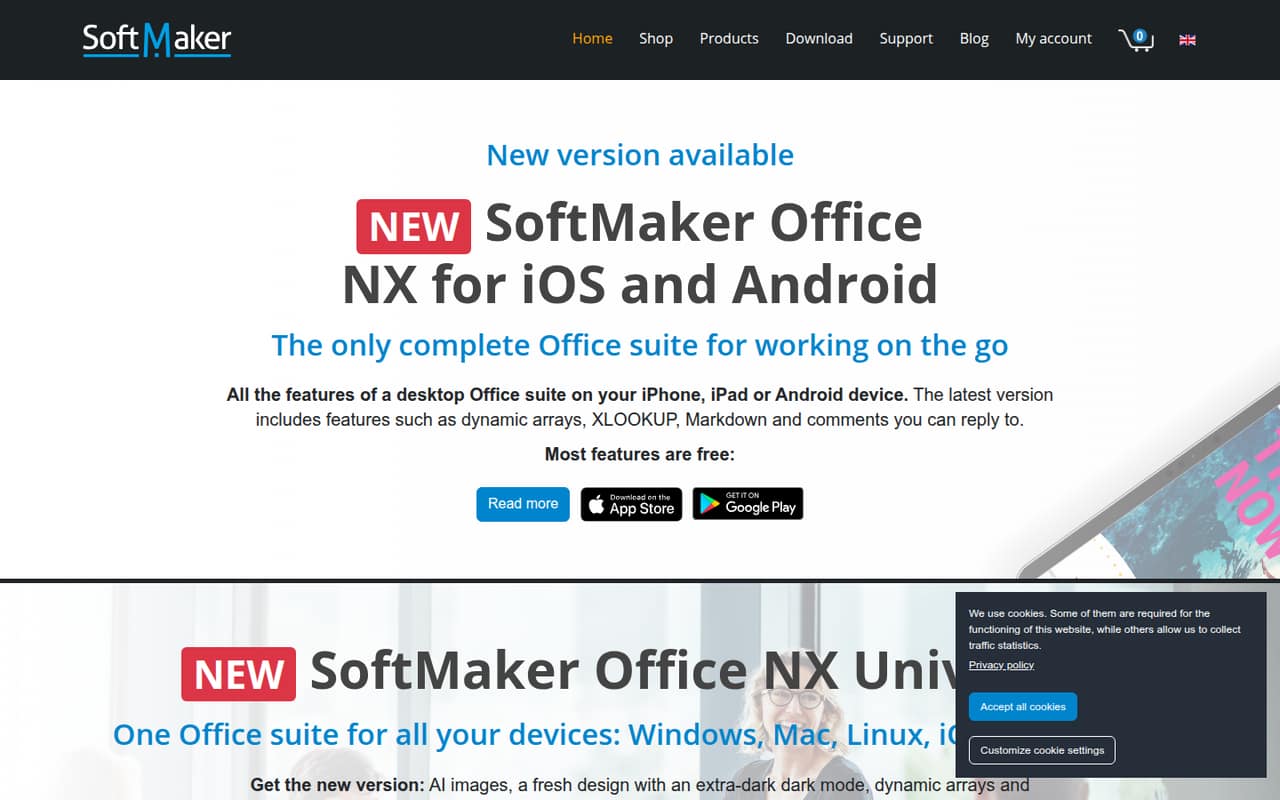
TextMaker is the word processor in SoftMaker Office. The homepage names Markdown support and the ability to reply to comments; SoftMaker lists the suite for Windows, Mac and Linux, with NX Universal also covering iOS and Android.
FreeOffice is listed as free for personal and commercial use, making it the lowest-cost place to start. Paid NX plans cost more but add household and mobile-device allowances; business buyers should check the commercial license terms before choosing a plan.
Good fit if
- Budget-conscious document work
- Small teams wanting free commercial use
- Markdown-friendly word processing
Skip it if
- Teams needing published setup guidance
- Buyers seeking clear per-seat business pricing
- Teams needing documented integrations
ScoresHow it rates
What works
- FreeOffice is listed as free for commercial use
- TextMaker supports Markdown
- Users can reply to comments
- Desktop suite supports Windows, Mac and Linux
- NX Universal adds iOS and Android availability
What doesn't
- Free plan device caps are not published
- Business seat pricing needs careful checking
- Setup effort is not published
- Integration details are not published
- Reddit feedback is limited and dated
01Who TextMaker is for
TextMaker is the word processor included in SoftMaker Office. It suits a one-to-ten-person team that mainly writes and edits documents and wants to keep software costs low. The homepage specifically lists Markdown support and the ability to reply to comments in TextMaker, so those are the clearest product-specific features to weigh.
For a small business watching every subscription, FreeOffice is the first option to check: the pricing listing says it is free for personal and commercial use. SoftMaker Office NX plans make more sense when you want the listed household and mobile-device allowances, but Home is non-commercial only. That distinction matters: a business should not choose a household plan just because the price looks low. SoftMaker lists the desktop suite for Windows, Mac and Linux, and NX Universal for iOS and Android. If your team needs shared editing workflows or named integrations, ask SoftMaker about those before committing; the homepage’s TextMaker feature list does not answer that.
02TextMaker free plan and trial
The free route is FreeOffice, which the pricing listing says is free for personal and commercial use and available for Windows, Mac and Linux. It does not publish a device cap. The information available does not specify which FreeOffice features or limits apply specifically to TextMaker, so confirm that the version you plan to use includes the functions your team needs.
No free-trial terms are listed. For a small business, the practical starting point is therefore FreeOffice rather than a paid household plan. If you need mobile access, SoftMaker lists iOS and Android for NX Universal, not FreeOffice in the published plan details. Check with SoftMaker whether your intended devices and commercial use are covered before rolling it out.
03What a small team pays for TextMaker
FreeOffice is listed at $0 for commercial use, with device caps not published. For paid plans, NX Universal is the relevant option for commercial users: it costs $4.99 monthly or $49.90 per year and lists one computer plus one mobile device for commercial use. NX Home is $2.99 monthly or $29.90 per year ($2.49 per month with annual billing), but it is for non-commercial household use.
At the monthly Universal rate, three individual subscriptions would total $14.97 per month, or $149.70 per year at the listed annual rate. Five would total $24.95 monthly or $249.50 annually. These are straightforward per-subscription calculations, not a separately published team plan. SoftMaker also lists Universal commercial volume licenses at $199 for five computers and $398 for 10; the billing term is not stated, so ask before comparing that with annual subscriptions. Add-on and overage costs are not published.
04Getting started with TextMaker
The homepage lists SoftMaker Office for Windows, Mac and Linux, with NX Universal also available for iOS and Android. That gives a small team a basic platform checklist, but the vendor does not publish setup time, deployment steps or a learning curve in the product details covered here. We would not budget for a particular rollout effort without asking SoftMaker about installation and account management.
The homepage names Markdown support and replies to comments in TextMaker. It does not list integrations for a small team’s other tools, so check whether your existing document storage or collaboration setup is supported before switching. A Reddit user reviewing the Android version praised its document-format compatibility, but that post is old and is not current setup guidance. Ask SoftMaker for current format support, migration advice and any team setup documentation before making TextMaker your shared writing tool.
05When small teams outgrow TextMaker
A team may outgrow the free route when its device needs exceed FreeOffice’s unpublished cap, or when it needs a clear, centrally managed business license. The paid Universal listing allows one computer and one mobile device for commercial use per subscription; adding people means checking the price and terms for each license. Volume prices are listed, but their billing term is not, so get that detail in writing before budgeting.
Teams may also need to move on if TextMaker does not fit their required integrations or collaboration process. The homepage highlights Markdown and replies to comments, but does not establish the broader workflows a growing team may want. In one Reddit thread about the Android version, a commenter praised its ability to read many word-processor formats, while another wondered about the final price. That is an old, small discussion, not a dependable picture of current team use. Ask for current licensing and feature details as your team grows.
From the threadsWhat users say
The small amount of Reddit feedback is positive about the Android editor and its file compatibility. One commenter also raised a question about pricing, so the discussion is encouraging but too limited and old to stand in for current buyer sentiment.
Textmaker for android is IMHO the best text editor I've seen so far
Especially because of his ability to view tracked changes and to accept/reject changes
it's also the only Android word-processor that will read just about any word processor format you throw at it
I'd be interested in seeing how much the final product will be priced at
Questions people ask
Is TextMaker free?
FreeOffice is listed as free for personal and commercial use, and it is the no-cost option to check for TextMaker. The listing does not publish device caps or spell out TextMaker-specific feature limits. Confirm that the free version covers your required features and devices before adopting it across a team.
How much does TextMaker cost for a business?
NX Universal is listed at $4.99 monthly or $49.90 annually, with one computer and one mobile device for commercial use. Three individual subscriptions work out to $14.97 monthly or $149.70 annually; five cost $24.95 monthly or $249.50 annually. FreeOffice is listed as free for commercial use.
Does TextMaker work on Mac and mobile devices?
SoftMaker lists the desktop suite for Windows, Mac and Linux. NX Universal is listed for iOS and Android as well. The published FreeOffice plan details list Windows, Mac and Linux, but do not list mobile availability for that plan. Check with SoftMaker if mobile access is part of your team’s requirements.
What features does TextMaker have?
SoftMaker’s homepage specifically lists Markdown support and the ability to reply to comments in TextMaker. Other advertised features may apply to the wider suite or other apps, so check with SoftMaker before treating them as TextMaker features. For example, the extra-dark mode and AI images are listed for NX Universal.
Is SoftMaker Office NX Home suitable for business use?
No. The pricing listing describes NX Home as a non-commercial household plan, covering five household computers and five mobile devices. For commercial use, check FreeOffice’s listed free commercial option or NX Universal, which lists one computer and one mobile device for commercial use.