
We may earn a commission if you buy through links on this page. It never changes a score or a ranking. How we make money
The bottom line
A strong free starting point for timesheets; budget for paid seats and possible AI usage.
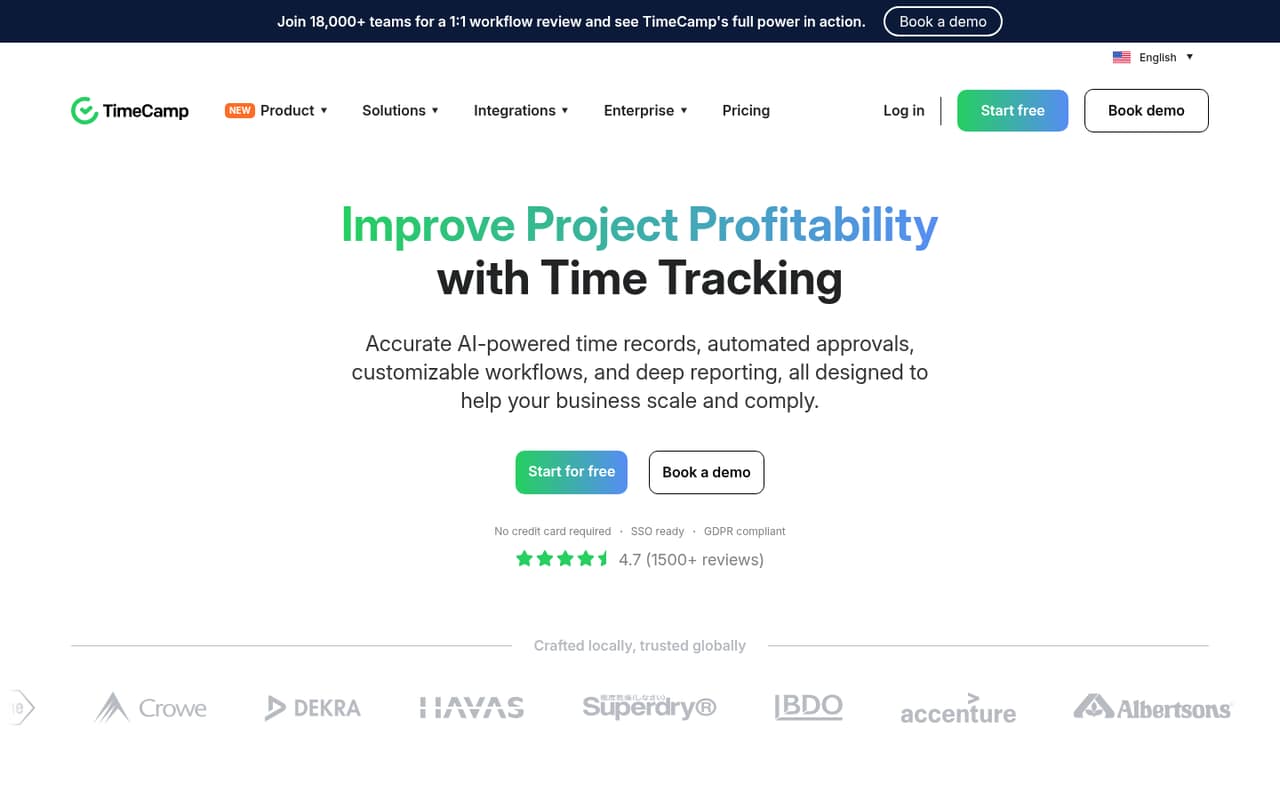
For a small team that needs basic time records, TimeCamp’s Free plan covers unlimited users and projects, timesheets, and web, desktop, and mobile apps. You can start without a per-seat bill.
Paid plans add tools for attendance, invoicing, budgets, approvals, and analytics. Starter begins at $3.99 per user per month with annual billing, but AI Time Tracker usage is separately priced. Reddit mentions TimeCamp for productivity insights, while a discussion of employee monitoring raises privacy concerns.
Good fit if
- Small teams starting with timesheets
- Teams tracking billable project work
- Organizations needing self-hosting
Skip it if
- Teams avoiding activity monitoring
- Buyers needing published setup times
- Teams wanting all tools free
ScoresHow it rates
What works
- Free plan includes unlimited users and projects
- Timesheets work across web, desktop, and mobile
- Starter includes attendance, time off, and invoicing
- Higher plans add budgets, approvals, and integrations
- Enterprise lists self-hosted and private cloud options
What doesn't
- AI Time Tracker usage has a separate estimated cost
- Month-to-month rates are higher than annual equivalents
- Free-plan feature limits are not fully specified
- Setup effort and learning curve are not published
- Reddit discussion includes concerns about employee monitoring
01Who TimeCamp is for
TimeCamp suits a solo worker or a small team that needs to record hours against projects, review timesheets, or connect labor costs with billing. The Free plan covers unlimited users and projects, so a team of one to ten can start without a per-seat subscription. Its web, desktop, and mobile apps give people several listed ways to access time tracking.
For teams that need more than timesheets, Starter adds attendance and time off, invoicing, and unlimited tasks. Premium adds billable time, budgeting, estimates, and a Resource Planner. That makes TimeCamp relevant to service teams that need to see which work is billable and how project costs are shaping up. It may be more than a team needs if all it wants is a basic timer. The pricing page lists several workforce and productivity tools, so teams should also decide how much activity tracking is appropriate for their workplace.
02TimeCamp free plan and trial
TimeCamp’s Free plan costs $0 and includes unlimited users, unlimited projects, timesheets, and web, desktop, and mobile apps. For a small team that needs shared project time records, that is a useful starting point without a seat charge.
The listed Free inclusions do not include Starter features such as AI Time Tracker, attendance and time off, invoicing, or unlimited tasks. The pricing page does not publish a free-trial offer, and it does not spell out additional caps on the Free plan. If you need one of those paid features, Starter is the cheapest listed option at $3.99 per user per month with annual billing, or $5.49 month to month. Check with TimeCamp about any limits that affect your workflow before moving your team over.
03What a small team pays for TimeCamp
Starter is the cheapest paid plan, at $3.99 per user per month with annual billing or $5.49 month to month. That works out to $3.99 or $5.49 for one person, $11.97 or $16.47 for three, and $19.95 or $27.45 for five. The lower figures are monthly equivalents with annual billing, not the month-to-month rate.
Starter lists AI Time Tracker, attendance and time off, invoicing, and unlimited tasks. AI Time Tracker is also described as billed by token usage, with estimated usage of about $6 per user per month for time-entry suggestions; the listing includes $10 in trial credits. Ask TimeCamp how that usage charge applies to your plan before budgeting it as a flat fee.
Premium costs $6.99 per user monthly with annual billing or $9.99 month to month. Ultimate is $9.99 or $13.99, respectively. Enterprise pricing is custom. The pricing page does not publish a seat minimum.
04Getting started with TimeCamp
TimeCamp lists web, desktop, and mobile apps on its Free plan, so a small team can choose how to access its timesheets. The product supports manual and automated time tracking, and the feature description says its AI tools can log and categorize time and fill timesheets. Teams should decide which tracking approach suits their work before inviting everyone to use it.
TimeCamp does not publish a typical setup time or learning curve in the pricing details. We would budget time to set up projects and tasks, explain how team members should record work, and agree on who reviews timesheets. The pricing page lists one integration on Premium and unlimited integrations on Ultimate; it does not list integration allowances for Free or Starter. If an integration is essential on day one, confirm its availability and plan requirement with TimeCamp before committing. The listed app options are clear, but that alone does not establish how much onboarding your team will need.
05When small teams outgrow TimeCamp
A team may outgrow Free when it needs invoicing, attendance and time off, or unlimited tasks: those features appear on Starter, listed from $3.99 per user per month with annual billing. Budgets, estimates, billable time, and a Resource Planner require Premium. Timesheet approvals, expenses, data export, and unlimited integrations are listed on Ultimate. Each paid step raises the per-seat price, so recalculate the bill as your team grows.
The product also may not fit a team that wants to avoid employee activity monitoring. One r/privacy thread about a reported time-theft case named TimeCamp as software used to monitor activity, and commenters objected to surveillance. That discussion is not a broad review of the product, but it is a reminder to set clear workplace policies. Teams needing self-hosted deployment, private cloud hosting, custom integrations, or enterprise support and an SLA can ask about Enterprise, whose price is custom.
From the threadsWhat users say
The limited Reddit mentions are mixed: a roundup presents TimeCamp as useful for productivity insights, while a thread about a reported monitoring case draws criticism of employee surveillance. These discussions do not amount to a large body of TimeCamp reviews.
TimeCamp – Good for boosting productivity and insights
If they distrust their employees they should fire them, not spy on and sue them
people in the office NEVER waste any time
the courts are relying on some software algorithm that distinguishes between personal and business use
Questions people ask
Does TimeCamp have a free plan?
Yes. TimeCamp’s Free plan is listed at $0 and includes unlimited users, unlimited projects, timesheets, and web, desktop, and mobile apps. The pricing page does not spell out additional limits, so confirm with TimeCamp if your team depends on a specific feature or usage cap.
How much does TimeCamp cost for a small team?
Starter costs $3.99 per user per month with annual billing or $5.49 month to month. Three people cost $11.97 or $16.47 monthly, respectively; five cost $19.95 or $27.45. AI Time Tracker usage has a separate estimated cost of about $6 per user per month for time-entry suggestions.
What does TimeCamp Starter include?
The pricing page lists AI Time Tracker, attendance and time off, invoicing, and unlimited tasks on Starter. It costs $3.99 per user per month with annual billing or $5.49 month to month. AI Time Tracker is also described as billed by token usage, so ask TimeCamp how that charge applies.
Does TimeCamp support timesheet approvals?
Yes. Timesheet approvals are listed as an Ultimate feature, alongside data export, expenses, and unlimited integrations. Ultimate costs $9.99 per user per month with annual billing or $13.99 month to month. If approvals are essential, confirm whether the plan includes the approval workflow your team needs.
Can TimeCamp be self-hosted?
TimeCamp lists self-hosted deployment and private cloud hosting under Enterprise, along with custom integrations and enterprise support and an SLA. Enterprise pricing is custom, so contact TimeCamp for a quote and details about deployment, support, and any requirements for your organization.
Sources
- TimeCamp homepage
- TimeCamp pricing page
- Reddit: What’s your go-to time tracking software in 2025? Here’s a solid list to start from.
- Reddit: "Work-from-home accountant ordered to repay former employer $2,600 for 'time theft'" - Employer used software TimeCamp to monitor employee activity.
- Reddit: What’s your go-to time tracking software in 2025? Here’s a solid list to start from.