
We may earn a commission if you buy through links on this page. It never changes a score or a ranking. How we make money
The bottom line
Good value for teams under 10 that need straightforward attendance tracking.
TimeStation is worth considering if your small team needs employees to clock in and out from phones or tablets. Its free plan covers up to 10 employees and includes GPS location tagging, unlimited departments, and unlimited devices.
The main trade-off is that the vendor doesn’t publish annual prices, setup steps, or named integrations. Teams above 10 employees pay at least $19.95 per month, so check whether the tracking workflow fits before you grow into a paid tier.
Good fit if
- Teams with up to 10 employees
- Mobile attendance tracking
- Budget-conscious small organizations
Skip it if
- Teams needing published integrations
- Organizations over 200 employees
- Buyers needing annual pricing
ScoresHow it rates
What works
- Free plan covers up to 10 employees
- GPS tagging is included across listed plans
- Unlimited departments and devices on the free plan
- Supports PIN punches when a card is unavailable
- Offline tracking syncs when internet returns
What doesn't
- Paid plans start at $19.95 per month
- Annual prices are not published
- Named integrations are not published
- The free plan allows only two administrators
- Larger-organization pricing is not shown
01Who TimeStation is for
TimeStation fits a small team that needs to record attendance without paying for a dedicated time system. The free plan covers up to 10 employees, making it a reasonable starting point for a small business, school, or group that tracks who is present and when. It can also track time across projects or clients.
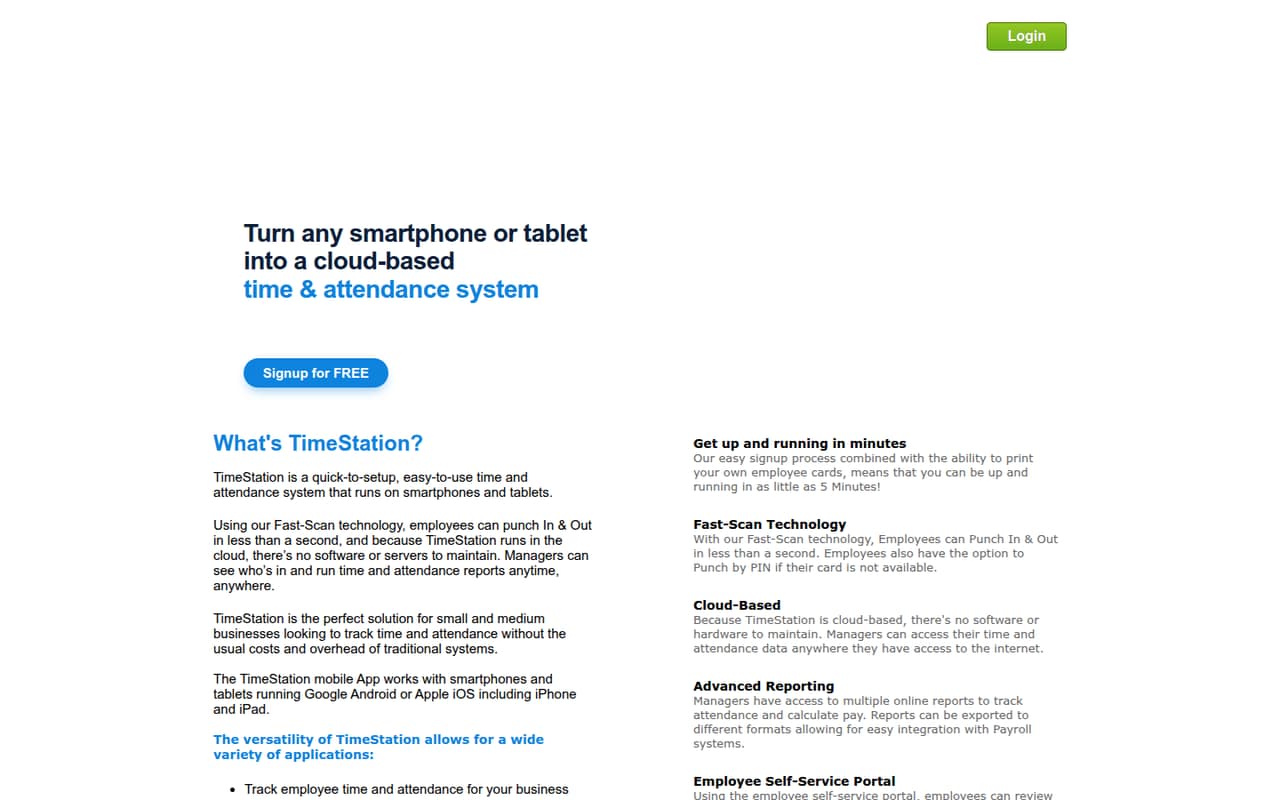
Employees punch in and out using a smartphone or tablet. They can use Fast-Scan or enter a PIN if their card is unavailable. Managers can check attendance and reports online, while GPS location tagging records where a punch happens. The employee portal lets staff review activity, punch, run reports, and create or edit time entries.
This is mainly an attendance and time-tracking fit. If you need a specific integration or a particular payroll workflow, ask the vendor whether it supports it before choosing a plan; named integrations aren’t published.
02TimeStation free plan and trial
The Free plan costs $0 per month for up to 10 employees. It includes two administrators, GPS location tagging, unlimited departments, and unlimited devices. That gives a small team room to track attendance without a monthly subscription, while still letting managers organize employees by department.
The free tier’s stated employee limit is 10. For 11 to 20 employees, Plan 2 costs $19.95 per month. The vendor also lists a 30-day free trial, but the trial’s eligibility, feature limits, and what happens when it ends aren’t published. Confirm those details before relying on the trial instead of the free plan.
For a team of 10 or fewer, the free plan is the cheapest listed option. The main stated constraint beyond employee count is the limit of two administrators.
03What a small team pays for TimeStation
The pricing page lists monthly prices, not per-seat billing. One employee, three employees, or five employees can all fit on the Free plan at $0 per month, provided the team stays within its 10-employee limit. That works out to $0 per employee at those team sizes. Annual billing and annual prices aren’t published.
If you choose a paid tier anyway, Plan 2 costs $19.95 per month for up to 20 employees. At one employee, that’s $19.95 per employee; at three, about $6.65 each; and at five, $3.99 each. Those are simple cost-per-person calculations, not the vendor’s billing method. For three or five people, the free plan is cheaper if its limits meet your needs.
The next listed tiers are $29.95 per month for up to 50 employees, $39.95 for up to 100, and $59.95 for up to 200. No add-ons are listed. Larger-organization pricing is linked but not shown.
04Getting started with TimeStation
The basic workflow is clear from the feature description: employees use a smartphone or tablet to punch in and out, and managers view attendance and reports online. Fast-Scan is described as taking less than a second; PIN punching is the fallback when a card is unavailable. Offline mode records time and attendance and synchronizes it when internet access returns.
The vendor doesn’t publish setup steps, an estimate of onboarding time, or a learning-curve guide. It also doesn’t publish named integrations, so we can’t confirm whether you can connect TimeStation to your payroll or other systems. Before rollout, ask how to add employees, configure punch methods, assign administrator access, and export or transfer attendance data.
For a small team, the key day-one decision is which device or devices employees will use to punch. The plan includes unlimited devices, but the setup process and any device requirements aren’t published.
05When small teams outgrow TimeStation
The clearest upgrade point is employee count. The free plan stops at 10 employees; Plan 2 raises the limit to 20 for $19.95 per month. Teams that keep growing can move to plans for 50 employees at $29.95, 100 at $39.95, or 200 at $59.95 per month. The vendor doesn’t show pricing for organizations above 200 employees.
Administrator limits rise by tier too: the free plan and Plan 2 include two administrators, while Plans 3, 4, and 5 include three, four, and five. A team that needs more administrator accounts may need to upgrade before it reaches the employee cap.
Headcount isn’t the only reason to look elsewhere. If your team needs a named integration, published annual pricing, or a workflow beyond attendance and time tracking, confirm those requirements with the vendor. Those details aren’t published, so we can’t tell from the listed plans whether an upgrade will address them.
Questions people ask
Is TimeStation free to use?
Yes. The pricing page lists a Free plan at $0 per month for up to 10 employees. It includes two administrators, GPS location tagging, unlimited departments, and unlimited devices. Teams above 10 employees need a paid plan, starting with Plan 2 at $19.95 per month for up to 20.
How does TimeStation work?
Employees use a smartphone or tablet to punch in and out, with Fast-Scan or a PIN if their card is unavailable. Managers can review attendance and reports online. The product also lists GPS location tagging and offline tracking that syncs when internet access returns.
How much does TimeStation cost for five employees?
Five employees fit within the Free plan’s limit of 10, so the listed price is $0 per month. If you opt for Plan 2, it costs $19.95 per month for up to 20 employees, or $3.99 per person at five. The vendor lists monthly pricing; annual prices aren’t published.
Does TimeStation work offline?
TimeStation lists an offline mode for tracking time and attendance. The description says the data synchronizes when internet access returns. The vendor doesn’t publish further details about offline limits or which features remain available without a connection, so confirm those specifics if they matter to your team.
Does TimeStation include GPS location tagging?
Yes. GPS location tagging is included in the Free plan and each listed paid plan. The feature maps where employees punch in and out. The vendor doesn’t publish further details about location settings or controls, so ask how managers can configure or review location data.