We may earn a commission if you buy through links on this page. It never changes a score or a ranking. How we make money
The bottom line
Automatic Mac time tracking with useful project tools, but no free plan and a higher team price.
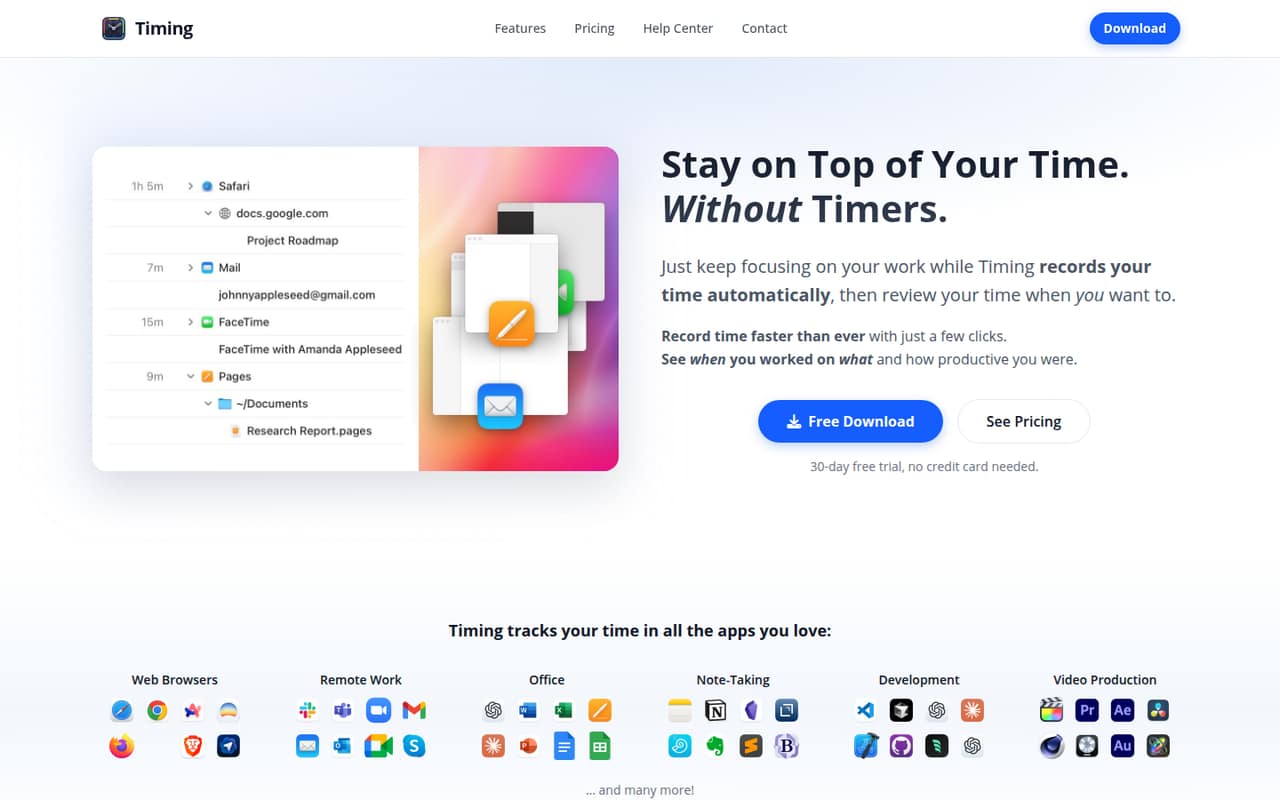
Timing records app, document, and website activity on Mac without timers, then helps organize that activity into time entries. Project rules, billable-time tracking, reports, AI summaries, and MCP agent support make it more than a basic time logger.
There’s no free plan, and the cheapest individual option is $9 per month with annual billing or $11 month to month. Teams that want shared time reports need Connect, listed at $16 per user per month with annual billing or $20 monthly.
Good fit if
- Mac users who forget to start timers
- Small teams sharing project reports
- Freelancers tracking billable work
Skip it if
- Teams that need a free tier
- Windows-first teams
- People seeking the lowest per-seat price
ScoresHow it rates
What works
- Tracks Mac activity without manual timers
- Project rules sort matching activities automatically
- AI summaries help create time entries
- Tracks billable, billed, and paid work
- Connect includes shared project time reports
What doesn't
- No free plan
- Professional covers only one Mac
- Two-Mac use requires the pricier Expert plan
- Team reports require per-user Connect seats
- Setup time and support details are not published
01Who Timing is for
Timing suits solo Mac users and small teams that want a record of work without remembering to start and stop timers. It tracks app, document, and website activity, then helps turn that activity into organized time entries. For a freelancer, that can mean sorting client work into projects and marking time as billable, billed, or paid. For a team, Connect adds reports for shared projects, with admins able to see aggregate project time.
The fit depends on your setup and budget. One person using one Mac starts at $9 per month with annual billing, or $11 month to month. Two Macs for one person require Expert. A team sharing reports needs Connect, at $16 per user per month with annual billing. That makes Timing a better match for small Mac-based teams that value automatic capture than for budget-first teams that need a free tier or use other platforms.
02Timing free plan and trial
Timing does not offer a free plan. The pricing page lists a 30-day free trial for Professional, Expert, and Connect, so a solo user or team can try the paid plan before choosing a subscription. The listed trial applies to each plan; the pricing information does not specify feature limits during the trial.
After the trial, the cheapest way in is Professional for one person using one Mac: $11 per month on monthly billing or $9 per month with annual billing. If you need two Macs for one person, Expert starts at $14 monthly or $11 per month with annual billing. For shared team reports, Connect starts at $20 per user monthly or $16 per user with annual billing. Check the vendor’s current terms for what happens when the trial ends.
03What a small team pays for Timing
The pricing page lists Professional at $11 per month for one person using one Mac, or $9 per month with annual billing. Expert covers one person on two Macs and costs $14 monthly or $11 per month with annual billing. Those plans are designed for individual use; the listed team option is Connect, with multiple seats and up to three Macs per user.
Connect costs $20 per user per month, or $16 per user with annual billing. That puts three people at $60 monthly or $48 per month with annual billing. Five people cost $100 monthly or $80 per month with annual billing. Annual figures are monthly equivalents, and the pricing page does not state the total billing amount here.
The listed plans include a 30-day free trial, and no add-ons are listed. The main cost jump is moving from one person’s Professional plan to Connect for shared team reports. Each additional team member adds another per-user charge.
04Getting started with Timing
Timing’s automatic tracking means you do not need to start and stop timers to capture Mac activity. You will still need to organize that activity into projects and decide which work should be billable. Customizable project rules can sort matching activity into projects, while AI summaries can help create time entries. The vendor does not publish a setup-time estimate, so we would not assume the initial project setup is instant.
For a team, Connect is the listed option for multiple seats and shared project reports. The product also has a web app for timers on the go, and Timing supports AI agents through MCP so they can review and sort tracked activity. The published feature information does not specify other integrations or a setup checklist. Before rollout, confirm that the Mac app, project rules, web timers, and MCP support fit your team’s day-one needs.
05When small teams outgrow Timing
Timing’s first constraint is platform fit: it tracks activity on Mac, so a team that needs its core tracking workflow on another desktop platform should check compatibility with the vendor before committing. Its individual plans also have clear device limits. Professional covers one Mac for one person; using two Macs requires Expert, and the listed plan details do not cover more than two Macs for an individual.
Teams may also outgrow the price as seats add up. Connect is the listed option for multiple seats and shared reports, at $20 per user monthly or $16 per user with annual billing. Five seats therefore reach $100 monthly or $80 per month with annual billing. That may be worth paying for shared project reporting, but teams that need a free tier, a lower per-seat cost, or features beyond those listed should compare alternatives. Ask Timing about any needs not covered in its plan details.
Questions people ask
Does Timing have a free plan?
No. The pricing page lists a 30-day free trial for Professional, Expert, and Connect, but no ongoing free plan. After the trial, the lowest listed price is Professional at $9 per month with annual billing or $11 month to month.
How much does Timing cost for a team of five?
Connect is listed at $20 per user per month, or $16 per user with annual billing. For five people, that is $100 monthly or $80 per month with annual billing. The annual price is a monthly equivalent.
Can Timing track time without timers?
Yes. Timing automatically records app, document, and website activity on Mac without requiring you to start and stop timers. It helps turn that activity into organized time entries, and customizable project rules can sort matching activity into projects.
Which Timing plan covers two Macs?
Expert is listed for one person using two Macs. It costs $14 per month with monthly billing or $11 per month with annual billing. Professional is for one person using one Mac.
Can Timing track billable hours and team time?
Timing can mark work as billable, billed, or paid and flag uninvoiced work. For shared project time reports, Connect supports multiple seats, and admins can see aggregate project time.