
We may earn a commission if you buy through links on this page. It never changes a score or a ranking. How we make money
The bottom line
Tower makes advanced Git work visual, but small teams need to budget for annual paid seats.
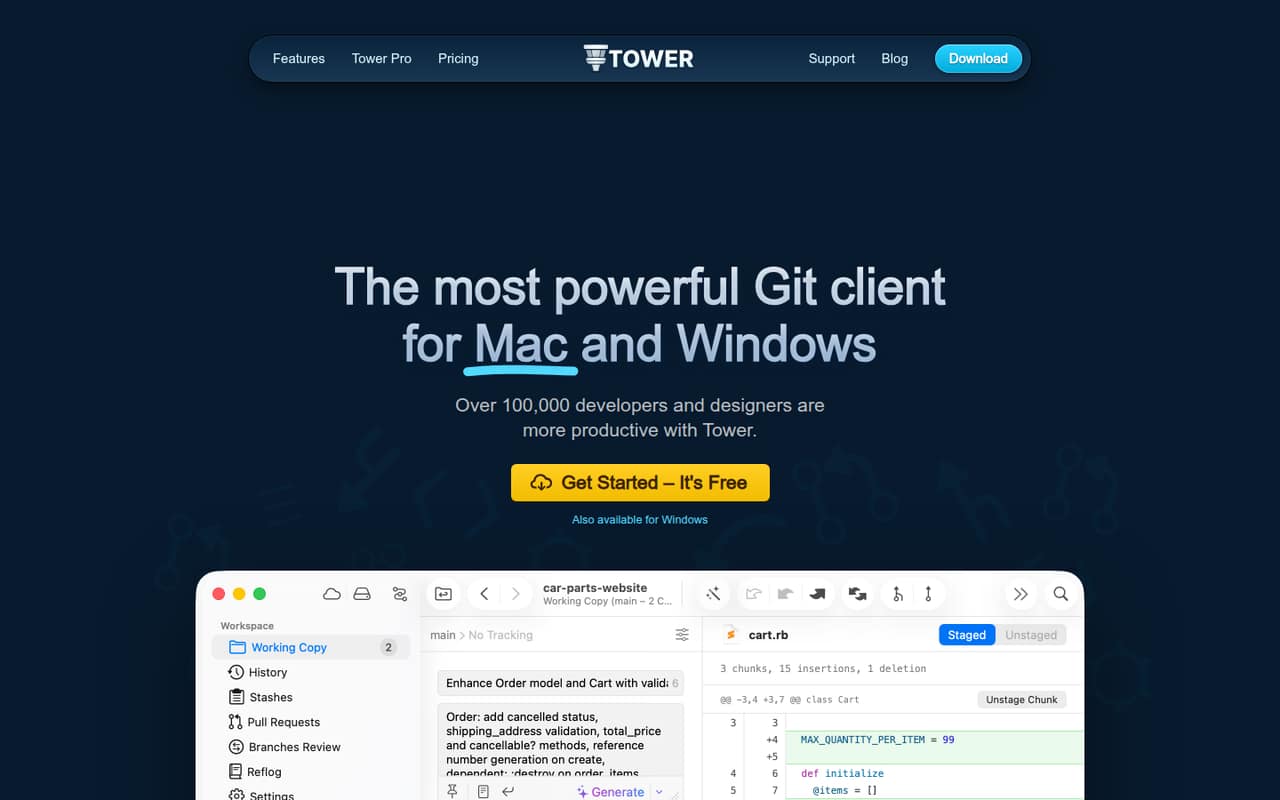
Tower is a desktop Git client for macOS and Windows, with visual controls alongside tools such as interactive rebase, conflict resolution, and stacked branches. It suits teams that want more help managing Git work without leaving advanced workflows behind.
There’s no free plan, and the pricing page lists annual billing with monthly equivalents. Basic starts at $5.75 per user per month; teams get Basic team management and consolidated billing on Pro, listed at $10.75 per user per month.
Good fit if
- Small teams using advanced Git workflows
- Mac and Windows development teams
- Teams that want visual Git controls
Skip it if
- Teams that need a free plan
- Teams requiring published monthly rates
- Teams needing SAML on a lower tier
ScoresHow it rates
What works
- Available for macOS and Windows
- Visual drag-and-drop Git controls
- Undo actions with ⌘+Z
- Includes interactive rebase and conflict tools
- Pro offers consolidated billing and admin roles
What doesn't
- No free plan
- Monthly billing prices are not listed
- Basic is listed for one user
- Pro costs more per seat than Basic
- Priority support and SAML are Enterprise features
01Who Tower is for
Tower is for individuals and small development teams that work with Git and want visual controls without giving up advanced workflows. The vendor lists macOS and Windows versions, so a team can use it across those desktop platforms.
For a solo developer, Basic is the lowest-cost entry at $5.75 per user per month on annual billing. For a team of 3–10, Pro is the more relevant fit: it adds basic team management, dedicated billing and admin roles, and consolidated billing. The pricing page lists it at $10.75 per user per month on annual billing.
Tower’s feature list includes drag-and-drop controls, interactive rebase, conflict tools, submodules, Git-Flow, stacked branches, and AI commits. That’s a useful mix for teams that regularly manage branches and resolve conflicts. If your team only needs occasional, simple Git operations, the paid seat cost may be hard to justify.
02Tower free plan and trial
Tower does not have a free plan. The pricing page lists a 30-day free trial, but does not specify which plan features the trial includes. Ask Tower whether the trial covers Pro features and whether you need to provide payment details to start.
After the trial, the cheapest listed option is Basic at $5.75 per user per month with annual billing. Basic includes one user, macOS and Windows versions, unlimited app updates, and Pull Requests and Services Manager for cloud code hosting. It is positioned for individuals, not teams: Pro is the tier that lists basic team management and consolidated billing.
The pricing page does not list a monthly billing price. If your team wants to avoid an annual commitment, check the current terms with Tower before signing up.
03What a small team pays for Tower
The pricing page lists annual billing with a monthly equivalent, not a monthly billing price. Basic costs $5.75 per user per month, or $69 per user across 12 months. That makes one Basic seat $5.75 per month equivalent.
For teams, Pro is the relevant plan because it includes basic team management, dedicated billing and admin roles, and consolidated billing. At $10.75 per user per month, three Pro seats come to $32.25 per month equivalent ($387 per year); five seats come to $53.75 per month equivalent ($645 per year). These are per-seat calculations from the listed annual rates.
The pricing page lists a 10% discount on Pro at 10 or more seats, and says additional users can be added through the customer portal. It does not list a setup fee or monthly billing rate. Confirm the annual charge and trial terms with Tower before budgeting; the listed monthly equivalents are not monthly billing prices.
04Getting started with Tower
Tower is a desktop app, with macOS and Windows versions listed on the pricing page. Your team will need to choose the right version for each computer and confirm that its cloud code hosting setup works with Tower’s Pull Requests and Services Manager. The vendor does not publish a setup-time estimate or a list of supported hosting services in the published details, so check those points before rolling it out.
The basic idea is visual Git controls, but the feature set also covers interactive rebase, submodules, Git-Flow, and conflict resolution. Those features can help experienced Git users, while newer users may need time to understand the workflows they’re applying. The vendor lists drag-and-drop controls and undo actions with ⌘+Z, which offer a more direct way to handle some operations.
For a team, Pro adds basic team management and consolidated billing. The vendor does not publish details here about onboarding or shared configuration, so ask how those work before planning a wider rollout.
05When small teams outgrow Tower
The clearest reason to move up is team administration. Basic is listed for one user; Pro adds basic team management, dedicated billing and admin roles, and consolidated billing. A growing team that needs those shared controls will likely want Pro, at $10.75 per user per month on annual billing, rather than treating Basic as a team plan.
At 10 or more seats, the pricing page lists a 10% discount on Pro. Larger organizations may need Enterprise for advanced team management, invoicing and wire transfer, priority support, or SAML-based SSO. Enterprise is listed at $12.42 per user per month on annual billing.
The pricing page does not list monthly rates, and Tower has no free plan. If your team needs month-to-month terms, a free tier, or a specific integration that is not named in the listed features, verify availability with Tower before expanding. The listed tiers do not establish whether an unlisted capability is available.
Questions people ask
What is Tower used for?
Tower is a desktop Git client for macOS and Windows. Its listed tools include visual drag-and-drop controls, branch management, interactive rebase, conflict resolution, submodules, and Git-Flow.
Does Tower have a free plan?
No. The pricing page lists a 30-day free trial, then paid plans. Basic starts at $5.75 per user per month with annual billing; the vendor does not list a monthly billing price.
Can a small team use Tower on Basic?
Basic includes one user and is positioned for individuals. Pro is listed for professionals and small teams, with basic team management, dedicated billing and admin roles, and consolidated billing.
Does Tower work on Windows?
Yes. Tower is a desktop Git client with macOS and Windows versions listed on its pricing page.
What happens after Tower’s 30-day trial?
Tower does not have a free plan. The cheapest listed option is Basic at $5.75 per user per month on annual billing. The vendor does not publish the trial’s feature scope in the published pricing details.