
We may earn a commission if you buy through links on this page. It never changes a score or a ranking. How we make money
The bottom line
Useful filing and W-9 tools, with clear per-form rates but no free plan or published subscription price.
A small team filing 1099s and collecting W-9s can use Track1099 to manage payee data, file forms, and deliver recipient copies. It also offers TIN matching and prior-year support.
There’s no free plan, and the Annual subscription price isn’t published. Pay as you go has no minimum volume and starts at $3.10 per form, so it’s easier to budget for occasional filing than for recurring work.
Good fit if
- Small teams filing 1099s
- Businesses collecting W-9s
- Accounting firms managing payees
Skip it if
- Teams needing a free filing plan
- Buyers needing predictable subscription pricing
- Businesses wanting per-seat software
ScoresHow it rates
What works
- Pay as you go has no minimum volume
- Collects W-9s and manages payee data
- Offers TIN matching and address validation
- Supports IRS and state e-filing
- Recipient copies can be electronic or mailed
What doesn't
- No free plan or trial is listed
- Annual subscription pricing isn't published
- Annual subscription starts at 100 forms
- Overage fees apply, but the rate isn't published
- Postal delivery and state filing add per-form charges
01Who Track1099 is for
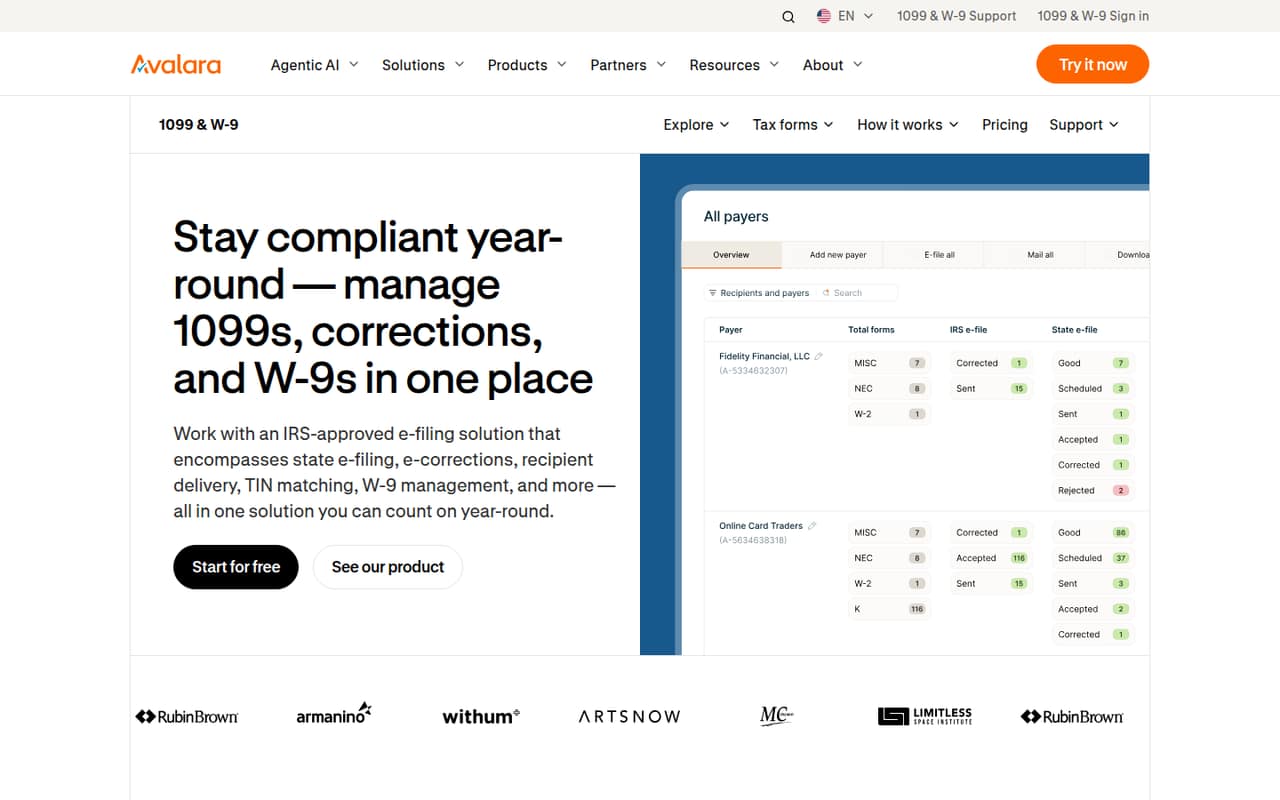
Track1099 is for small businesses and accounting firms handling 1099 and W-9 work. It collects W-9s, keeps payee information, and uses payment data to create 1099s. Teams can e-file with the IRS and states, then send recipient copies electronically or by mail.
For a one-to-ten-person company, this is a way to centralize a tax-form task without buying a per-seat product: the listed charges are per form or per add-on, not per user. That may suit a team filing just a few forms or a firm managing forms for clients. Pay as you go has no minimum volume, though its per-form price drops as volume rises. The Annual subscription is aimed at recurring filing and starts at 100 forms, but its price isn't published. If your team only needs to file occasionally, compare the per-form total and any delivery or state fees before choosing it.
02Track1099 free plan and trial
Track1099 has no free plan, and the vendor doesn't list a free trial. That means there’s no free filing allowance to use as a small team’s starting point. The cheapest way in is Pay as you go: there’s no minimum volume, and forms 1–15 cost $3.10 each.
That rate is for filing forms, not for seats. A team of three or five people doesn’t pay more just for adding users according to the listed pricing; its bill depends on form volume and selected add-ons. For a very small filing run, that makes the upfront commitment straightforward, although paid add-ons can raise the total. The Annual subscription is another option for recurring filing, but the vendor doesn’t publish its price. Ask Track1099 for a quote if you expect to file 100 or more forms.
03What a small team pays for Track1099
Track1099 prices Pay as you go by form, not by seat. At the first-tier rate, one form costs $3.10; three forms cost $9.30; and five cost $15.50. Those examples assume forms 1–15, with no add-ons. There’s no annual commitment for Pay as you go, so these are per-filing totals rather than monthly subscription prices. The next rates are $2.30 each for forms 16–165, $1.30 for forms 166–500, and $0.63 for form 501 onward.
State e-filing adds $1.49 per form, and postal delivery from January through April adds $1.84 per form mailing. TIN matching is listed at $0.45 per form and address validation at $0.07 per address; the Annual subscription includes both. Annual subscription pricing is tiered by annual volume, starts at 100 forms, and isn't published. It includes e-filing, W-9 collection, TIN matching, address validation, and API access, but overage rates aren't published. Ask for a quote before budgeting recurring filing.
04Getting started with Track1099
The basic workflow is familiar: set up an account, enter or import payer and payee information, and pay for filing. A Track1099 user on Reddit describes entering the information they would use for paper 1099s, then paying to file. That account suggests the starting steps are manageable, though it’s one user’s report rather than a guarantee about setup time.
Track1099 supports importing payment information to create 1099s, collecting W-9s, TIN matching, and address validation. The Annual subscription also lists API access. The available pricing information doesn’t specify which accounting integrations are included or how much setup the API takes, so ask the vendor if you need a particular connection. For a small team filing manually, start with payer and payee records; for recurring work, check that your data-import process fits before choosing a subscription.
05When small teams outgrow Track1099
Track1099’s clearest pricing threshold is volume: the Annual subscription starts at 100 forms, while Pay as you go is priced for any volume. Teams with recurring filings may prefer the subscription’s listed features, but its tier prices and overage rate aren’t published. That makes it harder to forecast costs as form counts rise. Ask for a quote based on your expected annual volume and add-ons before moving over.
The product may also be more process than an occasional filer needs. In one Reddit thread, a small-business poster handling 20–50 forms wondered whether advanced tools such as Track1099 might be overkill. Another Reddit post objects to paying a subscription throughout the year for seasonal work. On the other hand, a Track1099 user says its paid service allows corrections or amendments to forms filed through it. Growing teams should weigh those reported benefits against the subscription terms and their filing pattern.
From the threadsWhat users say
Reddit sentiment is mostly positive among people who say they use Track1099, especially for avoiding paper filing. But some small-business filers question whether an advanced tool or year-round subscription makes sense for seasonal, lower-volume work.
Saves so much time
Seems like everyone has had positive experience with track1099
maybe overkill for my volume
why would anyone want to pay a subscription all year long for something that's only needed in January?
Questions people ask
What does Track1099 do?
Track1099 helps businesses and accounting firms collect W-9s, manage payee information, create 1099s from payment data, and file returns with the IRS and states. It also supports TIN matching, electronic or mailed recipient copies, and prior-year filings.
Does Track1099 have a free plan or trial?
Track1099 does not list a free plan or free trial. Its cheapest listed option is Pay as you go, with no minimum volume and a $3.10 charge for each of the first 15 forms. Add-ons such as state filing or mailed copies can increase the total.
How much does Track1099 cost for a small filing?
Pay as you go costs $3.10 per form for forms 1–15. That makes three forms $9.30 or five $15.50 before add-ons. State e-filing and postal delivery are additional charges. The Annual subscription price isn't published, so ask Track1099 for a quote.
Does Track1099 support state filing?
Yes. Track1099 lists IRS and state e-filing among its capabilities. State e-filing is priced separately at $1.49 per form, so include that charge when estimating costs for forms that need state filing.
Can I correct a 1099 filed through Track1099?
A Track1099 user on Reddit reports being able to correct or amend forms filed through the service after paying. The pricing information doesn't specify whether amendments have a separate fee or define the process, so confirm the current terms with Track1099.
Sources
- Track1099 homepage
- Track1099 pricing, compiled via web search from avalara.com, cpapracticeadvisor.com
- Reddit: torn between simple (adams) and complex tools (tax1099 or track1099) for filing 20-50 forms. what would you use?
- Reddit: Using e-filing service like track1099 or tax1099
- Reddit: track1099.com is legit/safe? I just got my 1099-NEC through an email.
- Reddit: track1099 changing to subscription model