
We may earn a commission if you buy through links on this page. It never changes a score or a ranking. How we make money
The bottom line
Strong tracking oversight, but unpublished plan prices make the budget hard to pin down.
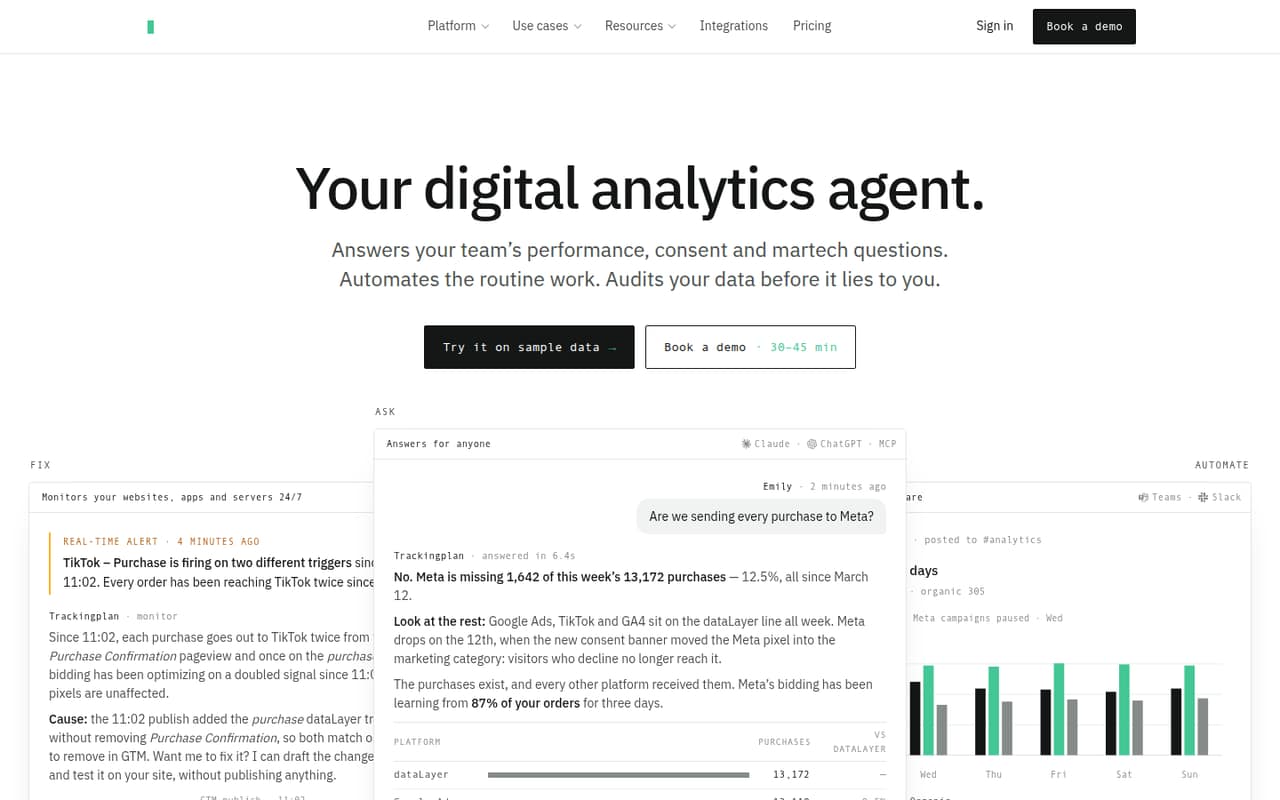
Trackingplan watches web, app and server-side events for issues such as missing properties, attribution errors, duplicate triggers and consent problems. It learns expected event patterns and can turn plain-English instructions into recurring reports, rules or alerts.
For a small team, the main drawback is price uncertainty: the pricing page lists Starter and Growth limits but does not publish their USD prices. There is no free plan, though a 9-day trial is listed with no credit card required.
Good fit if
- Teams managing several tracking properties
- Marketers checking consent and attribution
- Small teams with complex event data
Skip it if
- Teams that need a free forever plan
- Buyers who need a known monthly price
- Teams with very simple tracking needs
ScoresHow it rates
What works
- Monitors web, app and server-side events
- Flags tracking and consent issues live
- Checks requests to 170+ analytics and ad providers
- Supports tag, SDK and server-side installation
- Unlimited seats on listed plans
What doesn't
- No free plan
- Starter and Growth prices are not published
- Trial lasts only 9 days
- Growth Compliance adds €249 monthly per account
- Enterprise requires a one-year contract
01Who Trackingplan is for
Trackingplan is for small marketing, product and analytics teams that rely on several web, app or server-side tracking setups and need to know when data goes wrong. It watches incoming events, learns expected patterns, and flags issues such as missing properties, attribution errors, duplicate triggers and consent misfires.
The Starter plan is listed for teams tracking a few properties: it includes up to 5 sites or apps, 300,000 sessions a month and 50 agent credits. Seats are unlimited, so a team of one to five people does not face a per-seat charge in the listed plan structure. The catch is budget: the vendor does not publish Starter’s USD price, so a cost-conscious team cannot compare it with a fixed monthly budget before asking for a quote. It is most compelling when tracking errors or consent checks matter enough to justify a paid monitoring tool.
02Trackingplan free plan and trial
Trackingplan does not list a free plan. The pricing page lists a 9-day free trial with no credit card required, which gives a small team a short window to assess whether the monitoring fits its tracking setup. The vendor does not publish the trial’s specific usage limits, so ask whether it includes the properties, sessions and agent credits you need to evaluate.
The cheapest listed plan is Starter, but its USD price is not published. It includes 300,000 sessions per month, up to 5 sites or apps, 50 agent credits and unlimited seats. The listed recommendation is up to 600,000 sessions, which is not the same as the included monthly allowance. If the trial ends before your team can assess those limits, ask the vendor about extending it or providing a proof of concept.
03What a small team pays for Trackingplan
The pricing page lists Starter and Growth in USD, but does not publish either plan’s base price. That means we cannot give a reliable monthly total for one person, three people or five people. Seats are unlimited on both plans, so the listed pricing does not add a per-seat charge as a small team grows from one to five users. Starter has no annual plan; Growth also has no annual plan.
Starter includes 300,000 sessions monthly, up to 5 sites or apps and 50 agent credits. If you exceed the listed allowances, Starter overages are $10 per 5,000 extra sessions and $100 per 100 extra credits. Growth includes 1 million sessions, up to 20 sites or apps and 250 agent credits; its overages are $10 per 20,000 sessions and $100 per 100 credits. Growth Compliance is listed at €249 per month per account. Ask for the base price and confirm how overages are billed before budgeting.
04Getting started with Trackingplan
Trackingplan lists three installation routes: one tag, an SDK or a server-side hook. Which one suits you depends on where your events come from; the product description does not give setup times or a step-by-step effort estimate. We would confirm the right route with the vendor before assigning work, especially if the team tracks through both a website and an app.
The platform learns expected event names and behavior from live traffic, then monitors for tracking and consent problems. It also says it cross-checks requests to more than 170 analytics and ad providers. That breadth may help teams with several vendors, but the vendor does not publish a specific integration checklist or setup sequence here. Before starting, identify the properties to monitor, the providers you use, and who should receive alerts. Ask whether the trial covers those sources and whether any implementation help is included.
05When small teams outgrow Trackingplan
The first upgrade trigger is volume or property count. Starter includes 300,000 sessions a month and up to 5 sites or apps; Growth raises those limits to 1 million sessions and 20 sites or apps. Starter’s listed recommendation is up to 600,000 sessions, while Growth’s is up to 3.5 million. If your needs exceed Growth, Enterprise lists 5 million sessions, 1,000+ credits and unlimited sites or apps.
A team can also hit the Starter credit allowance of 50 monthly credits, or its session allowance, and pay the listed overage rates instead of upgrading. Compare that route with Growth, but first request both unpublished base prices. Growth Compliance adds €249 per month per account if you need that add-on. Enterprise has custom volume pricing and requires a one-year contract, so it may not suit a small team that needs flexible, predictable monthly costs.
Questions people ask
Does Trackingplan have a free plan?
No free plan is listed. The pricing page lists a 9-day free trial with no credit card required. The vendor does not publish the trial’s specific session, property or credit limits, so ask whether it covers your setup before you begin.
How much does Trackingplan cost for a small team?
The vendor does not publish USD base prices for Starter or Growth. Both plans list unlimited seats, so the plan price does not rise per seat for a team of one, three or five. Request a quote and confirm any overages or add-ons before committing.
What does Trackingplan monitor?
Trackingplan monitors web, app and server-side events. It flags issues including missing properties, attribution errors, duplicate triggers and consent problems. The product description also says it checks requests to more than 170 analytics and ad providers.
How do you install Trackingplan?
The product lists installation through one tag, an SDK or a server-side hook. The right option depends on where your events originate. Setup times and a detailed implementation checklist are not published, so ask the vendor what your specific properties require.
When should a team move from Starter to Growth?
Growth may fit when you need more than Starter’s 5 sites or apps, 300,000 included monthly sessions or 50 monthly agent credits. Growth lists 20 sites or apps, 1 million sessions and 250 credits. Compare its quote with Starter overages before switching.