
We may earn a commission if you buy through links on this page. It never changes a score or a ranking. How we make money
The bottom line
Good for affordable 3D drafts; budget for paid commercial use and model cleanup.
Small teams that need occasional 3D assets should try Tripo AI’s free plan before paying. It turns text prompts, photos, and sketches into models, with tools for mesh generation, rigging, and texturing.
The free tier is limited to non-commercial public models, one concurrent task, and limited exports and storage. Pro starts at $20 per month for commercial use. Reddit users describe using Tripo alongside Blender for cleanup, and one thread raises concerns about how assets were credited in a Tripo-related promotion.
Good fit if
- Indie teams prototyping 3D assets
- Creators testing text-to-3D workflows
- Small teams needing draft models
Skip it if
- Teams needing free commercial use
- Studios expecting finished models without cleanup
- Teams requiring published support guarantees
ScoresHow it rates
What works
- Free plan includes 200 monthly credits
- Accepts text prompts, photos, and sketches
- Pro includes commercial use for $20 monthly
- Smart Mesh supports 500–25,000 polygons
- Max includes unlimited access to 8K textures
What doesn't
- Free models are public and non-commercial
- Free exports and storage are limited
- Free plan allows one concurrent task
- Team pricing is per seat
- Reddit users describe cleanup in Blender
01Who Tripo AI is for
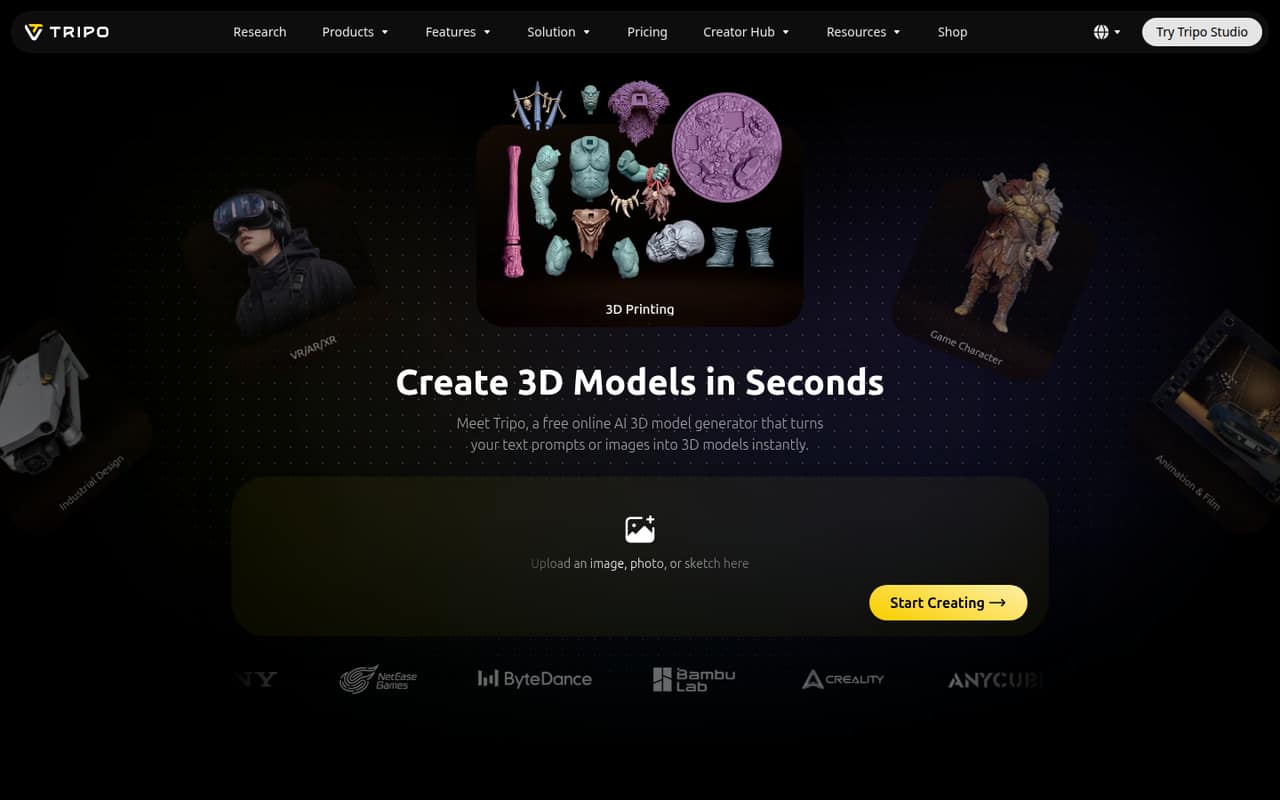
Tripo AI is an online tool for turning text prompts, photos, or sketches into 3D models. It fits a solo creator or a small team of one to ten people that needs concept models, props, or characters without immediately paying for a larger production pipeline. The homepage lists animation, ecommerce, industrial design, VR/AR/XR, games, and 3D printing as possible uses.
For a team watching its budget, the free plan is a sensible place to see whether generated models fit the work. Paid Pro is $20 per month and includes commercial use, which makes it the cheapest listed plan for a small business making assets for commercial projects. Tripo also offers high-detail models up to 2 million polygons, Smart Mesh, auto-rigging, and PBR texturing. Treat those as generation options, not a promise that every model is ready to ship; a Reddit user describes using Blender for cleanup and retopology.
02Tripo AI free plan and trial
The Free plan includes 200 monthly credits, one concurrent task, and a standard queue. Models are public and for non-commercial use, with limited exports and storage. That makes it useful for trying text-to-3D or image-to-3D and checking whether the results suit a project, but not a fit for commercial production under the listed terms.
The pricing page lists no separate free trial. If you need private models and commercial use, Pro is the cheapest listed option at $20 per month. It includes 3,000 monthly credits, 10 concurrent tasks, seven-day edit history, unlimited storage, and batch exports. The credit cost of a particular generation is not published in the plan details, so check expected usage before relying on the monthly allowance.
03What a small team pays for Tripo AI
Pro costs $20 per month, whether billed monthly or annually according to the pricing page. That is $20 for one person, $60 for three people, or $100 for five if each buys an individual Pro subscription. Pro includes commercial use and private models, but the plan details do not list shared workspaces.
Team is the shared-workspace option. It costs $110 per seat monthly, or $55 per seat per month billed annually. That works out to $330 monthly for three seats or $550 for five. At the annual rate, three seats are $165 per month equivalent, and five are $275; the listed annual total is $1,980, matching three seats. Ask Tripo to confirm the annual total for your seat count and whether a minimum applies; one is not listed.
Credit packs cost $10 for 1,000 credits, $100 for 10,000 plus 2,000 bonus credits, $500 for 50,000 plus 12,000 bonus credits, or $1,000 for 100,000 plus 30,000 bonus credits. These can add materially to a team’s bill if its included credits run short.
04Getting started with Tripo AI
The core workflow is simple to understand: supply a text prompt, photo, or sketch, then generate a 3D model. The feature list also describes Smart Mesh, auto-rigging, and PBR texturing, so teams can explore more than a basic shape generator. A small team can start with the Free plan before deciding whether commercial use or more concurrent tasks justify a paid plan.
The time needed to get production-ready results is less clear. A Reddit user building an indie game describes using Blender for cleanup, retopology, and final adjustments after generating assets with Tripo. That suggests teams should budget for review and editing rather than assume every output is ready to publish. Tripo’s listed plans describe shared workspaces and centralized administration on Team, but the feature list does not name integrations. Ask the vendor about your required file formats and workflow connections before committing.
05When small teams outgrow Tripo AI
The first reason to upgrade is a commercial project: Free models are listed as non-commercial, while Pro starts at $20 per month and includes commercial use. The next pressure point is throughput. Free allows one concurrent task, compared with 10 on Pro, 100 on Max, and 200 on Team. Teams that need shared assets and centralized billing may prefer Team, but its per-seat pricing rises to $110 monthly or $55 per seat per month billed annually.
A team may also outgrow the tool if generated models need too much manual work for its pipeline. In one Reddit game-development thread, a user asks whether Smart Mesh models are optimized enough for games; another describes using Blender for cleanup and retopology. That is not a product-wide verdict, but it is a reason to inspect outputs against your own requirements. A separate Reddit thread disputes how a Tripo-related promotion represented an artist’s environment assets; commenters disagree about the context. Teams with strict asset provenance rules should clarify rights and attribution with the vendor.
From the threadsWhat users say
Reddit sentiment is mixed: users describe Tripo as part of practical indie workflows, often alongside Blender, while another thread questions game-readiness and a separate dispute raises concerns about asset attribution. These discussions are anecdotes, not a general measure of model quality.
Tripo AI + Blender were my tools for the 3D models and scenes
Blender for cleanup, retopology and final adjustments
How optimized are the models generated with that AI, especially their newly announced smart mesh or whatever it's called that claims to give game-ready assets?
Still, its misleading at best - the first time watching the video I thought they were claiming tripo made the trees
Tripo AI in the news
Questions people ask
Is Tripo AI free?
Yes. Its Free plan includes 200 monthly credits, one concurrent task, and a standard queue. Models are public and non-commercial, and exports and storage are limited. The pricing page does not list a separate free trial.
Can I use Tripo AI models commercially?
The Free plan is listed for non-commercial use. Pro includes commercial use and private models for $20 per month. The plan details do not explicitly list commercial-use terms for Max or Team, so ask Tripo to confirm the rights that apply to your intended use.
Does Tripo AI make game-ready models?
Tripo lists high-detail generation, Smart Mesh, and auto-rigging. Those features do not guarantee a model will fit a particular game pipeline. A Reddit user describes cleaning up and retopologizing generated assets in Blender, so plan to check and edit outputs.
Can Tripo AI turn a photo or sketch into a model?
Yes. Tripo describes image-to-3D generation from photos or sketches, as well as text-to-3D generation from prompts. The available input options are listed, but the pricing details do not specify how many credits a particular generation uses.
How do I cancel a Tripo AI subscription?
The cancellation steps are not published on the vendor's site. Before subscribing, ask Tripo where to manage billing, when cancellation takes effect, and whether access continues through the paid period.
Sources
- Tripo AI homepage
- Tripo AI pricing page
- Reddit: 16 Days Locked In. Opus 5.5 + Tripo AI + Blender. This Is the Result.
- Reddit: Tripo AI is false advertising, and claiming ownership over assets made by indie publishers.
- Reddit: is Tripo Ai good for games?
- Reddit: My entire indie game pipeline is basically AI now (Tripo + Codex + Claude + Blender)