
We may earn a commission if you buy through links on this page. It never changes a score or a ranking. How we make money
The bottom line
Choose UltraEdit for large, varied files and repeatable edits—not occasional text changes on a tight budget.
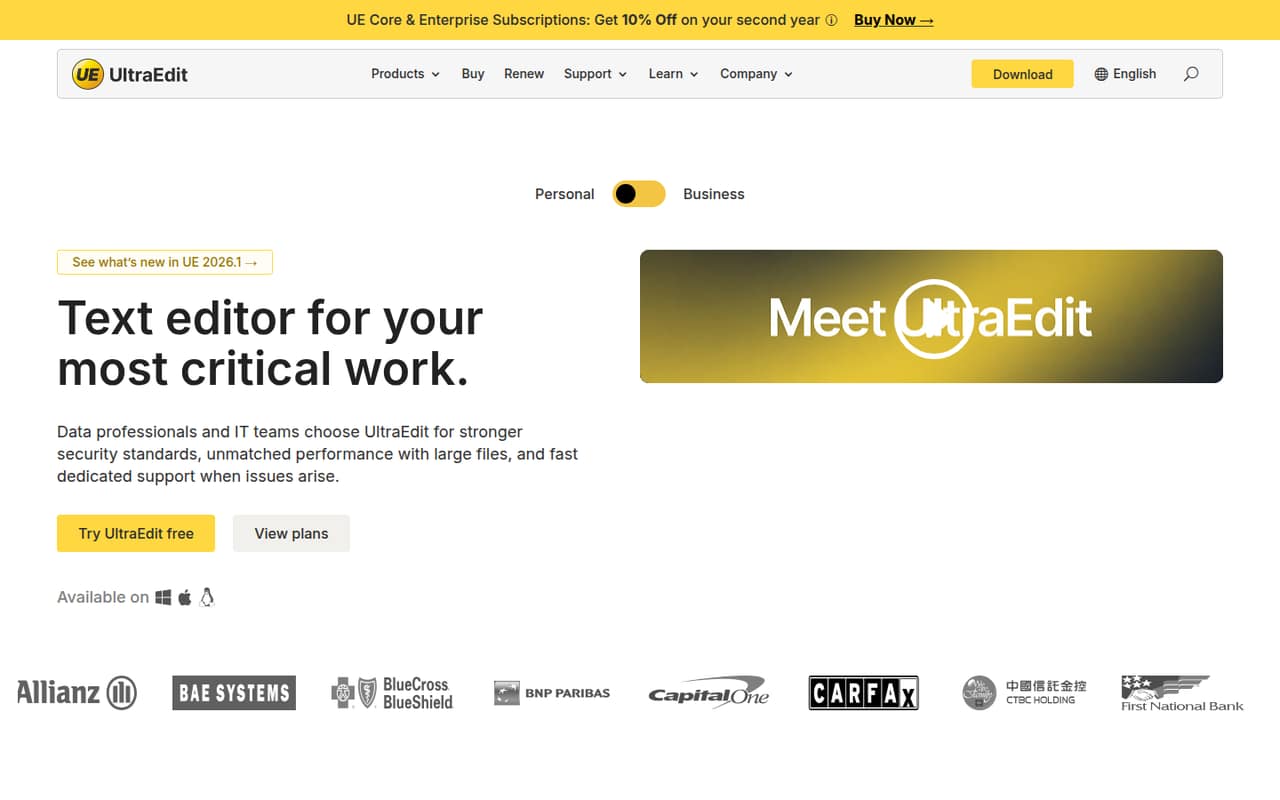
UltraEdit is built for teams handling large files, sensitive data, and varied formats. Its homepage highlights files over 10GB, workspace search, automation, and format conversion.
For a 1–10 person team, Core is the lower-cost plan, but there’s no free plan and subscriptions are billed annually or every two years. Reddit comments are mixed: some users value older licenses, while others complain about cost or reliability.
Good fit if
- Teams editing files over 10GB
- Data and IT teams handling varied formats
- Small teams automating repeatable edits
Skip it if
- People who only edit occasional text files
- Teams that need a free editor
- Buyers who need clear plan-by-plan feature details
ScoresHow it rates
What works
- Homepage says it can edit files over 10GB
- Supports formats including CSV, XML, logs, and source code
- Searches local and remote workspaces
- Includes task automation and format conversion
- Core is priced for individuals and smaller teams
What doesn't
- No free plan
- No monthly billing option is listed
- Each teammate may need a separate personal license
- Core and Enterprise feature differences are unclear
- Reddit users report both high cost and reliability concerns
01Who UltraEdit is for
UltraEdit makes sense when your team regularly edits large or sensitive files, or switches between data, logs, configuration files, and source code. The homepage says it can handle files over 10GB and highlights searching local and remote workspaces. It also lists automation for repeatable editing tasks and format conversion.
For a team of 1–10, Core is the plan aimed at individuals and smaller teams. At $99.95 per year per personal license, it’s a noticeable subscription for a tool that may be used only occasionally. The fit is stronger when editing is part of someone’s regular work and those file-handling features solve a real need. If the team mostly makes quick changes to ordinary text files, a paid editor may be more than you need.
02UltraEdit free plan and trial
UltraEdit has no free plan, and a free trial is not listed. That means a small team needs to pay before making it part of its workflow.
The cheapest listed route is UltraEdit Core on a two-year subscription: $94.96 per year, billed as $189.91 every two years per personal license. If you’d rather commit for one year, Core costs $99.95 per year. Both options list five activations per personal license; that is an activation count, not a statement that five people can share one license.
Before buying for a team, ask the vendor to confirm which Core features and licensing terms fit your use case. The pricing page labels Core for individuals and smaller teams but doesn’t spell out feature differences from Enterprise.
03What a small team pays for UltraEdit
The lowest listed Core rate is $94.96 per year per personal license on a two-year subscription, billed $189.91 every two years. That works out to about $7.91 per month, but there’s no monthly billing option listed. The one-year price is $99.95 per license, or about $8.33 per month, billed annually.
Assuming each teammate needs a license, three people on Core cost $299.85 for one year or $569.73 billed every two years. Five people cost $499.75 for one year or $949.55 every two years. The two-year totals use the listed $189.91 billing amount per license.
Enterprise is listed at $119.95 per year or $227.90 every two years per personal license. The pricing page positions it for teams needing the full toolset, but doesn’t itemize the feature differences from Core. Platinum Support costs extra and is available from 25 seats, so a 1–10 person team doesn’t reach its listed threshold.
04Getting started with UltraEdit
A setup-time estimate isn’t published. For a small team, a sensible first step is to install it for the people who will use it, then check that their needed file types and workspace locations are covered. The homepage highlights local and remote workspace search, broad file support, automation, and format conversion; teams using those features may need more setup than someone opening and editing a single text file.
The product is a text editor, but the amount of learning depends on how much of its toolset you plan to use. Basic file editing is a narrower job than configuring repeatable operations or working across remote servers. An integrations list isn’t published, so ask the vendor about any specific systems your team needs to connect before buying. A Reddit commenter describes using an older UltraEdit license without crashes, while another reports a crash and problems with large files and regular expressions.
05When small teams outgrow UltraEdit
UltraEdit’s listed pricing doesn’t show a per-user discount for a 1–10 person team: each added personal license adds another subscription. The pricing page lists a volume deployment kit for 100 or more licenses and Platinum Support for 25 or more seats, so those larger-team provisions won’t address most small-team needs. It doesn’t publish a feature-by-feature Core-versus-Enterprise comparison, either; ask the vendor what would require an upgrade before committing.
A team may also move on if it only needs occasional text edits and can’t justify the recurring cost. Reddit comments show both kinds of friction: one user says they left because of the annual cost, while another reports a crash and trouble with large files and regular expressions. Other commenters still use older licenses and say they haven’t experienced crashes. Those reports are individual experiences, not a guarantee of how the current version will perform.
From the threadsWhat users say
Reddit sentiment is mixed. Some users keep using older UltraEdit licenses, while others cite the price or report reliability problems.
Used to love UE, too. But had to move on from its high annual cost. 😕
I'm still using the most recent version of UE because I own a "lifetime upgrade license" from way back and IDM, to their credit, still honors it
WOW it crashed it couldn't handle large files it couldn't do RegEx properly
Never experienced any crashes
Questions people ask
Can UltraEdit edit files larger than 10GB?
Yes. UltraEdit’s homepage says it can open and edit files over 10GB. That’s a useful fit for teams handling very large logs or data files, but check that the current version and your file type meet your needs before buying.
How much does UltraEdit Core cost?
Core costs $99.95 per personal license for one year, billed annually, or $94.96 per year on a two-year subscription billed at $189.91 every two years. The lowest rate is about $7.91 per month, but monthly billing isn’t listed.
Does UltraEdit have a free plan or trial?
There’s no free plan, and a free trial isn’t listed. The cheapest published option is Core on a two-year subscription at $94.96 per year per personal license, billed every two years. Ask the vendor whether it offers a trial or evaluation arrangement.
What is the difference between Core and Enterprise?
The pricing page positions Core for individuals and smaller teams, and Enterprise for teams needing the full toolset. It lists prices for both but doesn’t provide a feature-by-feature comparison. Ask UltraEdit which capabilities require Enterprise before choosing a plan.
Does an UltraEdit personal license cover multiple people?
The pricing lists five activations per personal license, but that doesn’t establish how many people may use one license. Don’t treat activations as shared seats. Ask the vendor to confirm who may use a license and whether each teammate needs a separate one.
Sources
- UltraEdit homepage
- UltraEdit pricing page
- Reddit: Which text editor do you use? Notepadd++, Sublime, UltraEdit, ect...?
- Reddit: What is a good text editor similar to notepad++ or ultraedit for linux?
- Reddit: Feeling unconfortable with UltraEdit's story citing 27 times "God" ? I do ! [WTF]
- Reddit: UltraEdit used to be a great program