
We may earn a commission if you buy through links on this page. It never changes a score or a ranking. How we make money
The bottom line
A budget-friendly pick for simple Windows support, if its unpublished free-plan limits work for you.
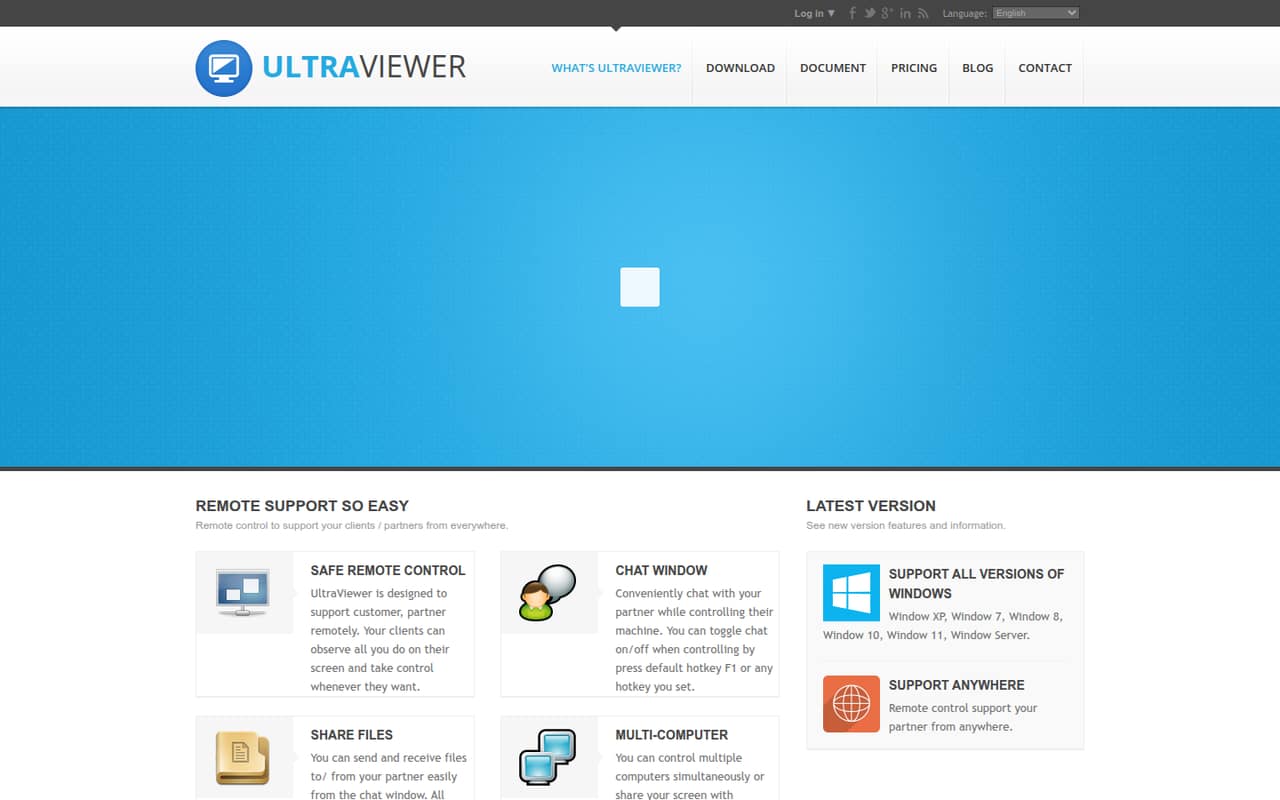
UltraViewer is remote desktop software for helping someone on their computer. Its homepage calls it freeware and describes remote control, chat, file sharing, and control of multiple computers; paid plans start at $3.99 per month when billed annually.
For a small team, the ID-and-password workflow looks approachable, but the vendor doesn’t publish free-plan limits or prices for extra licenses. Reddit discussions also show how scammers can misuse remote-access software, so a clear support-verification process matters.
Good fit if
- Small Windows support teams
- Occasional remote troubleshooting
- Teams watching subscription costs
Skip it if
- Teams needing published free-plan limits
- Businesses requiring known support terms
- Teams needing non-Windows support
ScoresHow it rates
What works
- Homepage describes the software as freeware
- Chat and file sharing are included features
- Partner can observe and take control
- Paid plans start at $3.99 per month
- Windows versions from XP through 11 listed
What doesn't
- Free-plan limits aren’t published
- Monthly-billing prices aren’t listed
- Extra license prices aren’t listed
- Homepage lists Windows support only
- Reddit threads highlight social-engineering risks
01Who UltraViewer is for
UltraViewer is for a small team that occasionally needs to help someone with a Windows computer: think a one-to-five-person IT function, a small service desk, or a founder helping a colleague troubleshoot. The basic job is straightforward. The person receiving support shares the ID and password shown in UltraViewer, and the helper can control their computer remotely.
The homepage also describes chat, file sharing, and control of multiple computers. The person being helped can watch the helper’s actions and take control whenever they want, which is useful when support needs to stay visible. The homepage lists Windows XP, 7, 8, 10, 11, and Windows Server.
We’d consider it for budget-conscious Windows support, not as an automatic fit for every team. The vendor doesn’t publish integration details or full free-plan limits on the published pricing information, so check those points if your workflow depends on specific tools or policies.
02UltraViewer free plan and trial
UltraViewer’s homepage describes the software as freeware and promotes remote control, chat, file sharing, and control of multiple computers. That makes the free option worth checking first if your team only handles occasional support requests. The vendor doesn’t publish the free plan’s user, session, endpoint, or file-size limits in the pricing information available here, so don’t assume it covers a whole team’s workload.
The pricing page lists three paid plans, starting with Lite at $3.99 per user per month when billed annually. It doesn’t list a monthly-billing price, and no free-trial terms are published. Before making UltraViewer part of a regular support process, ask the vendor what the free plan allows and whether it covers your intended number of users and computers.
03What a small team pays for UltraViewer
The pricing page lists Lite at $3.99 per month per user when billed annually. It includes one concurrent session, three remote endpoints per month, files up to 2 GB each, and no ads. That works out to $47.88 per user for a year. Assuming one Lite license per person, three users cost $11.97 per month equivalent, or $143.64 a year; five cost $19.95 per month equivalent, or $239.40 a year.
Professional is $5.99 per user per month billed annually and includes one concurrent session, unlimited remote endpoints, files up to 4 GB each, and no ads. Premium is $7.99 per month billed annually, with unlimited concurrent sessions and endpoints, files up to 8 GB, a custom client, and video recording. The page doesn’t list monthly-billing prices.
Additional licenses are available for more simultaneous users or devices, but their price isn’t listed. The pricing page doesn’t state a team discount or explain how those add-on charges work. Ask the vendor to confirm the license count and total cost before budgeting for several people.
04Getting started with UltraViewer
The core workflow appears simple: the person receiving help shares the ID and password shown in UltraViewer, and the support person uses them to control the computer. A Reddit commenter says the program is needed on both ends, so confirm installation requirements with the vendor before writing an internal setup guide.
UltraViewer’s homepage describes a chat window, file sharing through chat, a hotkey to toggle chat, and the option for the person being helped to take control. Those features suggest a small team can start with a basic support routine: verify who requested help, agree on the session, and use chat for instructions or file transfers. That’s a suggested process, not a vendor-published setup checklist.
The vendor doesn’t publish supported integrations in the published information, so don’t count on a connection to your ticketing or identity tools without asking. The ID-and-password model looks easy to explain, but the team should also agree on how it verifies support requests before sharing access.
05When small teams outgrow UltraViewer
The first pressure point is session and endpoint capacity. Lite allows one concurrent session and three remote endpoints per month; Professional keeps one concurrent session but lists unlimited endpoints. A team that needs several support people working at once may need Premium, which lists unlimited concurrent sessions, or additional licenses. Add-on prices aren’t published, so the total cost of a larger team is unclear until the vendor quotes it.
The vendor's site lists Windows operating systems, not other platforms, and the vendor doesn’t publish integrations or monthly-billing prices. Teams that depend on those details should confirm them before standardizing on the tool. The listed plans also differ in maximum file size, from 2 GB on Lite to 8 GB on Premium.
Reddit discussions describe people being tricked into granting access through UltraViewer, alongside a separate account of a person using it during an internet-provider support session. Those stories point to a need for verified support requests and clear user training; they don’t establish that the software itself caused the scams. A growing team may need a broader access-control and incident-response process around any remote-support tool.
From the threadsWhat users say
Reddit discussions include a report of UltraViewer being used in a support scam, as well as a separate account of a person using it during an internet-provider support session. The concern is who is given access, so teams should pair the tool with a way to verify support requests.
My dad tried to reach customer support for his printer and ended up calling a scam artist who convinced him to install Ultraviewer
I didn't see him download any other software or Open any other files and just only saw him using command prompts to ping network and port settings and log into tp-link 192.168.0.1
This is an immediate zero trust situation
Re install windows if you want to be absolutely sure
Questions people ask
Is UltraViewer free?
UltraViewer’s homepage describes it as freeware, and the homepage promotes remote control, chat, file sharing, and control of multiple computers. The vendor doesn’t publish the free plan’s user, session, endpoint, or file-size limits in the pricing information here. Ask the vendor to confirm those limits before relying on the free option for regular team support.
How much does UltraViewer cost?
The pricing page lists Lite at $3.99 per user per month, Professional at $5.99, and Premium at $7.99. Those prices apply when billed annually; the page doesn’t list monthly-billing prices. Additional licenses are available for more simultaneous users or devices, but their prices aren’t published, so ask for a team quote.
What computers does UltraViewer support?
The homepage lists Windows XP, 7, 8, 10, 11, and Windows Server. The vendor doesn’t list other operating systems in the information covered here. If your support team or the people it helps use another platform, ask UltraViewer to confirm compatibility before choosing it.
Can the person receiving support see what I’m doing?
Yes. UltraViewer’s feature description says the person receiving support can observe the helper’s actions and take control whenever they want. It also describes a chat window, file sharing through chat, and a hotkey to toggle chat. Agree on the support session with the other person before connecting.
How do I remove UltraViewer after a support session?
The vendor doesn’t publish removal steps in the information covered here, so ask UltraViewer for current Windows instructions. If you’re removing it because an untrusted person had access, don’t assume uninstalling the app settles the security question. Reddit commenters in scam-related discussions advise treating the computer as potentially compromised.
Sources
- UltraViewer homepage
- UltraViewer pricing page
- Reddit: My dad got scammed by someone who had him install ultraviewer - trying to assess the damage and determine next steps
- Reddit: Got scammed on Ultraviewer and need a question answered
- Reddit: Am I screwed? My broadband tech support asked me to install ultraviewer software on Windows to configure my internet settings which I had raised a complaint about
- Reddit: I fell for the Ultraviewer scam, Please give advice