
We may earn a commission if you buy through links on this page. It never changes a score or a ranking. How we make money
The bottom line
A specialized toolkit for fire-protection work, with per-user pricing you’ll need to request.
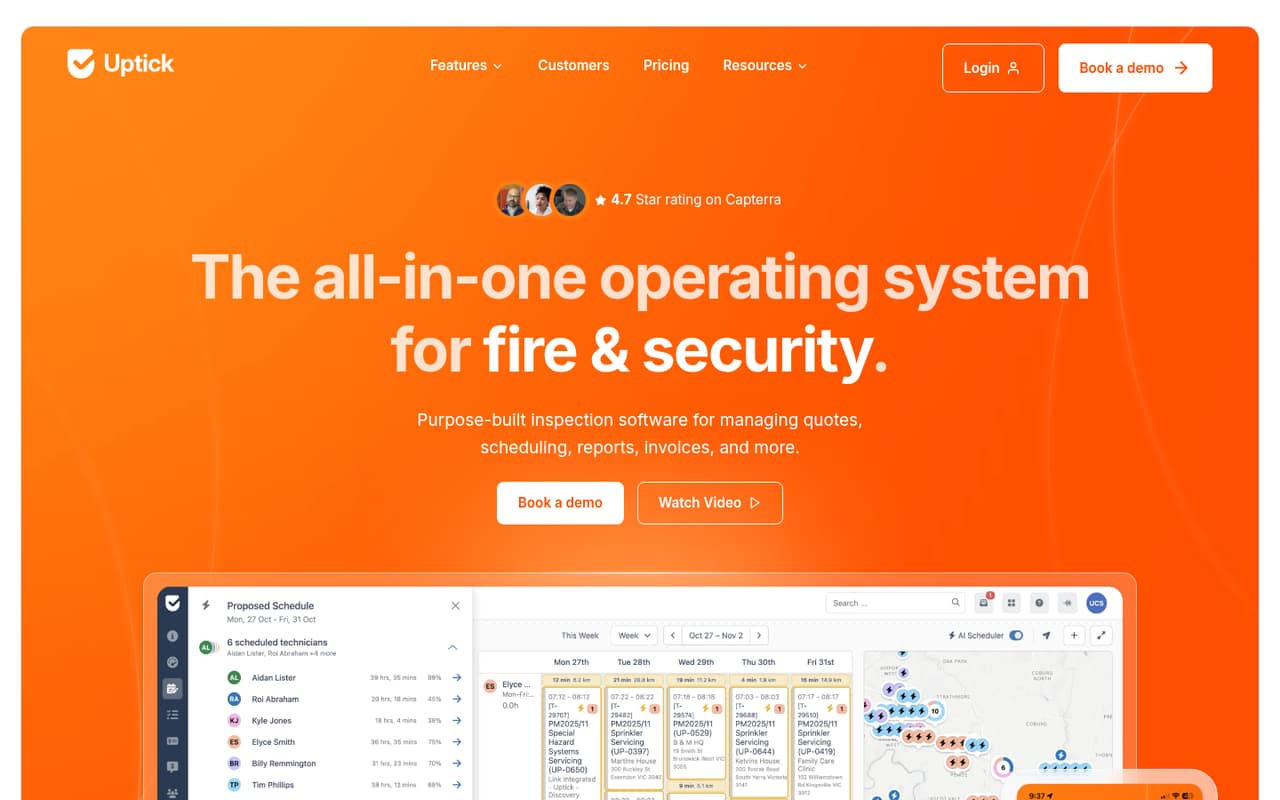
Uptick connects fire-protection inspections and field work with office tasks such as scheduling, quoting, billing, and reporting. It’s a focused option for teams that want those workflows in one cloud-based system.
The pricing page lists monthly per-user billing, but not the fee. There’s no free plan listed, so a small team should ask for a quote that covers every desk and field user before deciding.
Good fit if
- Fire-protection inspection contractors
- Teams linking field and office work
- Businesses managing recurring inspections
Skip it if
- Teams needing a free plan
- Buyers requiring a published price
- Businesses outside fire protection
ScoresHow it rates
What works
- Inspection forms can be customized
- Schedules recurring inspections and routes
- Customers can approve quotes online
- Records deficiencies and supports defect quotes
- Dashboards cover operations, finance, and sales
What doesn't
- No free plan is listed
- A free trial isn't listed
- Per-user price isn't published
- Desk and field users are billed per user
- Ask the vendor about integrations before signing
01Who Uptick is for
Uptick is built for fire-protection inspection, testing, and maintenance businesses—not a general-purpose field service app. For a small team of one to ten people, it could bring office staff and technicians into the same workflow: plan recurring inspections, complete forms on-site, record defects, send quotes, and manage billing.
The practical fit is strongest when your team handles repeat visits and needs inspection records to feed into follow-up work and invoices. Customer and subcontractor licenses are listed as unlimited, while desk and field users are charged per user. That could suit a contractor who works with many customers or subcontractors but has a compact internal staff. Whether it fits your budget is harder to judge: the pricing page lists monthly per-user billing but doesn’t show the fee. Ask for a quote based on your actual number of office and field seats.
02Uptick free plan and trial
Uptick doesn’t list a free plan, and a free trial isn’t listed either. That means a small team shouldn’t count on trying the full product at no cost before making a buying decision. The vendor’s listed entry option is a per-user plan billed monthly, with no annual upfront payment and cancellation anytime.
The pricing page doesn’t publish the monthly fee, so the cheapest way in is not a known dollar amount: it’s the monthly per-user plan, priced by quote or after contacting Uptick. The page lists unlimited customer and subcontractor licenses, but desk and field users are billed per user. Before committing, ask whether you can get a guided demonstration or a limited evaluation, and confirm exactly which employees need paid seats.
03What a small team pays for Uptick
The pricing page lists one plan for fire-protection office and field teams: per user, per month. It also lists monthly billing, cancellation anytime, and no annual upfront payment. But the actual per-user fee is not published, so we can’t give a reliable dollar total for one person or calculate what three or five seats would cost. Ask Uptick for a written quote using your desk and field headcount.
For budgeting, the math is straightforward once you have the rate: one user is one monthly fee, three users are three fees, and five users are five fees. The amount remains unknown until the vendor supplies it. The listed plan includes unlimited customer and subcontractor licenses, which may help teams that work with many outside contacts. No add-on prices are listed. Confirm whether your required features are included in the per-user plan and whether any services or setup costs would be added to your quote.
04Getting started with Uptick
Uptick covers several connected jobs: inspection forms, recurring schedules, technician routes, quotes, defect records, invoices, and reporting. A small team should plan time to map its current inspection and billing steps to those workflows, decide which forms need customization, and agree how office staff hand work to technicians. That is a practical estimate based on the product’s scope, not a published setup timeline.
The vendor’s product details don’t specify a day-one integration list or data-import process. Before choosing a start date, ask whether Uptick connects to the accounting, calendar, or customer systems you already use, and what information can be imported. Also ask who configures forms and recurring schedules, and what onboarding help is included. Those answers will give a clearer picture of the effort than the feature list alone.
05When small teams outgrow Uptick
Uptick is aimed at fire-protection businesses, so a team may outgrow its fit if it expands into work that needs a different industry-specific workflow. The listed features cover inspections, scheduling, quotes, defects, billing, and operational reporting; confirm with the vendor whether those tools cover any new service lines before adding them to your process.
Seat cost is another point to revisit as the team grows. Desk and field users are charged per user, but the fee and any seat tiers aren’t published. A five-person team and a larger operation can’t compare costs from the public monthly rate because no amount is shown. Ask for pricing at your current size and expected headcount, plus details on any usage limits or features that change by plan. If your needs move beyond the listed workflows, compare alternatives before relying on unconfirmed capabilities.
Questions people ask
What does Uptick do?
Uptick is cloud-based operations software for fire-protection inspection, testing, and maintenance businesses. It connects field and office work with tools for inspections, recurring schedules, quotes, defect records, billing, and reporting. Teams can customize inspection forms and let customers approve quotes online.
What is Uptick software used for?
Fire-protection businesses can use Uptick to manage recurring inspections, organize technician routes, complete forms on-site, and record deficiencies. The software also supports quoting, contracts, invoicing, and dashboards for operations, finance, and sales. It is designed for this industry rather than general business task management.
How much does Uptick cost?
Uptick lists a per-user monthly plan for desk and field users, with monthly billing, cancellation anytime, and no annual upfront payment. The vendor does not publish the per-user fee, so totals for one, three, or five employees aren’t available. Ask Uptick for a quote based on your seat count.
Does Uptick have a free plan or free trial?
Uptick does not list a free plan, and a free trial is not listed either. The listed way to buy is a monthly per-user plan, but the price isn’t published. Ask the vendor whether it can arrange a demonstration or evaluation before you commit to paid seats.
Are Uptick customer and subcontractor licenses included?
The listed per-user plan includes unlimited customer licenses and unlimited subcontractor licenses. Desk and field users are charged per user, so confirm which members of your own team need paid seats. Ask Uptick whether any specific customer or subcontractor access features have separate conditions.