
We may earn a commission if you buy through links on this page. It never changes a score or a ranking. How we make money
The bottom line
Useful for demanding apps and AI agents, but regular use costs more than the entry price suggests.
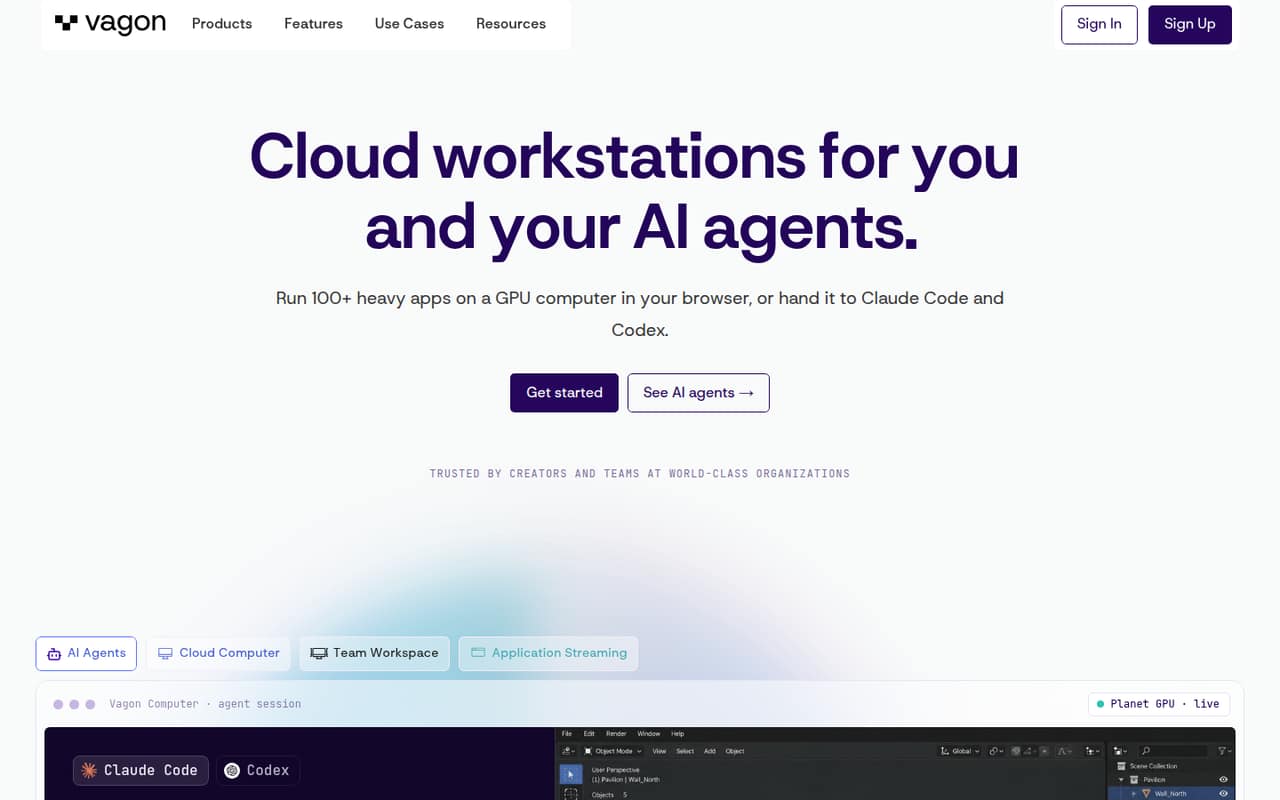
Vagon gives small teams remote cloud computers for demanding creative, engineering, development, and AI-agent work. Its flexible performance options and preinstalled apps are appealing if local devices are holding a project back.
There’s no free plan, and the $3.99 Teams Trial Plan includes just one hour. For up to 40 hours, the cheapest listed option is All Performances at $30.07 per computer per month. We’d budget by computer and usage, not by the tempting trial price.
Good fit if
- Teams running demanding creative apps
- Developers using supported AI agents
- Teams needing flexible GPU performance
Skip it if
- Teams looking for free daily access
- Routine work on capable local devices
- Teams needing published setup instructions
ScoresHow it rates
What works
- 11 performance options listed on the homepage
- 140+ preinstalled apps listed on the homepage
- Connect through a browser or desktop app
- Dedicated cloud computers support AI agents
- Plans include storage and stated usage limits
What doesn't
- No free plan
- The $3.99 plan includes only one hour
- Prices are per computer, not per team
- Extra usage is billed by the minute
- A Reddit user reported an unanswered support request
01Who Vagon is for
Vagon makes most sense for a small team of one to ten people when someone needs more computing power than their current device can provide. It supplies a remote computer that users access through a browser or desktop app, so demanding creative, engineering, and development software can run in the cloud.
The fit is strongest when the work is occasional or specialized: a creative project, a rendering task, or a developer running Claude Code, Codex, or OpenCode alongside other apps. Vagon also lists app streaming for Unreal Engine and Unity experiences. Its homepage lists 140+ preinstalled apps and 11 performance options, which may help teams avoid building a workstation for every person.
Budget matters. The $3.99 Teams Trial Plan covers only one hour, while the cheapest listed plan with up to 40 hours is $30.07 per computer monthly. That can work for a few people with real compute needs, but it is a poor fit for a team seeking free, general-purpose desktops.
02Vagon free plan and trial
Vagon does not list a free plan or free trial. The lowest-cost way in is the Teams Trial Plan at $3.99 per computer per month. The pricing page lists up to one hour of usage, 75 GB of disk storage, 25 GB of file storage, and Planet and Spark performance.
That price is a short session, not an affordable monthly computer for regular work. For up to 40 hours, All Performances is the cheapest listed option at $30.07 per computer per month; it includes 75 GB of disk storage, 25 GB of file storage, and all performances. Extra usage is available at hourly rates billed by the minute. If you need to assess whether Vagon suits your workflow, ask the vendor about current access options before budgeting for ongoing use.
03What a small team pays for Vagon
The listed prices are per computer per month, not per named user. Assuming one computer for each person, the $3.99 Teams Trial Plan would cost $3.99 for one person, $11.97 for three, or $19.95 for five—but each computer includes only up to one hour. For up to 40 hours, the cheapest listed plan is All Performances: $30.07 for one computer, $90.21 for three, or $150.35 for five per month.
Those are monthly totals using the listed monthly price. The pricing page shows no annual price, so we can’t give an annual discount or total. Other 40-hour plans include Office Works at $35.59, Creative Works at $59.59, and Create & Export at $96.74 per computer monthly.
Watch the usage and transfer charges. Extra usage rates range from $0.25 per hour for Sand to $11.97 for Lava, vary by region, and are billed by the minute. After the first 10 GB of outbound data transfer per month, the listed charge is $1.50 for each additional 10 GB.
04Getting started with Vagon
Vagon says users connect to cloud computers through a browser or desktop apps. The homepage also lists preinstalled creative, engineering, and development apps, so teams may not need to install every core application themselves. It lists 140+ apps, but doesn’t name them in the information available here; check that your specific software is supported before choosing a plan.
For a first session, decide which apps and performance level the work needs, then check the plan’s usage and storage limits. Vagon describes isolated virtual machines and encrypted connections, and says supported AI agents include Claude Code, Codex, and OpenCode. It also offers app streaming for Unreal Engine and Unity experiences.
The public description doesn’t spell out setup steps, team administration, or third-party integrations. Ask Vagon what onboarding looks like for your software and how to connect any services your team relies on. A Reddit commenter also reported trouble connecting a camera to a virtual desktop, so confirm that your peripherals work as expected.
05When small teams outgrow Vagon
The first constraint is usage. The cheapest entry plan offers up to one hour, and the listed 40-hour plans may not suit people who need a cloud computer throughout the workday. Extra usage is available, but its hourly price varies by performance and region. A team should estimate its usage before treating the plan price as its full monthly bill.
The second constraint is cost per computer. At $30.07 monthly for All Performances, five computers come to $150.35 before extra usage or data transfer. Teams that need different workloads may need different plans, and Vagon doesn’t publish annual prices in the listed pricing.
There’s also a support and device question to test early. In one Reddit thread, a user said their camera wasn’t connected to the virtual desktop and that they hadn’t received an answer after contacting support. That is one report, not a measure of overall support, but teams relying on peripherals should verify them before moving important work. If your team needs more than the plan’s hours, predictable annual pricing, or specific integrations, ask Vagon about those needs before scaling.
From the threadsWhat users say
The limited Reddit discussion is mixed: one commenter praises Vagon’s flexible performance options, while another reports a camera connection problem and no response from support. That’s a small sample, so we’d treat it as a reason to check support and peripherals before relying on Vagon.
Vagon is more flexible
If you're doing light work, you don’t have to pay for full power
my camera isn’t connected to the virtual desktop yet my audio is
I already wrote to the support in the client and haven’t had any answer yet
Questions people ask
Does Vagon have a free plan?
No. Vagon’s listed plans do not include a free plan or free trial. The lowest-cost option is the Teams Trial Plan at $3.99 per computer per month, with up to one hour of usage, 75 GB of disk storage, 25 GB of file storage, and Planet and Spark performance.
What is the cheapest Vagon plan for regular use?
All Performances is the cheapest listed plan with up to 40 hours of usage. It costs $30.07 per computer per month and includes 75 GB of disk storage, 25 GB of file storage, and all performances. Extra usage may cost more and is billed by the minute.
Can I run AI coding agents on Vagon?
Vagon says supported AI agents include Claude Code, Codex, and OpenCode, which can run alongside apps on a dedicated cloud computer. Check with Vagon about your specific workflow and required software before paying, since the product description doesn’t detail every setup or compatibility requirement.
Can I stream Unreal Engine or Unity projects?
Vagon lists app streaming for Unreal Engine and Unity experiences, allowing them to be streamed to other devices without code. If your project depends on particular hardware, peripherals, or performance levels, confirm those requirements with Vagon before choosing a plan.
Does Vagon charge extra for usage or data?
Yes. Extra usage is available at listed hourly rates ranging from $0.25 for Sand to $11.97 for Lava; rates vary by region and are billed by the minute. Outbound data transfer costs $1.50 per additional 10 GB after the first 10 GB per month.