
We may earn a commission if you buy through links on this page. It never changes a score or a ranking. How we make money
The bottom line
Strong design tools for specialist teams; no free plan and a steep learning curve make it a considered buy.
Vectorworks brings 3D design, BIM, landscape planning and entertainment design into one product family. That range makes it worth considering when your team needs tools for a specific design discipline, not just basic drafting.
There’s no free plan, and the lowest-cost subscription is $90 per seat per month with annual billing. Reddit users praise its role in lighting and stage work, but also report a steep learning curve and frustration with subscription pricing.
Good fit if
- Architecture and BIM teams
- Landscape design studios
- Lighting and stage designers
Skip it if
- Teams needing a free plan
- Casual or occasional drafters
- Teams avoiding subscriptions
ScoresHow it rates
What works
- Covers sketching, modeling, presentation and documentation
- BIM tools support integrated design workflows
- Dedicated tools for landscape and entertainment work
- One subscription can install on two machines
- Webinars, training and technical support are available
What doesn't
- No free plan; trial lasts seven days
- Cheapest plan starts at $90 per seat monthly, billed annually
- A Reddit user describes a steep learning curve
- Only one machine can be active per subscription
- Some specialist features raise the per-seat price
01Who Vectorworks is for
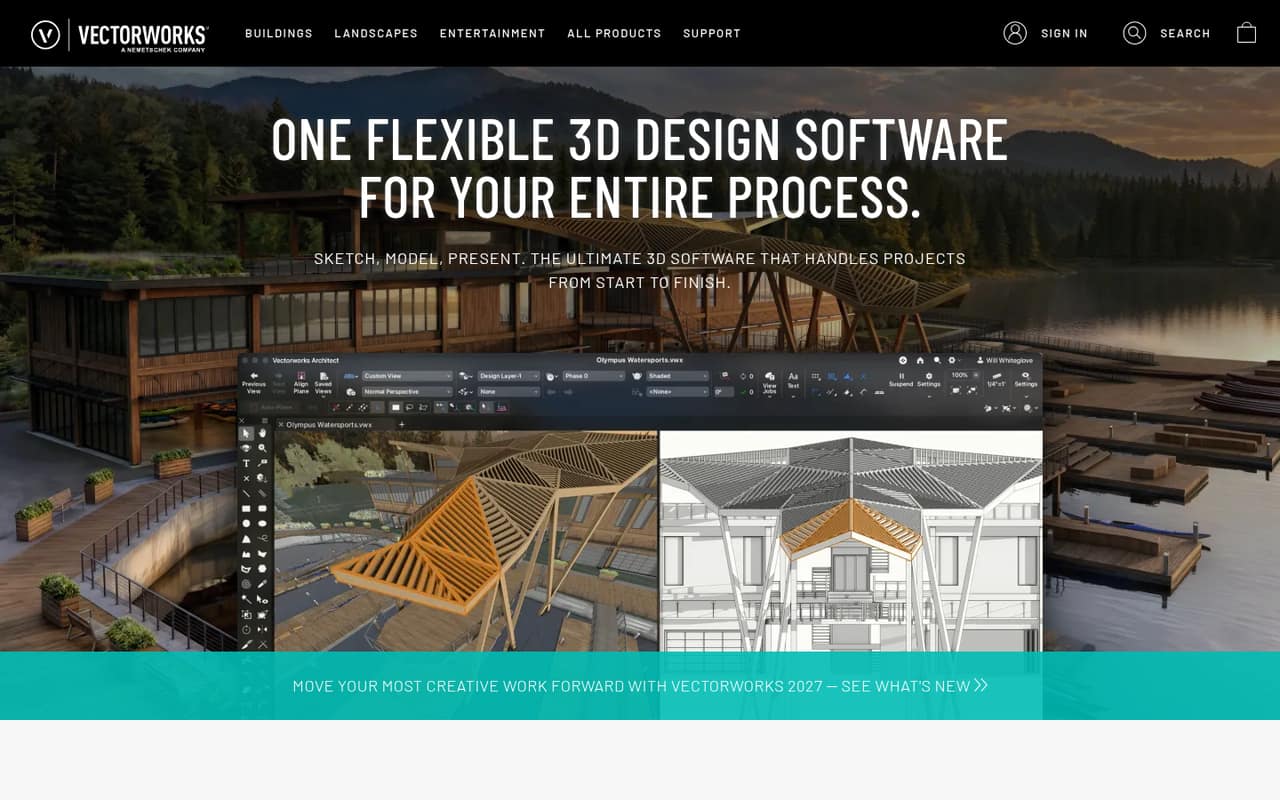
Vectorworks is 3D design software for teams that need to sketch, model, present and document projects. Its product family covers architectural BIM, landscape design and planning, and lighting and stage design. That makes it a better fit for a small specialist studio than for a team looking for a general-purpose, low-cost drawing app.
For a team of one to ten, the budget question is whether the discipline-specific tools earn their keep. Vectorworks Fundamentals starts at $90 per seat per month with annual billing, while the architecture, landscape and Spotlight plans start at $127.50 per seat per month on that basis. A three-person team therefore starts at $270 monthly equivalent for Fundamentals or $382.50 for one of those specialist plans. A Reddit discussion describes Vectorworks as a common choice among lighting designers, while another commenter warns that learning it can take work. If the team only needs basic viewing or occasional drafting, a paid seat may be more than it needs.
02Vectorworks free plan and trial
Vectorworks does not offer a free plan. The vendor lists a seven-day free trial, but does not publish the trial’s feature limits or explain whether all product editions are included. Ask the vendor which edition the trial covers and whether any restrictions apply before you build a project around it.
The cheapest paid way in is Vectorworks Fundamentals: $120 per month, or $90 per month when billed annually. Each subscription includes one seat, installation on up to two machines and activation on one machine at a time. Fundamentals is listed for core drafting and documentation. If you need architecture, landscape or entertainment design workflows, the relevant plans start at $127.50 per month with annual billing. A week is a short window for a team to assess a tool with a learning curve, so plan a focused trial around a real drawing or project.
03What a small team pays for Vectorworks
The pricing page lists Vectorworks Fundamentals at $120 per seat monthly, or $90 per month when billed annually. That works out to $360 or $270 per month for three seats, and $600 or $450 for five. Annual billing means paying for the year upfront; at the listed monthly equivalent, those Fundamentals totals are $3,240 a year for three seats and $5,400 for five.
Vectorworks Architect, Landmark and Spotlight each cost $170 per seat monthly or $127.50 monthly with annual billing. For three seats, that is $510 monthly or $382.50 monthly equivalent; for five, $850 or $637.50. Design Suite costs $220 monthly or $165 with annual billing, which puts five seats at $1,100 monthly or $825 monthly equivalent. The specialist plans include 100 GB of Vectorworks Cloud Services for Architect and Landmark; Spotlight’s listed Vision offering differs by billing term.
Spotlight with ConnectCAD is listed at $204 monthly or $152.50 monthly with annual billing. Spotlight with Braceworks costs $282 monthly or $210.83 with annual billing. Design Suite includes both modules. The listed subscription is one seat, so adding people increases the price per seat.
04Getting started with Vectorworks
The vendor describes Vectorworks as software for work ranging from sketching and modeling through presentation and documentation. It also lists BIM tools for sketching, drawing and modeling. That breadth can mean more to learn than a team needs for its first project. The vendor does not publish a typical setup time, so ask about onboarding if you need a firm estimate.
A Reddit commenter says Vectorworks has a steep learning curve and that they still consult the manual while drafting shows. That is one user’s account, but it’s a good reason to budget time for learning rather than expecting everyone to be productive immediately. The vendor offers webinars, training, technical support and Vectorworks University. Per the subscription details, a seat can be installed on two machines but used on only one at a time. The vendor does not publish an integrations list in the published product details; confirm compatibility with your team’s existing tools before buying.
05When small teams outgrow Vectorworks
The first growth limit is cost: subscriptions are per seat, and each additional person adds another seat at the plan’s listed price. For example, five seats cost $450 monthly equivalent on annual Fundamentals billing, $637.50 on Architect, Landmark or Spotlight, or $825 on Design Suite. Monthly billing costs more. A team that needs multiple disciplines may find Design Suite simpler than separate subscriptions, but should compare its included tools with the work it actually does.
A team can also outgrow the tool if it needs a free tier, a perpetual license or a simpler drafting workflow. The pricing information lists subscriptions and a seven-day trial, not a free plan. One Reddit commenter says new licenses are moving to subscription, and a lighting-design thread includes a user who says they hate the sales model. On the other hand, a theatre discussion praises Vectorworks’ quality of life and its usefulness in lighting and sound. If your team’s work shifts away from architecture, landscape or entertainment design, ask the vendor whether a different product or plan fits before renewing.
From the threadsWhat users say
Reddit comments show mixed sentiment: users value Vectorworks for lighting and stage work, while some report a steep learning curve and dislike the subscription model. These are individual opinions, not a consensus.
Quality of life
I know from personal experience that the learning curve on Vectorworks is pretty steep
i hate their sales model with a passion
You'll find most scenic designers use Vectorworks these days
Questions people ask
How much does Vectorworks cost?
The pricing page lists Vectorworks Fundamentals at $120 per month or $90 per month with annual billing. Architect, Landmark and Spotlight cost $170 monthly or $127.50 monthly with annual billing. Design Suite costs $220 monthly or $165 with annual billing. Each subscription is for one seat.
Does Vectorworks have a free plan?
No. Vectorworks does not offer a free plan. The vendor lists a seven-day free trial, but does not publish its feature limits in the published pricing details. The lowest-cost paid plan is Vectorworks Fundamentals, starting at $90 per month with annual billing.
Is Vectorworks easy to learn?
A Reddit commenter describes Vectorworks’ learning curve as steep and says they still consult the manual while drafting shows. The vendor offers webinars, training, technical support and Vectorworks University. Budget time for training, especially if your team is new to 3D design or BIM.
Can I install Vectorworks on more than one computer?
The listed subscriptions allow installation on up to two machines, but the software can be active on only one machine at a time. Each subscription includes one seat, so a second team member needs another subscription rather than sharing one active seat.
What can I use Vectorworks for?
Vectorworks supports 3D design work from sketching and modeling through presentation and documentation. Its product family includes BIM tools, landscape design and planning software, and tools for lighting and stage design. Choose the plan that matches your team’s discipline and project needs.