
We may earn a commission if you buy through links on this page. It never changes a score or a ranking. How we make money
The bottom line
Good for quick branded social videos; check seat limits, credits, and export rules before paying.
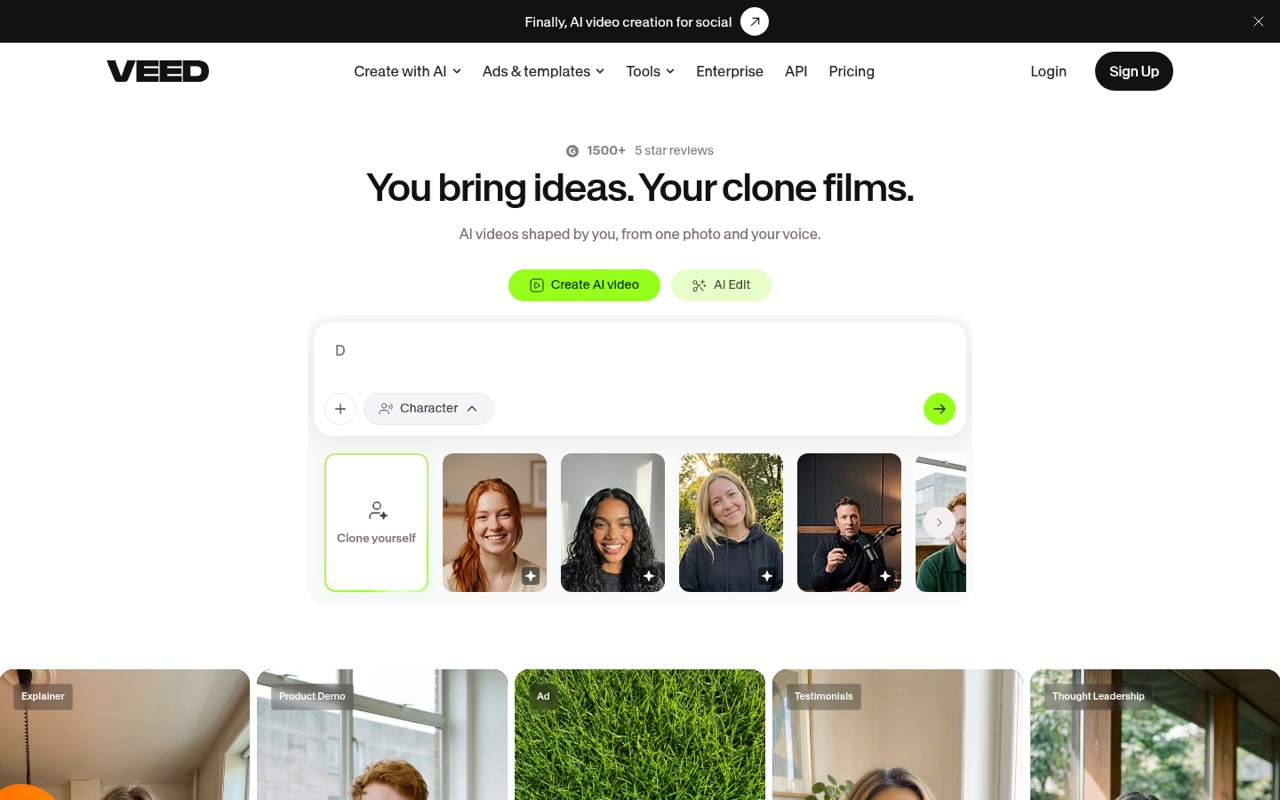
VEED is an online editor for social videos, with AI video creation, subtitles, brand styling, avatars, dubbing, and translation. A solo user can try it free, but exports have a watermark and are capped at 720p.
For a small team, Creator is the lowest listed paid plan, at $12 per seat monthly with annual billing or $20 month-to-month. Reddit comments praise its simplicity, but some users report bugs, confusing charges, and slow support.
Good fit if
- Small teams making social videos
- Creators who need designed subtitles
- Teams applying consistent brand styling
Skip it if
- Teams needing a free watermark-free export
- Editors needing predictable AI credit costs
- Teams wanting a fully specified setup path
ScoresHow it rates
What works
- AI video creation, editing, and avatars
- Unlimited auto-subtitles on Creator
- Brand colors, fonts, logos, and voice
- Free plan includes one user and 2 GB storage
- Pro lists translation and dubbing in 50+ languages
What doesn't
- Free exports have a VEED watermark
- Free exports are limited to 720p
- Creator is billed per seat
- Credit add-on and overage prices are unpublished
- Reddit users report bugs and confusing charges
01Who VEED is for
VEED is aimed at solo creators and small teams making social-ready video, rather than teams looking for a general-purpose production suite. The online editor combines video editing with AI generation, subtitles, avatars, dubbing, translation, and brand styling. That makes it a fit for a team of one to three people that needs to turn ideas into short, on-brand clips without bringing in a camera crew.
The free plan gives one user a way to make basic videos, while Creator is the first paid plan that lists up to three editors. At $12 per user per month with annual billing, it can suit a modest budget if the team will use its 1080p watermark-free exports and unlimited auto-subtitles. Month-to-month Creator costs more. Teams with more editors should check Pro or Studio seat limits before committing; Creator is not a five-editor plan.
02VEED free plan and trial
VEED has a Free plan for one user, and the listed price is $0. It includes 2 GB of cloud storage, a 10-minute maximum video length, exports up to 720p with a VEED watermark, and limited AI and subtitle credits. That is enough to explore basic creation, but the watermark and resolution cap may rule it out for videos you plan to publish professionally.
The pricing details do not list a free trial. For watermark-free exports, the cheapest listed option is Creator: $12 per user per month with annual billing, or $20 month-to-month. It includes exports up to 1080p, 5 GB storage, 6,000 AI credits per year, and unlimited auto-subtitles. Ask VEED to clarify which AI tools consume credits before relying on them for a recurring workflow.
03What a small team pays for VEED
Creator is the cheapest paid plan listed for a small team: $20 per user per month month-to-month, or $12 per user per month with annual billing. That works out to $60 or $36 monthly for three seats. Creator lists up to three editors, so it is the straightforward fit at that team size.
For five editors, the listed Pro capacity is three to five editors. At $44 per user month-to-month, five seats cost $220 a month; at the annual rate of $24 per user per month, they cost $120 monthly. Pro also raises exports to 4K, storage to 50 GB, and AI credits to 30,000 per year, with translation and dubbing in 50+ languages. Rates can vary by region or promotion; the pricing page lists ranges above these figures for some plans. Additional seats are billed at the plan's per-seat rate. Credit add-on and overage prices are not published, so ask VEED about expected usage before budgeting.
04Getting started with VEED
VEED is an online video creation and editing platform, so the listed product does not require a team to start by installing desktop editing software. A small team can begin with the core jobs it advertises: edit a video, add subtitles, and apply brand colors, fonts, logos, or voice. AI generation, avatars, dubbing, and translation are also listed tools. The feature information does not name specific third-party integrations or a required integration for day one.
Setup effort may depend on how much of the toolset you need. A commenter on r/SocialMediaMarketing calls VEED simple and user-friendly for text, subtitles, and simple effects; a commenter in another Reddit thread describes a steep learning curve. The vendor does not publish setup time in the pricing details. Before rolling it out, decide who needs an editor seat, what brand assets to add, and which AI features your workflow depends on.
05When small teams outgrow VEED
The first pressure point is often seats. Free is limited to one user, Creator lists up to three editors, and Pro lists three to five. Studio lists up to five editors plus one reviewer seat. A team that needs more editors or centralized user management may need Enterprise, whose pricing is custom. Seat additions are billed at the applicable plan rate, so costs rise with editor access.
AI usage is another reason to reassess. Creator and higher plans list annual credit allowances, but VEED does not publish credit add-on or overage prices. A Reddit thread describes a buyer who could not access expected AI credits and commenters reporting confusing price changes; another user reports bugs and unreliable editing. These are individual accounts, not a guarantee of what your team will experience, but they make it sensible to confirm plan, credit, and support details before paying. If predictable costs matter more than the integrated AI tools, compare alternatives before the team depends on them.
From the threadsWhat users say
Reddit sentiment is mixed, with some users valuing VEED's simplicity and others describing bugs, confusing pricing, and support delays. A company representative responded in one thread, but the complaints make it worth confirming seat and credit terms before subscribing.
I really like how simple and user-friendly VEED is, especially for adding text, subtitles, and simple effects
lately it has been really buggy and unreliable
Pricing is deceptive, confusing and isn't based on videos that are actually rendered
Very steep learning curve
Questions people ask
Is VEED totally free?
No. VEED lists a free plan for one user, but it includes a watermark on exports, a 720p maximum export resolution, a 10-minute maximum video length, 2 GB of storage, and limited AI and subtitle credits. Creator is the cheapest listed paid plan for watermark-free exports.
Does VEED do subtitles?
Yes. VEED lists subtitle tools, and Creator includes unlimited auto-subtitles. The Free plan includes limited subtitle credits. The pricing details do not specify the exact free subtitle allowance, so check your account or ask VEED before planning regular use.
Can VEED create AI videos?
VEED lists AI video generation and AI video editing among its tools. Creator includes 6,000 AI credits per year, while Pro lists 30,000 and Studio 180,000. The pricing details do not publish credit add-on or overage prices, so confirm how your chosen AI tools use credits.
Does VEED include a free trial?
A free trial is not listed in the pricing details. VEED does list a free plan with one user, 720p exports with a watermark, and limited AI and subtitle credits. If you need watermark-free exports, Creator is the lowest listed paid plan.
Can a small team share a VEED account?
The listed plans specify editor seats and bill paid plans per user. Free includes one user, Creator lists up to three editors, Pro lists three to five, and Studio lists up to five editors plus one reviewer. Check with VEED before sharing logins or adding seats.
Sources
- VEED homepage
- VEED pricing, compiled via web search from checkthat.ai, g2.com, afilimart.com, magichour.ai, promoclock.co, hokai.io, dupple.com, guidde.com, pricingsaas.com, alternatives.co, softwareadvice.com, fluxnote.io, visualping.io, salesforge.ai, ampifire.com, flowshorts.app, vijaytalksai.com
- Reddit: Does anyone use VEED? What software do you edit on?
- Reddit: Beware: Veed.io is a scam
- Reddit: Any Free Alternatives to Veed.io for Video Editing?