
We may earn a commission if you buy through links on this page. It never changes a score or a ranking. How we make money
The bottom line
Strong AP workflow coverage, but no public price or free option makes budgeting difficult.
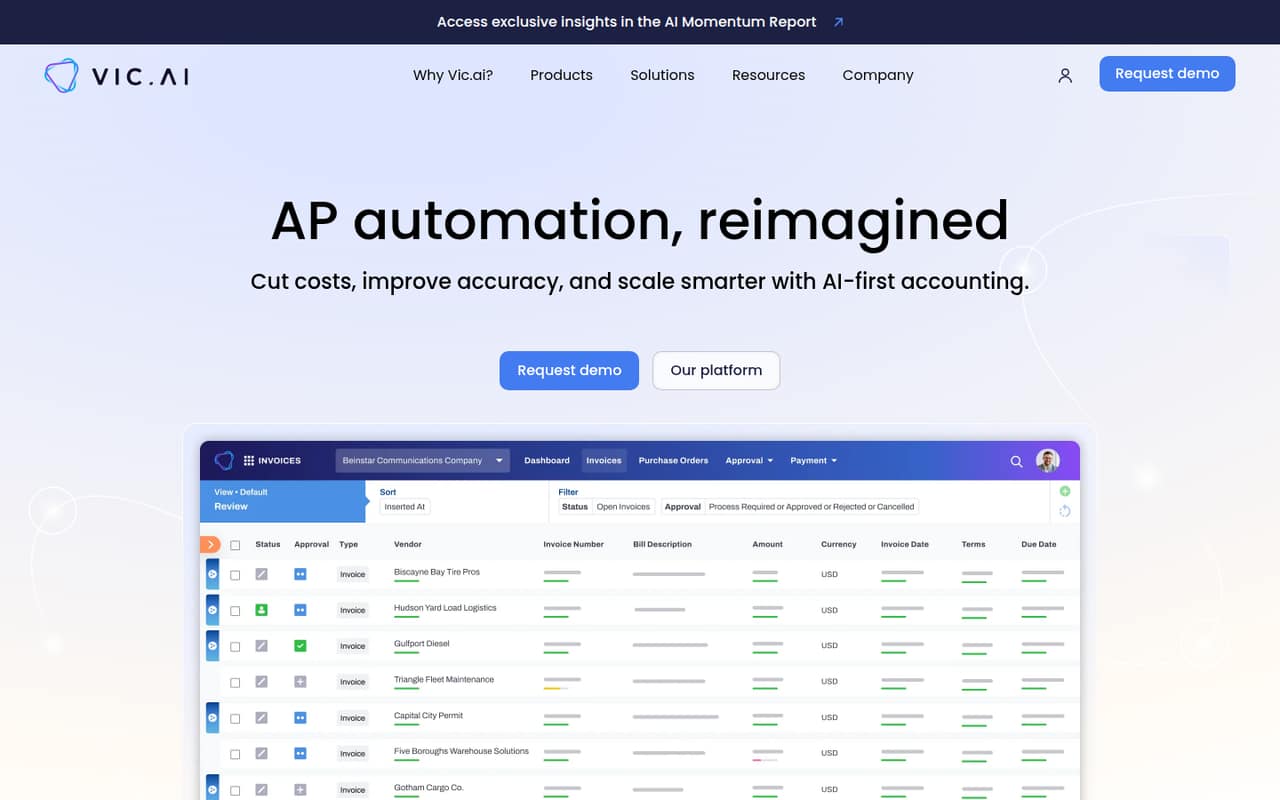
Vic.ai is an AI-first accounting platform focused on accounts payable and autonomous finance. Its listed capabilities include invoice processing, purchase order matching, approvals, bill pay, expense management, and workflow analytics.
For a small team, the main drawback is pricing uncertainty: Vic.ai lists custom proposals, not monthly or annual rates, and offers no listed free plan or trial. Ask for a quote that spells out seat and usage limits before comparing it with budget-friendly accounting tools.
Good fit if
- AP-heavy finance teams
- Teams needing invoice approvals
- Organizations seeking workflow analytics
Skip it if
- Teams that need a free plan
- Buyers requiring clear seat pricing
- Small teams needing a self-serve trial
ScoresHow it rates
What works
- Automates invoice processing
- Includes purchase order matching
- Supports AP approval workflows
- Combines bill pay and expense management
- Offers analytics across workflows and entities
What doesn't
- No public starting price
- Seat and usage limits are unpublished
- No free plan is listed
- No free trial is listed
- Setup and integration details need confirmation
01Who Vic.ai is for
Vic.ai is aimed at finance teams that handle enough invoices, approvals, and payments to want those workflows in one accounting platform. For a small team of 1–10 people, it may fit when accounts payable is a regular workload and the team wants invoice processing, purchase order matching, bill pay, expense management, and analytics together.
The platform is AI-first, but the listed features do not establish how much work it will remove for a particular company. A lean team with only occasional bills may find a custom-priced system difficult to justify. A team with busy AP workflows should ask for a quote based on its invoice volume, users, and entities, then compare that proposal with its current process and budget. The pricing page lists no standard rate, so we would treat Vic.ai as a sales-led purchase rather than a predictable low-cost subscription.
02Vic.ai free plan and trial
Vic.ai does not list a free plan or free trial in its pricing information. That means a small team should not count on testing the full platform at no cost before committing. The vendor lists custom proposals for organizations seeking pricing, but does not publish a price or seat and usage limits.
The cheapest way in is therefore to request a custom proposal; there is no published entry-level price to use as a budget baseline. Ask whether the proposal includes a demonstration or evaluation period, what invoice volume and number of users it covers, and whether any minimum contract applies. Those details matter more for a 1–10-person team than a broad feature list, since the monthly cost cannot be estimated from public rates.
03What a small team pays for Vic.ai
The pricing page lists custom proposals and no monthly or annual rates. It also does not publish seat or usage limits. So the cost for one person, three people, or five people is not published; there is no per-seat figure to multiply and no monthly-versus-annual comparison to make. Contact Vic.ai for a quote rather than budgeting from an assumed rate.
The listed pricing information does not identify add-ons, so we cannot say which options would raise a small team's bill. Ask the vendor to itemize the quote for your expected users, invoice volume, and business entities, and to clarify whether any extra capabilities carry separate fees. Also confirm the billing term and any minimum commitment. Until you have those answers in writing, Vic.ai's value for a small team is hard to compare with tools that publish a clear monthly price.
04Getting started with Vic.ai
Vic.ai's listed scope includes invoice processing, purchase order matching, approvals, bill pay, expense management, and analytics. That gives a finance team several workflows to consider during setup, but the setup effort and learning curve are not published. We would not assume that onboarding is quick or fully self-serve based on the feature list alone.
Before signing, ask Vic.ai what information it needs to configure invoice workflows, how approval rules are set up, and what training is included. Confirm which accounting, payment, and expense systems it integrates with and whether those connections are included in the proposed package. For a small team, it is also worth asking who handles implementation and how much staff time the rollout typically requires. Those answers will help you estimate the real cost beyond the subscription.
05When small teams outgrow Vic.ai
Vic.ai does not publish seat or usage limits, so there is no public threshold at which a team must upgrade. The pricing page also lists custom proposals rather than multiple named tiers, which makes it hard to predict how costs change as the team grows. Ask the vendor how pricing changes with added users, more invoices, or additional business entities before you commit.
A small team may decide Vic.ai is no longer a fit if its quote exceeds the value of the AP work it needs to automate, or if the integrations and setup support it requires are not included. A growing finance operation should also confirm that the product supports its approval rules, expense processes, and reporting needs before expanding its use. Without published limits or rates, use those workflow and budget checks—not an assumed seat cap—to decide when to reassess.
Questions people ask
What does Vic.ai do?
Vic.ai is an AI-first accounting platform focused on accounts payable automation and autonomous finance. Its listed capabilities include invoice processing, purchase order matching, approvals, bill pay, expense management, and analytics across invoice workflows, team productivity, and business entities.
How much does Vic.ai cost?
Vic.ai lists custom proposals, but does not publish monthly or annual prices. Seat and usage limits are also unpublished, so there is no public cost for one, three, or five users. Contact the vendor for a quote and ask for the billing term, included limits, and any extra fees.
Does Vic.ai have a free plan or trial?
Vic.ai does not list a free plan or a free trial in its pricing information. The listed route to pricing is a custom proposal. Ask the vendor whether it offers a product demonstration or evaluation period, and whether any terms apply before your team can assess the platform.
What workflows does Vic.ai automate?
Vic.ai lists invoice processing, purchase order matching, and accounts payable approvals among its capabilities. It also covers bill pay and expense management, with analytics for invoice workflows, team productivity, and business entities. Confirm with the vendor which workflows are included in your proposed package.
What should a small team ask Vic.ai before buying?
Ask for a written quote that specifies users, invoice or usage limits, billing term, and any minimum commitment. Confirm which integrations are supported, how approval workflows are configured, what onboarding and training include, and whether any capabilities carry separate fees. Public pricing does not answer those questions.