
We may earn a commission if you buy through links on this page. It never changes a score or a ranking. How we make money
The bottom line
A $49 one-time video toolkit, but small teams should confirm team licensing and workflow details first.
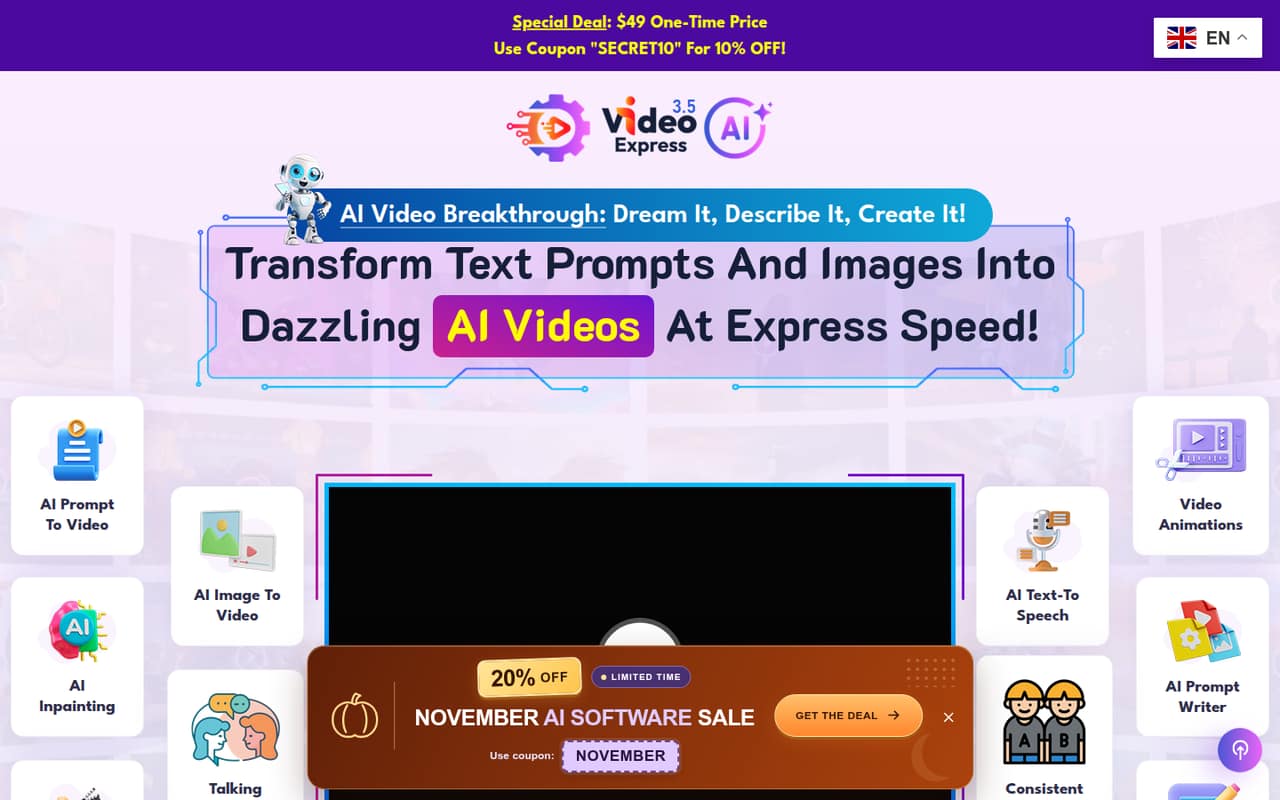
VideoExpress turns text prompts and uploaded images into video clips, with editing, voiceover, lip-sync, character consistency, and video inpainting tools. The pricing page lists one-time access for $49, including commercial use and no monthly fees, but there is no free plan or trial listed.
For a small team, the price is attractive if each person can use a separate purchase for the intended work. The vendor does not publish team seat terms or setup and integration details, so confirm those before buying. Reddit users report mixed views on output quality, particularly for realistic scenes.
Good fit if
- Solo creators testing AI video
- Small teams needing varied video tools
- Buyers avoiding monthly fees
Skip it if
- Teams needing a free trial
- Teams requiring published seat terms
- Realism-critical video production
ScoresHow it rates
What works
- One-time price, with no monthly fees listed
- Commercial use is included
- Text-to-video and image-to-video tools
- Includes editing, voice, and lip-sync features
- 30-day money-back guarantee is listed
What doesn't
- No free plan or trial is listed
- Team licensing terms are not published
- Setup effort and integrations are not published
- No recurring plan or upgrade path is listed
- Reddit users report issues with realistic scenes
01Who VideoExpress is for
VideoExpress is aimed at creators and small teams that want to make short AI-generated clips without paying a monthly subscription. It turns text descriptions and uploaded images into video, then adds tools for editing clips, generating character dialogue and speech, lip-syncing, keeping characters consistent, and changing selected video content with prompts.
For a team of one to five, it could suit social posts, animation experiments, or early video concepts where an AI-generated starting point is useful. The pricing page lists commercial use, which may matter for client or company projects. But the vendor does not publish team seat terms, so a small business should ask whether one purchase covers multiple people or whether each person needs a separate license. It is also worth checking sample outputs against your own quality needs before relying on it for realistic or polished production.
02VideoExpress free plan and trial
VideoExpress does not list a free plan or free trial. The cheapest listed way in is One-Time Access for $49, paid once. The pricing page says it includes access to the app, no monthly fees, no watermarks, commercial use, and a 30-day money-back guarantee.
That means a team cannot use a listed free tier to check output quality or learn the workflow before paying. Reddit users describe buying the app and some say they find it useful, but those reports are individual experiences, not a substitute for a trial. Before purchasing, ask the vendor how the refund works, whether the license covers more than one team member, and whether the features you need are included in the current app.
03What a small team pays for VideoExpress
The pricing page lists One-Time Access at $49 once, with no monthly fees. That is $49 for one purchase. If each person needed a separate purchase, the arithmetic would be $147 for three people and $245 for five. Those team totals are conditional: VideoExpress does not publish whether one license covers multiple users or how team licensing works, so ask before buying. There is no listed monthly-versus-annual choice.
The listed access includes commercial use, no watermarks, and a 30-day money-back guarantee. The pricing page also lists coupon SECRET10 for 10% off. No add-ons are listed. The vendor does not publish extra seat prices, so the cost of adding people cannot be confirmed from the listed terms. For a budget-conscious team, the one-time price is easy to compare with subscriptions, but confirm the license scope and refund terms before treating it as a team-wide cost.
04Getting started with VideoExpress
VideoExpress’s described workflow starts with a text prompt or an uploaded image, then uses its generation and editing tools to shape the clip. The product description also lists generated dialogue and speech, lip-sync, character consistency, timeline editing, and video inpainting. That is a broad set of jobs in one app, but the vendor does not publish setup time, system requirements, onboarding steps, or integration details in the available pricing information.
For a small team, plan to confirm how files are uploaded and exported, how team members share projects, and whether your preferred editing or publishing tools connect. Reddit users mention using the app for animation and social content, but those comments do not establish a standard team setup. Ask the vendor for current documentation and a walkthrough of the tasks your team will handle before purchase.
05When small teams outgrow VideoExpress
A team may need to move on if it requires published multi-user licensing, predictable per-seat costs, or integrations and collaboration features that VideoExpress does not document in its listed offer. The pricing page presents one-time access rather than a set of tiers, so it does not show a higher plan to upgrade to as the team grows. Ask the vendor how additional users are licensed and what happens if your workflow needs change.
Output quality is another reason to reassess. In one Reddit thread, a buyer said animation quality was decent but realistic scenes had problems; another commenter described the quality as not top-tier. Other users report positive experiences, including one saying the tool was legitimate and another mentioning no monthly membership or credit limit. These are anecdotal reports, so test your own use case against the refund terms rather than assuming every scene type will work equally well.
From the threadsWhat users say
Reddit sentiment is mixed: some commenters say the one-time payment and lack of credit worries are useful, while others question the product or describe limits in output quality. Treat these comments as individual experiences, not a reliable measure of results for every team.
I bought it a week a go. It is a legit video generator
No monthly membership. AND no credit limit to worry about
The quality is decent for animations but has some problems with realistic scenes
Seems shady to me
Questions people ask
Is VideoExpress free to use?
VideoExpress does not list a free plan or free trial. Its pricing page lists One-Time Access for $49, paid once. The listed package includes app access, no monthly fees, no watermarks, commercial use, and a 30-day money-back guarantee.
How much does VideoExpress cost?
The pricing page lists One-Time Access at $49 as a one-time purchase. It also lists coupon SECRET10 for 10% off. Monthly and annual subscriptions, add-on prices, and extra-user prices are not listed. Ask the vendor to confirm the license terms for your team before buying.
Can I use VideoExpress for commercial projects?
Yes. The One-Time Access listing includes commercial use. The pricing page does not spell out additional licensing restrictions or whether one purchase covers a team, so confirm those terms with VideoExpress if you are making client work or sharing access across employees.
What can VideoExpress make and edit?
VideoExpress turns text prompts and uploaded images into video clips. Its listed tools include AI dialogue and speech, lip-sync, character consistency, a timeline editor for merging clips, and video inpainting to replace selected people or objects using a prompt.
Does VideoExpress offer a refund?
The pricing page lists a 30-day money-back guarantee. It does not publish the refund steps or any conditions in the available pricing details. Before purchasing, ask VideoExpress how to request a refund and whether any usage limits or other terms apply.