
We may earn a commission if you buy through links on this page. It never changes a score or a ranking. How we make money
The bottom line
A broad, affordable media toolbox, best for small teams that can live with variable AI results.
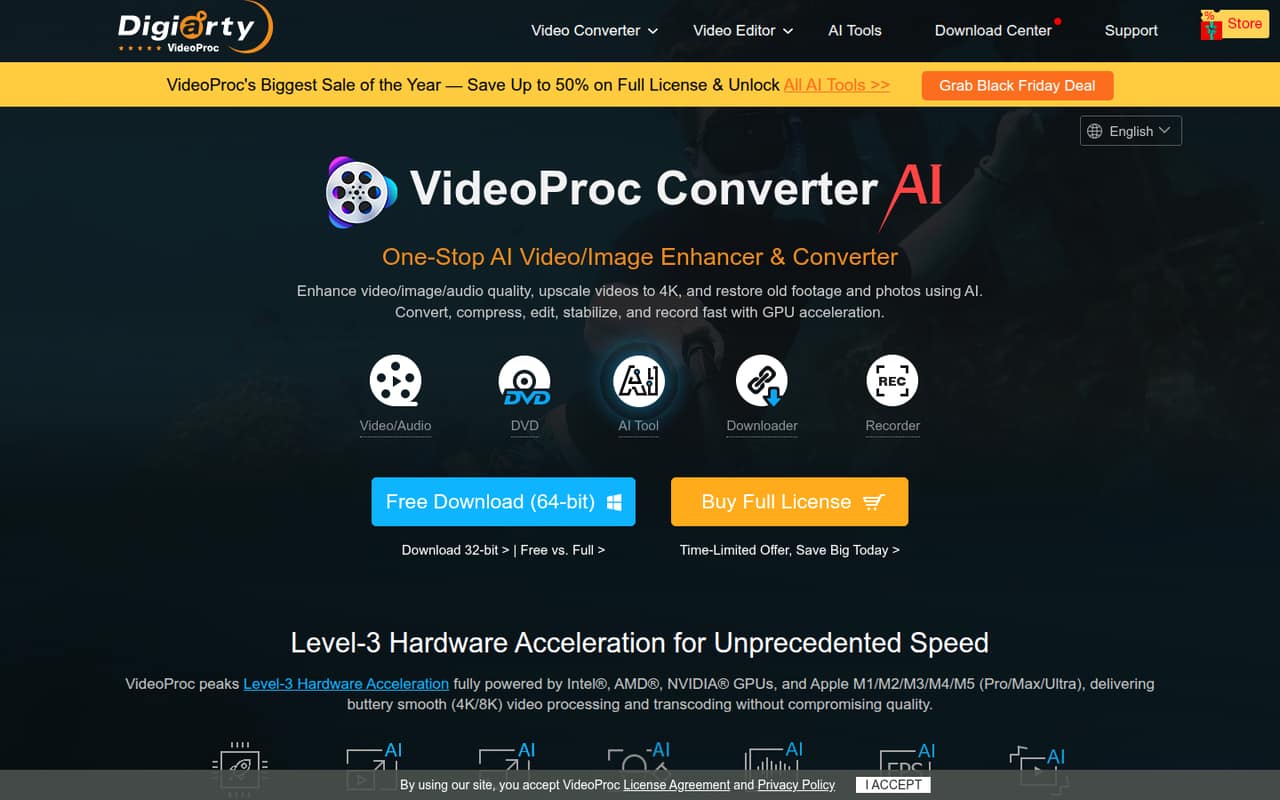
VideoProc Converter AI combines video, image, and audio enhancement with conversion, editing, compression, downloading, and recording. The free version lets you try basic conversion and limited AI features; paid access starts at $34.95 per year for one person.
For a small team, the catch is licensing: the listed plans are for individuals or households, not business seats. Reddit users report mixed upscaling quality and sometimes long processing times, so test your own footage before buying.
Good fit if
- Small teams converting many media formats
- One person editing on multiple devices
- Teams trying AI tools on short clips
Skip it if
- Teams needing clear business seat licensing
- Users expecting consistent AI enhancement
- High-volume teams on tight deadlines
ScoresHow it rates
What works
- Free version covers basic conversion
- Broad video and audio format support
- Includes AI tools for video and images
- Lifetime license avoids annual renewal
- Editing, recording, and downloading in one toolbox
What doesn't
- Free AI processing is limited to short files
- Free image AI is capped at five images or exports
- No business-seat plan is listed
- Reddit users report inconsistent upscaling results
- Some users report very long processing times
01Who VideoProc Converter AI is for
A 1–10-person team may find VideoProc Converter AI useful if people regularly convert media, make basic edits, or need occasional image and video enhancement. It is desktop software, not a shared online workspace, and its feature list covers video, images, audio, DVDs, downloading, and recording.
The pricing page lists support for 370 input codecs and 420+ output formats. AI tools can upscale video to 4K, interpolate frames, stabilize footage, and enhance images. Audio tools remove vocals or instrumentals and suppress background noise. The editing tools cut, crop, merge, and compress video; the homepage says compression can reduce file size by 90%.
For a budget-conscious team, the free version is a sensible starting point. Paid plans are priced for individuals or households rather than business teams, so check licensing before rolling it out across several employees. It is less compelling if your main need is predictable, high-volume AI processing.
02VideoProc Converter AI free plan and trial
The free version covers basic conversion and lets you try some AI features, but the limits matter. Video files must be under five minutes, and AI processing is also restricted to files under five minutes. Image AI is capped at five images or exports. Screen recordings carry watermarks, and downloads have limits.
The pricing information also lists a 15-day free trial. It does not explain whether that trial removes every free-version restriction, so confirm what is included before relying on it for a project. The free version is useful for checking the interface and trying short clips, but it is not a fit for unrestricted batch work. Paid access starts with Premium 365 at $34.95 billed annually.
03What a small team pays for VideoProc Converter AI
The pricing page lists Premium 365 at $34.95 per year, or $2.91 per month when billed annually. It includes one year of access, 30+ AI models, unlimited AI tool use during that year, and installation on three PCs or Macs. That is a one-person price, not a published team rate.
If three people each need their own license, the listed annual price works out to $104.85 per year; for five people, $174.75. Those figures assume one Premium 365 purchase per person. The page does not publish business-seat pricing or clarify whether one license can be shared by multiple employees, so ask the vendor before buying for a team.
Lifetime License costs $54.95 once for one PC or Mac. At one license per person, three cost $164.85 and five cost $274.75. Family License is $79.95 once for up to five PCs, but it is described for households, not business teams. No add-ons are listed.
04Getting started with VideoProc Converter AI
Setup starts with installing the desktop software on a PC or Mac, then choosing a tool for the job: conversion, editing, AI enhancement, recording, or another media task. The listed plans specify the number of computers they cover. The product feature list does not name third-party integrations, so teams should expect to bring files into the software rather than build an integration-based workflow.
The range of tools may take some exploring, but the basic jobs are familiar: choose files, select an operation and output, then process. The vendor's pricing information does not publish setup times or a detailed onboarding process. A Reddit commenter described the interface as simple while also noting the number of editing options.
Before installing across a mixed-device team, verify current AI support for each operating system. A Reddit user reported confusion about Mac AI availability, so confirm that the specific features your team needs are supported on its machines.
05When small teams outgrow VideoProc Converter AI
The first pressure point is licensing. The listed plans cover one person, multiple devices for that person, or a household; the vendor does not list a business team plan. For three or five employees, buying one Premium 365 license per person adds up to $104.85 or $174.75 a year, and the Lifetime licenses cost $164.85 or $274.75 upfront. Confirm that the license terms fit your team before purchasing.
The second is processing. Reddit users report mixed results: one commenter said frame interpolation worked well for them but upscaling could leave grain, while others described cartoonish output or very long processing times. Those reports are individual experiences, not a guarantee of what your team will see.
If you need dependable turnaround on long clips, consistent restoration, or clear business licensing, test representative files and ask the vendor about team use before committing. Teams that need shared access or predictable throughput may need a different tool.
From the threadsWhat users say
Reddit sentiment is mixed: some users like the format support, editing options, and frame interpolation, while others report variable upscaling quality and slow processing. One commenter also raised a question about Mac AI availability.
So there are certain cases where VideoProc is better
The resolution upscale is hit or miss for me
However for increasing framerate I think it is an excellent tool
over 24 hours to upscale a 3:46 minute clip that was pretty clear to begin with is beyond "slow
Questions people ask
What does VideoProc Converter AI do?
It is desktop software for enhancing and converting video, images, and audio. It also includes editing, compression, stabilization, downloading, recording, and DVD tools. Its listed AI features include video upscaling and frame interpolation, image enhancement, and audio cleanup.
What does the free version include?
The free version covers basic conversion and limited AI features. Video and AI processing are restricted to files under five minutes, image AI is capped at five images or exports, screen recordings have watermarks, and download limits apply. A 15-day free trial is also listed; check which restrictions it removes.
How much does VideoProc Converter AI cost?
Premium 365 costs $34.95 billed annually, equivalent to $2.91 per month, for one year of access. The Lifetime License is a $54.95 one-time purchase for one PC or Mac. The Family License costs $79.95 once for up to five PCs and is described for households.
Can I use one license for my whole team?
The listed plans describe individual or household use, not business team seats. Premium 365 covers one person across three PCs or Macs, while the Family License covers up to five PCs. The pricing page does not clarify whether employees can share a license, so ask the vendor before buying for a team.
Does VideoProc Converter AI work on Mac?
The listed paid plans include Mac installation, but a Reddit user reported uncertainty about Mac AI feature availability. Since feature support can vary by operating system, confirm that the specific AI tools your team needs are available for its Mac version before purchasing.
Sources
- VideoProc Converter AI homepage
- VideoProc Converter AI pricing, compiled via web search from g2.com, videoproc.com, therundown.ai, gigazine.net, gptzone.net
- Reddit: Restoring old videos: is VideoProc Converter AI a good budget alternative to ToPaz?
- Reddit: VideoProc Converter AI: Worth the Upgrade for Faster Video Enhancement?
- Reddit: VideoProc Converter AI v8.7 Released - Smarter Downloader & Sharper AI Upscaling
- Reddit: Videoproc Converter AI Benchmark