
We may earn a commission if you buy through links on this page. It never changes a score or a ranking. How we make money
The bottom line
Useful legal e-signature features, but unpublished prices make the real cost hard to judge.
VineSign focuses on text-first signatures for legal professionals, with mobile signing, selfie identity checks, templates and progress tracking. Its Filevine integration can send requests, autofill contact details and organize signed documents in case files.
There’s a 7-day free trial, but no listed permanent free plan, and VineSign doesn’t publish plan prices. The plans show useful limits and features, but a small team should get a quote before deciding whether it fits the budget.
Good fit if
- Legal teams using Filevine
- Firms requesting signatures by text
- Teams sending bulk documents
Skip it if
- Teams needing published prices
- People seeking a permanent free plan
- Non-legal teams without Filevine
ScoresHow it rates
What works
- Homepage says SMS messaging is unlimited
- Clients can sign on phones or tablets
- Selfie identity verification is available
- Templates can be created in advance or on the fly
- Filevine integration organizes signed documents in case files
What doesn't
- Plan prices aren't published
- No permanent free plan is listed
- Free trial is limited to 30 documents monthly
- Trial allows one signer per document
- Business pricing for multiple users needs a quote
01Who VineSign is for
VineSign is aimed at legal professionals who need clients to sign documents remotely, especially teams already working in Filevine. It could suit a solo practitioner or a small firm: the listed Solo User plan is for one user, while Business has multi-user plans. VineSign doesn't publish prices, so we can't say whether it fits a tight budget without a quote.
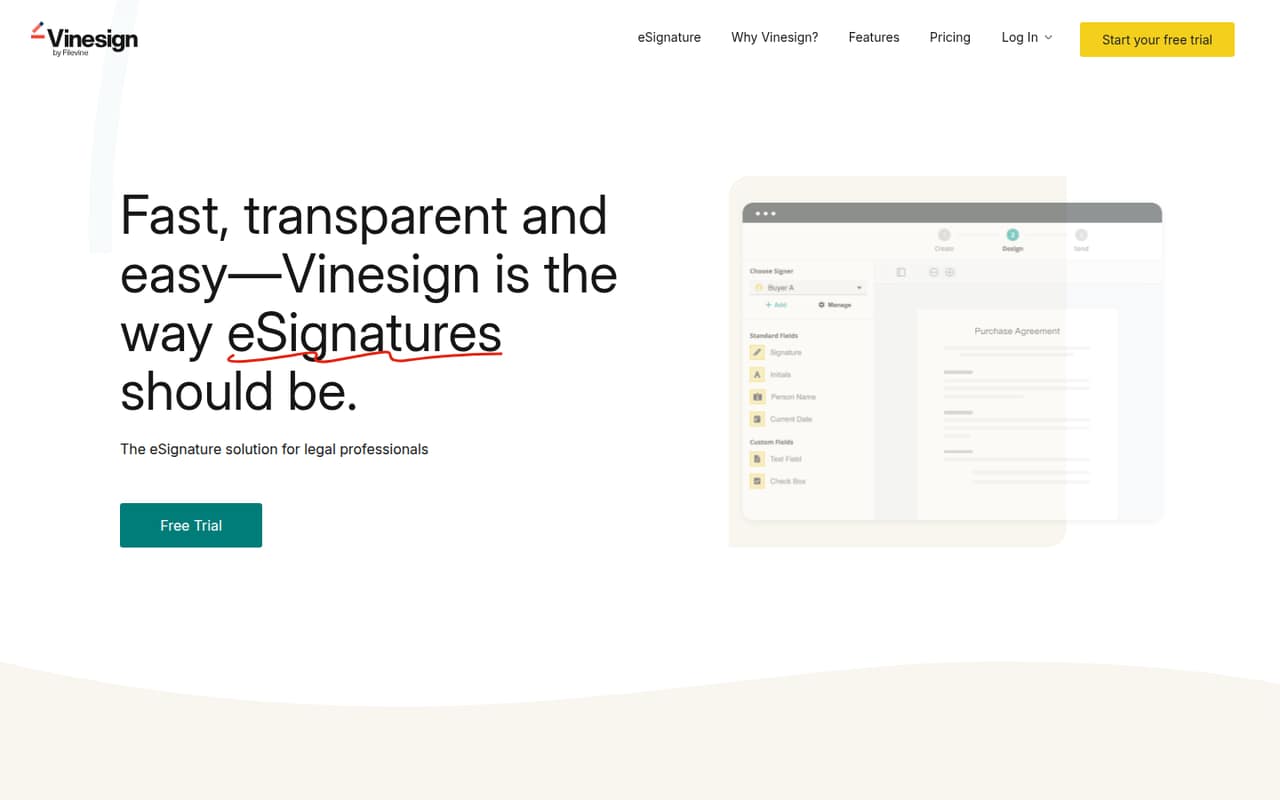
The product centers on sending signature requests by text and letting clients sign on a phone or tablet. Signers can verify their identity with a selfie. Teams can prepare document templates, track when requests are created, sent, viewed and signed, and use the Filevine integration to send requests, autofill contact information and file signed documents. If your team mainly needs a straightforward way to get legal documents signed, those functions are relevant. If you don't use Filevine, ask which parts of the workflow remain useful without the integration.
02VineSign free plan and trial
VineSign lists a 7-day free trial, not a permanent free plan. The trial includes 30 documents sent per month, one signer per document and the ability to create templates from your documents. That gives a solo user a short window to try the basic signing workflow, but the one-signer limit may not fit documents that need several people to sign.
The trial's price is not published, and the listed information doesn't say whether a payment method is required or what happens when the trial ends. Ask VineSign to confirm those terms and the price of the plan you'd move to. If you need ongoing use, the listed Solo User plan allows 30 documents per month and up to 20 signers per document, but its price also isn't published.
03What a small team pays for VineSign
VineSign lists Solo User as a per-user, per-month plan with one user, 30 documents monthly, up to 20 signers per document and 10 API sends per user monthly, or 120 yearly. Business is listed as a monthly plan with multi-user options, unlimited document sends, up to 20 signers per document and bulk sends. Both plans include creating templates from documents.
The vendor doesn't publish monthly or annual prices. That means we can't calculate a real monthly or annual bill for one person, or for a three- or five-person team. A one-person Solo User cost would be its unpublished per-user rate; for three or five seats, ask VineSign for the Business quote and confirm how seats are priced. Monthly and annual billing options are mentioned, but neither rate is listed. No add-on prices are listed. Before signing up, ask for the total at your seat count, the billing commitment and any charges for API use or other extras.
04Getting started with VineSign
The listed workflow is easy to understand: prepare a template or add drag-and-drop fields on the fly, send a request by text, then track whether it was viewed and signed. Clients can sign on a phone or tablet, and the homepage says SMS messaging is unlimited. These features suggest a focused signing process, but VineSign doesn't publish a setup-time estimate, so we can't promise how quickly your team will be ready.
If you use Filevine, its integration is designed to send requests, autofill contact information and organize signed documents in case files. Ask VineSign what your team needs to configure and whether the integration requires any account or plan prerequisites. The listed plan details don't explain onboarding or training, either. For a small team, confirm those points and try your own document workflow during the 7-day trial before committing.
05When small teams outgrow VineSign
The clearest limit is document volume. The trial covers 30 sends per month and one signer per document; Solo User also caps sends at 30 monthly, although it allows up to 20 signers per document. A team regularly sending more than 30 documents would need to ask about Business, which lists unlimited document sends and bulk sending. Business also offers multi-user plans, but its price isn't published.
API use is another point to watch: Solo User lists 10 API sends per user monthly, or 120 yearly. If your workflow depends on more API sends, confirm the available limits and pricing before building around them. As your staff grows, don't assume the per-user Solo rate applies to a multi-seat team; ask VineSign for a Business quote. The published plan details don't establish when a move is required beyond those limits, so compare your document volume and workflow needs with the quote.
Questions people ask
Does VineSign have a free plan?
VineSign lists a 7-day free trial, not a permanent free plan. The trial includes 30 documents sent per month, one signer per document and template creation from your documents. The trial's price and whether a payment method is required aren't published, so confirm both with VineSign before starting.
How much does VineSign cost for one user?
VineSign lists a Solo User plan priced per user per month, but the vendor doesn't publish its rate. Monthly and annual billing options are mentioned without amounts. Ask VineSign for a quote and confirm whether the price changes with annual billing or any extras your team needs.
Can more than one person sign a VineSign document?
Yes. The Solo User plan lists up to 20 signers per document. The free trial is more limited, with one signer per document. Business also lists up to 20 signers per document, so check those plan limits against your signing workflow before choosing a plan.
Does VineSign work with Filevine?
Yes. VineSign's Filevine integration can send signature requests, autofill contact information and organize signed documents in case files. If your team uses Filevine, ask VineSign what account setup or plan requirements apply to the integration before you start.
How many documents can I send with VineSign?
The free trial and Solo User plan each list 30 documents sent per month. Business lists unlimited document sends and bulk sending. VineSign doesn't publish Business pricing, so ask for a quote if your team's monthly volume may exceed the Solo User limit.