
We may earn a commission if you buy through links on this page. It never changes a score or a ranking. How we make money
The bottom line
Good queue-and-booking coverage, but Free is limited and seat pricing isn’t published.
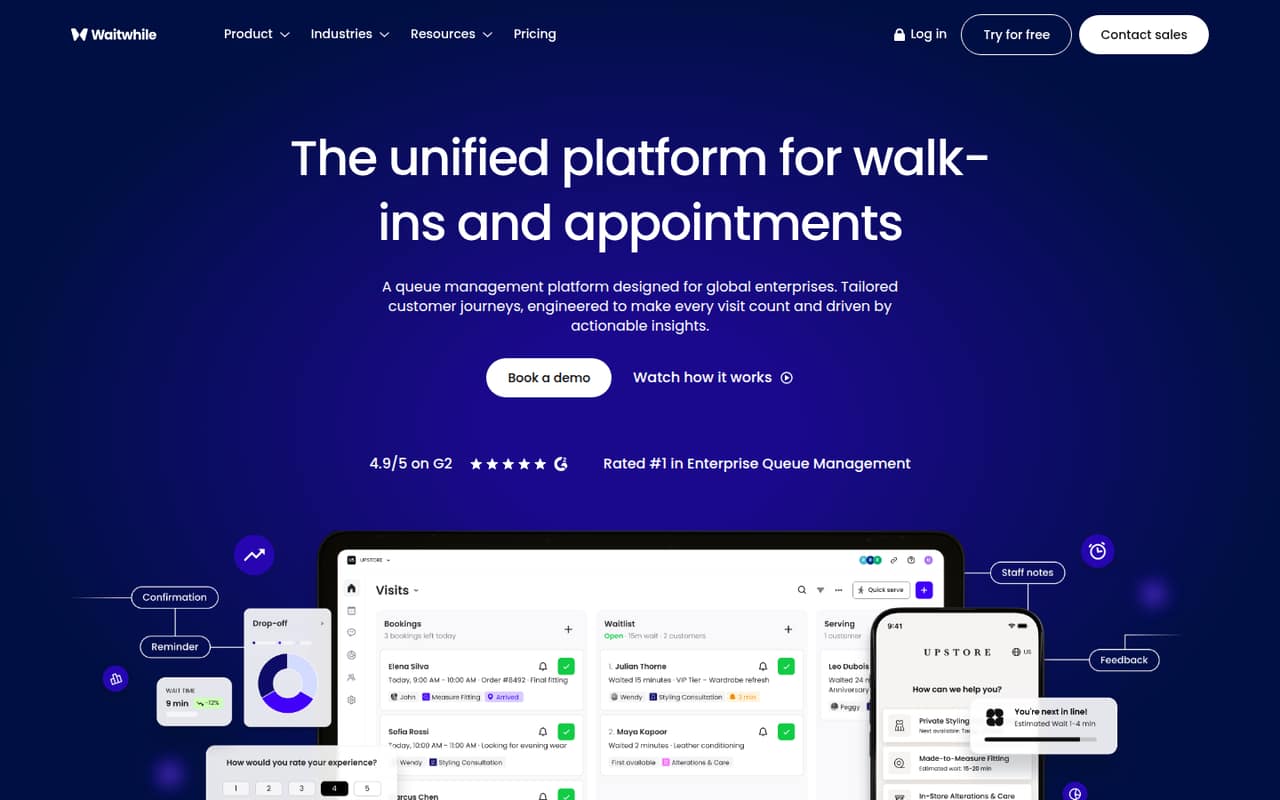
Waitwhile combines walk-in queues, appointments and hybrid service flows, with customer messaging, automation, analytics and integrations. That breadth can suit a service team replacing separate queue and booking processes.
The Free plan covers only 50 visits a month at one location. Starter costs $31 monthly or $24.80 per month with annual billing, and the number of included staff seats isn’t published. One Reddit thread raises a clear concern about price for a basic restaurant queue.
Good fit if
- Service teams combining bookings and walk-ins
- Single locations under 50 monthly visits
- Businesses needing multi-location queue tools
Skip it if
- Restaurants seeking a basic low-cost queue
- Teams needing published per-seat pricing
- Locations expecting more than 2,500 visits
ScoresHow it rates
What works
- Handles walk-ins, appointments and hybrid flows
- Free plan includes one location
- Free plan includes two-way customer messages
- Starter supports up to 10 locations
- Annual billing saves 20%
What doesn't
- Free plan caps usage at 50 visits monthly
- Staff seat limits are not published
- Starter costs $31 month to month
- API and webhooks start on Business
- One Reddit user called it too expensive
01Who Waitwhile is for
Waitwhile is for businesses that need to coordinate walk-ins, booked appointments or both in one service flow. A single-location shop with light traffic may fit the Free plan; a growing business can look at Starter, which supports up to 10 locations and 2,500 visits a month. The pricing page lists Starter at $31 monthly or $24.80 per month with annual billing.
The tool covers digital waitlists, appointment scheduling, customer messages, staff automation and analytics. Its Business plan adds API and webhooks, custom user roles and advanced multi-location analytics. That makes it a better fit for teams connecting queue work to other systems than for a restaurant that just needs a basic first-come, first-served line. One Reddit poster described that simple use case and said Waitwhile felt too expensive. Staff seat limits and per-seat charges are not published, so a 1–10 person team should confirm how many users each plan includes before budgeting.
02Waitwhile free plan and trial
Waitwhile’s Free plan costs $0 per month and includes one location, 50 visits a month, two-way customer messages and basic branding. That gives a small operation a way to manage a low-volume queue, but the 50-visit ceiling is the main constraint. The plan’s included staff seats and any overage handling are not published.
There is no free trial listed. For teams that outgrow Free, Starter is the cheapest paid option: $31 monthly or $24.80 per month with annual billing. It raises the limit to 2,500 visits a month and up to 10 locations, and adds team notifications, basic multi-location analytics and customizable customer messages. Ask Waitwhile how it counts visits and what happens when a location reaches its plan limit.
03What a small team pays for Waitwhile
Starter is the lowest paid plan, at $31 per month or $24.80 per month with annual billing. Annual billing saves 20%; at the listed rate, that is $297.60 for a year. The plan price is not listed per seat, and Waitwhile does not publish the number of staff seats included. So a per-person figure is only an illustration, assuming one plan covers everyone: one person would average $31 monthly or $24.80 annually; three people, $10.33 or $8.27 each; five people, $6.20 or $4.96 each.
Those are divided plan costs, not quoted seat prices. Free may work if one location stays within 50 monthly visits. Starter allows up to 10 locations and 2,500 visits. Business costs $55 monthly or $44 per month annually, with a 5,000-visit limit and API and webhooks. No add-ons are listed. Before choosing, ask about seat limits, visit counting and overage charges; those details can change the real cost.
04Getting started with Waitwhile
A small team should first map how it handles appointments, walk-ins and check-ins, then decide whether those need to share one service flow. Waitwhile describes tools for digital waitlists, appointment calendars, customer communication and staff automation, so setup will depend on which of those workflows the team plans to use. The time needed to configure them is not published.
For day one, identify the location count, expected monthly visits and customer messages you need; those affect plan fit. If you need to connect another system, Waitwhile describes API integrations with CRM, ERP and other systems. The listed API and webhooks features are on Business, not Starter. Setup instructions, named integrations and the staff seats included by plan are not published here. Ask the vendor which connections are ready-made, what requires API work and what onboarding help is included before moving an active queue.
05When small teams outgrow Waitwhile
The first pressure point is volume: Free stops at 50 visits a month, Starter at 2,500 and Business at 5,000. A team nearing a cap should compare the next plan’s price with its actual visit count. Location needs matter too: Free includes one, while Starter and Business allow up to 10. Enterprise is the listed option for custom location and visit counts.
Feature needs can also trigger an upgrade. API and webhooks, custom user roles and advanced multi-location analytics are on Business; Starter has basic multi-location analytics. The bigger budgeting unknown is staffing: plan seat counts and per-seat charges are not published, so ask before adding users. In one Reddit thread, a restaurant operator with roughly 1,000 monthly visits said Waitwhile felt too expensive for a basic queue and wanted an option below $100 a month. That is one buyer’s report, not a representative price comparison, but it highlights a possible mismatch for simple, high-volume queues.
From the threadsWhat users say
The Reddit material is limited to one restaurant-focused thread, where a buyer says Waitwhile fits the use case but costs too much for a basic queue. That points to a price concern among some small operators, not a broad verdict on customer sentiment.
Waitwhile is perfect for my case but its overly expensive for such a basic case
the major websites like waitwhile, scanqueue cost over 200-400$ a month which is above budget for a small family owned restaurant
No just a queue system. We have a first come first serve basis with no reservations
As I said i need a minimum of 1000 visits a month below 100$ a month
Questions people ask
What does Waitwhile do?
Waitwhile manages digital waitlists, appointments and hybrid flows that combine bookings with walk-ins. It also offers customer messaging, staff automation, analytics and integrations with other business systems.
Does Waitwhile have a free plan?
Yes. The Free plan is $0 per month and includes one location, 50 visits per month, two-way customer messages and basic branding. The number of staff seats included is not published.
How much does Waitwhile cost?
Starter costs $31 per month, or $24.80 per month with annual billing. Business costs $55 monthly or $44 per month annually. Enterprise pricing is custom, and the listed Free plan costs nothing.
Can Waitwhile handle appointments and walk-ins together?
Yes. Waitwhile describes hybrid flows that bring bookings and walk-ins together in one service flow. It also offers appointment scheduling and digital waitlist management.
Does Waitwhile offer a free trial?
A free trial is not listed. Waitwhile does offer a Free plan with one location and up to 50 visits per month. Ask the vendor whether it offers a trial or guided setup for a paid plan.