
We may earn a commission if you buy through links on this page. It never changes a score or a ranking. How we make money
The bottom line
A feature-rich webinar sales tool, but small teams should budget for a paid plan from day one.
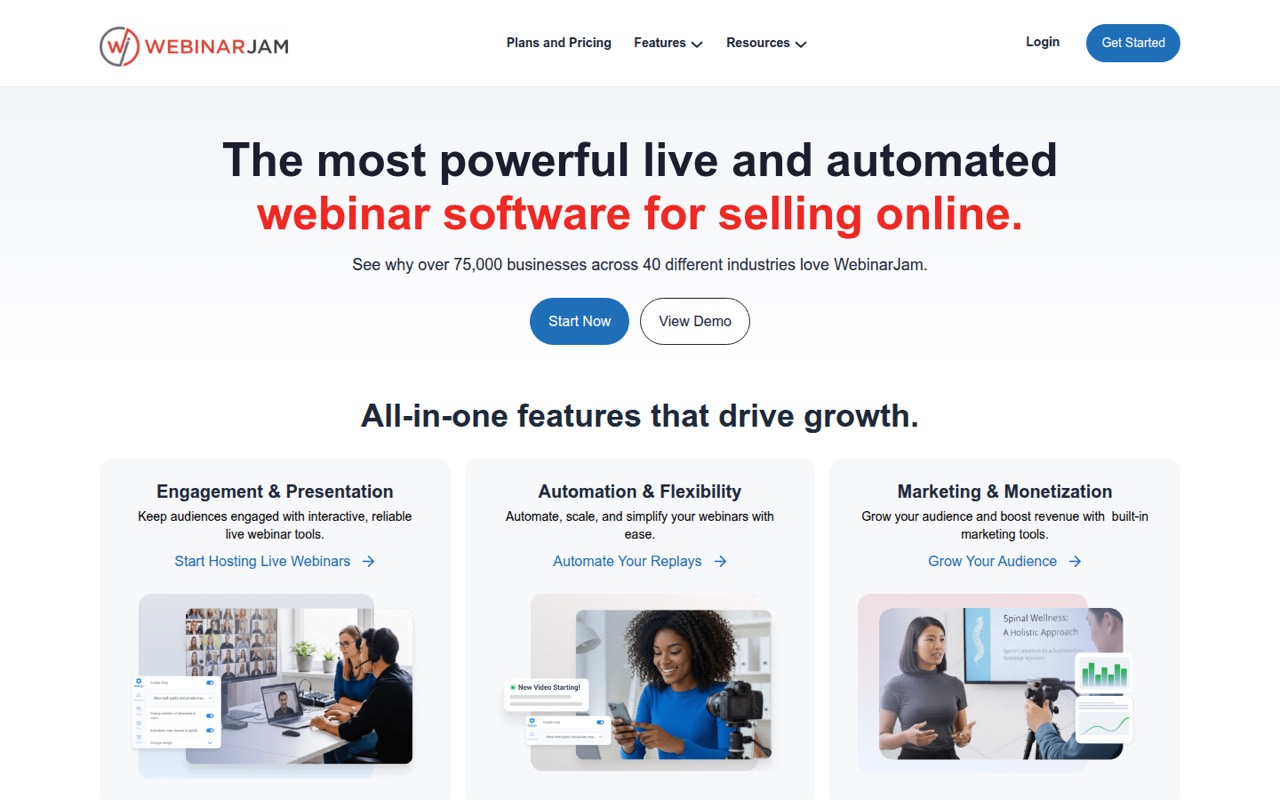
WebinarJam brings live events, audience interaction, marketing pages, email and SMS, and recorded replays into one webinar setup. It’s a fit for teams that sell through webinars and want more than a basic meeting room.
There’s no free plan. The pricing page lists a $1, 14-day trial, then Starter at $49 monthly or $39 per month with annual billing. Teams needing more hosts, seats, or attendees will need Basic or above.
Good fit if
- Teams selling through webinars
- Hosts who need audience interaction
- Small teams using scheduled replays
Skip it if
- Teams needing a free webinar tool
- One-off meetings with no sales flow
- Teams needing more than 100 attendees on Starter
ScoresHow it rates
What works
- Live chat, polls, surveys, and a whiteboard
- Customizable pages plus email and SMS
- Recordings can be sent as replays
- EverWebinar is included with Basic and above
- Connects with email, CRM, and Zapier
What doesn't
- No free plan
- Starter caps webinars at 100 attendees
- Starter includes only one host
- Starter webinars have a one-hour maximum
- One Reddit commenter calls the interface clunky
01Who WebinarJam is for
WebinarJam is for solo hosts and small teams that use webinars to sell, teach, or build an audience. The Starter plan is the entry point for one host and up to 100 attendees per webinar; its listed price is $49 monthly or $39 per month with annual billing. It also includes one additional team member.
The product combines live events with marketing features: customizable pages, email and SMS, live offers, chat, polls, surveys, and an on-screen whiteboard. It records sessions, and Basic and higher plans include EverWebinar for scheduled replays. That makes it a better fit for a repeatable webinar program than for teams that just need a video call.
For a team of three or more, check the seat and host limits before choosing Starter. Basic lists two hosts and five additional team members, along with a 500-attendee cap. A Reddit commenter describes WebinarJam as having a solid reputation and decent pricing, while also noting interface concerns.
02WebinarJam free plan and trial
WebinarJam has no free plan. The pricing page lists a $1 trial for 14 days, with up to 500 attendees per webinar, two hosts, and a two-hour maximum. That gives a small team a short way to try a larger event setup without paying the full monthly plan price.
The trial is not a free tier: it costs $1 and lasts two weeks. After that, the cheapest listed plan is Starter at $49 per month, or $39 per month with annual billing. Starter has a smaller event limit than the trial: 100 attendees, one host, and a one-hour maximum. If you need an ongoing free webinar service, WebinarJam doesn’t offer one; ask the vendor about trial renewal and billing details before signing up.
03What a small team pays for WebinarJam
The pricing page lists Starter at $49 per month, or $39 per month with annual billing. That is the entry price for one person hosting webinars, and it includes one host plus one additional team member. The plan does not list a separate per-seat charge.
For a team of three, Starter’s listed team allocation is too small, so Basic is the first listed plan with enough additional team members. Basic costs $99 monthly or $79 per month with annual billing, and includes two hosts plus five additional team members. That works out to $33 or about $26.33 per person monthly for three people, using the plan price divided by team size.
For five people, Basic is still the listed fit: $99 monthly or $79 per month annually, equivalent to $19.80 or $15.80 per person. These are plan-price comparisons, not per-seat billing. The pricing page lists no add-ons. Check whether your team’s roles fit the included host and team-member limits before choosing a plan.
04Getting started with WebinarJam
WebinarJam’s setup involves more than starting a live room: its feature set includes customizable pages, email and SMS, live offers, audience interaction, and recordings. A small team should decide who hosts, what attendee cap it needs, and whether it will use live sessions only or scheduled replays through EverWebinar.
The vendor doesn’t publish a setup-time estimate in the pricing details. Plan for time to configure the event and its marketing materials, and to connect the services your team already uses. WebinarJam connects with email and CRM services, as well as other services including Zapier, but the specific integration requirements for your stack should be checked with the vendor.
One commenter on r/b2bmarketing says the interface can feel clunky, especially when engaging attendees. That’s a reason to review the host workflow during the $1 trial, particularly if chat, polls, and audience participation are central to your events.
05When small teams outgrow WebinarJam
The first pressure point is attendance. Starter tops out at 100 attendees per webinar; Basic raises that to 500, Professional to 2,000, and Enterprise to 5,000. The higher plans also raise the listed host and team-member allowances, so teams adding presenters or staff may need to move up before they hit an attendee cap.
Webinar length is another limit to watch: Starter allows one hour, Basic two, Professional three, and Enterprise four. Basic and above include EverWebinar, which matters if scheduled replays are part of your workflow. The pricing page lists no add-ons, so ask the vendor about any needs that aren’t covered by the listed plan limits.
A Reddit commenter says WebinarJam has a solid reputation and decent pricing but describes its interface as clunky for attendee engagement. If your team prioritizes a simpler interaction flow, or regularly needs more than 5,000 attendees, compare other platforms before committing. A thread from someone seeking 700 average attendees and up to 3,000 shows why capacity and cost need to be checked against your actual audience.
From the threadsWhat users say
The limited Reddit discussion is mixed: one commenter sees WebinarJam as reasonably priced and suited to larger audiences, while also calling its interface clunky for attendee engagement. Other comments focus on webinar capacity and affordability rather than detailed product experience.
the interface can be a bit clunky, especially if you need to engage with your attendees
WebinarJam has a solid reputation for larger audiences and decent pricing
It needs to support an average of 700 people, but I would love for it to accommodate up to 3000 attendees
I need it to be affordable. 😀
Questions people ask
Is WebinarJam live or recorded?
WebinarJam supports live webinars and recordings. The feature list includes live chat, polls, surveys, and audience participation, plus session recording and automatic replay emails. Its companion platform, EverWebinar, lets teams schedule recorded sessions; the pricing page lists it as included with Basic and higher plans.
Does WebinarJam have a free plan?
No. The pricing page lists a $1 trial for 14 days, with up to 500 attendees per webinar, two hosts, and a two-hour maximum. After the trial, the cheapest listed plan is Starter at $49 monthly or $39 per month with annual billing.
How many attendees can join a WebinarJam webinar?
The listed limit depends on the plan: Starter allows 100 attendees per webinar, Basic 500, Professional 2,000, and Enterprise 5,000. The $1 trial lists a 500-attendee limit. Check the plan details against your expected audience before buying.
Does WebinarJam include automated replays?
WebinarJam records sessions, and its feature list says replays can be sent automatically. EverWebinar is the companion platform for scheduling recorded sessions. The pricing page lists EverWebinar as included with Basic, Professional, and Enterprise, but not Starter.
What integrations does WebinarJam support?
WebinarJam connects with email, CRM, and other services, including Zapier. The specific integrations your team needs should be confirmed with the vendor before purchase, especially if your webinar follow-up depends on a particular email or CRM tool.