
We may earn a commission if you buy through links on this page. It never changes a score or a ranking. How we make money
The bottom line
WinImage offers one-time pricing for a narrow disk-image job, with limited detail for team buyers.
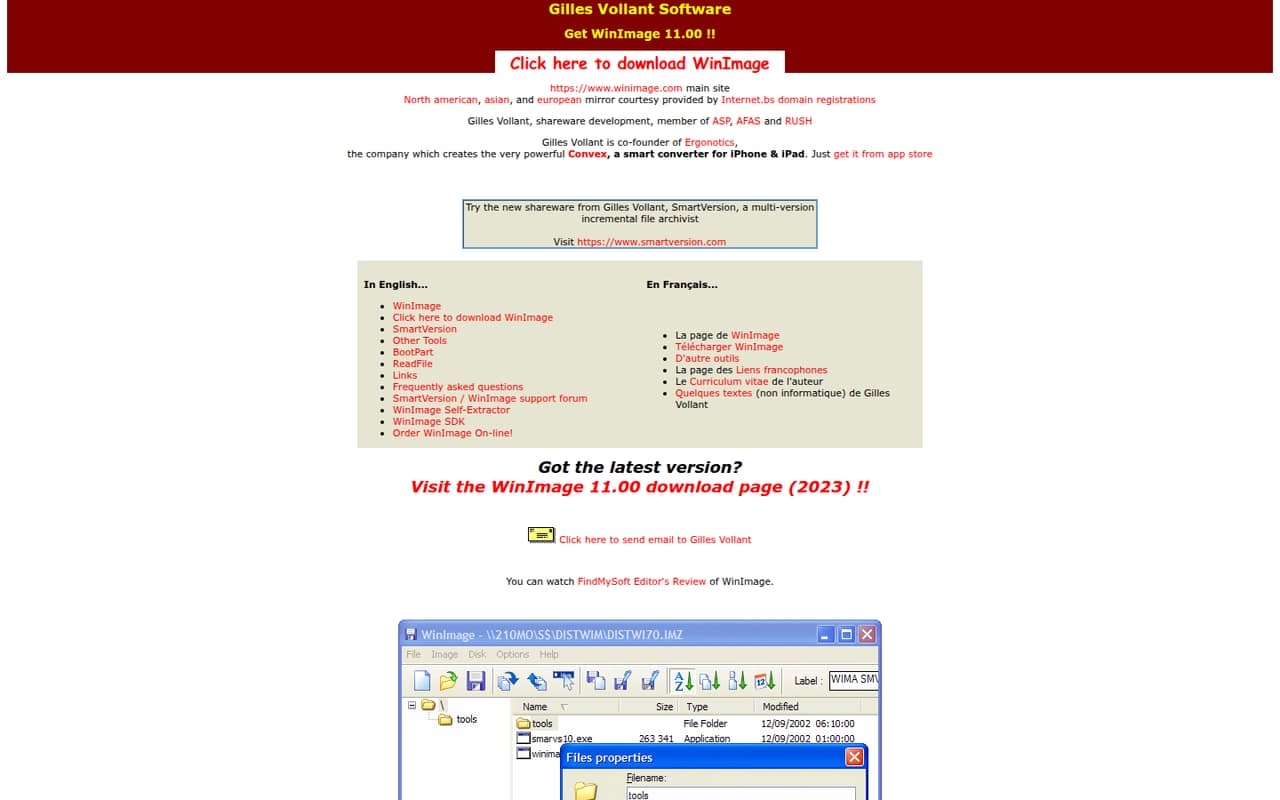
WinImage is downloadable software from Gilles Vollant Software. One Reddit user says they use it to create and manage virtual floppy disks; the site lists version 11.00, a support forum, FAQ, self-extractor, SDK, and online ordering.
The pricing page lists a $30 one-time Standard license and a $60 Professional license, with a 30-day trial for Professional. The site doesn’t publish monthly or annual prices, and team licensing details require asking the vendor.
Good fit if
- Teams managing virtual floppy disks
- Buyers who prefer one-time fees
- Developers needing the listed SDK
Skip it if
- Teams seeking shared backup workflows
- Buyers needing clear seat terms
- Teams requiring published integrations
ScoresHow it rates
What works
- Standard license is listed at $30 one time
- Professional license includes a 30-day trial
- Developer Edition includes SDK and DLL distribution
- Site lists a support forum and FAQ
- Site license discounts are available
What doesn't
- No free plan is listed
- Standard evaluation period is unspecified
- Team license terms and site pricing aren’t published
- Monthly and annual billing prices aren’t published
- Reddit users reported temporary website and ordering issues
01Who WinImage is for
WinImage is a specialist download, not an obvious fit for every small team looking for backup software. One Reddit user says they use it to create and manage virtual floppy disks, and another describes using virtual disk images with an emulator. That points to a specific technical job rather than routine team file backup.
For a one-to-ten-person team, it may make sense when one or a few people need that kind of image work and a one-time license is easier to budget for than a subscription. The site lists Standard at $30 and Professional at $60, both one-time fees. It also lists a Developer Edition with an SDK and DLL distribution on 10 computers. We’d treat WinImage as a focused utility, not a shared team workspace: the site lists downloads, a forum, FAQ and ordering, but doesn’t publish collaboration or integration details. If several teammates need licenses, ask the vendor how its license terms apply before buying.
02WinImage free plan and trial
The pricing page doesn’t list a free plan. Professional includes a 30-day trial, but the Standard evaluation period is unspecified. The site’s homepage offers WinImage 11.00 and links to a download page; the terms for using a downloaded copy beyond the Professional trial aren’t clear from the listed pricing.
The cheapest listed route is the Standard one-time license at $30. Professional is $60 one time and is described as a full-version license, with the same stated free upgrades to version 10.00 as Standard. The site lists the current download as version 11.00, so ask the vendor what upgrade rights apply to version 11 before paying. Don’t count on an ongoing free tier for a team budget.
03What a small team pays for WinImage
The pricing page lists Standard at $30 one time and Professional at $60 one time. Monthly and annual billing prices aren’t published. Assuming each person who uses WinImage needs a separate license, Standard would cost $30 for one person, $90 for three, or $150 for five. Professional would be $60, $180, or $300 for those same headcounts. The vendor doesn’t publish seat terms, so confirm whether that per-person assumption matches its licensing rules.
The listed upgrade from Standard to Professional costs $30; moving from Professional to Developer Edition costs $150. Developer Edition is $200 one time and includes the SDK and DLL distribution on 10 computers. Organizations needing multiple licenses can ask about a Site License: the site says discounts are available, but doesn’t publish a price. Standard and Professional list free upgrades to version 10.00, while the current homepage download is version 11.00. Ask what version upgrades cost before budgeting for several licenses.
04Getting started with WinImage
The homepage links to a WinImage 11.00 download page, so the first step is to get the downloadable software. The site also lists a FAQ and support forum. It doesn’t publish a setup-time estimate, a detailed installation guide in the listed information, or a list of integrations, so we can’t promise a plug-and-play setup or name connections a small team will need on day one.
A Reddit user describes using WinImage for creating and managing virtual floppy disks, which suggests the job may involve handling disk-image files rather than setting up a shared team service. The specific learning curve depends on what your team needs to do; the public details don’t spell out a step-by-step workflow. For a small group, identify the person who will manage the images, check the FAQ, and confirm license terms for everyone who needs access. If setup or ordering runs into trouble, the site lists a support forum.
05When small teams outgrow WinImage
WinImage may stop fitting when several teammates need clearly defined access, a shared workflow, or integrations with the rest of their backup setup. The site lists one-time license options and a Site License, but doesn’t publish team seat rules or site pricing. That makes costs harder to predict as the number of users grows; ask the vendor for a quote and license terms before adding seats.
A team may also need to move on if it expects a free tier, published monthly pricing, or clear details about support and upgrades beyond version 10.00. Reddit users reported that the website was temporarily suspended and that external ordering links were down at one point; another commenter later said the site was back up. These are user reports, not a current status check, but they’re a reason to verify that download and purchase links work before relying on WinImage for an important team process.
From the threadsWhat users say
The Reddit discussion is mixed: one thread describes temporary website and ordering problems, while users also discuss using WinImage for disk-image tasks. The comments don’t provide a broad view of customer satisfaction.
their website is down it says: This Account has been suspended
You're not wrong. But it was up 10 months ago when I posted that comment
the site is up again now (08:16 UTC), but all external links for ordering are down
I am currently using the shareware version of WinImage, specifically for the purposes of creating and managing virtual floppy disks
Questions people ask
What does WinImage do?
WinImage is downloadable software from Gilles Vollant Software. One Reddit user says they use it to create and manage virtual floppy disks. The site lists a download, self-extractor, SDK, FAQ, support forum, and online ordering. Check the vendor’s current product details to confirm the exact file formats and tasks supported.
Does WinImage have a free plan?
The pricing page doesn’t list a free plan. It lists a 30-day trial for Professional, while the Standard evaluation period is unspecified. Standard is the cheapest listed license at $30 one time. Confirm the trial and license terms with the vendor before using WinImage for ongoing work.
How much does a WinImage license cost?
The listed one-time prices are $30 for Standard, $60 for Professional, and $200 for Developer Edition. Monthly and annual prices aren’t published. Site licensing is available for organizations needing multiple licenses, with discounts available, but the vendor doesn’t publish that price.
How do I uninstall WinImage?
The site lists an FAQ and support forum, but the uninstall procedure isn’t specified in the listed product details. Check Windows’ installed-app settings first, then consult the WinImage FAQ or ask in the support forum if you need product-specific removal steps.
Does a WinImage license cover multiple computers?
The Developer Edition lists SDK and DLL distribution on 10 computers. The pricing details don’t state how many computers or users are covered by Standard or Professional. For a small team, ask the vendor to confirm the permitted installations and whether each user needs a separate license.