
We may earn a commission if you buy through links on this page. It never changes a score or a ranking. How we make money
The bottom line
Good for field crews that need accountable timecards; less appealing if you need a free tool.
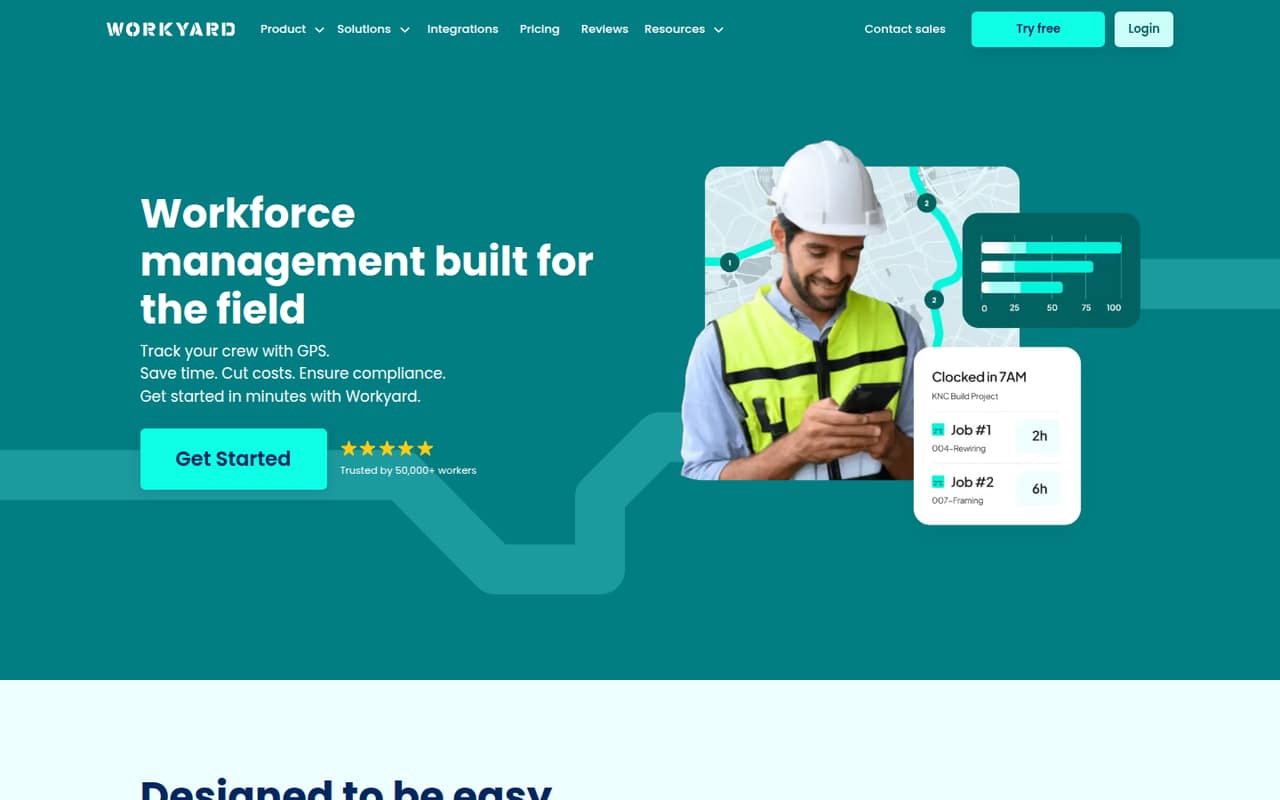
Workyard combines GPS time tracking with job costing, scheduling, labor reporting, mobile forms, and expense tools for contractors and field teams. The Starter plan covers core timecards, but scheduling and project labor reporting require Pro, whose price isn’t published.
There’s no free plan. Starter lists at $6 per user per month with annual billing, so three seats work out to $18 monthly equivalent, billed as $216 per year. A Reddit commenter praises its focus on clean timecards while noting it isn’t a full project-management suite.
Good fit if
- Contractor crews tracking job-site hours
- Teams that need job-costed labor
- Payroll teams replacing paper timecards
Skip it if
- Teams that need a free time tracker
- Businesses wanting full project management
- Buyers who need published monthly prices
ScoresHow it rates
What works
- GPS-verified time tracking and job-site activity
- Starter includes break and overtime compliance
- Pro adds scheduling and cost-code labor reporting
- Payroll exports and employee-data sync included
- Expense tools and mobile forms support field workflows
What doesn't
- No free plan
- Monthly billing prices aren’t published
- Pro, Autopilot, and Enterprise prices aren’t published
- Advanced scheduling and reporting may not suit every team
- Not a full project-management suite
01Who Workyard is for
Workyard is built for contractors and field teams that need to know who worked, where they worked, and how labor maps to a job. It combines GPS time tracking with job costing, schedules, time-off management, mobile forms, and expense tools. That can replace a paper timecard process and give an office team cleaner labor records for payroll.
For a small crew of three to ten people, Starter is the budget option if accurate timecards and payroll exports are the main need: it lists at $6 per user per month with annual billing. Teams that also need scheduling, tasks, and project or cost-code labor reports need Pro, but its price isn’t published. Workyard is less suited to teams looking for a broad project-management tool. A Reddit commenter says it isn’t trying to replace full project suites with Gantt charts and task dependencies.
02Workyard free plan and trial
Workyard does not list a free plan. The pricing page lists a 14-day free trial, but doesn’t publish which features are included during the trial or whether a payment method is required. Ask Workyard before starting if those details affect your decision.
The cheapest listed way in is Starter at $6 per user per month with annual billing. It includes GPS time tracking and notes, break and overtime compliance, timesheet reports and an audit trail, plus payroll exports and employee-data sync. That’s a useful starting point if your priority is replacing paper timecards. Scheduling, tasks, time-off management, and project and cost-code labor reporting are listed under Pro, not Starter.
03What a small team pays for Workyard
Starter lists at $6 per user per month when billed annually. That works out to $72 per person per year: one person costs $72 annually, while three people cost $216 and five cost $360. The monthly equivalents are $6, $18, and $30, respectively, but the actual bill is annual. Workyard says monthly billing is available; its monthly rates aren’t published.
Starter covers GPS time tracking, compliance features, reports, audit trails, and payroll exports. If your crew needs scheduling, tasks, time-off management, unlimited active projects, geofences, or project and cost-code labor reporting, Pro is the relevant tier. Workyard doesn’t publish Pro’s price, so get a quote before budgeting for those features. Autopilot and Enterprise prices also aren’t published. The pricing page doesn’t list add-ons, but confirm whether any additional charges or seat minimums apply before you sign up.
04Getting started with Workyard
Workyard doesn’t publish a setup-time estimate, so we wouldn’t assume it’s ready to run straight out of the box. A small team should plan to add employees and job details, decide how to use cost codes, and set the break and overtime rules that match its workflow. If you want location-based job tracking, make sure the right job sites are set up too.
The Starter plan lists payroll exports and employee-data sync, while the product also offers payroll and accounting integrations. Check that your payroll or accounting system is supported before committing; the specific integration list and setup steps should be confirmed with Workyard. A Reddit user describes Workyard as easy to set up, but that’s one person’s report rather than a guarantee. For day one, test the timecard-to-payroll handoff with your actual job and employee information.
05When small teams outgrow Workyard
The first reason to move up is needing more than core timecards. Starter is for tracking time and compliance; Pro adds scheduling, tasks, time-off management, and project and cost-code labor reporting. Autopilot adds an AI time assistant, automatic clock-in and clock-out trimming, and API access. The prices for those higher tiers aren’t published, so get a quote before making them part of your budget.
A different limit is scope. Workyard includes scheduling and reports, but a Reddit post says its advanced scheduling and reporting may fall short for growing teams. Another commenter says it isn’t meant to be a full project-management suite with Gantt charts or task dependencies. If your team needs those tools, or more complex project planning, Workyard may need to sit alongside another product—or you may need to move on. Reddit feedback also praises its focus on defensible timecards, so a team that mainly needs reliable field hours may not outgrow it quickly.
From the threadsWhat users say
The small amount of Reddit feedback is positive about field time tracking and the product’s focused approach. One thread flags advanced scheduling and reporting as possible gaps, while a commenter frames the lack of full project-management features as intentional.
Workyard is a time tracking and crew management app built with small to mid-sized construction teams in mind
Strong offline functionality for time, location, and mileage tracking
What they do want is clean, defensible time cards without babysitting the app
Workyard isn’t trying to be Procore or a full PM suite with Gantt charts and task dependencies
Questions people ask
What is the Workyard app?
Workyard is workforce-management software for contractors and field teams. It combines GPS time tracking, job and schedule management, labor-cost reporting, mobile forms, and expense tools. It also offers payroll and accounting integrations, with payroll exports and employee-data sync listed in Starter.
How much does Workyard cost for a small crew?
Starter lists at $6 per user per month with annual billing. That’s $18 per month equivalent for three people, billed as $216 per year, or $30 per month equivalent for five people, billed as $360 per year. Monthly billing is available, but its price isn’t published.
Does Workyard have a free plan?
No free plan is listed. Workyard lists a 14-day free trial, but doesn’t publish the trial’s feature limits or whether a payment method is required. The cheapest listed plan is Starter at $6 per user per month with annual billing.
Does Workyard track employee locations?
Yes. Workyard’s GPS time clock tracks crew hours and job-site activity with GPS verification. Job costing also tracks project hours, cost codes, labor costs, and mileage. A Reddit commenter says the product’s multi-site job tracking is a strength.
What does Workyard integrate with?
Workyard offers payroll and accounting integrations. Starter also lists payroll exports and employee-data sync. The specific supported systems aren’t named in the pricing details, so check with Workyard that your payroll or accounting software is supported before you buy.