
We may earn a commission if you buy through links on this page. It never changes a score or a ranking. How we make money
The bottom line
A budget-friendly office suite, though the free plan and team pricing have important limits.
WPS Office brings word processing, spreadsheets, presentations, and PDF tools into one suite, with AI features and cloud collaboration. Its free WPS Standard plan covers one user, but limits AI and templates and includes ad-supported basic PDF viewing.
For a small team that needs fuller PDF tools, WPS Pro+ Sharing Plan starts at an annual equivalent of $2.50 per user per month on its lower listed tier, with at least two users. Reddit users raise concerns about free-mode restrictions and background activity, so check whether the plan and data practices suit your team.
Good fit if
- Budget-conscious solo office users
- Small teams needing PDF tools
- Teams editing familiar file formats
Skip it if
- Teams needing unrestricted free use
- Monthly-billing-only teams
- Teams with strict data requirements
ScoresHow it rates
What works
- Combines documents, spreadsheets, presentations, and PDFs
- Free plan covers one user
- Opens, edits, and converts MS Office files
- Cloud collaboration supports co-editing and comments
- Sharing plan includes full Pro+ features
What doesn't
- Free plan limits templates and AI usage
- Free PDF viewing is ad-supported and basic
- Sharing plan requires at least two users
- Monthly prices for paid plans aren't published
- Reddit users report free-mode and background-activity concerns
01Who WPS Office is for
WPS Office is worth considering if your one- to ten-person team wants documents, spreadsheets, presentations, and PDF tools in one suite without starting with a paid office subscription. WPS Writer handles documents, Spreadsheet covers data and charts, and Presentation is for slide decks. The suite also supports opening, editing, and converting MS Office, PDF, and Google Docs files.
The free WPS Standard plan is aimed at one user, so it can be a low-cost starting point for a founder or a teammate with basic office needs. Teams that need full PDF editing, conversion, OCR, or e-signatures will need to look at Pro+ or the Sharing Plan. That makes WPS a better fit when PDF work is part of the daily routine than when everyone just needs simple documents. Cloud collaboration, comments, and access controls may help teams share work, but check the paid plan details before relying on them for your workflow.
02WPS Office free plan and trial
WPS Standard costs $0 and includes one user, 1 GB of cloud storage, limited template downloads, and limited AI usage. Its PDF tools are basic PDF viewing, with ads. That may be enough for a solo user who mainly writes, edits spreadsheets, and opens files, but it is not the full PDF toolkit.
WPS Pro+ adds PDF editing, conversion, OCR, and e-signatures, plus 20 GB of cloud storage and unlimited templates. The pricing lists AI tools with a daily usage limit. WPS lists a seven-day Pro+ trial and a three-day Sharing Plan trial. The free plan is not a shared team plan: each Standard account is for one user. If a few people need the full Pro+ feature set, compare the per-user annual Sharing Plan cost before signing up.
03What a small team pays for WPS Office
WPS Standard is free for one user. For a single person who needs full PDF tools, WPS Pro+ is listed at $69.99 per year, or about $5.83 per month when paid annually; a month-to-month price is not published.
The WPS Pro+ Sharing Plan requires at least two users. Its listed annual tiers are $29.99 or $41.99 per user. That works out to about $2.50 or $3.50 per user per month, billed annually. At the $41.99 tier, three seats cost $125.97 a year, about $10.50 per month equivalent; five cost $209.95 a year, about $17.50 monthly equivalent. At the $29.99 tier, three seats cost $89.97 a year, and five cost $149.95.
The Sharing Plan includes full Pro+ features and 20 GB of cloud storage per user. No add-ons are listed. Before budgeting, confirm which annual tier applies and whether it fits your needs: paid monthly rates are not published, and the listed plans include daily AI limits.
04Getting started with WPS Office
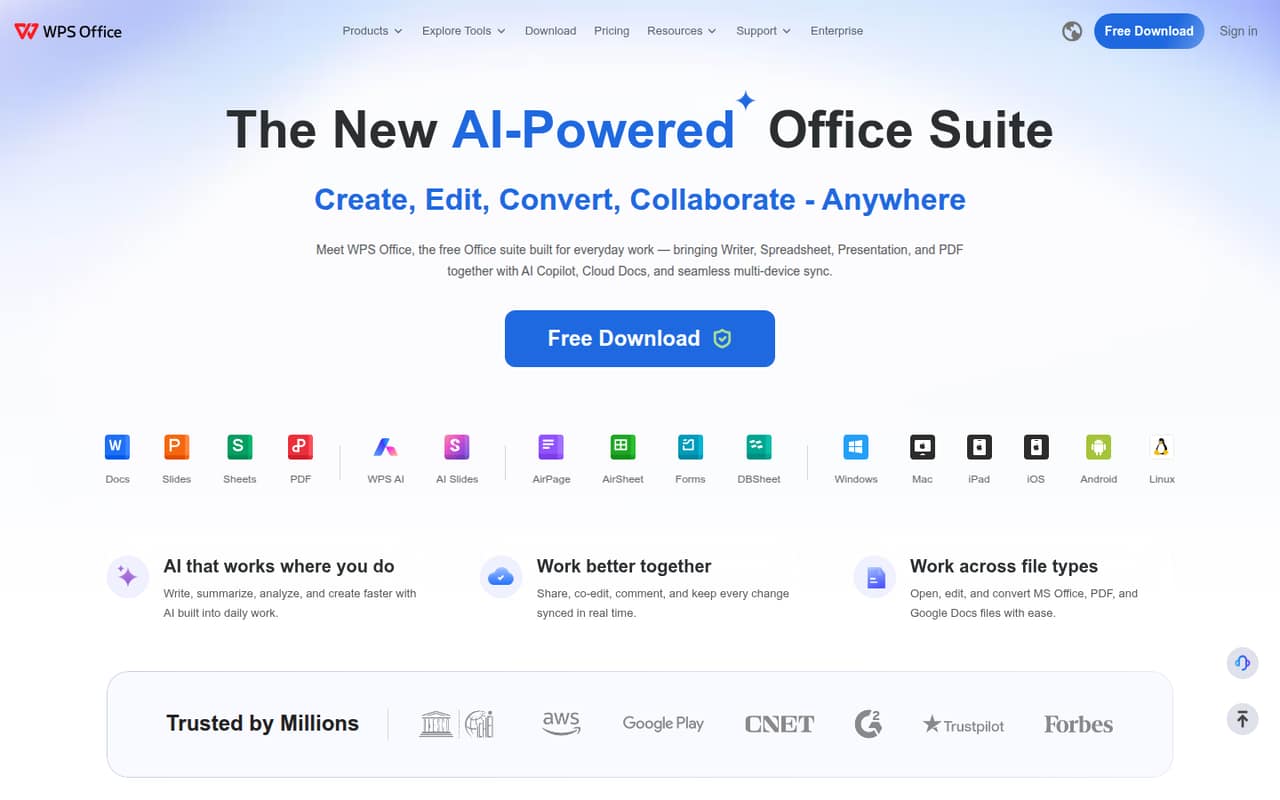
WPS Office groups Writer, Spreadsheet, Presentation, and PDF tools in one suite, so teams can start with the file types they already use rather than choosing separate products. The product supports working across devices and opening, editing, and converting MS Office, PDF, and Google Docs files. Cloud features include syncing, real-time co-editing, comments, and access controls.
WPS does not publish a setup-time estimate, so we would not assume a specific rollout effort. For a small team, first check which plan each person needs, how much cloud storage is included, and whether the file formats you exchange are supported. The free plan is for one user; shared Pro+ features are on a plan with a two-user minimum. One Reddit user who posted about leaving WPS mentioned background activity as a concern, so teams with strict device or data policies should review those questions before deployment.
05When small teams outgrow WPS Office
The first pressure point is the free plan. It limits AI use and template downloads, offers only basic ad-supported PDF viewing, and covers one user. A team that needs full PDF editing, conversion, OCR, and e-signatures has to move to Pro+ or the Sharing Plan. The latter starts at two seats and its published prices are annual; monthly rates are not published.
Teams may also need to review whether the listed storage and AI limits fit their workload: Pro+ includes 20 GB of cloud storage, and its AI tools have a daily usage limit. Reddit reactions are mixed. One WPS user said the free mode had begun requiring an upgrade, while another post described concerns about background activity. Those are individual reports, not proof that every user will have the same experience. If predictable free use or specific security assurances matter, ask WPS about the details before expanding the rollout.
Questions people ask
Is WPS Office free?
Yes. WPS Standard is listed at $0 for one user and includes 1 GB of cloud storage, limited template downloads, limited AI usage, and basic ad-supported PDF viewing. Full PDF editing, conversion, OCR, and e-signatures are included with paid Pro+ plans, not the free tier.
What does WPS Pro+ include?
WPS Pro+ is listed for one user and up to nine devices, with 20 GB of cloud storage, PDF editing, conversion, OCR, e-signatures, and unlimited templates. Its AI tools have a daily usage limit. The annual price is listed as $69.99; a monthly price is not published.
Can WPS Office work with Microsoft Office files?
WPS Office supports opening, editing, and converting MS Office files. If your team relies on complex documents or spreadsheets, check that your specific files and workflows work as needed before moving everyone over; file compatibility can depend on what a document contains.
Is WPS Office safe for business files?
A feature list alone is not enough to judge a tool's safety for your business. Before storing sensitive files, ask WPS about data storage, encryption, retention, and access controls. WPS lists access controls as a cloud collaboration feature, but the specific security details should be confirmed with the vendor.
Does WPS Office have a free trial?
The listed trial is seven days for WPS Pro+ and three days for the WPS Pro+ Sharing Plan. WPS Standard is free rather than a trial, but it is limited to one user and includes basic ad-supported PDF viewing, limited AI usage, and limited template downloads.
Sources
- WPS Office homepage
- WPS Office pricing, compiled via web search from powerfulai.tools, bestproductivityresources.com, conversiongems.com, wps.com, grabon.in, wps.ai
- Reddit: WPS Office doesnt work in free-mode anymore, whats a good alternative?
- Reddit: Best office alternative
- Reddit: I am so sick of WPS office and its intrusions and i want to switch can Libreoffice handle .docx?