
We may earn a commission if you buy through links on this page. It never changes a score or a ranking. How we make money
The bottom line
Choose Xata for copy-on-write Postgres branches; skip it if ordinary Postgres is enough.
Small teams do not need Xata just to run a database. It makes more sense when developers or AI agents need separate Postgres branches for development, pull requests, or testing without copying the full database.
The self-managed Open Source plan costs $0, while managed Xata Cloud starts at $9/month for a micro instance, plus storage. Branching is included, but the vendor does not publish a simple seat-based price or detailed free-plan limits.
Good fit if
- Teams building with Postgres
- Pull-request preview databases
- Agents needing isolated branches
Skip it if
- Teams wanting only basic Postgres
- Buyers needing published seat pricing
- Teams unwilling to manage infrastructure
ScoresHow it rates
What works
- Free self-managed plan includes branching
- Branches share data with copy-on-write storage
- Idle branches hibernate and use no compute
- Standard Postgres drivers and tooling work
- Managed Cloud starts at $9 per month
What doesn't
- Free-plan limits are not published
- Cloud storage adds $0.28 per GB monthly
- No per-seat pricing is listed
- BYOC and larger tiers require custom pricing
- Reddit discussion raises a bulk-write question
01Who Xata is for
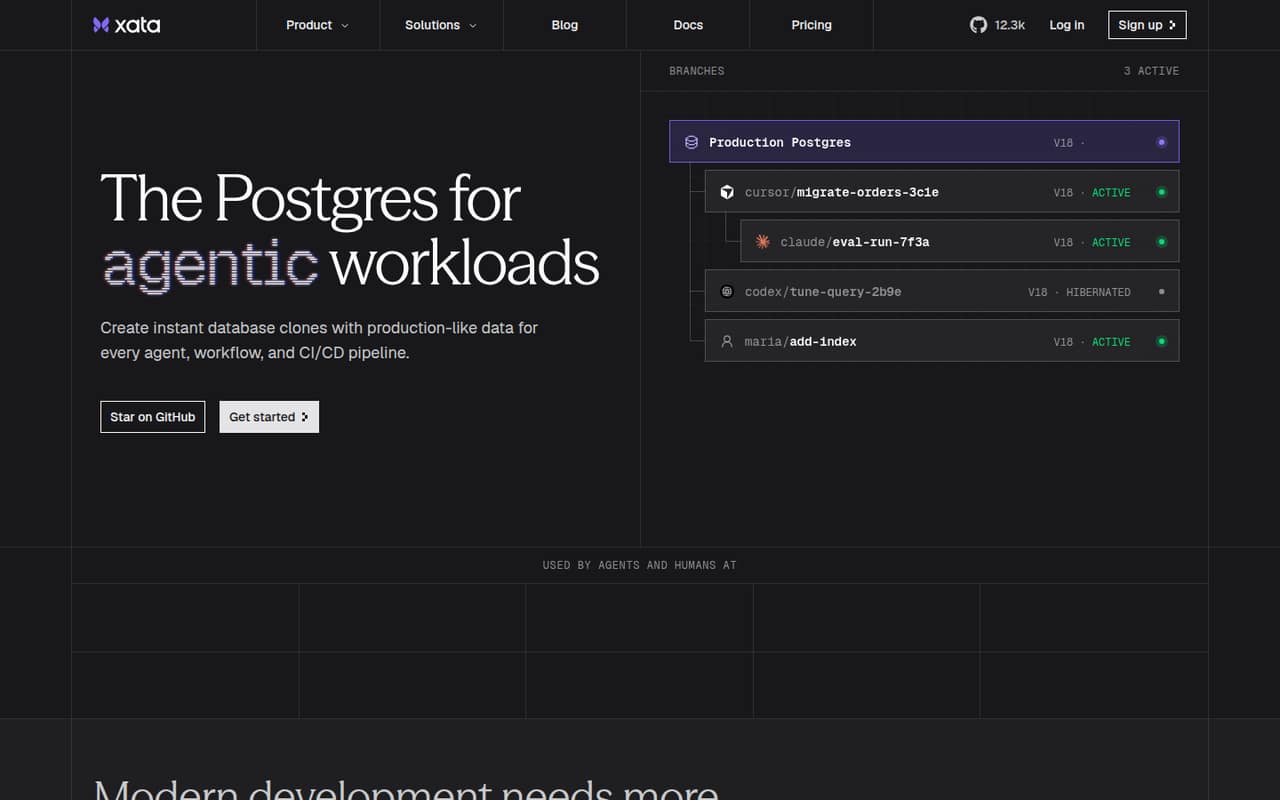
Xata is for small engineering teams that already use Postgres and want safer, separate environments for development. Its main idea is simple: create a database branch from production without copying the whole database. Branches share parent data, then store changes separately through copy-on-write storage.
That can help a team of a few developers give each pull request a preview database, or let AI agents work in isolated branches through the API or MCP. Xata also supports standard PostgreSQL extensions, drivers, and tooling, so it is not a proprietary database format. Teams can self-manage it, use Xata Cloud, or choose BYOC for their own cloud environment.
If your team just needs a basic database and already has a straightforward way to make development copies, Xata may be extra infrastructure to learn. Its clearest fit is a small team where parallel work or agent workflows make isolated branches worth paying for.
02Xata free plan and trial
Xata lists a free Open Source plan at $0 per month for teams self-hosting Postgres. It includes branching and scale-to-zero on your own infrastructure, with about a 10-second wake-up time and community support. That means the software plan is free; your servers and the work of operating them are still yours to handle.
Xata also marks a free plan as available, but the vendor does not publish detailed free-plan limits in the pricing information. Ask Xata what those limits cover before planning a production workload around the free option. A free-trial period is not listed.
For managed service, the cheapest listed entry is Xata Cloud: a micro instance at $0.012 per hour, or $9 per month, plus storage. Branching and scale-to-zero are included. This is the lower-effort paid route, but the $9 figure is not an all-in price if you store data.
03What a small team pays for Xata
Xata Cloud is priced by infrastructure, not by seat. The pricing page lists a micro instance at $9 per month, with storage at $0.28 per GB per month, billed by the minute. Assuming one shared micro instance, the listed starting compute cost is $9 for one person, $9 for a team of three, and $9 for a team of five. Those figures exclude storage and do not guarantee that a micro instance suits your workload.
The same micro rate is listed as $0.012 per hour. Annual billing is not listed; Xata Cloud is pay-as-you-go. The next listed instance sizes are small at $18 per month and medium at $35 per month, so compute costs rise if your workload needs a larger instance. Idle branches hibernate and use no compute, but storage remains a separate charge.
Self-hosting costs $0 for the Open Source plan, before infrastructure and maintenance. BYOC is a custom quote, with a management fee set as a percentage of Xata-managed cloud spend; the rate is not published. Xata does not list per-seat costs.
04Getting started with Xata
The main setup choice is whether your team wants to operate Postgres itself or pay for Xata Cloud to manage it. Self-hosting avoids a Xata plan charge, but your team must provide and manage its infrastructure. Cloud has a listed $9-per-month micro starting point and about a one-second wake-up time; self-managed Open Source lists about 10 seconds.
Per Xata's feature information, standard PostgreSQL extensions, drivers, and tooling are supported. That should make it possible to connect familiar Postgres applications rather than adopt a new query language. For preview databases, connect pull requests or preview deployments to branches; agent workflows can create branches through the API or MCP. The exact setup steps and ready-made integrations are not published in the pricing details, so check the docs for your framework and deployment workflow.
Reddit discussion does not offer a clear Xata setup report. One commenter calls Supabase easy to set up, but that is not evidence about Xata. Budget time to configure connections and branch creation before rolling it out.
05When small teams outgrow Xata
A small team may outgrow the entry-level setup when its workload needs more compute than the micro instance, or when it needs a deployment arrangement the basic plans do not cover. Xata lists larger Cloud instances up to 8xlarge at $1,121 per month, with storage charged separately. That makes it worth checking expected usage before treating the $9 starting price as your likely bill.
Teams that need their own cloud can ask about BYOC, but its management fee is a percentage of managed cloud spend and the rate is not published. Custom tiers list up to 1,000 concurrent branches for Team, 10,000 for Company, 100,000 for Platform, and more than 100,000 for Hyperscale. Prices for those plans are custom, so ask Xata for a quote before planning a budget around them.
A commenter on Reddit says copy-on-write branching sounds useful for parallel end-to-end testing, but wonders how it handles large bulk-write operations. That is a question, not a reported failure; teams with heavy bulk writes should ask Xata about their workload.
From the threadsWhat users say
The Reddit discussion shows interest in copy-on-write branching, especially for parallel tests, alongside an open question about bulk writes. It does not provide much direct feedback about using Xata day to day.
Copy-on-write branching sounds very useful for parallel end-to-end testing, not just for agents
I wonder how well it fares with large bulk-write operations
Just take Postgres in Docker? Create some backup crons, that is it?
Super easy to set up
Questions people ask
Is Xata free?
Xata lists an Open Source plan at $0 per month for teams self-hosting Postgres. It includes branching and scale-to-zero, but you provide the infrastructure and have community support. Xata also marks a free plan as available, though detailed free-plan limits are not published. There is no listed free-trial period.
How much does Xata Cloud cost for a small team?
The listed micro instance costs $0.012 per hour or $9 per month. Storage costs $0.28 per GB per month, billed by the minute. Xata does not list seat-based pricing, so one shared micro instance has the same listed compute price for one person or a team of five, before storage.
Does Xata work with regular PostgreSQL tools?
Yes. Xata lists support for standard PostgreSQL extensions, drivers, and tooling. That lets a team use familiar Postgres-compatible applications and connections. Check the docs for setup details specific to your framework, deployment process, and any extensions you rely on.
Can Xata create preview databases for pull requests?
Yes. Xata supports connecting pull requests and preview deployments to their own Postgres branches. Branches share parent data and store only changes, rather than copying the full database. The vendor does not publish the exact setup steps in its pricing information, so consult the docs for your deployment workflow.
What happens to idle Xata branches?
Xata says idle branches hibernate and use no compute. The listed wake-up time is about one second for Xata Cloud and about 10 seconds for the self-managed Open Source plan. Storage is priced separately on Xata Cloud, so hibernating a branch does not mean its stored data has no cost.