
We may earn a commission if you buy through links on this page. It never changes a score or a ranking. How we make money
The bottom line
Yaak offers broad API coverage and local control, with unclear free-plan limits and annual team billing.
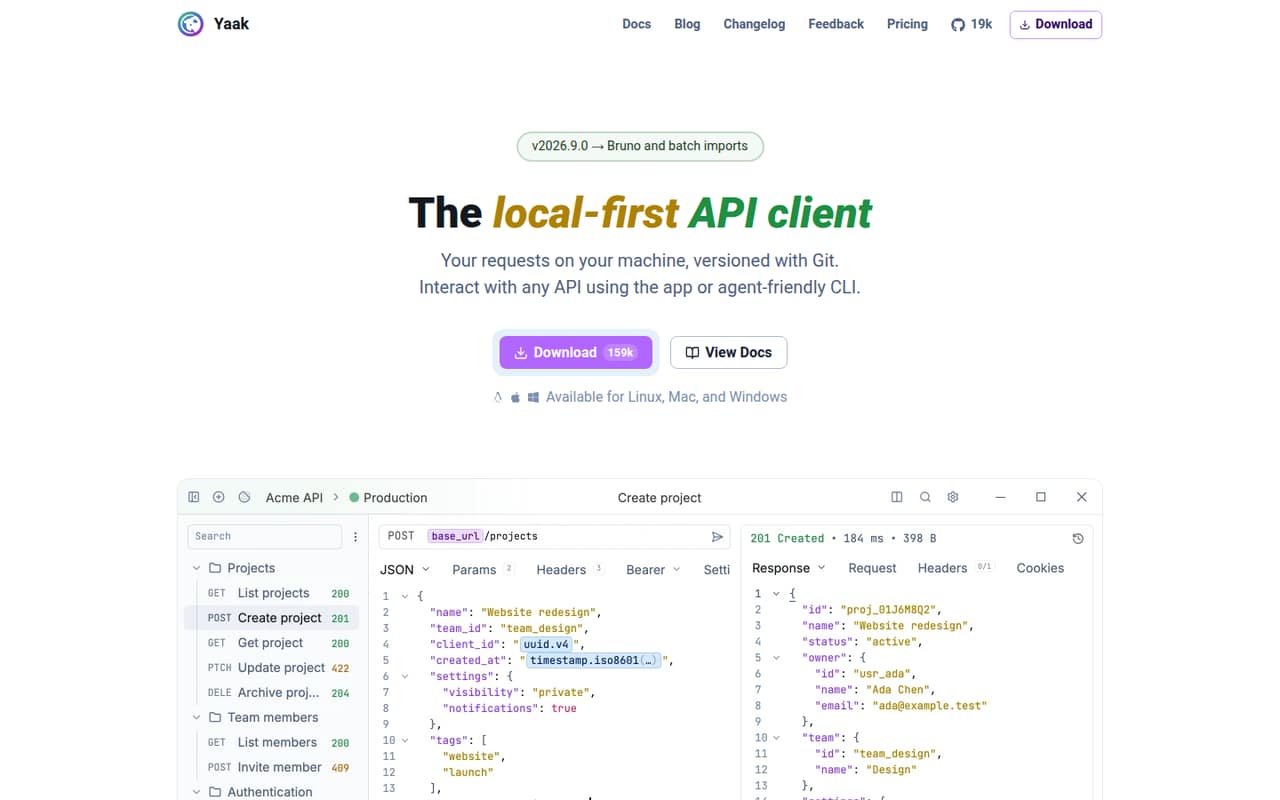
Yaak is a desktop API client for HTTP, GraphQL, gRPC, WebSocket and SSE, with local workspaces, Git sharing, request chaining and agent access through its CLI or MCP plugin. Teams that prefer local files and Git workflows may find it a better fit than a cloud-first client.
The pricing page lists a free plan, but doesn’t spell out its limits. Paid individual use starts at $79 a year; Business costs $149 per user a year, so three seats add up to $447 annually. We’d check the free-plan terms and confirm how your team will share work before rolling it out.
Good fit if
- Developers who prefer local workspaces
- Teams sharing requests through Git
- API work across several protocols
Skip it if
- Teams needing automatic cloud sync
- Teams requiring monthly billing
- Buyers needing clear free-plan limits
ScoresHow it rates
What works
- Supports HTTP, GraphQL, gRPC, WebSocket and SSE
- Work can stay local without an account
- Git workflows include diffs and sharing
- Request chaining reuses values without scripts
- CLI and MCP plugin support agent access
What doesn't
- Free-plan limits and inclusions aren’t published
- Paid licenses are billed annually, not monthly
- Business costs $149 per user per year
- Individual licenses are non-transferable
- Local-first work means no automatic cloud sync
01Who Yaak is for
Yaak suits solo developers and small engineering teams that work with APIs and want their requests kept on local machines. It handles HTTP, GraphQL, gRPC, WebSocket and SSE, so a team working across several API styles can keep those requests in one desktop client.
The strongest fit is a team comfortable with Git-based sharing rather than automatic cloud sync. Yaak supports committing, diffing and sharing requests through Git, with optional secrets encryption. Request chaining can reuse values between calls without writing scripts, and plugins can extend authentication, importers and template functions.
For one person using Yaak professionally, the pricing page lists an annual plan at $79 per year. Teams need to weigh the Business price of $149 per user per year against their seat count. The free plan may be enough to assess fit, but its published limits and inclusions aren’t specified.
02Yaak free plan and trial
The pricing page lists a free plan and a 30-day free trial. It doesn’t publish the free plan’s specific features, usage limits or eligibility for commercial work, so we can’t say which protocols or team workflows it covers. Ask Yaak to confirm those details before relying on the free tier for production work.
Paid plans explicitly include commercial use. The Individual Annual plan costs $79 billed annually, while Individual Lifetime costs $349 once. Both are single, non-transferable licenses for up to three devices; the lifetime option includes future updates. The free trial lasts 30 days, but the pricing details don’t specify what happens when it ends or whether payment information is required.
03What a small team pays for Yaak
For one person using Yaak professionally, the pricing page lists Individual Annual at $79 billed annually—about $6.58 per month when averaged across the year. There’s no monthly billing. A permanent alternative is Individual Lifetime for $349 one time, including future updates, commercial use and up to three devices. That license is non-transferable, so it isn’t a shared team seat.
Business is $149 per user, billed annually, or about $12.42 per user per month as an annual equivalent. Three seats cost $447 per year, or $37.25 per month averaged across the year. Five seats cost $745 per year, or about $62.08 per month. Business licenses are transferable and include SSO and user provisioning, as well as up to three devices per license.
The pricing page lists no add-ons. The main cost to watch is therefore the seat count: the per-user Business fee applies to each person, and the vendor doesn’t offer monthly billing.
04Getting started with Yaak
Yaak is a desktop client, and work can stay on your machine without an account or automatic cloud sync. That makes the starting point straightforward for an individual, but a team should decide early how it will share work. Yaak’s Git workflows let people commit, diff and share requests; optional secrets encryption is available for sensitive values.
The feature list also includes request chaining, plugins, a CLI and an MCP server plugin. These give teams paths to extend the client or let agents work with existing requests, but they add choices to an otherwise local workflow. Yaak doesn’t publish a setup-time estimate in the pricing details. We’d plan to agree on a Git and secrets workflow, then check Yaak’s docs for the team’s chosen setup. The learning curve will depend on how much of that workflow you use.
05When small teams outgrow Yaak
The first growth trigger is team administration. Business adds transferable licenses, SSO and user provisioning, but the price is $149 per seat annually. That’s $447 a year for three people and $745 for five, so teams should compare the value of those controls with their budget before moving everyone onto paid seats.
Yaak may also be a mismatch if a team expects requests to sync automatically through a cloud workspace: its approach is local-first, with Git-based sharing instead. That can suit teams already comfortable with Git, but it makes the sharing workflow a decision to manage. The vendor doesn’t publish the free tier’s limits, so confirm whether it can support your team before depending on it.
Reddit reactions are limited and mixed. One commenter recommends Yaak, while a builder who switched from Postman liked its simpler approach but said it still wasn’t quite the experience they wanted. Treat that as an individual impression, not a broad verdict.
From the threadsWhat users say
Reddit discussion is sparse: one commenter points people toward Yaak, and the creator describes building it as an alternative to Insomnia. Another builder liked its simpler approach but said it wasn’t quite the experience they wanted, so sentiment is positive but not conclusive.
You'd like https://yaak.app then!
I liked the simpler approach
it still wasn't quite the experience I was looking for
Yaak is now open source!
Questions people ask
Does Yaak have a free plan?
Yes. The pricing page lists a free plan and a 30-day trial. It doesn’t spell out the free plan’s features, limits or commercial-use terms, so check with Yaak before choosing it for a team workflow. Paid plans explicitly list commercial use.
How much does Yaak cost for a small team?
Business costs $149 per user per year, billed annually. Three seats cost $447 per year, and five cost $745 per year. Individual Annual is $79 per year for one person, but it’s a single, non-transferable license rather than a team plan. Yaak doesn’t offer monthly billing.
Can my team use Yaak for commercial work?
The paid Individual Annual, Individual Lifetime and Business plans list commercial use. The Individual licenses are non-transferable; Business licenses are transferable. The pricing details don’t specify whether the free plan allows commercial use, so ask Yaak before using it for company work.
How can we share Yaak requests?
Yaak supports Git-based sharing, including committing and diffing requests. Workspaces are local, and automatic cloud sync isn’t required or included in the described workflow. That makes it important for a team to agree on how it will use Git and handle secrets before sharing requests.
Does Yaak work with AI agents?
Yaak offers a CLI and an MCP server plugin so agents can work with existing requests. Plugins can also extend authentication, importers and template functions. The pricing details don’t specify whether agent access or particular plugins are restricted by plan, so confirm that with Yaak if it’s central to your setup.