
We may earn a commission if you buy through links on this page. It never changes a score or a ranking. How we make money
The bottom line
Yapp makes event apps accessible to small teams, though even the cheapest plan requires annual billing.
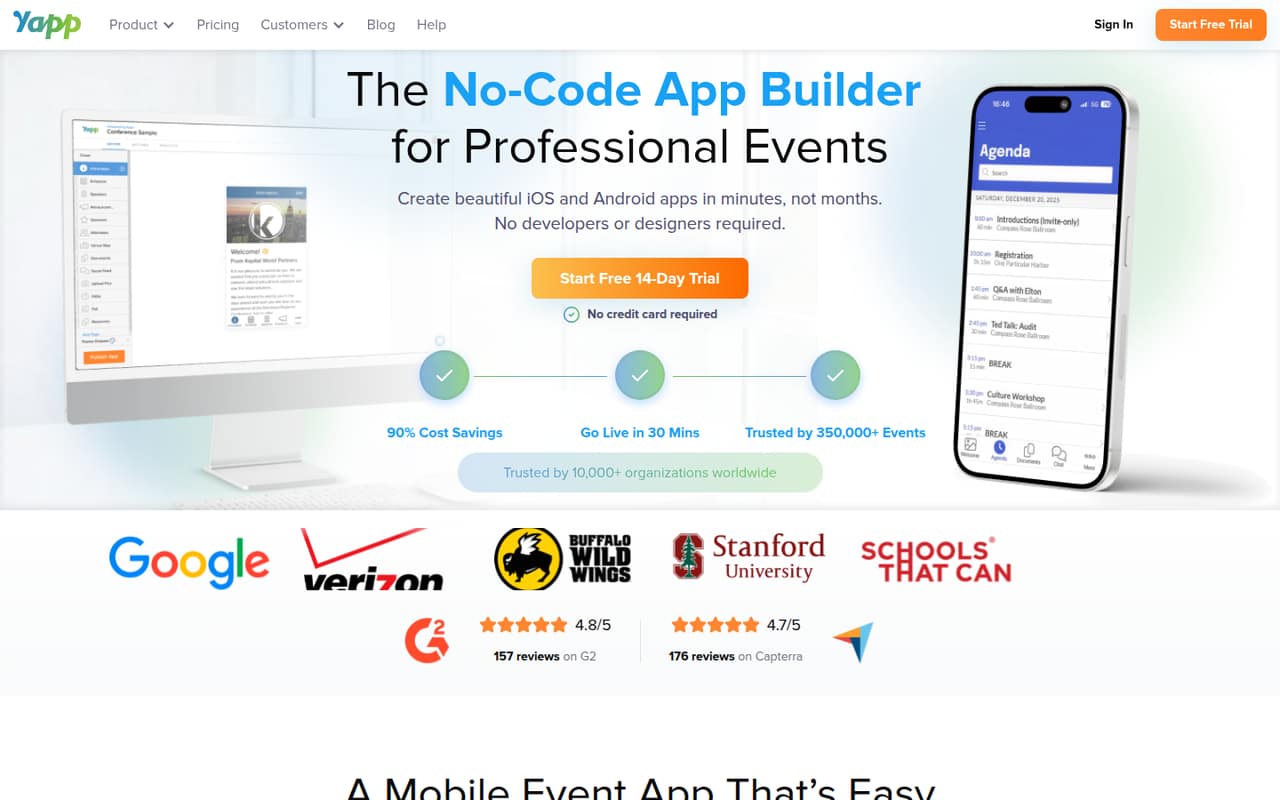
Yapp helps event organizers build branded iOS and Android apps without coding. Attendees can find schedules, speaker and sponsor details, documents, social feeds, and event updates, with essential information available offline.
There’s no free plan, and the pricing page lists annual billing only. Basic starts at $33.25 per app/month, while teams needing multiple admins must look at Team, listed at $66.58 per app/month.
Good fit if
- Conference organizers building one event app
- Small teams sharing event updates
- Teams needing offline attendee information
Skip it if
- Teams requiring a free event app
- Organizers who need monthly billing
- Teams needing many app administrators
ScoresHow it rates
What works
- No-code editor for creating branded event apps
- Unlimited installs on every listed plan
- Schedules, speaker profiles, and sponsor pages
- Push notifications for attendee updates
- Team plan includes multiple admins and phone support
What doesn't
- No free plan
- Monthly billing prices are not published
- Plans are priced per app, not per seat
- Number of Team plan admins is not published
- Volume pricing amounts are not published
01Who Yapp is for
Yapp fits a small event team that needs a branded mobile app for a conference or other professional event, without building one from code. Its drag-and-drop editor is designed for organizers who want to share schedules, speaker biographies, sponsor information, documents, social feeds, and updates in one place. Attendees can use the iOS and Android apps, including offline access to essential event information.
For a one-person operation, Basic covers one app and one administrator. Core is another option for one person who needs content import, post scheduling, and app analytics. Teams collaborating on the same app should compare Team, which includes multiple admins. All three plans allow unlimited installs. The starting annual price is $33.25 per app/month, so Yapp makes most sense when an event app is important enough to justify a paid, year-long commitment.
02Yapp free plan and trial
Yapp does not have a free plan. The pricing page lists a 14-day free trial, but does not publish which plan features the trial includes, whether a payment method is required, or what happens to an app after the trial ends. Check those terms with Yapp before using the trial for an event that is close to launch.
The cheapest listed way to keep an app is Basic at $33.25 per app/month with annual billing. It includes one app, one administrator, unlimited installs, the editor, and chat and email support. That price is an annual-billing rate, not a published month-to-month option. If you need several admins or features such as analytics and scheduled posts, compare the higher plans before committing.
03What a small team pays for Yapp
Yapp charges per app, not per seat, and the pricing page lists annual billing only. Basic is $33.25 per app/month, or $399 for a year. Core is $54.08 per app/month, or $648.96 for a year. Team is $66.58 per app/month, or $798.96 for a year. Monthly billing prices are not published.
For one person, Core works out to $54.08 per month on annual billing if they need its content import, post scheduling, and analytics. For a three- or five-person group collaborating on one app, Team’s listed app price remains $66.58 per month, or $798.96 annually—not a per-seat charge. That averages $22.19 per person monthly for three people or $13.32 for five, if the plan supports everyone who needs admin access. Yapp lists multiple admins but does not state the number, so confirm before budgeting. Volume pricing is listed for 2–10 apps, but the amounts aren’t published. Paying by check or wire adds a $50 processing fee.
04Getting started with Yapp
Yapp describes its app builder as no-code, with a drag-and-drop editor for creating and editing an event app. That should suit organizers who can prepare their event information and want to arrange it without writing code. The product supports schedules, speaker profiles, sponsor pages, updates, social feeds, and documents; attendees can access essential information offline.
The vendor does not publish a setup-time estimate or a detailed learning curve, so allow time to organize content and check the app before sharing it with attendees. Core includes content import and post scheduling, while app analytics are also included on that plan. The product details do not name third-party integrations, so ask Yapp whether it connects to the registration, calendar, or communication tools your team already uses. For a basic launch, confirm how content will be added and who needs administrator access.
05When small teams outgrow Yapp
The first reason to move up is collaboration. Basic includes one administrator; teams that need multiple admins should consider Team, listed at $66.58 per app/month with annual billing. Yapp does not publish the number of admins Team allows, so confirm that it covers your group before relying on the plan. Core may be a better fit for a solo manager who needs content import, scheduled posts, or analytics, at $54.08 per app/month annually.
Yapp’s listed plans each include one app, and installs are unlimited. If your organization needs apps for several events, volume pricing is available for 2–10 apps, but the discount amounts are not published. For more than 10 apps, Yapp asks customers to contact the company. The plan details do not specify other app, admin, or feature limits, so ask about those before scaling. A team may also outgrow Yapp if it needs a monthly billing option or integrations the vendor does not list.
Questions people ask
Does Yapp have a free plan?
No. Yapp’s pricing page lists a 14-day free trial but no ongoing free plan. The trial’s included features and terms are not published, so ask Yapp what access it provides and what happens when the trial ends. The cheapest listed paid plan is Basic at $33.25 per app/month with annual billing.
How much does Yapp cost for one event app?
The listed annual-billing rates are $33.25 per app/month for Basic, $54.08 for Core, and $66.58 for Team. That works out to $399, $648.96, and $798.96 per year, respectively. The pricing page does not publish monthly billing prices.
Does Yapp charge per user or per app?
Yapp lists prices per app, not per user. Basic includes one administrator, while Team includes multiple admins; the number of admins is not published. If several people need access to manage an app, confirm with Yapp that the Team plan covers your group before buying.
What does a Yapp event app include?
Yapp lets organizers build branded apps for iOS and Android without coding. Event apps can share schedules, speaker and sponsor information, documents, social feeds, and updates. Attendees can access essential information offline, and the listed plans include unlimited installs.
Can I pay for Yapp month to month?
Yapp’s pricing page lists annual billing only; month-to-month prices are not published. The per-month figures shown are rates for annual billing, not a stated monthly payment option. Ask Yapp whether it offers another billing arrangement before budgeting for a short-term event.