
We may earn a commission if you buy through links on this page. It never changes a score or a ranking. How we make money
The bottom line
A generous free scheduler for individuals; teams should budget for per-seat Pro pricing.
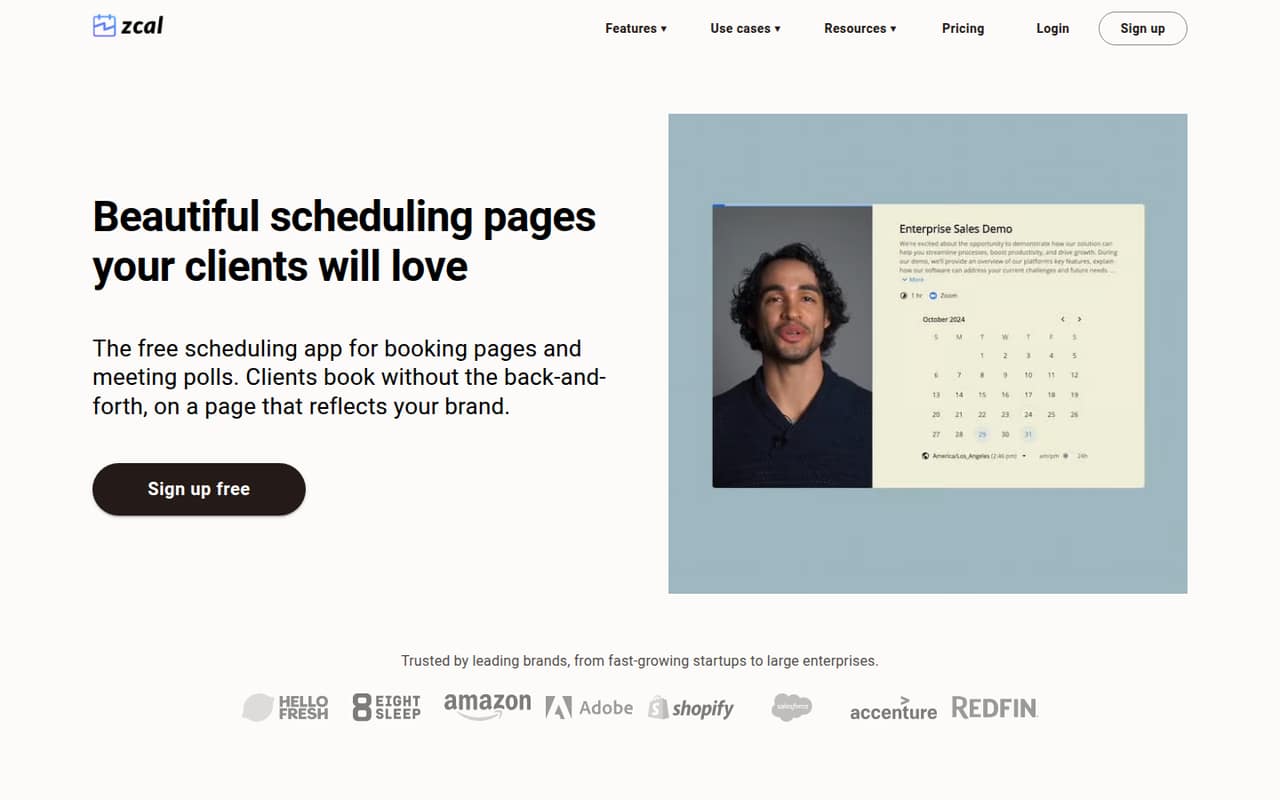
Small teams that need booking pages, polls, and calendar checks may not need a paid scheduler to start: zcal's free plan includes unlimited links and calendar accounts. It also offers reminders, brand customization, and team scheduling features.
For team use, Pro lists at $7 per person per month with annual billing. That makes a three-person team $21 per month equivalent, but zcal doesn't publish its monthly-billing rate. One Reddit user also reported that zcal required bookers to enter an email, which may not suit every customer flow.
Good fit if
- Solo users booking meetings
- Small teams coordinating shared schedules
- Teams comfortable with annual billing
Skip it if
- Bookings without customer email
- Teams needing monthly price certainty
- Large organizations with mixed calendars
ScoresHow it rates
What works
- Free plan includes unlimited links and calendar accounts
- Booking pages and meeting polls cover common scheduling needs
- Calendar connections check busy times to prevent double bookings
- Pro includes one team and unlimited group events
- Pro removes payment fees and includes SMS credits
What doesn't
- Pro and Business prices are listed only with annual billing
- Free plan limits group events to five per time slot
- Unused SMS credits do not carry over
- Invited team members take the owner's plan
- A Reddit user says bookers must provide email
01Who zcal is for
zcal fits a solo operator or a small team of up to ten people that wants a booking link without starting with a paid subscription. It gives invitees a page to choose an available time, and meeting polls let a group vote before someone sets the final time. Connected calendars check busy slots, while reminders and video meeting links help handle the routine follow-up.
For a team, round robin scheduling can distribute bookings, and the Pro plan includes one team. That makes zcal a practical candidate for consultants, small service businesses, or teams coordinating internal meetings. The free plan is especially appealing when one person is handling scheduling. If several teammates need the paid features, the per-user bill adds up, so compare the annual commitment against your current calendar workflow before upgrading.
02zcal free plan and trial
zcal's Free plan costs $0 and includes unlimited links and calendar accounts, up to five group events per time slot, one welcome video, and a 3% fee on payments. That's enough for an individual to share booking pages and coordinate meetings without a recurring subscription. Calendar connections and booking pages are core parts of the service.
The listed limit to watch is group events: teams that need unlimited group events must move to Pro, which also includes unlimited welcome videos and no payment fee. The pricing page lists a 14-day free trial, but doesn't specify the trial's plan or terms, so confirm those before relying on it. For a solo user with basic scheduling needs, the free plan may be all you need.
03What a small team pays for zcal
Pro is listed at $7 per user per month with annual billing. That's a $7 monthly equivalent for one person, $21 for three, and $35 for five. On an annual basis, those totals are $84, $252, and $420. The pricing page doesn't state monthly-billing rates, so ask zcal for those if you don't want to pay annually.
Pro includes one team, 750 SMS credits per user each month, unlimited group events and welcome videos, and no fee on payments. US and Canada texts use 10 credits each, or up to 75 texts per user if all credits go to those messages. Unused credits don't roll over. Business is listed at $12 per user per month with annual billing: $36 monthly equivalent for three people or $60 for five. It adds 1,500 SMS credits per user, unlimited teams, custom domains, and custom email domains. Invited team members are upgraded to the owner's plan, so budget for every seat.
04Getting started with zcal
The basic setup is easy to understand: connect calendars, create a booking page or poll, then share it with invitees. zcal says connected calendars check busy times to prevent double bookings. You can also customize pages with fonts, colors, media, and templates, and the service can send reminders and add video meeting links.
We'd expect a small team to spend more time deciding who owns the booking pages and how availability should be managed than learning the core workflow. The sources here don't name specific calendar providers or give setup steps, so check zcal's docs for the calendars and video services your team uses before rolling it out. One Reddit user who tried zcal reported that bookers had to enter an email, worth checking if your customers prefer phone-only booking.
05When small teams outgrow zcal
The first pressure point is team size: Pro and Business charge per user, and invited members are upgraded to the owner's plan. A five-person Pro team has a $35 monthly equivalent with annual billing, before any other business costs. If you need multiple teams, custom domains, or custom email domains, the pricing page puts those on Business at $12 per user per month with annual billing.
You may also outgrow the free plan when you need more than five group events per time slot, more than one welcome video, or payment processing without a fee. Another possible mismatch is booking without email. In one Reddit thread, a user who tried zcal said the services they tested required bookers to enter an email, which didn't work for their phone-only booking needs. Check that requirement before switching customer workflows.
From the threadsWhat users say
The Reddit mentions offer limited product feedback rather than a broad view of zcal. One user included it in a trial of scheduling tools but objected to an email requirement; another thread describes the wider difficulty of coordinating across different calendar-link tools.
I have tried out Calendly, NovaCal, and zcal
So far, every scheduling service requires the booker to enter an email
This is a non-starter for my purposes for a nail salon, where the clients would prefer to only provide their phone number
we’re having a difficult time with scheduling meetings because we all use different calendar link tools
Questions people ask
Is zcal free?
Yes. The Free plan is listed at $0 and includes unlimited links and calendar accounts, up to five group events per time slot, one welcome video, and a 3% fee on payments. Pro is the step up for unlimited group events and welcome videos, plus no payment fee.
How much does zcal cost for a small team?
Pro is listed at $7 per user per month with annual billing. That works out to $21 per month equivalent for three people or $35 for five. The pricing page doesn't publish a monthly-billing rate, and invited team members are upgraded to the owner's plan.
Does zcal prevent double bookings?
zcal says it checks connected calendars for busy times to prevent double bookings. Before setting up your team, confirm that the calendars everyone uses are supported. The pricing details don't name specific calendar providers.
Can zcal schedule meetings for a team?
Yes. zcal offers team scheduling, including round robin distribution of bookings. Pro includes one team; Business includes unlimited teams. Since plans are billed per user, account for every teammate who will be invited.
Do people booking with zcal need an email address?
One Reddit user who tried zcal reported that the scheduling services they tested required a booker email, making them unsuitable for phone-only customer bookings. Confirm zcal's current booking requirements with the vendor if collecting an email would be a problem for your customers.