
We may earn a commission if you buy through links on this page. It never changes a score or a ranking. How we make money
The bottom line
A capable manufacturing QMS on paper, with opaque pricing and no listed free option.
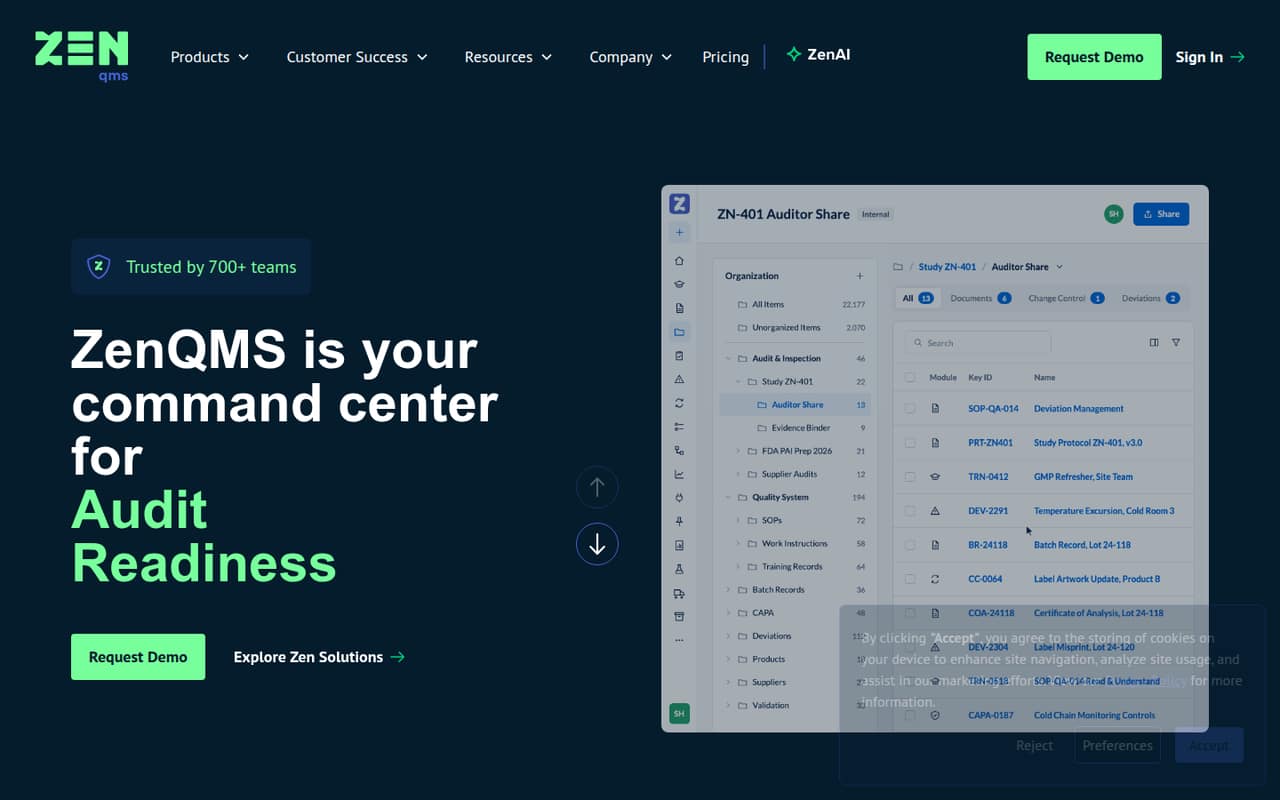
ZenQMS brings documents, training, quality workflows, audits, and compliance records into one system for manufacturing teams. The homepage says it is validated and Part 11 compliant, and that ZenAI records human and AI decisions in an audit trail.
For a small team watching every subscription, the main drawback is budget uncertainty: the vendor does not publish plan prices, and a free plan is not listed. Ask for a quote based on your headcount and required workflows before committing.
Good fit if
- Manufacturers managing quality records
- Teams needing configurable quality workflows
- Buyers seeking audit-trail features
Skip it if
- Teams requiring a free QMS
- Buyers who need clear seat pricing
- Teams seeking a simple document store
ScoresHow it rates
What works
- Covers documents, training, workflows, and audits
- Workflows can be configured without IT
- Audit trails record human and AI decisions
- Designed around manufacturing quality processes
- Offers integrations with surrounding systems
What doesn't
- No free plan is listed
- Starting price is not published
- Monthly and annual prices are not published
- Trial availability is not published
- Integration names and setup details are unclear
01Who ZenQMS is for
ZenQMS is for manufacturing teams that need a formal place to manage quality documents, training, workflows, audits, and compliance records. For a team of 1–10, it may fit when those processes are central to the work and a general-purpose file store or task tool is not enough. The homepage describes configurable quality-event workflows with stages, approvals, and audit tags, plus audit trails for human and AI decisions.
The product’s scope may be more than a very small team needs if its quality process is limited to storing documents. ZenQMS could make more sense when several quality activities need to sit in the same system and records need to support audit readiness. The vendor does not publish prices, so a small team should first confirm the cost for its headcount and ask which plan covers the workflows it actually needs.
02ZenQMS free plan and trial
The vendor does not list a free plan. Trial availability is also not published, so ask ZenQMS whether a trial or guided evaluation is available before budgeting time for setup. That leaves a small team without a published no-cost way to try the product or confirm that its workflows fit.
The pricing page information available lists three plan names—Calm, Clarity, and Mastery—with user-license ranges and built-in headcount buffers, but does not identify which plan is the entry-level option or publish prices. The cheapest way in is therefore not clear from public pricing; ask the vendor for a quote and a demonstration scoped to your team size. Confirm whether evaluation access is included and what happens if your headcount changes.
03What a small team pays for ZenQMS
The vendor does not publish a starting price, monthly rate, or annual rate for Calm, Clarity, or Mastery. That means we cannot calculate the cost for one person or for a team of three or five, or compare monthly billing with an annual commitment. The plan information lists user-license ranges and built-in headcount buffers, but does not state the ranges or which plan a small team should choose.
No add-on prices are listed. Before requesting a quote, describe your headcount and ask which plan includes the document, training, workflow, audit, and integration needs you have. Also ask how the built-in headcount buffer works, what triggers a plan change, and whether the quoted amount differs for monthly and annual billing. Without those figures, ZenQMS is difficult to compare with other QMS options on a small-team budget; do not treat an unlisted price as a low price.
04Getting started with ZenQMS
The homepage says teams can configure quality-event workflows with stages, approvals, and audit tags without IT. That suggests workflow changes are intended to be manageable by business users, but it does not establish how long initial setup takes or what training is needed. The vendor’s published feature description does not give implementation steps or a learning curve, so ask for a walkthrough using one of your real quality processes.
ZenQMS says it connects with surrounding systems to automate data collection and bring workflow context into the system. The available feature information does not name specific integrations or explain their setup. Before day one, list the systems you need to connect and ask which are supported, whether configuration requires technical help, and whether integration work carries extra cost. A Reddit thread describes an issue clicking a ZenQMS tile in Okta, while another user says it works for others; that is a narrow troubleshooting report, not a guide to setup.
05When small teams outgrow ZenQMS
The clearest point to revisit ZenQMS is when your headcount approaches the user-license range for your plan or your quality process needs features beyond what your quote includes. The plan information mentions built-in headcount buffers, but the vendor does not publish the ranges or the cost of moving up. Ask what happens when you add people, whether the buffer changes the bill, and which features require a higher plan.
A team may also need to reconsider the fit if it cannot confirm that its required integrations are supported or if the total quote is too high for the value of its quality process. One Reddit thread reports an Okta tile error for a user who already had a ZenQMS account; another commenter says the tile works for others. That points to an individual access issue, not proof of a broader product limit. The Reddit signal is too limited to judge reliability or support quality.
From the threadsWhat users say
One Reddit thread offers a narrow, mixed signal: a user reports an Okta tile error, while a commenter says the tile works for others. That is not enough discussion to draw a broad conclusion about satisfaction or support.
When they click on the tile, they get this error
It works for others
Questions people ask
What does ZenQMS do?
ZenQMS is an electronic quality management system for manufacturing. Its listed capabilities include managing quality documents and records, training, quality workflows, audits, and compliance activity. The homepage also describes integrations with surrounding systems and ZenAI, with human and AI decisions recorded in an audit trail.
Does ZenQMS have a free plan or free trial?
A free plan is not listed, and the vendor does not publish whether a trial is available. Ask ZenQMS directly about evaluation access before planning a rollout. Also confirm what the evaluation includes, since published plan names and feature descriptions do not specify trial terms.
How much does ZenQMS cost?
The vendor does not publish a starting price or monthly and annual rates. Calm, Clarity, and Mastery are listed as plan names, with user-license ranges and headcount buffers, but their prices and seat ranges are not stated. Request a quote for your team size and required features.
Is ZenQMS Part 11 compliant?
The ZenQMS homepage says the product is validated and Part 11 compliant. If those claims are important for your organization, ask the vendor what validation materials and compliance documentation it provides, and confirm that they match your intended use and internal requirements.
Can ZenQMS connect to our other systems?
ZenQMS describes system integrations that can automate data collection and bring workflow context into the system, but the available feature description does not name specific integrations. Give the vendor your required systems and ask which connections are supported, how they are configured, and whether setup affects the quote.