
We may earn a commission if you buy through links on this page. It never changes a score or a ranking. How we make money
The bottom line
Good fit for governed campus reporting; unclear costs make it tough to judge on a tight budget.
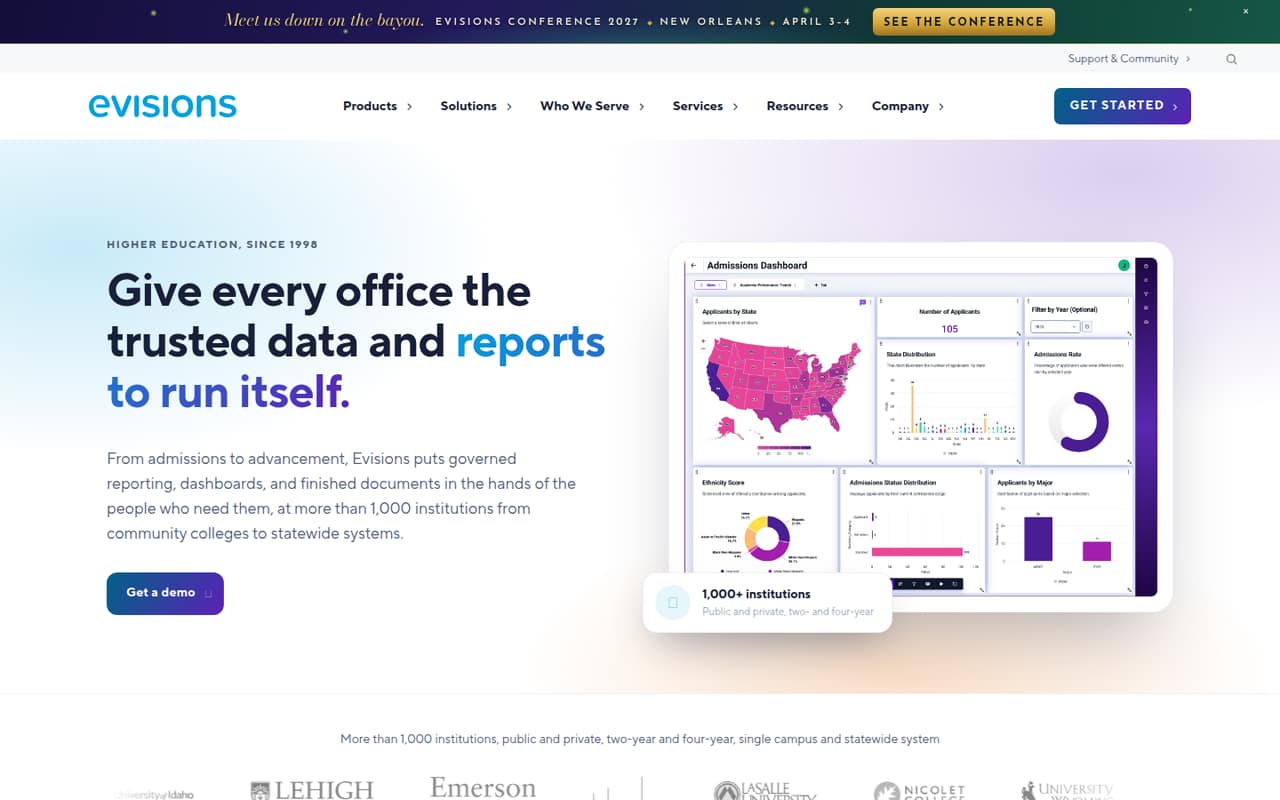
Argos is for higher-education teams that want offices to run, filter, and schedule reports without database access or SQL. Its dashboards use governed DataBlocks and can be embedded in campus pages or shared by link.
The main drawback for a small team is the price: licensing is quote-based, and the vendor does not publish monthly or annual rates. Unlimited users are listed, but you’ll need a quote to know whether the institution-level cost fits your budget.
Good fit if
- Higher-ed institutional reporting teams
- Offices that need governed self-service
- Campuses sharing dashboards across departments
Skip it if
- Teams that need a free plan
- Buyers who require public pricing
- Businesses outside higher education
ScoresHow it rates
What works
- Reports can run without SQL or database access
- Users can filter and schedule reports
- Dashboards use governed DataBlocks and permissions
- Dashboards reflow across desktop, tablet, and phone
- Three dashboard tools are included at no extra cost
What doesn't
- No free plan is listed
- No free trial is listed
- Monthly and annual prices are not published
- Argos Data Agent is licensed separately
- Setup effort and support details are not published
01Who Argos is for
Argos is aimed at higher-education institutions, not a typical small business looking for a general-purpose analytics app. It fits a small reporting group serving several campus offices: the team can build reports, then let colleagues run and filter them without needing database access or SQL.
That can be useful when a handful of staff need to publish consistent information for a wider campus audience. The listed Argos licensing includes unlimited users and connections, so the product is not priced as a simple per-seat reporting tool. The catch for a budget-conscious team is that the institution-level price is quote-based, with no published starting rate. A team of one to ten should ask for a quote covering its institution and expected use, rather than assume a small number of seats means a small bill. Argos makes most sense when governed reporting is a campus need, not just a convenience for one office.
02Argos free plan and trial
Argos does not have a listed free plan or free trial. The listed Argos (Argos X) offer is for higher-ed teams that need governed reporting, with unlimited users and connections, no ERP seat required, and Dashboard Designer, Explore Data, and Pivot Mode included at no additional cost.
Those included tools are part of the paid licensing, not a free tier. Argos Data Agent is licensed separately. The vendor does not publish a starting price or monthly and annual rates, so the cheapest way in is to request an institution-level quote for Argos and confirm exactly what it covers. If you are evaluating it for a small team, ask whether the quote includes implementation or other charges before budgeting.
03What a small team pays for Argos
The available pricing listing describes Argos (Argos X) as licensed per institution, with unlimited users and connections. It does not publish a monthly or annual price, so we can’t give a reliable cost for one person, three people, or five. The seat count does not change the listed licensing unit, but the institution-level quote determines what your team actually pays.
Argos Data Agent is a separate cost. Its Core option is listed per institution with unlimited users; Advanced is listed per seat. Neither option has a published price. Dashboard Designer, Explore Data, and Pivot Mode are included with Argos at no additional cost.
For a small team, ask the vendor for the total annual and monthly-equivalent cost, whether the quote covers your full institution, and what Data Agent licensing would add. Also confirm whether any setup or support charges apply. Until you have those figures, you can’t compare Argos fairly with tools that publish per-seat rates or work out a firm budget for three or five staff.
04Getting started with Argos
Argos is designed for a reporting team to build reports that other offices can run and filter without database access or SQL. That should reduce the need for every report user to work directly with data, while the dashboards read from governed DataBlocks under existing Argos permissions.
The vendor does not publish setup time, implementation steps, or a learning curve in the material available to us. We also can’t verify which campus systems require configuration for a particular institution. The listed features do say that dashboards can be embedded in a campus portal or ERP page, or shared by link; that is not the same as a published list of supported integrations.
Before buying, ask the vendor what your team must configure, who builds and maintains DataBlocks, and whether embedding works with your campus portal or ERP. Get a walkthrough of report creation and scheduling, too. Those answers will tell a one-to-ten-person team whether it can manage the work itself or needs additional help.
05When small teams outgrow Argos
Argos is designed for governed higher-ed reporting, so outgrowing it may mean a mismatch rather than a user limit. The listed Argos plan includes unlimited users and connections; the available pricing does not describe a seat cap that would force a team to upgrade as it adds staff.
A team may need another tool if it wants a free starting tier, clear public prices, or reporting beyond the campus governance and DataBlock model. Argos Data Agent also has separate licensing, with Core priced per institution and Advanced per seat, but the vendor does not publish rates. If AI access becomes important, ask for the added cost before planning around it.
For a growing campus team, the practical test is whether Argos covers the reports, sharing, and permissions it needs at a quote the institution can approve. Confirm the cost of extra capabilities and the process for handling more data sources or complex reporting. The vendor does not publish limits for those needs, so ask directly rather than assume the unlimited-user listing covers everything.
Argos in the news
Questions people ask
Does Argos have a free plan or trial?
No free plan or free trial is listed. Argos is offered as institution-level licensing for higher-ed teams, and its starting price is not published. The listed package includes unlimited users and connections, plus Dashboard Designer, Explore Data, and Pivot Mode. Ask the vendor whether a guided evaluation is available.
How much does Argos cost for a small team?
The vendor does not publish monthly or annual prices. Argos is listed as licensed per institution with unlimited users, so a one-, three-, or five-person price cannot be calculated from a public per-seat rate. Request an institution-level quote and ask for both annual and monthly-equivalent costs.
Do you need SQL to use Argos?
Argos lets teams build reports for offices to run and filter without SQL or database access. That is a feature of its self-service reporting approach. The details of report creation and the work needed to prepare governed data may depend on your setup, so ask the vendor what technical skills your team will need.
Can Argos dashboards be shared outside the reporting team?
Yes. Argos dashboards can be embedded in a campus portal or ERP page, or shared as a link. They read from governed DataBlocks under existing Argos permissions. Confirm how those permissions apply to your intended audience and whether embedding is supported in your specific campus environment.
Is Argos Data Agent included with Argos?
No. Argos Data Agent is licensed separately. The listed Core option is licensed per institution and Advanced per seat, but the vendor does not publish prices for either. Dashboard Designer, Explore Data, and Pivot Mode are listed as included with Argos at no additional cost.