
We may earn a commission if you buy through links on this page. It never changes a score or a ranking. How we make money
The bottom line
Breeze keeps projects and conversations together, but there’s no lasting free plan.
Breeze brings tasks, deadlines, project conversations, and planning tools into one project management app. Its All-inclusive plan lists unlimited projects, tasks, storage, and free client users for $9 per user per month, alongside a 14-day trial.
For a small team, the main trade-off is simple: there’s no free plan, and the per-seat bill grows with your team. The pricing page also says yearly billing saves 10%, but doesn’t clearly explain which billing option the displayed $9 rate applies to.
Good fit if
- Small teams coordinating project tasks
- Teams sharing work with clients
- People who want visual task boards
Skip it if
- Teams that need a permanent free plan
- Solo users focused on the lowest price
- Teams needing confirmed app integrations
ScoresHow it rates
What works
- Tasks include assignees, due dates, comments, files, and status updates
- Kanban boards make work visible
- Time tracking and project calendars are included
- Unlimited projects, tasks, and storage on All-inclusive
- Unlimited free client users on All-inclusive
What doesn't
- No free plan is listed
- The trial lasts 14 days
- All-inclusive is priced per user
- The $9 billing period is unclear
- Solo is listed at $14 per month
01Who Breeze is for
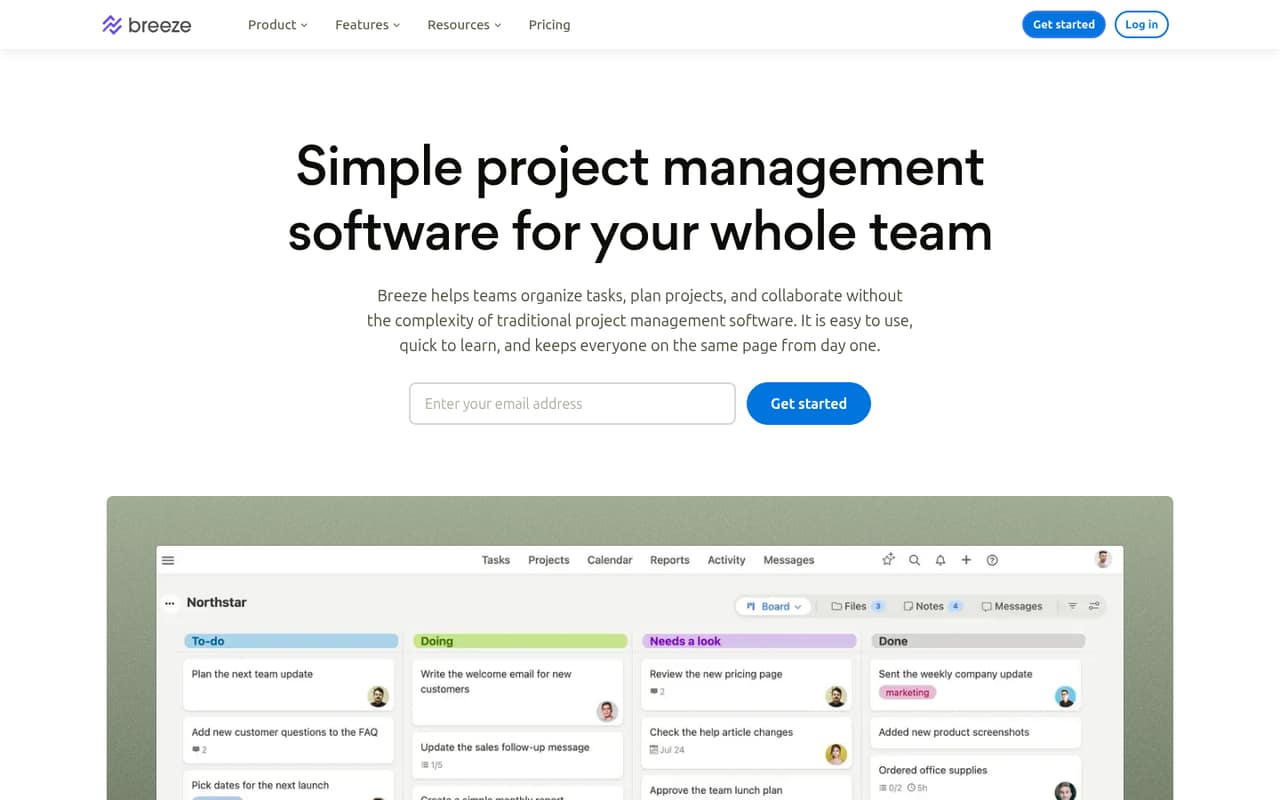
Breeze is for small teams that want one place to organize projects, assign tasks, track deadlines, and keep project conversations connected to the work. Its features cover everyday coordination: tasks with owners and due dates, Kanban boards, calendars, time tracking, messaging, and web forms for briefs or requests.
The All-inclusive plan is the one to consider for a team: the pricing page lists it at $9 per user per month, with unlimited projects, tasks, storage, and free client users. That makes the listed price $27 a month for three users or $45 for five, before any annual-billing adjustment. A solo user has a separate Solo plan listed at $14 per month, though the All-inclusive plan’s lower per-user price may be worth asking about if you’re choosing as one person. Breeze suits teams that value a shared work hub more than a permanent free tier.
02Breeze free plan and trial
Breeze does not list a free plan. Instead, the pricing page lists a 14-day free trial. It doesn’t specify in the available pricing details which plan features the trial includes or whether a payment method is required, so confirm those points with Breeze before signing up.
After the trial, the listed starting option for teams is the All-inclusive plan at $9 per user per month. It includes unlimited projects, tasks, and storage, plus unlimited free client users. Solo is listed at $14 per month for one user and includes unlimited projects, unlimited client users, reporting, and calendars. If you need a tool that remains free after a trial, Breeze isn’t a fit based on its listed plans. If you’re evaluating it for a short project, check the trial terms and cancellation timing first.
03What a small team pays for Breeze
The All-inclusive plan is listed at $9 per user per month. At that rate, one seat is $9 a month, three seats are $27, and five seats are $45. The Solo plan is listed separately at $14 per month for one user. The pricing page says yearly billing saves 10%, but doesn’t clearly say whether the displayed $9 rate is monthly billing or the annual-billing rate. That means the exact annual totals aren’t clear; confirm the rate and payment schedule before committing.
All-inclusive includes unlimited projects, tasks, storage, and free client users, so those listed items don’t add a separate charge as your project count or client list grows. The pricing information lists no add-ons. The practical cost to watch is the number of paid team seats: at the displayed rate, each additional seat adds $9 per month. Breeze also lists a 14-day trial, but not a free plan. Ask whether the trial converts automatically and what billing terms apply.
04Getting started with Breeze
For a small team, the basic setup is to create a project, add tasks, assign owners and due dates, and choose a board or calendar view for tracking the work. Breeze’s task features include comments, files, and status updates, while team messaging keeps discussion connected to projects. Web forms can collect briefs, feedback, bugs, and internal requests.
That’s a manageable starting point for teams moving a few active projects into one place. The product details don’t set out a setup-time estimate, so plan for the time needed to organize existing work and agree on how your team will use statuses, boards, and forms. If your day-one workflow depends on integrations with other apps, ask Breeze to confirm the specific connections and setup steps before you buy. The listed apps include iOS, Android, and web.
05When small teams outgrow Breeze
Breeze’s listed All-inclusive plan has unlimited projects, tasks, and storage, so those limits aren’t the obvious reason a team would need to move on. The more likely pressure point is price: the listed rate adds $9 per month for each All-inclusive user, before any annual discount. A team that grows from three to five seats goes from $27 to $45 per month at that rate.
A team may also outgrow Breeze if it needs a permanent free tier: the pricing page lists a 14-day trial, not a free plan. If your work depends on a specific integration, confirm it with Breeze before committing; don’t assume it is available. The listed plan details don’t show a volume-based team tier or add-ons, so ask the vendor about pricing and plan options as your seat count rises. For client collaboration, unlimited free client users are included in All-inclusive.
Questions people ask
What is Breeze project management?
Breeze is project management software for organizing tasks, projects, deadlines, and team conversations. Its listed tools include task assignments and due dates, Kanban boards, time tracking, project calendars, team messaging, and web forms for collecting requests and feedback.
Does Breeze have a free plan?
Breeze does not list a free plan. The pricing page lists a 14-day free trial. After that, the listed plans are All-inclusive at $9 per user per month and Solo at $14 per month. Check with Breeze for the trial’s exact terms before starting.
What does Breeze All-inclusive include?
The All-inclusive plan lists unlimited projects, unlimited tasks, unlimited storage, and unlimited free client users. It also includes iOS, Android, and web apps. The plan is listed at $9 per user per month, though the pricing page’s billing-period wording is unclear.
Can clients use Breeze without paying?
The All-inclusive plan lists unlimited free client users, and the Solo plan lists unlimited client users. The published plan details don’t explain which permissions or features client users receive, so ask Breeze whether they can access the parts of a project your clients need.
Is Breeze good for a solo user?
Breeze lists a Solo plan for one user at $14 per month. It includes unlimited projects, unlimited client users, reporting, and calendars. The All-inclusive plan is listed at $9 per user per month, but ask Breeze whether it can be purchased for one person and which billing rate applies.