
We may earn a commission if you buy through links on this page. It never changes a score or a ranking. How we make money
The bottom line
Strong portfolio and resource planning, but no free plan and a five-seat minimum.
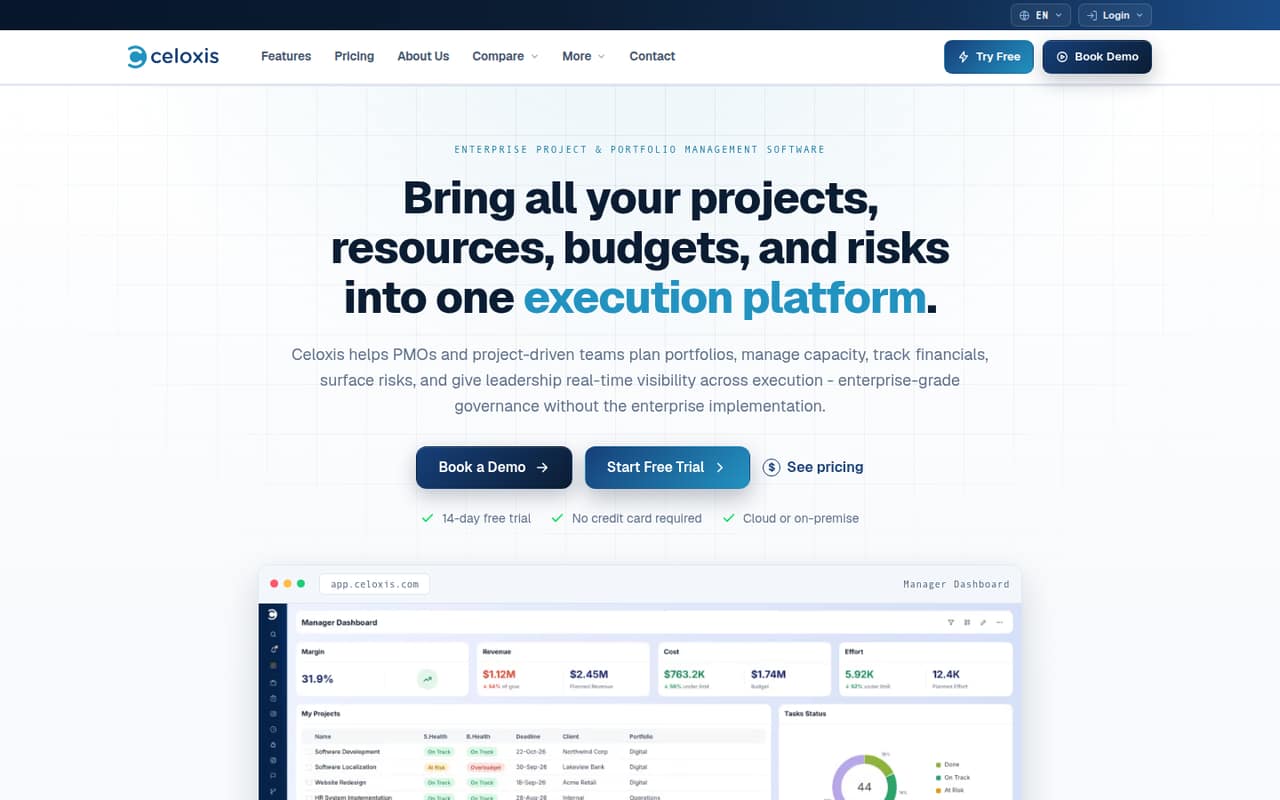
Celoxis brings project planning, resource capacity, budgets, risks, dashboards, and workflow automation into one system. It is aimed at teams that need portfolio-level control, not just a shared task list.
The catch for a small team is the price floor: there is no free plan, and the minimum purchase is five full-access users. Reddit users report useful portfolio visibility and customizable reporting, alongside upfront setup and potentially complicated licensing.
Good fit if
- Teams coordinating several projects
- PMOs tracking capacity and budgets
- Organizations needing portfolio reporting
Skip it if
- Teams that need a free tier
- Small groups needing only task lists
- Buyers wanting simple, predictable licensing
ScoresHow it rates
What works
- Combines project, resource, financial, and risk management
- Interactive Gantt charts include dependencies and critical paths
- Custom dashboards and reports support portfolio visibility
- Cloud and on-premise deployments are available
- Reddit users praise capacity planning and reporting
What doesn't
- No free plan
- Minimum purchase is five full-access users
- Monthly subscription prices are not published
- Integrations are add-ons on four plans
- A Reddit consultant calls licensing complicated
01Who Celoxis is for
Celoxis fits teams that have outgrown separate project spreadsheets and need to coordinate delivery across several projects. It combines schedules, dependencies, critical paths, resource capacity, budgets, forecasts, risks, and reporting. Teams can also build workflow apps with custom fields, routing, approvals, and escalations.
For a team of 1–10, the main question is whether those controls solve a real coordination problem. A small PMO, consultancy, or project-heavy organization may value shared visibility into workload and financials. A team that mainly needs to assign tasks may pay for more system than it needs. Celoxis offers cloud and on-premise deployments, but the Enterprise plan is custom-priced. Paid plans start at $10 per user per month with annual billing, and the minimum purchase is five full-access users. That makes the practical starting bill higher than the per-seat headline suggests.
02Celoxis free plan and trial
Celoxis has no free plan. The vendor offers a 14-day free trial, but the trial’s user limits, feature access, and what happens to project data when it ends are not published. Ask Celoxis to confirm those details before inviting a team or building workflows.
The cheapest paid option is Core at $10 per user per month when billed annually. That is a listed rate, not a monthly-billing price: the vendor does not publish the monthly subscription rate. There is also a five-full-access-user minimum, so even a solo buyer faces a five-seat purchase. Core includes two read-only users and community support; timesheets cost an extra $5 per user per month. If you need timesheets included, Essentials starts at $25 per user per month with annual billing.
03What a small team pays for Celoxis
Core lists at $10 per full-access user per month with annual billing: one seat is a nominal $10 per month, or $120 per year. Three seats would be $30 per month, or $360 per year, at that rate—but Celoxis requires a minimum purchase of five full-access users. The smallest Core purchase is therefore $50 per month equivalent, billed annually at $600. Monthly-billing prices are not published.
Essentials is $25 per user per month with annual billing. Three seats calculate to $75 per month, but the five-seat minimum makes the smallest purchase $125 per month equivalent, or $1,500 per year. For five seats, the listed annual-billing rates work out to $50 monthly equivalent on Core, $125 on Essentials, $175 on Professional, and $225 on Business.
Core timesheets add $5 per user per month. Essentials and higher plans include timesheets. Team Member seats are listed separately at $18 per month on Essentials, $24 on Professional, and $29 on Business; ask Celoxis how those seats count toward your user mix and minimum.
04Getting started with Celoxis
Celoxis has a broad set of planning and reporting options, so expect to spend time shaping the system around your team. One Reddit user says there was some setup upfront, then recommends tailoring dashboards and fields and setting up resource calendars. That is useful advice, but it also signals that the default setup may not match your reporting habits out of the box.
Celoxis describes workflow tools for custom fields, routing, approvals, and escalations. Its listed integrations include Jira, Azure DevOps, QuickBooks Online, and Zapier, but these are add-ons on Core, Essentials, Professional, and Business. Their prices are not published. Before rollout, confirm which integrations your workflow needs, what they cost, and whether they are included in your proposed license. A small team should also settle on who maintains calendars and project data; one Reddit commenter points to inconsistent team updates as a common resource-planning headache.
05When small teams outgrow Celoxis
Celoxis is more likely to become a budget or administration problem than a feature problem for a small team. The five-seat minimum can feel oversized if only a few people need full access, while add-on seat types and integrations make it important to map users and needs before signing. A team that wants a free tier or transparent monthly pricing may find the buying process a poor fit from the start.
Growing PMOs may need higher limits: Core lists 25 custom fields and 150 API requests per hour, compared with 100 fields and 600 requests on Professional. Business lists 200 fields and 1,200 requests per hour, while Enterprise has custom pricing and 1,000 fields. Reddit feedback is mixed: one user reports strong portfolio visibility and customizable reporting, while a consultancy commenter warns that licensing can be complicated. Ask for a written breakdown as your user types, integrations, or governance needs grow.
From the threadsWhat users say
Reddit sentiment is mixed but leans positive on portfolio visibility, capacity planning, and reporting. One user reports upfront setup, while a consultancy commenter flags complicated licensing.
it’s been solid for portfolio-level visibility and resource management
The capacity planning and workload view are way clearer than what we had in Planner
There’s a bit of setup time upfront but once you’re past that it feels smooth and not overly complicated
we found the licensing to be extremely complicated
Questions people ask
Does Celoxis have a free plan?
No. Celoxis has no free plan, but it offers a 14-day free trial. The vendor does not publish the trial’s user limits or feature restrictions, so confirm those before you start. The cheapest listed paid plan is Core at $10 per user per month when billed annually.
What is the minimum number of Celoxis seats?
Celoxis lists a minimum purchase of five full-access users. That means a one-person or three-person team still needs to account for five full-access seats at checkout. Ask the vendor how read-only and Team Member seats affect your particular license.
How much does Celoxis cost for five users?
With annual billing, five full-access users cost a monthly equivalent of $50 on Core, $125 on Essentials, $175 on Professional, or $225 on Business. The annual totals are $600, $1,500, $2,100, and $2,700, respectively. Monthly subscription prices are not published.
Does Celoxis include timesheets?
Timesheets are included on Essentials, Professional, Business, and Enterprise. Core lists timesheets as an add-on at $5 per user per month. Confirm how timesheet access works for your mix of full-access and other seat types before buying.
Which integrations does Celoxis offer?
Celoxis lists Jira, Azure DevOps, QuickBooks Online, and Zapier as add-ons on Core, Essentials, Professional, and Business. Their prices are not published. Check with Celoxis for the integration cost and whether your required connection is available on the plan you are considering.