
We may earn a commission if you buy through links on this page. It never changes a score or a ranking. How we make money
The bottom line
A strong fit for Salesforce-based project teams; check the seat minimum before upgrading.
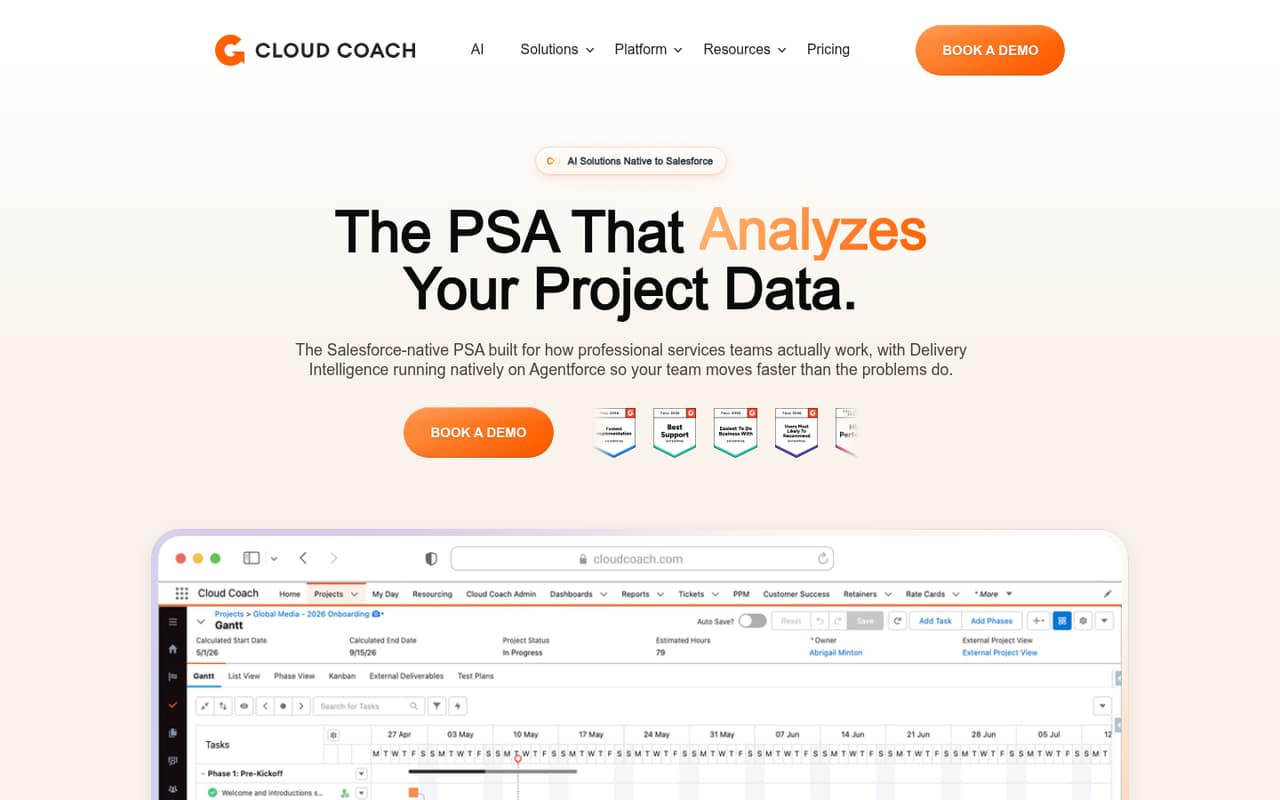
Cloud Coach brings project management, services delivery, and customer onboarding into Salesforce. Starter includes the first five users free, with Gantt charts, dependencies, critical path, and task-level time tracking.
The catch is the pricing structure: paid plans have a five-user minimum, annual billing prices are listed but monthly prices are not, and Ultimate pricing is not published. It makes the most sense for teams already committed to Salesforce.
Good fit if
- Small teams already using Salesforce
- Services teams tracking project time
- Teams standardizing customer onboarding
Skip it if
- Teams without Salesforce
- Buyers needing monthly prices
- Teams wanting published AI pricing
ScoresHow it rates
What works
- First five Starter users are free
- Starter includes Gantt charts and dependencies
- Task-level time tracking is included
- Connect adds capacity planning and approvals
- Enterprise adds billing and expense features
What doesn't
- Paid plans have a five-user minimum
- Monthly billing prices are not published
- Ultimate pricing is not published
- AI delivery intelligence add-on price is not published
- External integrations are not listed
01Who Cloud Coach is for
Cloud Coach is for small project and services teams that already run their work in Salesforce. It combines project and program management with services delivery and customer onboarding, so teams can manage milestones, time, resourcing, and customer health alongside Salesforce project data.
For a team of one to five, Starter is the natural place to begin: the pricing page lists the first five users free, with Gantt charts, dependencies, critical path, task-level time tracking, and onboarding included. That is a useful bundle if the team needs structure but does not yet need resource planning or billing tools. Growing teams can move to Connect for capacity planning, timesheet approvals, and custom reports; Enterprise adds project financial features. Cloud Coach is a poor match for a team that does not use Salesforce or simply needs a low-cost standalone task board. Before choosing it, check how the five-user minimum applies when you move beyond the free Starter seats.
02Cloud Coach free plan and trial
Cloud Coach lists a free Starter offer for the first five users. Starter includes Gantt charts, dependencies, critical path, task-level time tracking, and onboarding. That makes it more than a bare task list for a small team that needs to manage projects in Salesforce.
The listed details do not specify a free-trial period, and a separate trial is not listed. They also do not spell out whether every Starter feature remains free for the first five users indefinitely or how the five-user minimum works alongside the free seats. Ask Cloud Coach to confirm those terms before setting up the team. If you need resource planning, timesheet approvals, or custom reports, those features are listed under Connect, priced at $79 per user per month when billed annually.
03What a small team pays for Cloud Coach
Starter lists the first five users free, so a team of one, three, or five appears to pay $0 for those seats. The same plan lists a $39 per-user monthly rate when billed annually, but the pricing page does not explain how that rate applies after the free seats or how the five-user minimum affects the bill. Monthly billing prices are not published.
Connect costs $79 per user per month billed annually. Applying the listed five-user minimum, one user or a team of three would need to budget for five seats: $395 per month equivalent, or $4,740 for a year. A five-person team reaches the same total. Enterprise at $99 per user per month comes to $495 monthly equivalent for five seats, or $5,940 a year. Confirm with the vendor whether the minimum is billed this way before signing.
The AI delivery intelligence add-on has no published price, and Ultimate uses org-level licensing with no published price. Volume discounts are listed for Connect and Enterprise, but rates are not published.
04Getting started with Cloud Coach
Cloud Coach is built natively on Salesforce, and Starter includes onboarding. That gives a small team a starting point, but the vendor does not publish a setup-time estimate or a detailed list of setup steps in the pricing details. The practical effort will depend on how your Salesforce projects, users, and delivery processes are organized; ask Cloud Coach what preparation and admin work onboarding covers.
The product listing centers on Salesforce data and project work. It does not publish a list of external integrations, so confirm any connections your team needs before committing. Features such as project status questions, customer signals from emails and meetings, and AI meeting summaries are described as using Salesforce project data, but AI availability depends on the plan or add-on. A team with a Salesforce admin and a clear project process is likely to have an easier start than a group that needs a standalone tool with ready-made integrations.
05When small teams outgrow Cloud Coach
The first reason to move up is a feature need, not a seat count alone. Starter covers core project tracking and task-level time, while Connect adds resource load and capacity planning, timesheet approvals, missing-time flags, and custom reports. Enterprise adds fixed-price and time-and-materials billing, CAPEX and OPEX budgeting, and expense tracking.
The second pressure is cost. Connect and Enterprise have a five-user minimum, so a one-person or three-person team may pay for five seats. At the listed annual rates, that is $395 per month equivalent for Connect or $495 for Enterprise. Teams that need AI project assistance and portfolio dashboards will need to look at Ultimate, whose price is not published; the AI delivery intelligence add-on also has no published price. If your needs are mostly simple task lists, these costs and Salesforce focus may be reason to compare standalone project tools instead.
Questions people ask
Is Cloud Coach free for a small team?
Cloud Coach lists the first five users on Starter as free. Starter includes Gantt charts, dependencies, critical path, task-level time tracking, and onboarding. Confirm with the vendor how long the offer lasts and how its five-user minimum applies.
Does Cloud Coach work without Salesforce?
Cloud Coach is described as project and services delivery software built natively on Salesforce, with features that use Salesforce project data. Teams that do not use Salesforce should ask the vendor whether their environment is supported before evaluating it.
Which Cloud Coach plan includes resource planning?
Connect adds resource load and capacity planning to Starter, along with timesheet approvals, missing-time flags, and custom reports and dashboards. Its listed annual-billing price is $79 per user per month, with a five-user minimum.
Does Cloud Coach include AI features?
Ultimate lists an AI project assistant, AI meeting summaries and action items, and PMO and portfolio dashboards. Cloud Coach also lists an AI delivery intelligence add-on, but its price is not published. Ask the vendor which AI features are included in your quote.
Can I pay for Cloud Coach monthly?
The listed per-user prices apply when billed annually. Cloud Coach does not publish monthly billing prices, so ask the vendor whether monthly billing is available and what it would cost for your required seat count.