
We may earn a commission if you buy through links on this page. It never changes a score or a ranking. How we make money
The bottom line
Explo brings dashboards and AI reports into your product, at a steep starting price.
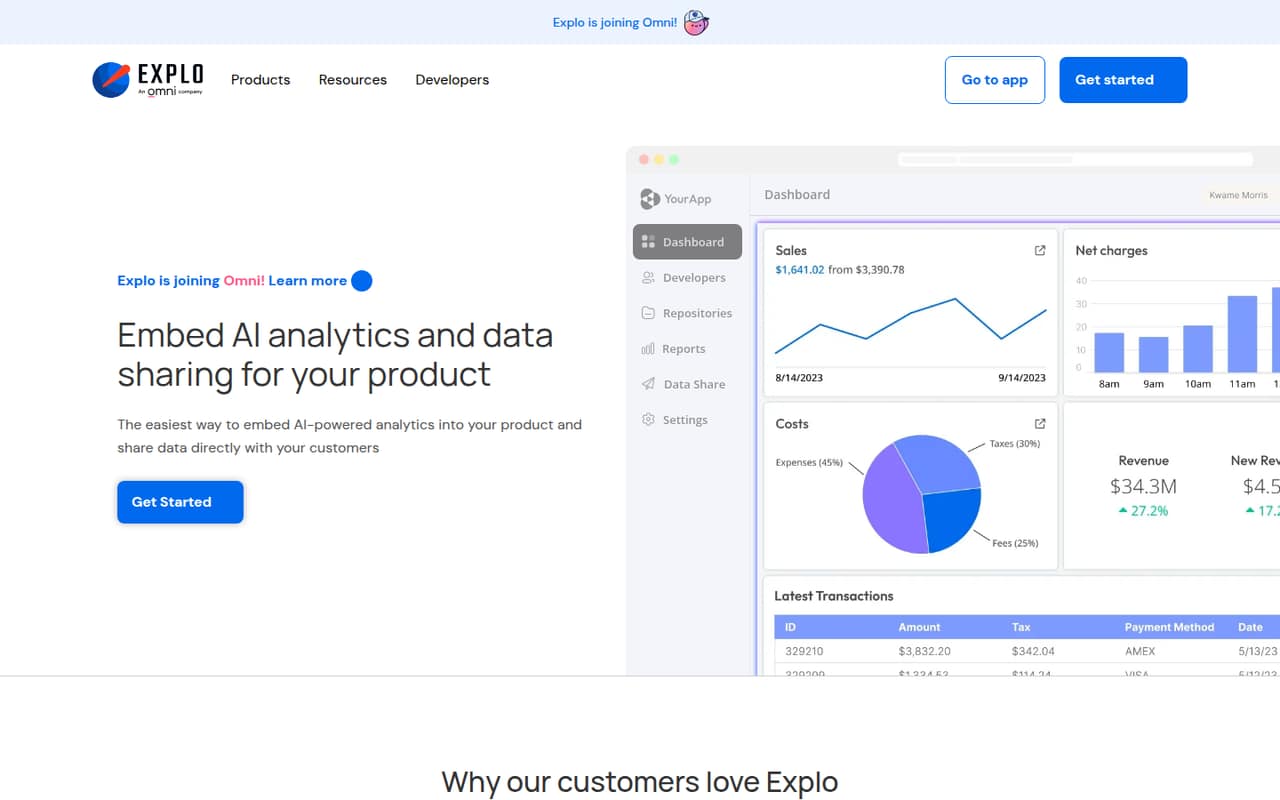
Explo is for software teams that want to put analytics and data sharing inside their own product. Its features include embedded dashboards, AI report building, customer-specific exports, and white-label styling.
The catch for a small team is the price: the pricing page lists Pro at $1,995+/month, with no free plan. A 7-day trial offers a short way to evaluate it, but the plan’s customer-based pricing can make the total climb.
Good fit if
- Products adding customer-facing analytics
- Teams sharing customer-specific data
- Companies with a sizable analytics budget
Skip it if
- Teams seeking free embedded analytics
- Small internal-only reporting projects
- Buyers needing predictable per-seat pricing
ScoresHow it rates
What works
- Embeds customizable dashboards in a product
- Includes an AI report builder
- Supports customer-specific reports and exports
- Offers end-user dashboard editing guardrails
- Pro includes unlimited creators and templates
What doesn't
- No free plan
- Pro starts at $1,995+/month
- Pricing scales with customer count
- Annual pricing is not published
- Enterprise seat and usage limits are not published
01Who Explo is for
Explo is aimed at software teams that want customers to see and work with data inside their product. It can embed dashboards, let customers build reports with AI, and deliver customer-specific reports or exports. Dashboard editing lets end users make changes within guardrails, while white-label styling helps the embedded analytics fit the host product.
For a 1–10-person team, the question is less whether Explo has the right category of features and more whether customer-facing analytics is important enough to support a $1,995+/month starting price. That floor may make sense for a product where analytics is part of the customer experience or a paid offering. It is a tough fit for a small team that mainly needs internal reporting or is still checking whether customers want dashboards. The pricing page says Pro pricing scales with customers, so budget needs to account for that too.
02Explo free plan and trial
Explo has no free plan, according to its pricing information. It lists a 7-day free trial, which gives a team a short window to evaluate the product before committing. The trial’s feature access, usage limits, and eligibility requirements are not published, so ask Explo what is included before planning an evaluation.
The cheapest listed paid option is Pro at $1,995+/month. That is a substantial starting point for a small team, especially if you only need a proof of concept or internal dashboards. Before starting the trial, agree on a specific customer-facing use case and confirm that your data source and embedding requirements are supported. Also ask what happens after the seven days and whether customer volume changes the quoted price.
03What a small team pays for Explo
The pricing page lists Pro at $1,995+/month, with tiered pricing that scales with customers. It does not publish a per-seat rate or an exact customer allowance at the starting price. So one person, three people, or five people should not assume a different bill based on headcount alone: the listed starting point is $1,995+/month, and customer count can affect the quote.
For comparison only, dividing that starting figure by headcount works out to $1,995 per person for one, $665 each for three, or $399 each for five. Those are not actual seat prices, and the real total may be higher as customer volume changes. Annual pricing is not published, so we can’t compare monthly billing with an annual discount. Pro includes unlimited creators and dashboard templates. Enterprise pricing is custom, with seat and usage limits not published. No add-ons are listed. Ask for a quote that spells out customer tiers, any usage charges, and the total for your expected volume.
04Getting started with Explo
Explo connects to relational databases and warehouses, and offers ways to embed dashboards or deliver data to customers. Those capabilities outline the ingredients for a setup, but the exact connection steps, supported systems, and implementation time are not published in the available product details. A small team should confirm its specific database or warehouse with Explo before buying.
The work is likely to involve more than choosing a dashboard: the team also needs to decide how analytics appears inside its product, what customers can edit, and how customer-specific reports or exports are delivered. That is a practical checklist, not a claim about a required implementation process. The learning curve and onboarding support details are not published. Ask Explo for a walkthrough of your data source, embedding approach, white-label needs, and the 7-day trial’s access so you can assess the setup before paying.
05When small teams outgrow Explo
Explo’s pricing can become harder to manage as customer volume grows: Pro is listed at $1,995+/month and scales with customers. The pricing page does not publish the customer thresholds or the price jumps between tiers. Before signing, ask for the cost at your current customer count and at the next milestones you expect to reach.
A growing team may also need to move to Enterprise if it needs a custom plan. The pricing page says Enterprise includes everything in Pro and is priced by contact, but it does not publish seat or usage limits. That leaves important budget questions open, including how creators, customers, and product usage affect the quote. If your main need is internal reporting, or you cannot justify the Pro starting price, Explo may already be more tool than your team needs. Compare the total quote against the value of customer-facing analytics before committing.
Questions people ask
Does Explo have a free plan?
No. Explo’s pricing information lists no free plan. It does list a 7-day trial, but the trial’s included features and usage limits are not published. Ask Explo what access you will have during the trial and what the paid plan will cost for your expected customer count.
How much does Explo cost for a small team?
The pricing page lists Pro at $1,995+/month. Pro pricing scales with customers, not a published per-seat rate, so the final quote can depend on customer volume. Annual pricing is not published. Ask Explo for a quote using your team size and expected number of customers.
What does Explo Pro include?
The pricing page lists unlimited Explo creators and unlimited dashboard templates with Pro. It also describes tiered pricing that scales with customers. Explo’s product features include embedded dashboards, AI report building, data sharing, dashboard editing, email reports, and white-label embedding.
Can customers edit Explo dashboards?
Yes. Explo offers dashboard editing that lets end users customize dashboards within set guardrails. The exact editing controls and how they work in your product are not specified in the available details, so ask Explo to show the controls you need before choosing a plan.
Does Explo support my database or warehouse?
Explo connects to relational databases and warehouses, but the specific supported systems are not listed here. Confirm your database or warehouse directly with Explo before starting a trial, and ask what setup is needed to embed dashboards or deliver customer-specific reports.