
We may earn a commission if you buy through links on this page. It never changes a score or a ranking. How we make money
The bottom line
Good value for Google-first teams that want shared tasks, not an all-in-one project suite.
GQueues is worth considering if your small team already uses Google Workspace and needs shared tasks, reminders, and calendar syncing. The free plan covers basic personal task management, while team collaboration starts at $4 per user per month when billed annually.
Reddit users praise its Google integrations and simple, functional task management. Others point to an outdated interface, slow product development, and gaps in reporting or API features, so teams wanting a broader project-management toolkit may outgrow it.
Good fit if
- Google Workspace-focused small teams
- Teams coordinating shared tasks
- Budget-conscious task managers
Skip it if
- Teams needing advanced reporting
- Teams wanting broad project features
- People who dislike dated interfaces
ScoresHow it rates
What works
- Two-way Google Calendar task syncing
- Turn Gmail messages into tasks
- Attach and create Google Drive files
- Shared tasks include comments and assignments
- Business plan is $4 per user monthly, billed annually
What doesn't
- Team collaboration is not listed on Lite
- Monthly billing prices are not published
- Five-or-more-license discount amount is unpublished
- Reddit users report slow product development
- Some users dislike the interface
01Who GQueues is for
GQueues is aimed at people and small teams that already work in Google Workspace and want tasks to sit close to Gmail, Calendar, and Drive. It can help a team of one to ten people organize shared work, assign tasks, comment on them, and keep up with project changes. Priorities, tags, Smart Queues, and reminders help people sort what needs attention.
The fit is strongest when the job is task coordination rather than running a large, feature-heavy project operation. A Reddit commenter called it a solid choice for people who value Google integration and do not need many extra features. If your team wants advanced reporting or a much broader project-management system, it may feel narrow. For a small team watching its software budget, the free tier is an easy starting point; shared team work calls for the BUSINESS plan.
02GQueues free plan and trial
GQueues Lite costs $0 and lists core task management, Google login, mobile apps, and 50 MCP/API requests per month. It is a useful starting point for an individual who wants basic tasks and mobile access. Team collaboration is listed on GQueues for BUSINESS, not Lite, so do not assume the free plan covers shared team workflows.
GQueues for YOU adds Google integrations, reminders, search, and 3,000 MCP/API requests per month. The pricing page lists it at $3 per month when billed annually. GQueues also lists a 14-day free trial, but does not say on the pricing page which plans the trial covers. Ask the vendor before relying on trial access for a team.
03What a small team pays for GQueues
For a solo user, GQueues for YOU is $3 per month when billed annually: $36 for a year. For collaboration, GQueues for BUSINESS is $4 per user per month, also billed annually. That works out to $4 monthly equivalent, or $48 per year, for one seat; $12 monthly equivalent, or $144 per year, for three seats; and $20 monthly equivalent, or $240 per year, for five seats.
Those are annual-billing totals divided into monthly equivalents, not month-to-month prices. The vendor does not publish monthly-billing prices. Volume discounts are available for five or more licenses, but the discount amount is not published, so the five-seat total may change. Users can be added anytime; the vendor does not publish a separate additional-license price. The listed plans also have monthly MCP/API request limits: 3,000 for YOU and 5,000 per user for BUSINESS.
04Getting started with GQueues
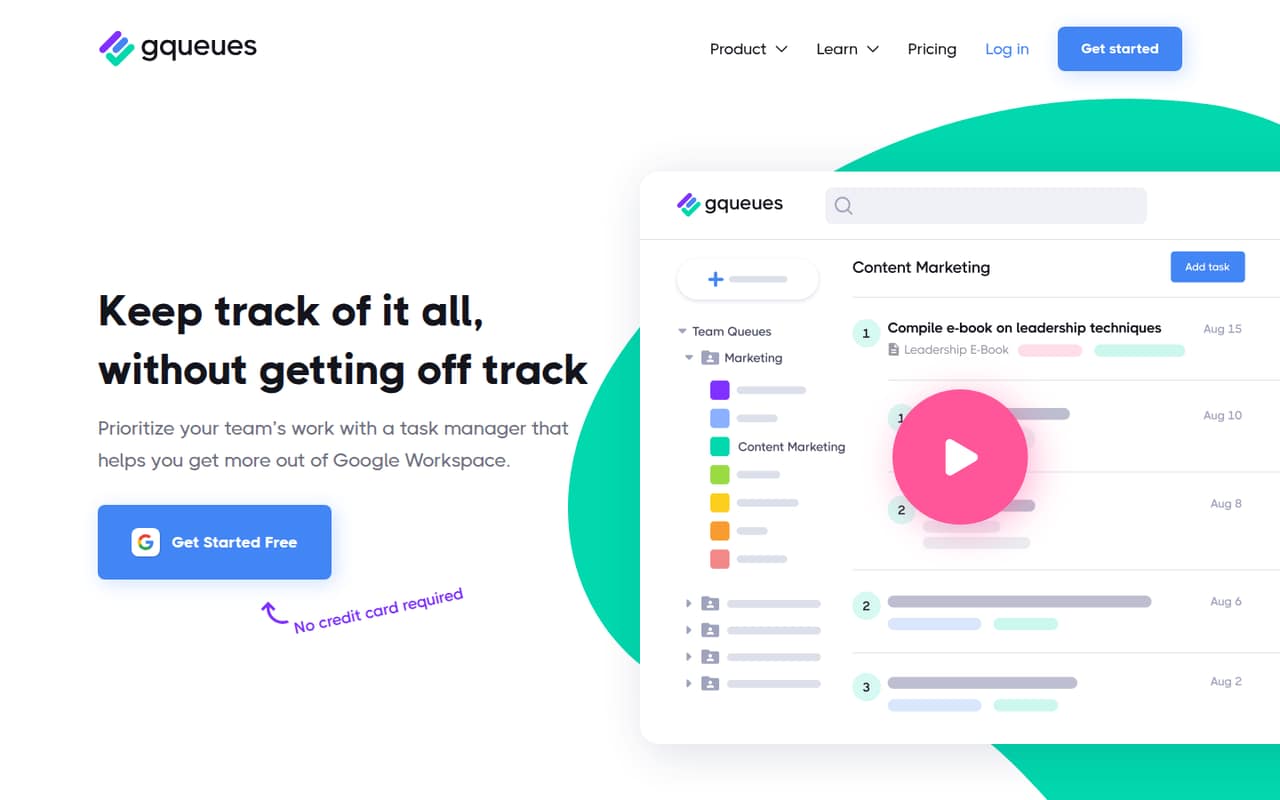
GQueues is built around Google Workspace, so it is a natural fit if your team already uses Google accounts, Gmail, Calendar, and Drive. Its listed connections cover two-way, real-time Google Calendar syncing, turning Gmail messages into tasks, and attaching or creating Drive files from tasks. Assignments, comments, and project-change tracking support the handoff between teammates.
We would expect a Google-first team to have less integration setup to work through than a team bringing in several unrelated tools; that is an inference from the listed connections, not a hands-on setup test. The product also includes priorities, tags, Smart Queues, and reminders, which are useful but may take some team agreement to use consistently. Reddit users describe it as simple and functional, while one commenter says the interface feels outdated. Check the interface and workflow during the listed 14-day trial before rolling it out.
05When small teams outgrow GQueues
The first upgrade point is collaboration: Lite lists core task management but not team collaboration, while BUSINESS includes team collaboration and unlimited shared calendars. At $4 per user per month billed annually, the listed price is predictable for a few seats, but teams should budget by seat and confirm the discount for five or more licenses with the vendor.
The next limit may be capability rather than price. A long-time GQueues user on Reddit says it lacks many API and reporting features and that product development is slow. Another commenter liked its function but disliked the interface. Those reports make it worth checking whether your team needs deeper reporting, a wider set of integrations, or a more polished interface before committing. The vendor lists MCP/API request limits for each paid plan, so teams with heavier usage should also ask what happens when they reach them.
From the threadsWhat users say
Reddit sentiment is generally positive among people who value Google integration and straightforward task management. Some users report slow product development, limited reporting or API functionality, and an interface they find dated.
If you like the Google integration and don’t need a ton of extra features, it’s a solid choice
It is simple, functional, and inexpensive compared to other solutions
It lacks many of the api and reporting functionality that other tools have, and product development is slow
i couldnt stand the outdated (ugly) interface
Questions people ask
Does GQueues have a free plan?
Yes. GQueues Lite costs $0 and lists core task management, Google login, mobile apps, and 50 MCP/API requests per month. The pricing page lists team collaboration on GQueues for BUSINESS, so Lite may not suit a team that needs shared work.
How much does GQueues cost for a team?
GQueues for BUSINESS is listed at $4 per user per month when billed annually. Three seats work out to $12 monthly equivalent, or $144 per year; five work out to $20 monthly equivalent, or $240 per year, before any volume discount. The vendor does not publish monthly-billing prices or the discount amount.
Does GQueues sync with Google Calendar?
Yes. GQueues lists two-way syncing with Google Calendar in real time. It also lists Gmail-to-task capture and Google Drive attachments, including the ability to create Sheets, Docs, and Slides from tasks.
Does GQueues offer a free trial?
The pricing page lists a 14-day free trial. It does not specify which plans the trial applies to, so ask GQueues whether your intended plan and team setup are included before starting.
What are GQueues’ main limitations?
Reddit users report that GQueues has fewer API and reporting capabilities than some alternatives, and that product development can be slow. One commenter also found the interface outdated. These are user opinions; check whether the reporting, integrations, and interface suit your team.