
We may earn a commission if you buy through links on this page. It never changes a score or a ranking. How we make money
The bottom line
Useful onboarding coordination features; undisclosed prices make the small-team value hard to judge.
A small team needs GUIDEcx if customer onboarding involves enough tasks, handoffs, and deadlines that a shared project view would help. It brings customers and internal teams into a workspace for tracking progress, with reminders and AI features for risks and forecasts.
The catch for budget-watchers: GUIDEcx has no free plan, and monthly and annual prices aren’t published. Starter is the entry plan, but the cost for even one seat—and the internal seat limit—requires a conversation with Sales.
Good fit if
- B2B teams coordinating customer implementations
- Teams that need shared onboarding timelines
- Leaders tracking delivery capacity and risk
Skip it if
- Teams needing a free onboarding tool
- Buyers who require clear per-seat pricing
- Teams with only occasional customer handoffs
ScoresHow it rates
What works
- Shared tasks, timelines, milestones, and responsibilities
- Unlimited projects and customers on all listed plans
- Customizable reminders for incomplete customer tasks
- Customer portal includes progress and messages
- AI features cover risks and project forecasts
What doesn't
- No free plan is listed
- Monthly and annual prices aren’t published
- Internal seat limits aren’t published
- Setup effort and learning curve aren’t specified
- Plan differences center on automation task allowances
01Who GUIDEcx is for
GUIDEcx is for B2B teams that manage customer implementations and need customers and internal staff to coordinate in one place. A team of 1–10 might consider it when onboarding involves enough owners, deadlines, and handoffs that tracking the work in separate emails or documents becomes difficult. That’s a use-case fit, not a published seat limit: GUIDEcx doesn’t publish the internal seat allowance for its plans.
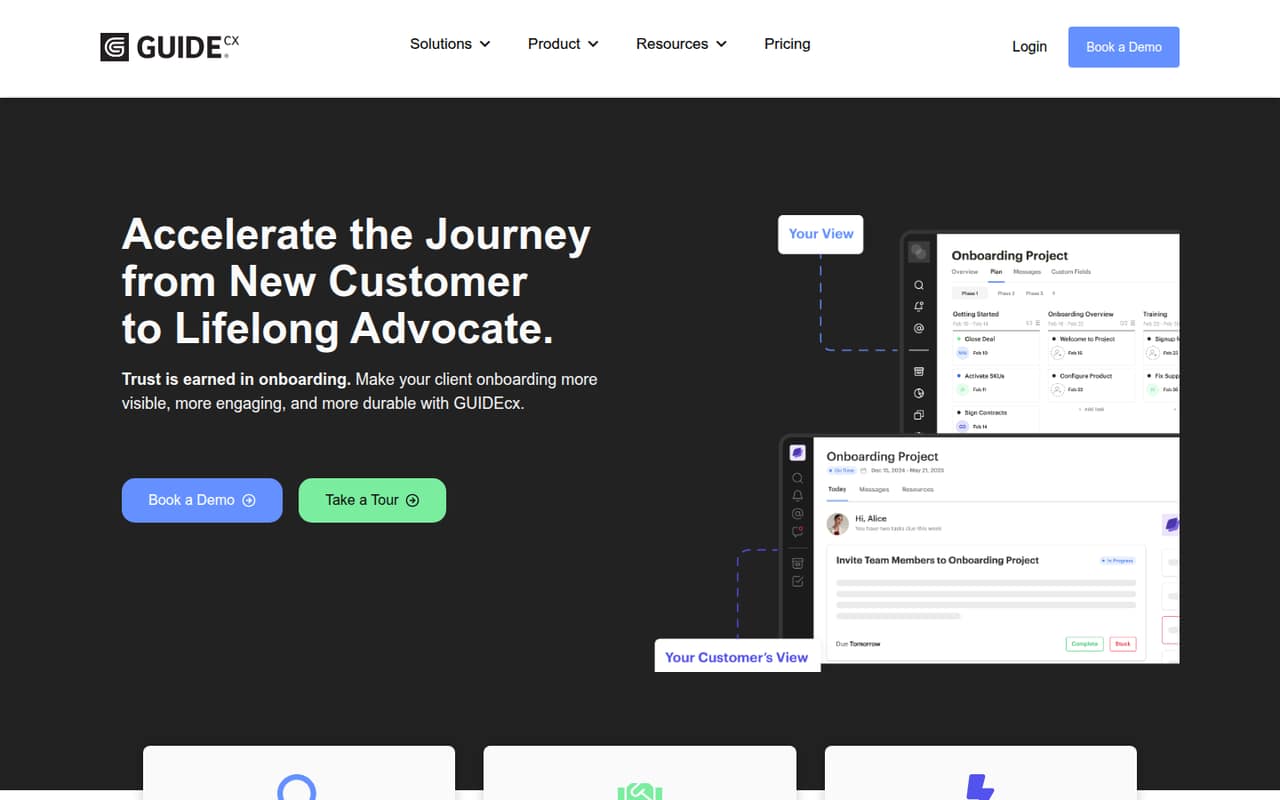
The workspace covers tasks, timelines, milestones, risks, and responsibilities. Customers can use a branded portal to see tasks, deadlines, progress, messages, and forecasted end dates. Automated reminders and AI features for risk detection and project forecasts are also part of the product description. Delivery leaders may find Estimated Capacity useful for reviewing utilization and future availability. For a small team on a tight budget, the first question is whether those coordination features justify a quote-based subscription.
02GUIDEcx free plan and trial
GUIDEcx doesn’t list a free plan, and a free trial isn’t published. That means a small team can’t use a no-cost tier to confirm whether its workflow fits before budgeting for the product.
Starter is the cheapest listed plan and is described for teams needing core onboarding. It includes unlimited projects and customers, but the internal seat limit and price aren’t published. To find out whether Starter works for one person or a small group, ask Sales for the monthly and annual price, the included internal seats, and any minimum commitment. The listed plan information doesn’t identify a cheaper entry option.
03What a small team pays for GUIDEcx
GUIDEcx lists three plans: Starter, Premium, and Advanced. Monthly and annual prices are not published; the vendor says to speak to Sales. So we can’t calculate the cost for one person, a team of three, or a team of five, or compare monthly billing with annual billing. Internal seat limits are also not published, so ask whether the quote is per seat and whether any seat minimum applies.
Starter includes unlimited projects and customers. Premium adds 250,000 automation tasks, while Advanced adds another 250,000 automation tasks, according to the plan information. The published material doesn’t list add-ons. Before accepting a quote, confirm which automation allowance your expected workload needs, how additional usage is handled, and whether any services or setup fees apply. Without those answers, a small team can’t make a reliable total-cost comparison.
04Getting started with GUIDEcx
The product description points to a setup that involves bringing customer and internal work into a shared onboarding workspace, then organizing tasks, timelines, milestones, risks, and responsibilities. It doesn’t publish an expected setup time, step-by-step onboarding process, or learning curve, so a small team should ask for a walkthrough and a realistic estimate before committing.
The available information also doesn’t name integrations. If your team needs GUIDEcx to connect with a CRM, project tool, or communication system on day one, ask Sales which specific integrations are supported and whether they require extra configuration or fees. Clarify who builds the customer portal, sets up reminders, and maintains project templates. Those answers will help you estimate the internal work; don’t assume setup is self-serve or included.
05When small teams outgrow GUIDEcx
The clearest published reason to move up a plan is automation volume: Starter is described for core onboarding, Premium includes 250,000 automation tasks, and Advanced adds another 250,000. A team should ask how GUIDEcx counts tasks and what happens when it reaches its allowance before choosing a plan. The pricing information doesn’t publish overage rates or other usage thresholds.
Seat growth is harder to plan around because internal seat limits and prices aren’t published. A growing team may need a new quote as more employees join, but the public plan details don’t show whether that triggers a higher tier or a per-seat charge. GUIDEcx lists unlimited projects and customers across all three plans, so those aren’t published upgrade triggers. Ask Sales to spell out seat costs, automation rules, and any feature differences that could affect your next stage.
Questions people ask
Does GUIDEcx have a free plan?
GUIDEcx’s listed plans don’t include a free plan, and a free trial isn’t published. Starter is the entry plan, but its price isn’t published. Ask Sales whether a trial or guided evaluation is available before making a purchase decision.
How much does GUIDEcx cost for a small team?
GUIDEcx doesn’t publish monthly or annual prices, so the cost for a small team isn’t possible to calculate from its listed information. Request a quote for your seat count and ask whether pricing is per seat, whether there’s a minimum, and what billing terms apply.
What is included in GUIDEcx Starter?
Starter is described as the plan for teams needing core onboarding. It includes unlimited projects and unlimited customers. The internal seat limit, automation allowance, and price aren’t published, so confirm those details with Sales before comparing it with Premium.
What is the difference between Premium and Advanced?
Premium includes 250,000 automation tasks. Advanced includes an additional 250,000 automation tasks. The plan information doesn’t publish prices or explain how task usage is counted, so ask Sales how to estimate the right allowance and what happens if your team needs more.
Can GUIDEcx customers see onboarding progress?
Yes. GUIDEcx describes a branded customer portal where customers can view tasks, deadlines, progress, messages, and forecasted end dates. The product also describes shared tracking of timelines, milestones, risks, and responsibilities for customers and internal teams.