
We may earn a commission if you buy through links on this page. It never changes a score or a ranking. How we make money
The bottom line
Useful for recurring accounting work, but there’s no free plan and seats cost $49 monthly.
Jetpack Workflow is built for accounting and bookkeeping firms that need to assign recurring client work, track deadlines, and manage capacity. Starter includes unlimited projects and clients, templates, customizable automation, and live chat and email support.
The trade-off for a small team is the price: Starter is $49 per seat monthly, and the vendor lists no free plan or trial. One Reddit user likes being able to export reports but says they can’t update an export without creating a new report.
Good fit if
- Accounting firms with recurring client work
- Teams that need bulk work assignment
- Firms tracking capacity and time
Skip it if
- Teams needing a free work manager
- Firms on a tight per-seat budget
- Teams needing live-updating Excel exports
ScoresHow it rates
What works
- Unlimited projects and clients on Starter
- Templates and customizable automation on Starter
- Recurring schedules help plan repeat services
- Bulk assignment supports filtering client work
- Live chat and email support on Starter
What doesn't
- No free plan or free trial is listed
- Starter costs $49 per seat monthly
- Annual plan prices are not published
- Time tracking requires the $59 Premium plan
- A Reddit user reports Excel exports need rerunning
01Who Jetpack Workflow is for
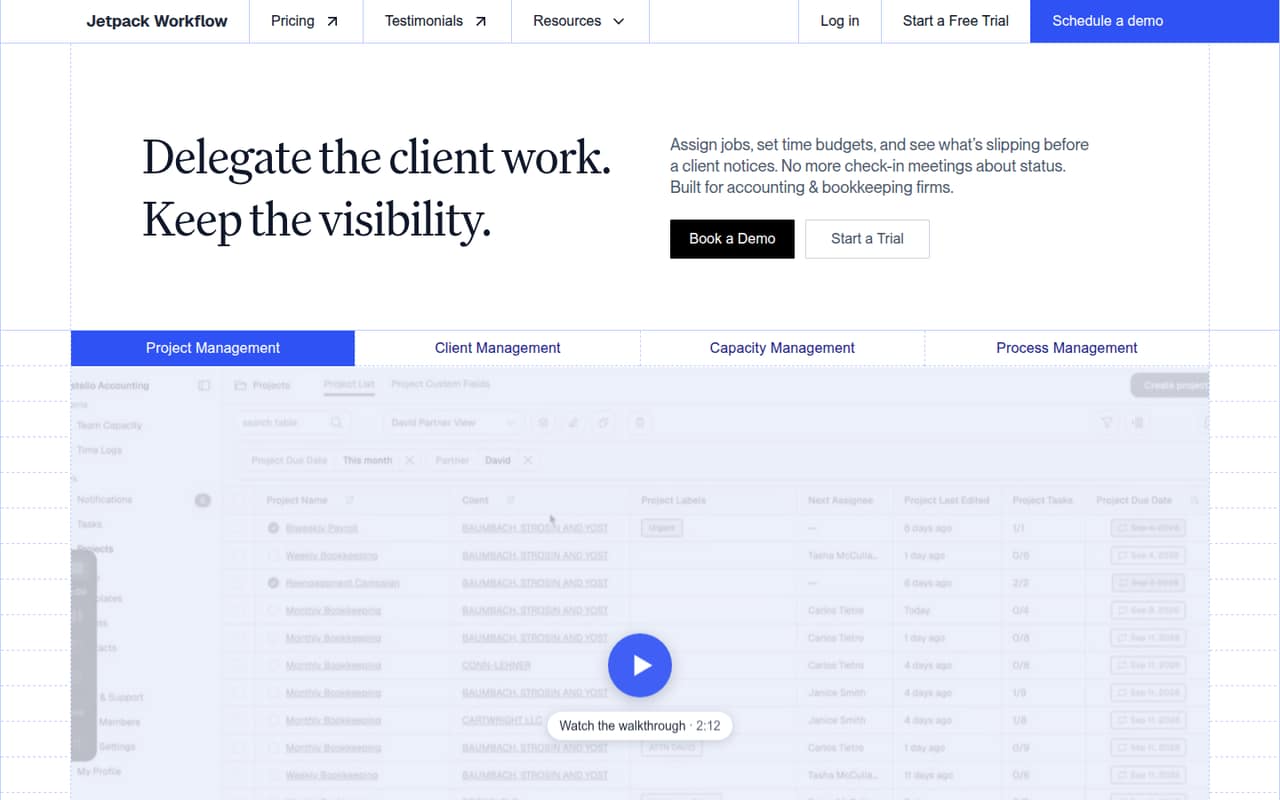
Jetpack Workflow is for accounting and bookkeeping firms that coordinate recurring client services, rather than teams looking for a general-purpose task list. It brings projects, clients, capacity, and processes together, with templates, recurring schedules, notifications, and bulk assignment. Teams can set time budgets and monitor work that is slipping.
For a firm of one to ten people, the central question is whether that workflow focus saves enough coordination time to justify a per-seat subscription. Starter is $49 per seat monthly, so even a three-person team pays $147 per month at the listed monthly rate. That may make sense when several people manage recurring client jobs and need shared processes. A solo bookkeeper with a small client load may find the price harder to justify. Firms that need time logs, budget-versus-actual reports, or weekly and yearly capacity management need Premium, which costs more per seat.
02Jetpack Workflow free plan and trial
Jetpack Workflow lists no free plan, and a free trial is not listed either. That means a small firm cannot use a free tier to test its ongoing client-work process before paying. The cheapest listed way in is Starter at $49 per seat monthly.
Starter includes unlimited projects and clients, unlimited templates and customizable automation, team collaboration and change management, plus live chat and email support. It is aimed at firms managing recurring client work. It does not list time tracking, time logs, budget and actuals reports, or weekly and yearly capacity management; those are included in Premium. If you are considering a subscription, ask the vendor whether it offers a guided evaluation or onboarding option that fits your team before committing.
03What a small team pays for Jetpack Workflow
The pricing page lists Starter at $49 per seat monthly. That works out to $49 for one person, $147 for three, and $245 for five, before add-ons. Annual prices are not published, although the page has an annual/monthly selector, so we can’t compare an annual commitment with those monthly totals.
Premium is $59 per seat monthly: $59 for one person, $177 for three, and $295 for five. It adds time tracking and time logs, budget and actuals reports, and weekly and yearly capacity management. Enterprise has custom pricing, with SSO and a dedicated account manager listed.
Two optional charges may matter to a small firm: Document Storage costs $5 per 100GB, and the Onboarding Setup & Training Package is $1,500 one time. The pricing page doesn’t publish a seat minimum. Ask the vendor whether any minimums, taxes, or other charges apply to your quote.
04Getting started with Jetpack Workflow
Getting started means defining service templates, tasks, custom fields, and recurring schedules for the work your firm repeats. You can then use client criteria such as service, partner, or pod to assign work in bulk. Smart notifications are intended to help prevent missed deadlines. That gives a small team a clear setup path, but the amount of work will depend on how many services and client records it needs to organize.
Jetpack Workflow’s published feature details don’t state a setup timeline or name integrations. Ask the vendor how to bring over your client and job data and whether the tools your team relies on connect. The $1,500 Onboarding Setup & Training Package is an optional paid service; the pricing page doesn’t say what setup tasks it covers. Starter includes live chat and email support, which gives a new team listed support channels if questions come up.
05When small teams outgrow Jetpack Workflow
The first pressure point is often the per-seat bill: every additional Starter seat adds $49 monthly at the listed rate, while Premium adds $59 per seat. A team may also need to move up when it wants time tracking, time logs, budget and actuals reports, or weekly and yearly capacity management, since those features are listed under Premium rather than Starter.
There may also be a reporting workflow to check before committing. One Reddit commenter said Jetpack can export reports to Excel, but the commenter couldn’t update an existing export without creating a new report. They wanted a sheet that would refresh task statuses overnight. That is one user’s report, not a published product limit, but it could matter to a firm that depends on refreshed spreadsheets. Ask the vendor how reporting works for your use case. Enterprise is the listed option for firms needing SSO or a dedicated account manager, with custom pricing.
From the threadsWhat users say
The available Reddit feedback about Jetpack Workflow is limited. One commenter says Excel reporting is useful but wishes exported reports could update without being recreated.
We use JetPack currently and I will tell you one thing I wish was better, excel integration
I can export reports from JetPack to excel but I can’t update those reports without creating a new report
I would like to update that excel sheet automatically at some point overnight so when I come in the next morning I can see the task status of each job without rerunning a report in JetPack
It’s not a huge deal with only 136 jobs
Questions people ask
Does Jetpack Workflow have a free plan or trial?
The vendor lists no free plan, and a free trial is not listed. The cheapest listed option is Starter at $49 per seat monthly. Ask Jetpack Workflow whether it offers a guided evaluation or another way to assess the product before you subscribe.
What does Jetpack Workflow Starter include?
Starter includes unlimited projects and clients, unlimited templates and customizable automation, team collaboration and change management, and live chat and email support. It is positioned for firms managing recurring client work. Time tracking and capacity management are listed under Premium instead.
Does Jetpack Workflow include time tracking?
Yes, but time tracking and time logs are listed as Premium features, not Starter features. Premium also includes budget and actuals reports, plus weekly and yearly capacity management. The listed monthly price is $59 per seat.
Can Jetpack Workflow reports update in Excel?
One Reddit user says they can export Jetpack reports to Excel but can’t update an existing export without creating a new report. That is an individual report, not a published product specification. If refreshed spreadsheets matter to your team, confirm the current reporting options with the vendor.
Does Jetpack Workflow offer onboarding?
The pricing page lists an optional Onboarding Setup & Training Package for a one-time $1,500. It doesn’t list the package’s scope, so ask the vendor what setup and training it covers and whether it suits your team’s client data and workflows.