
We may earn a commission if you buy through links on this page. It never changes a score or a ranking. How we make money
The bottom line
Promising enterprise AI orchestration, but no public price or small-team entry point.
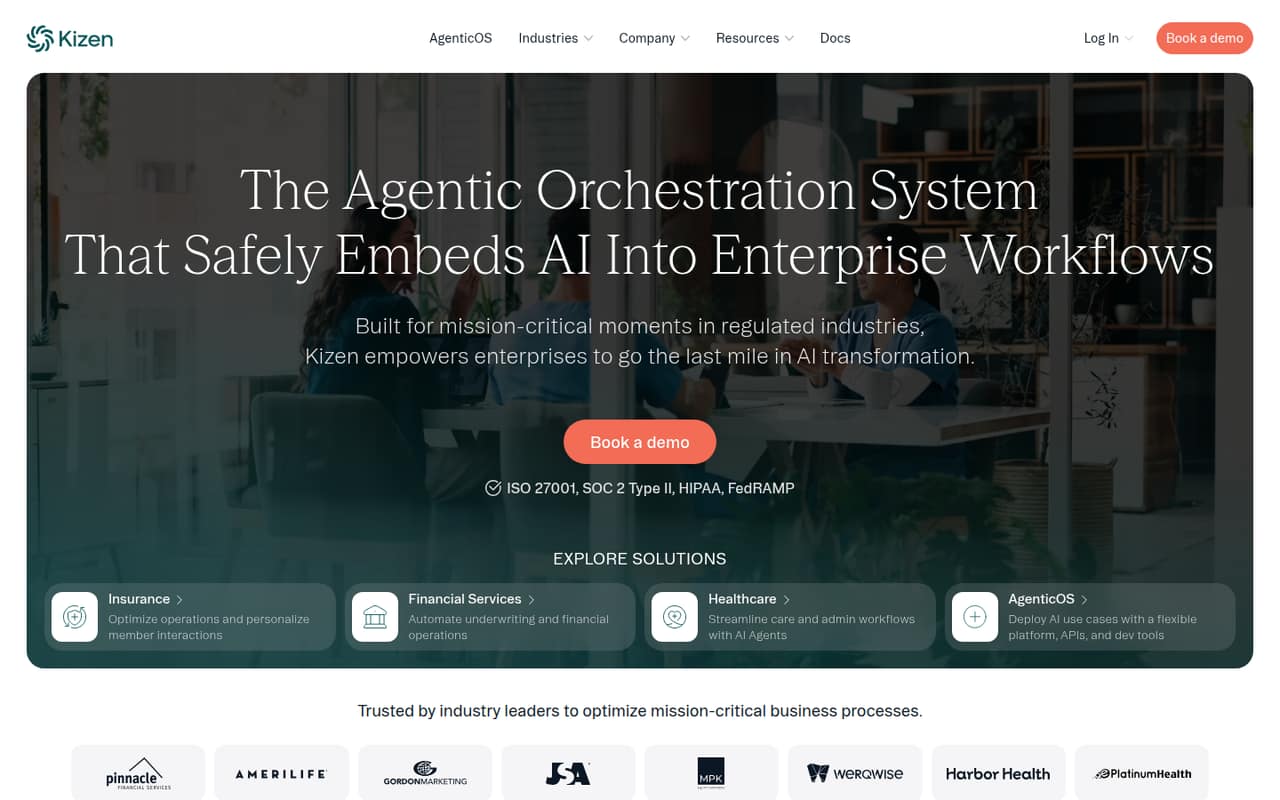
Kizen describes itself as an agentic orchestration system for embedding AI into enterprise workflows, with a focus on regulated industries such as insurance, financial services and healthcare. Its listed capabilities include AI agents, APIs and workflow support for healthcare, insurance and financial operations.
For a team of 1–10, the main obstacle is buying clarity: Kizen lists custom enterprise pricing, with no public starting price, seat limits or usage limits. There’s no free plan, and a trial isn’t listed. Ask for a quote and a walkthrough before budgeting.
Good fit if
- Regulated-industry enterprise teams
- Healthcare AI workflow programs
- Insurance and financial operations
Skip it if
- Teams needing a free plan
- Buyers requiring public seat pricing
- Small teams seeking a ready-to-use CRM
ScoresHow it rates
What works
- Designed to coordinate AI across enterprise workflows
- Focuses on regulated industries
- Lists healthcare care and administrative workflows
- Targets insurance operations and member interactions
- Offers APIs and developer tools
What doesn't
- No public starting price
- No free plan listed
- Trial availability isn't published
- Seat and usage limits aren't published
- Setup steps and integrations aren't detailed
01Who Kizen is for
Kizen is aimed at organizations embedding AI into important workflows, especially in regulated fields such as insurance, financial services and healthcare. It describes an orchestration system: a platform for coordinating AI use cases, rather than a simple tool for one isolated task. Listed examples include healthcare care and administrative workflows, insurance operations and financial activities such as underwriting.
For a 1–10-person team, the fit depends less on headcount than on having a defined enterprise workflow, a regulated-industry use case and budget for a custom vendor engagement. Kizen does not publish a starting price or seat minimum, so a small team cannot tell from the pricing page whether it qualifies. If you need a straightforward CRM with a clear per-user bill, Kizen’s public positioning is a mismatch. If your small team is building AI into sensitive, high-impact operations, request a demo and ask for a scoped quote before planning around it.
02Kizen free plan and trial
Kizen does not list a free plan. The pricing information lists a custom Enterprise offering for enterprises in regulated industries, with a demo available on request. It does not publish a free trial, so we can’t confirm whether a team can test the platform before buying.
The cheapest way in that Kizen lists is to request a demo and discuss a custom quote; there is no published entry-level plan or self-serve price. Ask the vendor whether a pilot is available, what it includes, whether it is paid, and how long it runs. Also ask which features and usage limits apply to the proposed package. Without those details, a small team should not treat a demo as a free trial or assume it can start with a limited, low-cost deployment.
03What a small team pays for Kizen
Kizen lists custom Enterprise pricing, with no monthly or annual price published. That means we can’t calculate a real cost for one person or compare a three-person team with a five-person team. The vendor also does not publish seat limits, usage limits or billing terms, so per-seat maths would be guesswork rather than a useful budget estimate.
The pricing information lists a demo on request and does not list add-on prices. That isn’t confirmation that add-ons are unavailable; ask Kizen whether implementation, support, extra usage or additional workflows change the quote. For a small team watching every subscription, request a written quote showing the total for your intended users, any usage-based charges and the monthly-versus-annual terms. Until the vendor shares those numbers, there is no defensible starting-price estimate for Kizen.
04Getting started with Kizen
Kizen’s public description points to an enterprise implementation: it focuses on coordinating AI across workflows and lists APIs and developer tools for building and deploying use cases. That suggests a team should clarify its workflow and technical requirements before expecting a useful rollout. The description does not give a setup timeline, implementation steps or a list of ready-made integrations, so we can’t estimate the work involved for a small team.
Before booking a demo, bring one concrete use case, the systems it needs to connect to and the people who own the workflow. Ask Kizen which integrations are already supported, whether your team needs developer help, and what configuration or vendor services are included in the quote. The product description identifies healthcare, insurance and financial operations use cases, but does not spell out a standard day-one setup. Treat implementation effort as an open question, not a quick-install promise.
05When small teams outgrow Kizen
For Kizen, the first concern may be whether it fits a small team at all. The listed offer is custom Enterprise pricing, not a published starter tier. Since the vendor does not publish seat or usage limits, a team can’t use public plan thresholds to predict when it must upgrade or what growth will cost.
If a team’s needs change, ask how the quote handles more users, higher AI usage, additional workflows and new departments. Those are practical points to settle before committing, but Kizen does not publish their limits or charges. A team may also outgrow the buying process if it needs self-serve signup, transparent per-seat costs or a free way to prove value. Get renewal terms and expansion pricing in writing. Without them, a growing team cannot compare the cost of scaling Kizen with alternatives using public pricing alone.
Questions people ask
Does Kizen have a free plan?
Kizen does not list a free plan. Its pricing information describes a custom Enterprise offering and a demo available on request. Ask the vendor whether it offers a paid or unpaid pilot, what the pilot includes and how long it lasts; a demo is not the same as a free trial.
How much does Kizen cost?
Kizen’s listed Enterprise pricing is custom, and the vendor does not publish a starting price or per-seat rate. Monthly and annual billing terms are also not published. Request a quote that spells out the total price, seats, usage limits and any implementation or support charges.
Who is Kizen designed for?
Kizen describes its platform as a way to embed and coordinate AI in enterprise workflows. Its stated focus includes regulated industries such as healthcare, insurance and financial services. The listed use cases include healthcare care and administrative workflows, insurance operations, underwriting and financial operations.
Does Kizen offer a free trial?
Kizen does not list a free trial. Its pricing information says a demo is available on request, but does not say whether buyers can run a trial or pilot. Ask the vendor about trial availability, duration, included features, usage limits and any associated cost.
What should a small team ask Kizen before buying?
Ask for the complete quote for your expected number of users, along with seat and usage limits, billing terms and any add-on charges. Also ask what integrations are supported, how much technical setup is required, and whether a pilot is available. Those details are not published in Kizen’s pricing information or product description.