
We may earn a commission if you buy through links on this page. It never changes a score or a ranking. How we make money
The bottom line
Choose OnePager for polished project visuals; budget $549 per licensed user, paid once.
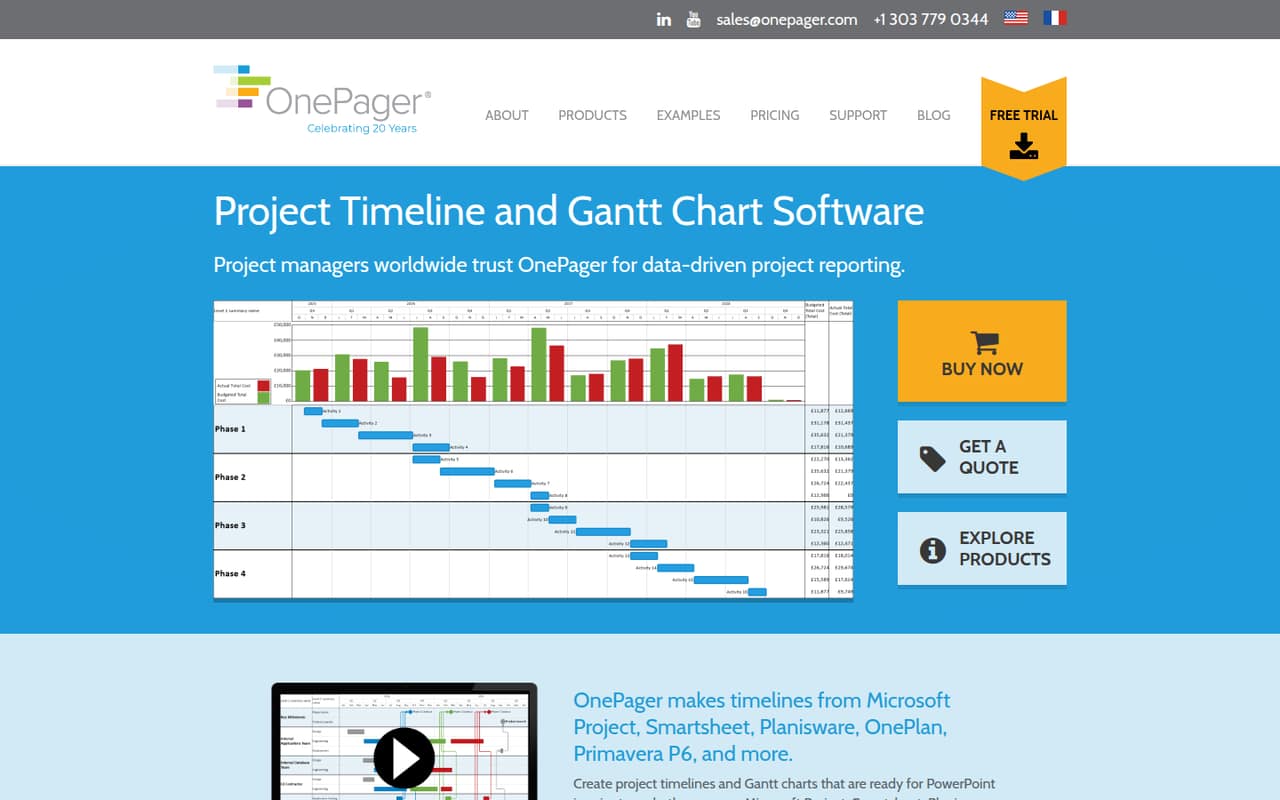
OnePager turns imported project data into timelines and Gantt charts you can shape for presentations. It can keep tasks linked to project data and update the visuals as that data changes.
There’s no free plan. The cheapest licenses cost $549 per user for one machine, paid once, with one year of upgrades and support. That can make sense for a few people who regularly prepare project updates, but it’s a steep entry price for occasional use.
Good fit if
- Project teams making stakeholder timelines
- Excel-based project teams
- Teams presenting multiple workstreams
Skip it if
- Teams needing free project software
- People seeking monthly billing
- Teams wanting a shared task manager
ScoresHow it rates
What works
- Builds timelines and Gantt charts from project plans
- Can update visuals from linked project data
- Groups graphics by subproject or workstream
- Highlights selected tasks and milestones
- Lifetime licenses avoid recurring subscription billing
What doesn't
- No free plan
- $549 per user is a high starting cost
- Each standard license covers one machine
- Trial feature scope is not published
- Enterprise minimum purchase is not published
01Who OnePager is for
OnePager is for small project teams that already have plans in Microsoft Project, Excel, or other project management tools and need clearer visuals for updates or presentations. It turns imported project information into timelines and Gantt charts, then lets users edit colors and fonts, group work into swimlanes, and call attention to selected tasks or milestones.
The fit is strongest when one or a few people regularly prepare project visuals for the rest of a team or its stakeholders. Licenses are priced per user, so a ten-person team should consider who actually needs to create or edit charts before buying seats. For a tight budget, $549 per licensed person is a substantial upfront cost, even though it is a one-time purchase rather than a monthly subscription. If your main need is assigning and tracking everyday tasks, OnePager’s stated focus is visualizing project plans, not replacing a general project management tool.
02OnePager free plan and trial
OnePager has no free plan. The pricing information lists a 15-day trial, but does not publish which features or editions the trial includes. Treat it as a chance to check whether your project data imports cleanly and whether the chart editing tools suit your presentation needs; confirm the trial’s exact scope with the vendor.
The cheapest way to keep using it after the trial is OnePager Pro for Microsoft Project users or OnePager Express for Excel-based teams. Both are listed at $549 one time per user for one machine, including one year of upgrades and support. If your team uses multiple project tools, the Bundle is listed at $649 per user. There’s no monthly or annual subscription price listed for these editions.
03What a small team pays for OnePager
The pricing page lists OnePager Pro for Microsoft Project users and OnePager Express for Excel-based teams at $549 per user, one time, for one machine. Each includes one year of upgrades and support. That means three licensed users cost $1,647 upfront, or five cost $2,745. These are lifetime licenses, not monthly or annual subscriptions, so there is no listed monthly or annual per-seat rate.
For teams working across multiple project tools, the OnePager Bundle costs $649 per user: $1,947 for three people or $3,245 for five. The Bundle includes one year of upgrades and support. Two years of upgrades and support costs $659 once for Pro or Express, or $799 once for the Bundle. A dual-machine license is available for a small fee, but the amount is not published. Optional Premium Features are also available, with pricing not published. Ask the vendor what those options cost and what support costs after the included year.
04Getting started with OnePager
The basic workflow is to import a project plan from a supported project tool or Excel, create a timeline or Gantt chart, and adjust its presentation. OnePager can link tasks and milestones to project data so visuals can be updated when the underlying data changes. Users can also edit colors and fonts, sort graphics into swimlanes, and highlight selected items.
Setup effort will depend on where your project data lives and how much visual editing you want. The setup time and training requirements are not published, so ask the vendor what to expect for your file type and project setup. Before purchasing, use the 15-day trial to check your import and update workflow; the trial’s feature scope is not published. For a small team, it is worth confirming that the people preparing charts have the right edition and license for their source data.
05When small teams outgrow OnePager
OnePager may stop being a fit if your team needs more than presentation-ready timelines and Gantt charts. Its listed features center on importing project data, updating visuals, grouping work, and styling tasks and milestones. If your team also wants a broader project management workflow, check that need separately before treating OnePager as the answer.
Seat costs can become the other pressure point: each standard license is for one user and one machine. Three Pro or Express users cost $1,647 upfront; five cost $2,745. The Bundle raises those totals to $1,947 and $3,245. Organizations needing scripted deployment can ask about Enterprise Licensing / Agreement, which has a custom quote; the minimum purchase requirement is not published. Also clarify the cost of upgrades and support after the included year, plus any extra-machine or Premium Features fees, before expanding.
Questions people ask
What does OnePager do?
OnePager turns project plans imported from project management tools or Excel into timelines and Gantt charts. Users can style the visuals, group graphics by workstream, highlight tasks and milestones, and keep linked items connected to project data for updates. It is aimed at presenting project information, rather than serving as a general task manager.
Does OnePager have a free plan?
No. OnePager’s pricing information lists a 15-day trial, but no free plan. The trial’s feature scope is not published, so check with the vendor which edition and features it includes. After the trial, the listed Pro and Express licenses start at $549 one time per user.
How much does OnePager cost for a small team?
OnePager Pro and Express are listed at $549 per user for one machine, paid once. That is $1,647 upfront for three licensed users or $2,745 for five. The Bundle is $649 per user, or $1,947 for three and $3,245 for five. Each includes one year of upgrades and support.
Can OnePager update charts from project data?
OnePager can update visuals with the latest project data, and linked tasks and milestones stay tied to that data. The vendor's site describes imports from project management tools and Excel. Confirm that your specific source and file setup are supported before purchasing, especially if you plan to use the trial to verify your workflow.
How long does it take to get started with OnePager?
The setup time is not published. The basic workflow is to import project data, create a timeline or Gantt chart, and adjust the visual layout. How long that takes will depend on your source data and how much editing you need. Ask the vendor about your file type, and check the workflow during the 15-day trial.