
We may earn a commission if you buy through links on this page. It never changes a score or a ranking. How we make money
The bottom line
Good free alerting for small teams, with a major Jira Service Management transition to plan around.
Opsgenie handles alerting and incident response, and its Free plan covers up to five users. For a small team watching costs, that is a useful starting point—but its one routing rule and 100 account-wide SMS notifications are real limits.
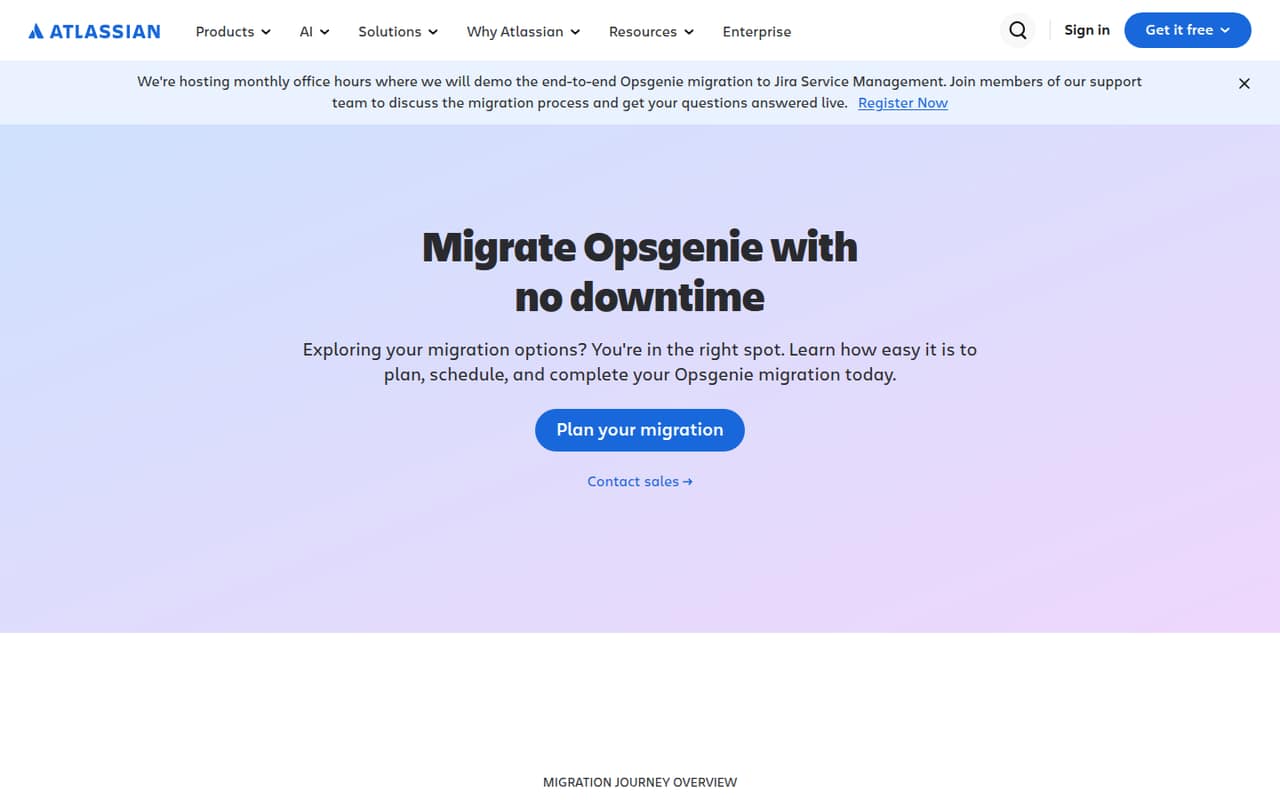
Atlassian’s homepage focuses on moving Opsgenie to Jira Service Management and says migration can happen with no downtime. Before building more of your on-call process around it, confirm what the migration means for your setup and pricing.
Good fit if
- Teams of up to five
- Basic alerting on a budget
- Teams already using Atlassian
Skip it if
- Teams avoiding Jira Service Management
- High-volume incident teams on Free
- Teams wanting a settled roadmap
ScoresHow it rates
What works
- Free plan covers up to five users
- Free plan includes unlimited alerts
- Paid Essentials starts at $9.45 per user monthly
- Atlassian offers monthly migration office hours
- A Reddit user praised its audit log and integrations
What doesn't
- Atlassian is moving Opsgenie to Jira Service Management
- Free plan has one routing rule maximum
- Free SMS allowance is 100 account-wide
- Essentials caps incidents at 100 per month
- Reddit users disagree on Jira Service Management
01Who Opsgenie is for
Opsgenie is for teams that need to route alerts and coordinate incident response. Reddit users discuss using it for alerts, escalation policies, and schedules, while Atlassian’s homepage now focuses on moving it to Jira Service Management. That makes it a better fit for a small team already comfortable with Atlassian than for one looking for a product with an unchanged direction.
For a team of one to five people, the Free plan may cover basic alerting without a subscription. Its limits—one routing rule, 100 SMS notifications account-wide, and three months of data retention—may be fine for a small operation with modest alert volume. If you need more, Essentials is the cheapest paid plan listed, at $9.45 per user per month when billed annually or $11.55 month to month. Check the migration details before choosing it for a new, long-lived workflow.
02Opsgenie free plan and trial
The pricing page lists a Free plan for up to five users at no charge. It includes unlimited alerts, 100 SMS notifications account-wide, a maximum of one routing rule, and three months of data retention. That is a meaningful starting point for a small team that needs basic alerting and can work within the shared SMS and routing limits.
The plan does not include unlimited routing rules or longer retention. Essentials raises retention to six months and includes 100 incidents per month account-wide, but it still has a one-rule maximum. A free trial is not listed in the pricing details, so ask Atlassian about trial availability if you want to evaluate a paid plan. Its homepage also offers registration for monthly migration office hours, including demos and live questions.
03What a small team pays for Opsgenie
Essentials is the cheapest paid plan listed: $9.45 per user per month billed annually, or $11.55 month to month. That works out to $9.45 or $11.55 for one person, $28.35 or $34.65 for three, and $47.25 or $57.75 for five. The annual-billing prices are monthly equivalents; the pricing page lists lower per-user rates for annual billing.
Free may be enough for up to five people if its limits fit. Essentials adds 100 incidents per month account-wide, up to five postmortems per month, and six months of retention, but still allows only one routing rule. Its included 100 US/Canada SMS and voice resources are per user. Possible add-ons include extra Essentials SMS or voice notifications at $0.10 each in the US/Canada or $0.35 internationally, additional incoming call numbers at $10 per month each, and calls beyond included US/Canada minutes at $0.10 per minute. International calls are listed at $0.35 per minute.
04Getting started with Opsgenie
The effort depends on whether you are setting up a new workflow or moving an existing one. Atlassian’s homepage promotes monthly office hours with migration demos and a chance to ask the support team live questions. That gives existing customers a place to learn about the move, but it does not spell out a step-by-step setup timeline.
Users report different experiences with migration work. One Reddit commenter said incoming alert webhook endpoints did not change, but reconnecting Slack or Teams channels required manual intervention. Another said their organization migrated automatically to Jira Service Management. Treat those as individual reports, not a promise that every integration will carry over unchanged. Before you rely on the setup, list the alert sources, channels, and workflows your team uses and ask Atlassian what needs reconnecting. A Reddit user also praised Opsgenie’s integrations and chat support, while describing the documentation as so-so.
05When small teams outgrow Opsgenie
A team may outgrow Free when one routing rule, 100 account-wide SMS notifications, or three months of retention is no longer enough. Essentials raises the incident limit to 100 per month and retention to six months, but keeps the one-rule maximum. Standard is listed at $19.95 per user per month billed annually or $24.15 month to month; it adds unlimited alerts and incidents and allows up to 100 routing rules.
The bigger reason to reconsider may be the transition itself. Atlassian’s homepage describes migration to Jira Service Management, while Reddit users have mixed views of that destination. One commenter said the migration kept most functionality and UI; another strongly objected to Jira Service Management. In a separate thread, users discussed moving to other on-call products. If your team depends on Opsgenie, confirm the migration path, costs, and integration changes before expanding your setup.
From the threadsWhat users say
Reddit sentiment is split: some users describe an easy or automatic move to Jira Service Management, while others are unhappy about the destination or the change. Older comments also praise Opsgenie’s integrations and support.
The entire thing just got moved into Jira SM. All the functionality and most of the UI is exactly the same
The only thing that required manual intervention was reconnecting slack/teams channels and some other feature we didn't use
It is so bad, I can’t even explain
The integrations are pretty good, documentation is so-so. I think the best part of OpsGenie is their chat support
Questions people ask
What does Opsgenie do?
Opsgenie is an alerting and incident response tool. Users discuss using it for alerts, escalation policies, and on-call schedules. Atlassian’s homepage now focuses on moving Opsgenie to Jira Service Management.
Is Opsgenie being discontinued?
Atlassian’s homepage describes migrating Opsgenie to Jira Service Management. It says the migration can happen with no downtime and promotes monthly office hours with demos and live questions. Ask Atlassian about the timeline and what applies to your account.
What is Opsgenie being replaced with?
Atlassian identifies Jira Service Management as the migration destination for Opsgenie. A Reddit commenter said their organization migrated automatically, while other users described different concerns and experiences. Confirm the route and requirements for your own account with Atlassian.
Does Opsgenie have a free plan?
The pricing page lists a Free plan for up to five users. It includes unlimited alerts, 100 SMS notifications account-wide, one routing rule maximum, and three months of data retention. A free trial is not listed in the pricing details.
Can Opsgenie migrate without downtime?
Atlassian’s homepage says migration to Jira Service Management can happen with no downtime. The same page offers monthly migration office hours with demos and live questions. Ask Atlassian how that applies to your integrations and configuration.