
We may earn a commission if you buy through links on this page. It never changes a score or a ranking. How we make money
The bottom line
Good coverage for client work, with a real free plan and per-seat costs to watch.
Paymo is worth considering if your small team needs project planning, time tracking and invoicing in one place. Its free plan covers one person, one client and two projects, while the paid plans add room for more client work and team features.
The main catch is the monthly price after the first three months: Plus rises from $10.90 to $15.90 per user, and Pro from $16.90 to $23.90. Annual billing is discounted, but the pricing page does not list the rates.
Good fit if
- Client-service solo professionals
- Small teams tracking billable time
- Agencies monitoring project profitability
Skip it if
- Teams needing many free projects
- Teams unwilling to pay per seat
- Buyers needing published annual rates
ScoresHow it rates
What works
- Free plan includes time tracking and invoices
- Task views include list, calendar and Kanban
- Projects support Gantt charts and dependencies
- Can convert unbilled time into invoices
- Plus includes reports and profitability tracking
What doesn't
- Free plan is limited to one user
- Free plan allows only two projects
- Solo is limited to one user
- Monthly prices rise after three months
- Annual rates are not listed
01Who Paymo is for
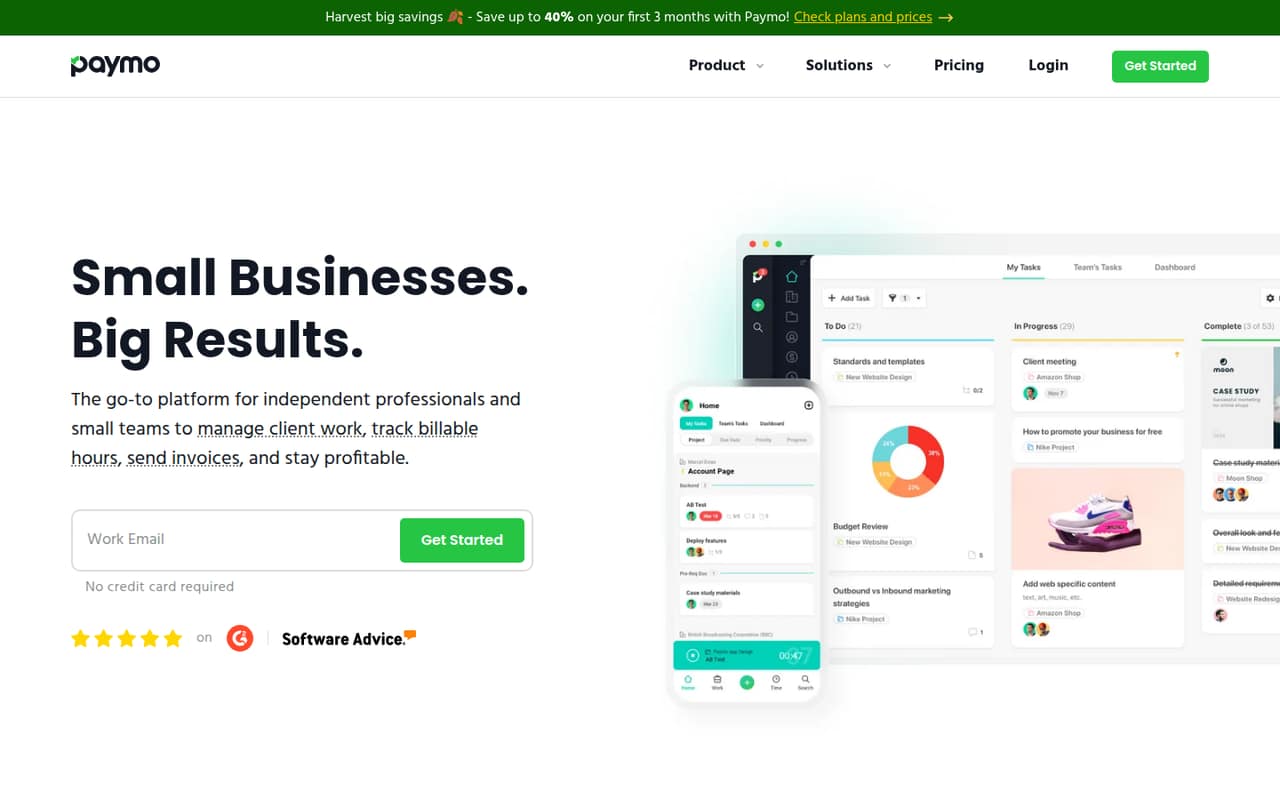
Paymo fits solo professionals and small client-service teams that need to connect project work with billable hours and invoices. It combines task management, time tracking, project planning, team collaboration, invoicing and profitability tracking. That means a team can organize tasks, record time, prepare invoices and review project margins in the same system.
The free plan is narrow but useful for one person testing a client-work workflow: it covers one user, one client and two projects. Solo is aimed at a solo professional who needs a little more room, with three clients and five projects. For a team, Plus is the first listed plan with multiple users, unlimited clients and projects, timesheet reports and project profitability. Teams that need Gantt charts, dependencies or employee scheduling can consider Pro. The best fit is a small service business that values connected time and billing records over a separate tool for each job.
02Paymo free plan and trial
The Free plan costs $0 and includes one user, one client and two projects. It also includes unlimited tasks, time tracking and invoices, plus 1GB of storage. For an individual, that is enough room to try basic client work without paying for a subscription; the project and client caps make it less suitable for an expanding workload.
Paymo also lists a 15-day free trial. The pricing page does not say which paid-plan features the trial includes, so ask the vendor before relying on it to evaluate a specific workflow. If you need more than the Free plan’s one client or two projects but still work alone, Solo costs $5.90 per month for the first three months, then $9.90 per month. It remains limited to one user.
03What a small team pays for Paymo
For one person, Free costs $0. Solo is $5.90 monthly for the first three months, then $9.90; it covers one user, three clients and five projects. For a team, Plus is the cheapest listed option with multiple users. The pricing page lists it at $10.90 per user monthly for the first three months, then $15.90.
That works out to $32.70 per month for three people and $54.50 for five during the offer. After it ends, those teams pay $47.70 and $79.50 per month, respectively. Pro costs $16.90 per user during the offer, then $23.90: three people pay $50.70, then $71.70; five pay $84.50, then $119.50.
Annual billing is discounted by up to 40%, but annual rates are not listed, so we can’t calculate an exact annual bill. No add-ons are listed. Plus includes integrations and API access; Pro adds Gantt charts, dependencies, employee scheduling and leave management.
04Getting started with Paymo
The vendor does not publish a setup-time estimate in the pricing details, so we would not budget a specific number of hours. Paymo covers several connected workflows—projects, tasks, time, team collaboration and invoicing—so a team should decide how it will organize clients and projects before inviting everyone. That is a practical planning step, not a claim that setup is difficult.
The task views include list, spreadsheet, calendar and Kanban formats. Project planning can include templates, milestones, Gantt charts and dependencies, while team collaboration includes task discussions, client guests and creative-file proofing. Start with the views and features your team actually needs rather than configuring everything at once. Plus lists integrations and API access, but the pricing details do not name specific integrations. Check with Paymo that the services you rely on connect before choosing a plan.
05When small teams outgrow Paymo
The first limits to watch are the Free plan’s one user, one client and two projects. Solo raises those caps to three clients and five projects, but still supports only one user. Once you need shared access for a team, Plus starts at $10.90 per user per month for the first three months and then costs $15.90 per user monthly. Five seats therefore move from $54.50 to $79.50 per month.
A team may need Pro if it wants Gantt charts, task dependencies, employee scheduling or leave management; those features are listed on that plan, not Plus. Pro also raises the monthly per-seat cost to $16.90 during the offer and $23.90 afterward. Storage is another upgrade consideration: Plus includes 50GB, while Pro includes 500GB. If you need annual-budget certainty, note that Paymo lists a discount of up to 40% but does not publish annual rates. Ask the vendor for a quote before planning around that discount.
Questions people ask
Does Paymo have a free plan?
Yes. Paymo’s Free plan costs $0 and includes one user, one client and two projects. It also lists unlimited tasks, time tracking and invoices, plus 1GB of storage. The small client and project caps make it best suited to an individual with a limited amount of active client work.
How much does Paymo cost for a small team?
Plus costs $10.90 per user per month for the first three months, then $15.90 per user monthly. Three seats total $32.70 during the offer and $47.70 afterward; five seats total $54.50 and then $79.50. Annual billing is discounted by up to 40%, but the pricing page does not list exact annual rates.
What is the difference between Paymo Plus and Pro?
Plus includes unlimited users, clients and projects, along with integrations, API access, timesheet reports and project profitability. Pro includes those core limits and features, and adds Gantt charts, task dependencies, employee scheduling and leave management. Pro lists 500GB of storage, compared with 50GB on Plus.
Does Paymo offer a free trial?
Paymo lists a 15-day free trial. The pricing details do not specify which plan or features the trial unlocks, so confirm that with the vendor if you need to test a particular feature, such as scheduling or project profitability, before paying.
Can Paymo turn tracked time into an invoice?
Yes. Paymo lists invoicing features that include converting unbilled time into invoices. The Free, Solo, Plus and Pro plans all include unlimited invoices, though their user, client, project and storage limits differ. Check that your preferred invoicing workflow fits before moving client billing into the system.